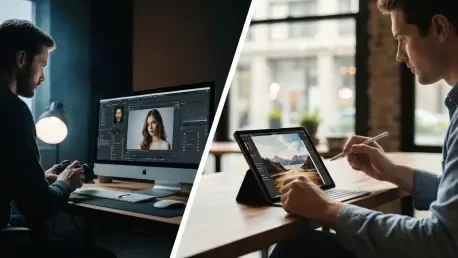

The profound shift in digital photography is no longer a future prediction but a present reality, as the ability to capture RAW images, once the exclusive domain of high-end professional cameras, has become a standard feature across countless consumer devices, including the smartphone in your pocket. This democratization of high-fidelity image capture has fueled an unprecedented demand for software capable of processing these data-rich files without the traditionally steep financial barrier. Advanced RAW editors, known for their complexity and significant processing requirements, have historically carried a premium price tag. However, the software landscape has evolved in lockstep with hardware advancements. A formidable array of high-quality, no-cost programs has emerged, offering sophisticated tools that challenge the dominance of their paid counterparts and empower a new generation of photographers to unlock the full potential of their images without spending a dime.
The Defining Qualities of a Premier Editor
Identifying a superior free RAW editor requires a multifaceted evaluation that extends far beyond a simple feature list. The foundational element of any competent program is the quality of its image rendering and processing engine, which dictates the ultimate fidelity and clarity of the final output. Equally critical, especially for professionals and serious hobbyists, are its batch processing capabilities. The ability to apply consistent edits to hundreds or even thousands of photos efficiently can save countless hours of tedious work. Furthermore, a robust digital asset management (DAM) system is indispensable for anyone with a growing image library. Effective DAM tools provide the structure needed to import, sort, catalog, and locate images quickly, transforming a chaotic collection of files into a well-organized and searchable archive. These technical benchmarks form the bedrock of a powerful and reliable editing workflow, separating the truly useful applications from the merely functional.
Beyond the core technical specifications, the user experience plays an equally vital role in determining an editor’s true value. An application’s power is rendered moot if its tools are buried under a convoluted or unintuitive user interface. The best programs strike a delicate balance, offering deep functionality for advanced users while maintaining an accessible and approachable environment for novices. This involves thoughtful design, logical menu structures, and clear labeling of tools. The overall usability must cater to a wide spectrum of skill levels, allowing beginners to achieve satisfying results quickly while providing a high ceiling for professionals to grow and refine their unique workflows. Ultimately, the software must serve as an intuitive extension of the photographer’s creative vision, not as an obstacle to it, making subjective factors like ease of use and interface design just as important as the processing engine itself.
Comprehensive Desktop Powerhouses
RawTherapee firmly establishes itself as the best overall free RAW photo editor, delivering an impressive suite of professional-grade tools within an open-source, cross-platform package. It operates on a sophisticated non-destructive, 32-bit floating-point processing engine, leveraging advanced algorithms to help users extract the absolute highest image quality possible. One of its most defining characteristics is its profound level of customization; with a staggering seven pages of options, advanced users can meticulously tailor the workspace to their exact workflow preferences. While this depth can initially seem overwhelming for beginners, it provides unparalleled control for those willing to learn. A standout feature is its “Quick Catalog,” which bolsters its credentials as a powerful organizational and asset management tool. Moreover, RawTherapee is uniquely engineered to perform smoothly on weaker PCs, making it an ideal choice for individuals with less powerful hardware. It may not be the absolute best in every single specialized function, but its excellence as a comprehensive, all-around editor with top-tier color tweaking capabilities makes it the most suitable option for the majority of users’ needs.
For photographers already accustomed to Adobe’s software suite, darktable emerges as the best free alternative to Lightroom, offering a remarkably similar operational experience that ensures a minimal learning curve. As a thriving open-source project, darktable benefits from a dedicated community that provides regular updates and continuously introduces new functionality. Its interface is often described as “sneakily slick,” effectively concealing its immense underlying power beneath a clean, modern, and accessible design. Basic adjustments such as contrast, brightness, and saturation are managed through simple, intuitive sliders, as are more advanced tasks like perfecting shadows and highlights or modifying graduated density. However, beneath this user-friendly veneer lies a treasure trove of robust and complex tools designed for professionals who demand granular control over every aspect of their images. This duality makes darktable exceptionally versatile, catering to both quick adjustments and deep, meticulous editing sessions without compromising on power or accessibility for either use case.
Tools for Specialized and Efficient Workflows
When the primary consideration is sheer simplicity and speed, Photoscape X stands out as the most accessible and efficient option. While its user interface may lack the polished aesthetic of some of its competitors, this design choice directly contributes to its high functionality and straightforward nature, making it an ideal entry point for beginners. The program’s layout is exceptionally clear, with major functions like single photo and batch editing organized into tabs at the top, while a comprehensive suite of adjustment tools is laid out logically along the side. Photoscape X boasts a vast library of features, including hundreds of distinct editing functions, dozens of creative filters, integrated collage-making tools, and even capabilities for merging HDR photos. Although it forgoes the intricate, high-level editing controls found in more complex software like RawTherapee, its core strengths lie in its incredible speed and efficiency. It is perfectly suited for tasks like rapid batch editing of JPEGs or quick file conversions, allowing global adjustments to be applied to a large volume of photos in mere seconds while remaining remarkably light on system resources.
In the unique category of browser-based editing, Photopea carves out its niche as the best free solution available. Its fundamental value proposition is its identity as a functional Photoshop clone that operates entirely within a web browser, eliminating the need for any software installation and consuming zero local hard drive space. It impressively delivers on this promise, offering many of Photoshop’s signature features, including layers, masking, cloning, healing tools, levels, and curves. It is important to note, however, that it is not a one-to-one replacement; Photopea lacks Adobe’s more recent AI-powered advancements, and some of its replicated features are less effective than the originals. The web-based format presents a clear trade-off: it offers unparalleled convenience and accessibility from any machine, but it is also entirely dependent on a stable internet connection and can be susceptible to lag or even lost work due to browser memory limitations. Its RAW editing capabilities are functional for basic tweaks but do not allow for granular control, making it a handy tool for quick edits on the go rather than a primary editing suite.
The Mobile and Creative Frontier
An interesting and highly specialized recommendation is Krita, which is the best free program for photographers who integrate a graphics tablet into their workflow. With a history spanning nearly a quarter of a century, Krita is widely recognized as a premier digital painting and illustration application, not a conventional photo editor. As such, it should not be considered an all-in-one solution for RAW processing. Instead, it is best positioned as a powerful, specialized tool to be used as part of a broader editing process. Its unique strength is derived directly from its illustration-focused design, which provides users with a massive and diverse array of brushes, filters, and effects. These tools can be used to apply artistic and graphically inclined manipulations to photographs, elevating them to a new creative level that is difficult to achieve with standard editors. This makes Krita an especially compelling option for those looking to blend photography with digital art, particularly when using the precise input of a graphics tablet to paint adjustments directly onto an image.
Finally, for photographers editing on the move, Adobe Lightroom CC reigns as the best free RAW photo editing program for tablets and smartphones. A key distinction is that it is specifically the mobile version of the application that has been available free of charge since 2015, requiring only a simple email registration to use. While other programs on this list might technically function on a mobile device, Lightroom CC is the only one that has been fully optimized from the ground up for the mobile experience on platforms like Android tablets and iPads. Adobe has successfully distilled many of the core functions of its powerful desktop software into a fluid, fast, and highly intuitive mobile application. Its minimalist user interface is exceptionally easy to navigate, utilizing simple sliders and toggles that make the editing process quick and accessible for users of all skill levels. The free version offers a surprisingly large amount of the professional-grade functionality one would expect from an Adobe product, making it an indispensable tool for mobile-first workflows.
A New Era of Photographic Empowerment
The evolution of no-cost editing software fundamentally altered the landscape of digital photography. The proliferation of these powerful, accessible tools effectively dismantled the financial and technical barriers that once stood between aspiring photographers and professional-quality results. No longer was a significant monetary investment in software a prerequisite for serious image editing. This shift empowered a diverse and growing global community of creators, from casual smartphone users to dedicated hobbyists, by giving them access to the same non-destructive editing workflows and sophisticated color-grading tools previously reserved for industry professionals. The availability of these programs fostered an environment of learning and experimentation, allowing individuals to develop their skills and refine their artistic vision without risk. This movement ensured that the ability to produce stunning, high-quality images became a matter of skill and creativity rather than the size of one’s budget, marking a pivotal moment in the ongoing democratization of the photographic arts.