
In the evolving landscape of hybrid and remote work, professionals are constantly seeking ways to replicate the ergonomic comfort of a traditional office setup in diverse and often temporary environments. The challenge lies in finding solutions that are not only effective but also exceptionally portable, avoiding the bulk and weight that can encumber a mobile professional’s gear bag. While many laptop stands promise portability, they often compromise on stability or pack down into cumbersome shapes that still occupy significant space. This persistent trade-off between function and form has left a gap in the market for a truly compact, robust, and versatile stand that can seamlessly adapt to the dynamic needs of today’s workforce. The Orico PN1 enters this space with a bold claim of delivering substantial ergonomic benefits from a package so small it could be easily mistaken for a minor accessory rather than a critical piece of workstation equipment, challenging the notion that powerful tools must come in large packages.
1. Unboxing and First Impressions
The initial encounter with the Orico PN1 fundamentally redefines expectations for what a “portable” laptop stand can be, as its packaging is startlingly compact, small enough to fit comfortably within a standard letterbox. Upon unboxing, the device itself is even more diminutive, measuring slightly shorter and less than half the width of an average smartphone, though a bit thicker when fully collapsed. This ultra-compact form factor immediately establishes its credentials as a go-anywhere accessory. The construction material is a high-grade aluminum that imparts a surprising and reassuring heft, dispelling any initial concerns that its small size might equate to flimsy build quality. This is not the lightweight, easily bent metal found in lesser products; instead, it feels solid and durable in hand. Strategically placed non-slip silicone pads on its contact surfaces promise to provide a secure grip on both the work surface and the device it supports, showcasing a thoughtful design that prioritizes stability and protection from the very first touch.
Further examination of the PN1’s design reveals a meticulous attention to engineering detail that enhances its portability and user experience. When collapsed, it presents a smooth, streamlined profile with no protruding parts, allowing it to be slipped into a laptop bag, backpack, or even a large pocket without snagging on other items. Orico thoughtfully includes a soft storage pouch, a simple but crucial addition that prevents the stand’s metal body from scratching laptops or other sensitive devices during transit. This small consideration elevates the product from a mere tool to a well-rounded solution designed for the realities of mobile work. The weight, at just 174 grams, is negligible, ensuring that it adds no significant burden to a user’s daily carry. This combination of an incredibly small footprint, robust materials, and protective accessories makes the PN1 an exemplary model of portable design, perfectly suited for digital nomads, students, and professionals who demand efficiency and minimalism from their gear.
2. Setup and In-Use Performance
Deploying the Orico PN1 is a masterclass in intuitive mechanical design, requiring no instructions or complicated maneuvers to achieve a stable and functional setup. The process is straightforward and can be completed in seconds through a few simple, fluid motions. It begins by opening the main hinge until the two arms are fully extended, forming the base of the stand. Next, the horizontal crossbars, which provide lateral support, are rotated out from their stowed positions. The two lower support tabs are then pushed through their slots, emerging at the front to create a secure lip that prevents the laptop from sliding forward. Finally, the recessed legs at the rear are pulled out, allowing a support pin to drop into one of five predefined slots, which locks the stand into the desired height and angle. The sequence of these steps is flexible, highlighting the forgiving and user-friendly nature of the engineering. This simplicity ensures that users can quickly adapt their workspace ergonomics in any location without frustration or delay.
Once a laptop is placed on the stand, the PN1 demonstrates a level of stability that belies its minimalist frame and lightweight construction. During typical use, including intensive typing sessions, the stand remains remarkably solid, exhibiting virtually no perceptible wobble or flex in any direction. This rigidity is a testament to the precise engineering of its joints and the quality of the aluminum used in its construction. While a deliberate and significant push far to the side of the support points can cause it to teeter, such force is well outside the bounds of normal interaction and does not reflect its performance in a real-world scenario. A key benefit of its skeletal design is the promotion of superior airflow around the laptop’s chassis. Unlike flat or solid-surface stands that can trap heat, the PN1’s open structure ensures that the device’s ventilation ports remain completely unobstructed, aiding in thermal management and potentially improving performance and longevity during prolonged use.
3. A Versatile Multi-Device Solution
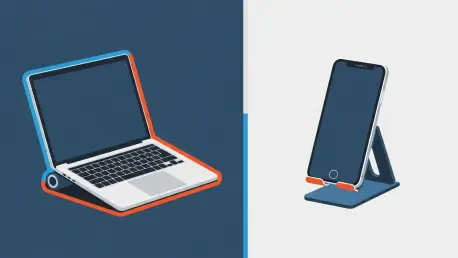
A standout feature of the Orico PN1 is its remarkable versatility, which extends its utility far beyond that of a conventional laptop stand. The genius of its design lies in the adjustable nature of its legs and support angles, which can be easily reconfigured to securely accommodate a wide range of devices. By altering the configuration, the stand transforms into a stable holder for a tablet, making it ideal for video conferencing, media consumption, or using the tablet as a secondary display. In another configuration, it can prop up a smartphone at a comfortable viewing angle, perfect for keeping an eye on notifications or for hands-free calls while working. This multi-device compatibility makes it an exceptionally valuable tool for the modern user who often juggles a laptop, tablet, and phone throughout the workday. Its ability to serve multiple functions means users can carry one lightweight, 174-gram accessory instead of three separate, bulkier stands, embodying the principles of efficiency and minimalism.
The stand’s minimalist support structure not only contributes to its light weight and portability but also provides a functional advantage across all supported devices. By making minimal contact with the device, it maximizes the surface area exposed to ambient air, which is crucial for passive cooling. Whether holding a high-performance laptop running intensive applications or a tablet during a long video stream, the stand helps prevent heat buildup by ensuring ventilation pathways are never blocked. This thoughtful aspect of its design underscores its role as a performance-enhancing tool, not just an ergonomic one. The PN1’s capacity to seamlessly adapt to different devices and use cases solidifies its position as a single, elegant solution for creating a more comfortable and organized workspace, regardless of the technology being used. It is this chameleon-like adaptability that elevates it from a simple accessory to an indispensable component of a mobile tech arsenal.
4. An Essential for the Modern Workspace
The Orico PN1 proved to be a transformative addition to the mobile workstation, delivering on its promises of portability and stability with exceptional engineering. Its incredibly compact and lightweight design made it an effortless travel companion, while its robust aluminum construction provided a surprisingly solid foundation for a variety of devices. The setup process was consistently quick and intuitive, allowing for rapid ergonomic adjustments in any environment, from a coffee shop to a shared office space. The stand’s versatile nature was one of its most compelling attributes; its ability to securely hold not only a laptop but also a tablet or smartphone rendered other, single-purpose stands obsolete. Ultimately, it elevated the daily work experience by improving webcam angles for more professional video calls and creating a more comfortable typing posture, which validated its value as a tool for both productivity and well-being.