
The intricate assembly of circuits and silicon that constitutes a modern personal computer is far more delicate than its sturdy metal case might suggest, and its complete and permanent failure often hinges not on a dramatic event, but on a single, preventable oversight. While users invest heavily in processing power and graphical fidelity, the longevity of their machine is frequently undermined by simple mistakes related to power delivery, environmental conditions, and routine maintenance. These are not obscure technical faults requiring expert diagnosis but common missteps that can trigger a catastrophic chain reaction, transforming a valuable tool into a silent, useless monolith. Understanding the nature of these vulnerabilities is paramount for any user, from the casual owner to the seasoned enthusiast, as safeguarding a PC from an untimely demise begins with recognizing the hidden dangers in everyday choices and actions.
The Shocking Truth About Power Management
At the heart of nearly every catastrophic system failure is a fundamental misunderstanding of electrical power. The most egregious and widespread error is the decision to save money on the Power Supply Unit (PSU). Often treated as an afterthought in a budget, a low-quality, off-brand PSU is a dangerously false economy. These units are notoriously built with substandard internal components that lead to poor efficiency, unstable voltage regulation, and a high susceptibility to overheating. When such a unit fails—and its failure is a matter of when, not if—it can send a surge of incorrect voltage throughout the entire system. This single event can instantaneously destroy every connected component, from the motherboard and CPU to the graphics card and storage drives, resulting in a total loss. To prevent this, the PSU must be treated as the critical foundation of the build. Investing in a new unit from a trusted manufacturer with an 80+ efficiency rating is non-negotiable. A capacity of 100 to 150 watts above the system’s peak power draw provides a safe operational buffer, ensuring stable power delivery under load and extending the life of all components.
The risks associated with power management extend beyond the PSU itself. A critical mistake often made during upgrades involves the reuse of modular PSU cables. While these cables may appear identical across different models or brands, their internal pinouts can vary dramatically. Using a cable that was not specifically designed for your exact PSU model can connect the wrong voltages to sensitive components, causing an immediate and irreversible short circuit. The only safe practice is to use exclusively the cables that were supplied with the power supply. Furthermore, the PC remains vulnerable to external electrical events like power surges from lightning strikes or fluctuations in the power grid. While modern PSUs have internal protections, a significant surge can easily overwhelm and destroy the unit itself. Therefore, a high-quality surge protector acts as an essential first line of defense. For comprehensive protection, an Uninterruptible Power Supply (UPS) is the superior solution. It not only guards against surges but also provides a battery backup, granting the user precious time to save work and perform a graceful shutdown during a power outage, preventing both data corruption and hardware damage from sudden power loss.
Your Environment and Handling The Silent Killers
Often overlooked, the physical environment in which a computer operates can be a silent but potent source of destruction. Ambient humidity, in particular, poses a significant threat that works in two distinct ways. In environments with high humidity, moisture in the air can gradually lead to the corrosion of metallic contacts and delicate circuits on the motherboard and other components. Over time, this can cause intermittent failures or, in severe cases, enough condensation can accumulate to cause a direct and fatal short circuit. Conversely, an excessively dry environment is just as perilous, as it fosters the ideal conditions for the buildup of static electricity. In low-humidity settings, simple movements can generate a powerful electrostatic charge on a person’s body, which can be discharged into a sensitive component with a single touch, instantly frying its intricate circuitry. The ideal relative humidity for electronics is a controlled range between 30% and 40%. Achieving this balance may require a dehumidifier in damp climates or a humidifier in arid ones, making environmental control a key aspect of long-term hardware preservation.
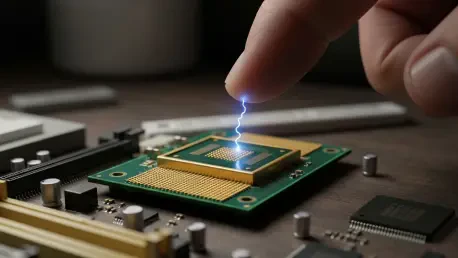
The danger of electrostatic discharge (ESD) deserves special attention, as it is one of the most common ways components are destroyed during building or upgrading. While manufacturing processes have improved insulation, the exposed pins and contacts on CPUs, RAM modules, and motherboards remain exceptionally vulnerable. A static shock that is too small for a human to even feel can carry thousands of volts, more than enough to permanently damage these parts. Professional technicians consistently use anti-static wrist straps to remain safely grounded while working. For those without specialized equipment, a strict set of precautions is essential. Work should never be performed on carpeted surfaces, and components should be placed on non-conductive materials like their original cardboard packaging. Before touching any internal hardware, it is crucial to discharge any personal static buildup by touching a large, grounded metal object, such as the computer’s metal chassis while it is off but still plugged into a grounded outlet. Furthermore, even with the rise of solid-state storage, many systems rely on mechanical hard disk drives (HDDs) for bulk data. These drives are mechanically fragile, containing spinning platters and read/write heads. A sudden jolt or drop, especially while the drive is active, can cause a head crash, resulting in catastrophic physical damage and the permanent loss of all data.
The Digital Danger Zone Risky Software Procedures
While many threats to a PC are physical, one of the most final and irreversible forms of damage originates from a software-level procedure: updating the motherboard’s BIOS. The BIOS is the fundamental firmware that initializes all hardware and allows the operating system to boot. If this core software becomes corrupted during an update, the motherboard is rendered completely inoperable, a state commonly known as being “bricked.” Because the risk is so severe, even motherboard manufacturers advise that a BIOS update should not be performed unless it is absolutely necessary to resolve a specific problem or enable compatibility with new hardware. The potential for a power flicker or an unexpected system crash during the flashing process is the primary cause of corruption. For a system that is already stable and functioning correctly, the marginal performance or stability improvements listed in patch notes rarely justify the risk of turning the entire motherboard into an expensive paperweight.
An update to the BIOS is only warranted in specific, critical scenarios, such as when installing a newer generation of CPU that the current firmware does not recognize, enabling support for faster RAM modules, or resolving a known, severe bug that directly impacts the user’s workflow. If an update is deemed unavoidable, it must be approached with a strict protocol to mitigate risk. The most critical precaution is to ensure a stable and uninterrupted power source throughout the entire process. Connecting the computer to a UPS is the best way to safeguard against a sudden power outage that would otherwise guarantee a corrupted flash. If the motherboard’s interface allows for it, backing up the current BIOS version to a USB flash drive before beginning the update provides a potential, though not guaranteed, recovery path. While some premium motherboards feature a “Dual BIOS” system—a physical backup chip that can be activated if the primary one fails—this safety net is absent on the vast majority of mid-range and budget models, leaving no room for error.
A Framework for Hardware Longevity
The investigation into these common failure points revealed a clear and consistent theme: the longevity and stability of a personal computer were directly tied to proactive and informed user practices rather than chance. The analysis showed that decisions regarding the selection and management of electrical components formed the absolute bedrock of a reliable system. It was demonstrated that compromising on the quality of a power supply unit or mishandling its modular cables introduced an unacceptable level of risk that jeopardized every other component. Similarly, the exploration of external electrical threats underscored the necessity of protective measures like surge protectors and uninterruptible power supplies, which served as critical buffers against unpredictable grid events. The examination of the operating environment and physical handling protocols highlighted that silent factors, such as ambient humidity and electrostatic discharge, were just as destructive as overt electrical faults. Finally, the review of firmware procedures presented a stark reminder that even a software-level action, when performed without the proper precautions, could result in complete and irreversible hardware failure, cementing the principle that diligence across all aspects of PC ownership was essential for its preservation.