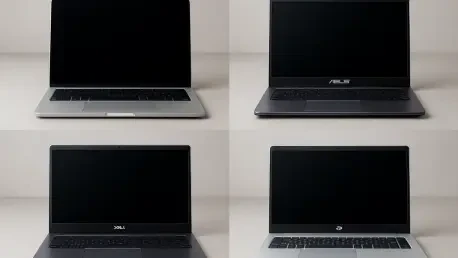

Longevity-focused buyers face a harder challenge than spec-chasers because a laptop can look stellar on day one yet falter under real workloads, travel, and software updates that accumulate year after year, so the real question is which brands and product families still feel dependable in year four or five when batteries have cycled, hinges have been stressed, and operating systems have marched forward. The answer requires more than launch reviews or a single benchmark; it sits at the intersection of build quality, thermal engineering, battery management, software support, and service. Drawing on broad survey trends from Consumer Reports alongside multi-year ownership threads that surface recurring failure modes on Reddit communities, a clearer picture emerges. Apple, ASUS, Dell, and HP appear most often in accounts of laptops that keep their composure, but the story is more nuanced: premium and business-class lines rise above their budget siblings, and platform-level choices shape outcomes in meaningful ways.
how reliability is defined and measured
Reliability in laptops is best understood as the ability to deliver consistent performance and function with minimal repairs across several years, not the burst of speed a fresh unit posts on a lab chart. A reliable system stays cool enough to avoid chronic throttling, maintains battery health across hundreds of cycles, and resists mechanical fatigue in hinges, keyboards, and ports. To capture that longer arc, survey signals from Consumer Reports summarize repair rates and owner satisfaction trends for brands and key model families, while long-form reports on Reddit surface the slow-burn issues that formal reviews can miss: subtle hinge wobble, fans that grow louder over time, drivers that age poorly, and firmware updates that either solve or exacerbate thermal limits. The convergence of these views grounds any brand-level judgments in both breadth and lived experience.
This blended approach also recognizes the fragmentation within each brand. A premium ultrabook with a metal chassis and deliberate thermal design does not share a reliability profile with a plastic-bodied budget laptop using minimal heat pipes and compact fans. Weight, thickness, and the choice of display technology all play a role, as do support policies. Timely firmware updates and accessible service documentation push a device toward a longer, smoother life, while opaque support and scarce parts undercut even a well-built machine. When patterns repeat—say, a hinge mount that cracks in certain budget lines or a particular fan curve that leads to sustained high temperatures—survey and anecdote reinforce each other. The result is a pragmatic view: reliability sits at the product-family level, influenced by engineering priorities and sustained by the support ecosystem around the device.
what matters most over time
Over the long haul, thermals drive the narrative. Heat accelerates component wear, steals performance headroom through throttling, and shortens battery life by keeping cells outside their preferred temperature range. Laptops that pair efficient platforms with cooling solutions sized for sustained loads tend to age gracefully; those that chase thinness at any cost often pay a reliability tax. Hinge design is another make-or-break detail. Robust mechanisms with ample reinforcement distribute stress better, reducing wobble and preventing the dreaded crack at the chassis anchor. Keyboard switches benefit from consistent actuation and dust resistance, while trackpads with firm mounting avoid drift and misclicks as tolerances loosen. These mechanical elements add up to a daily experience that either remains tight and confident or gradually degrades.
Battery management policies and software support shape the other half of the story. Aggressive charge limits, optimized power states, and efficient chips extend battery health and reduce heat generation under load. Likewise, firmware updates that refine fan curves and tune power delivery can extend useful life by taming spikes and smoothing workloads. Operating system support windows matter: predictable updates reduce driver conflict and ensure performance does not degrade as applications evolve. Parts availability and service networks determine whether a worn battery, fan, or hinge can be replaced quickly and affordably. Across brands, premium and business-class lines usually invest in these advantages—metal bodies that hold tolerances, more advanced thermal assemblies, and better warranties—yielding fewer surprises in year three and beyond.
brand snapshot: Apple
Apple’s MacBook Air and MacBook Pro routinely sit at the top of multi-year satisfaction charts, reflecting a strategy built on integration. The same company designs the chips, the operating system, and much of the firmware and software stack, which reduces the driver friction that can gradually erode stability on aging hardware. M‑series silicon leans into performance per watt, pushing sustained tasks at lower temperatures than many competitors and keeping fans quieter or absent. Owners frequently report five to seven years of viable performance before replacement becomes appealing rather than necessary, with batteries holding health longer than the average due to conservative power management and smart charging features. This platform synergy shows up in everyday consistency: sleep states work, Bluetooth remains stable, and updates rarely cause major regressions.
Support horizons compound the hardware advantages. macOS updates continue for years after purchase, and security patches keep arriving even as systems age, preserving software compatibility without twisting performance into a knot. Apple’s parts availability is not perfect, and some generations are not friendly to at-home repairs, yet the official service network and third-party specialists keep many machines in circulation well past warranty. Resale values reflect that pattern; a three-year-old MacBook often commands a higher price than a similarly aged Windows counterpart. The trade-offs are familiar: higher upfront cost and limited modularity. Still, for buyers prioritizing longevity and steady performance rather than iterative tinkering, the MacBook portfolio has demonstrated a repeatable reliability advantage grounded in efficiency, integration, and predictable support.
brand snapshot: ASUS
ASUS has earned a reputation for balanced engineering in its mid-range and premium lines, where materials and thermals are chosen with a view toward sustained use rather than headline thinness. Zenbook models typically deliver rigid construction with aluminum chassis, thoughtfully tuned fan profiles, and battery life that holds up beyond the first year. ProArt laptops target creators with displays that remain well-calibrated and cooling that handles heavy media workloads without excessive noise or hot spots. Over time, owners report fewer creaks, fewer hinge issues, and keyboards that retain consistent feel. The result is a Windows experience that remains coherent across updates, with fewer compatibility snags and a daily rhythm that feels unhurried.
The ROG Zephyrus series underscores the brand’s approach to gaming thermals, a category where many machines struggle as dust builds and paste dries. Thicker vapor chambers, reasonable power targets, and sturdy lids help these laptops retain frame rate stability while avoiding the chronic fan howl that often accelerates wear. However, ASUS’s lineup is broad, and reliability varies at the low end. Budget models can skimp on cooling hardware and chassis reinforcement, leading to reports of hinge wear and throttling after sustained use. The practical lesson is straightforward: choose Zenbook, ProArt, or ROG Zephyrus for durability goals, and scrutinize budget options on a model-by-model basis, paying close attention to thermal headroom and build materials rather than a spec sheet that emphasizes only CPU and GPU counts.
brand snapshot: Dell
Dell’s story is divided by product family, with XPS, Latitude, and Precision standing out for reliability while lower-cost Inspiron units see more mixed outcomes. XPS machines are built with dense materials, solid lid and deck rigidity, and calibrated fan curves that balance comfort with sustained performance. Displays remain a high point, and batteries in the 13- to 15-inch range often hit a sweet spot of capacity and longevity. Across multi-year ownership threads, XPS units tend to keep their composure under daily business workloads and mixed creative tasks, avoiding the thermal cliff that triggers constant downclocking. This steadiness enhances perceived performance long after the initial rush of new hardware fades.
Latitude and Precision lean further into serviceability and parts access, which pays dividends after warranty. Enterprises choose them for multi-year rollouts because hinges can be replaced, keyboards swapped, and batteries accessed without drama. That design ethos filters to the secondary market, where used units remain fixable and dependable. Inspiron, by contrast, frequently trades away reinforced hinges and robust cooling to hit lower price points, and that can manifest as flexy lids, fan noise under moderate loads, and earlier signs of wear. Careful shoppers can still find solid Inspiron configurations, but the safest route for long-term reliability is to stay with XPS for premium consumer needs, Latitude for business portability, and Precision for workstation-class durability and documentation.
brand snapshot: HP
HP’s Spectre and Envy families have matured into consistent performers for shoppers who value longevity, offering tight chassis tolerances, responsive keyboards, and quiet cooling systems that avoid the rough edges common in lighter, cheaper designs. Spectre ultrabooks, in particular, combine efficient processors with measured power delivery that keeps temperatures in a sensible range, preserving battery health while maintaining snappy responsiveness. Displays are well-executed, and touchpads remain precise without developing the wobble or misclicks that can plague less rigid builds. Over time, the experience stays polished, with fewer complaints about chassis creak or intermittent throttling during long meetings or travel.
EliteBook models push reliability further through business-focused features: spill-resistant keyboards, better port selection, and service manuals that enable quick part swaps. These laptops receive sustained BIOS and firmware attention, which reduces the small bugs that often stack up on consumer lines as the years pass. The picture is not uniform across the brand; budget and some mid-tier consumer models have more reported hinge and thermal issues, a reality tied to lower-cost materials and simplified cooling designs. For buyers intent on durability, the cue is clear: prioritize Spectre, Envy, or EliteBook, and evaluate thermals and hinge reinforcement before accepting lower prices as a fair trade for the subtle quality that carries into year three and beyond.
patterns across the four brands and platform realities
Viewed together, these four brands demonstrate that reliability is more about engineering choices than marketing slogans. Premium and business-class machines last longer because they allocate more volume to cooling, use stronger hinge designs, and benefit from tighter quality control. Batteries remain healthier when paired with efficient platforms and conservative power policies, reducing the chances of early swelling or drastic capacity loss. Owners who report three to five years of stable service often highlight the same features: cool-to-the-touch palm rests under load, quiet fans that do not oscillate, and chassis that remain firm. Parts and documentation complete the picture; when batteries and hinges can be replaced without a full teardown, a laptop avoids premature retirement.
Platform differences layer onto these trends. Apple’s vertical integration curbs the driver complexity that Windows OEMs must juggle across vendors and generations, which helps older machines stay smooth as software evolves. On the Windows side, variability is inevitable because component mixes are broader, yet premium lines from ASUS, Dell, and HP mitigate that risk with vetted parts and more rigorous validation. Gaming laptops face special stress; ASUS’s Zephyrus series fares comparatively well thanks to thermal headroom and sturdy frames, but airflow discipline remains essential. Across the board, the hinge-and-thermal duo remains the earliest signal of aging. When those two hold up, keyboards, displays, and batteries usually follow, and owner satisfaction holds steady in survey data and in long-running community threads.
windows vs. macOS longevity factors
Software longevity intersects with hardware design in ways that are easy to underestimate at purchase time and impossible to ignore in year three. On macOS, the update cadence aligns with Apple’s chips and firmware, making performance impacts more predictable and often modest. Applications tend to keep pace without forcing awkward driver workarounds, and sleep, wake, and external display behavior remain consistent across versions. Windows machines shoulder a broader component universe, so driver maintenance and firmware coordination play a larger role. Premium Windows lines succeed when vendors shepherd updates that stabilize thermals, preserve battery health, and avoid regressions after major OS updates, demonstrating that software hygiene is part of reliability engineering.
Security support also shapes lifespan. Devices that continue to receive patches avoid the compatibility dead-ends that push users to replace otherwise capable hardware. When vendors publish service manuals and keep parts in the channel, small issues do not cascade into early retirements. That is where Dell’s business lines and HP’s EliteBook family carve out an advantage, while Apple’s long support windows help MacBooks remain viable for longer stretches. The through line is consistent: a laptop’s staying power hinges on the marriage of efficient silicon, healthy thermals, and a predictable update path. When those align, owners report fewer slowdowns, quieter fans, and batteries that age gently rather than precipitously failing.
buying advice for long-lived laptops
Shoppers who value longevity benefit from a mindset shift: shop the family, not just the brand. Within the four brands highlighted, the models with the best track records are concentrated in premium and business lines for predictable reasons—stronger materials, larger cooling capacity, better firmware stewardship, and better after-sales support. For macOS, MacBook Air and MacBook Pro consistently align with those priorities, pairing efficient M‑series chips with long, stable support. For Windows, ASUS Zenbook and ProArt balance daily comfort and endurance, while ROG Zephyrus proves that gaming laptops can be engineered for durability if thermal targets are set thoughtfully. Dell’s XPS, Latitude, and Precision, along with HP’s Spectre, Envy, and EliteBook, check the same boxes and show fewer early failures.
Practical vetting goes beyond spec sheets. Look for evidence of thermal headroom in independent stress testing, examine hinge reinforcement in teardowns, and confirm that batteries are replaceable and available at reasonable cost. Favor models with clear service manuals and firmware updates documented over time. Price should be viewed through total cost of ownership: premium machines often offset higher upfront expense with fewer repairs, less downtime, and stronger resale value. Avoid assuming that a familiar logo guarantees a durable unit, and be cautious with the cheapest trims across any brand’s lineup, where cost cuts often land squarely on cooling and chassis integrity. That diligence increases the odds that a laptop remains a steady companion well past its warranty window.
next steps for buyers focused on lifespan
The analysis pointed to a pragmatic path for reliability-minded purchases: choose Apple for the integrated route to endurance, or select premium and business-class lines from ASUS, Dell, and HP that prioritize cooling, hinge strength, and service. It also showed that careful model selection mattered more than a logo, that software and firmware discipline preserved performance, and that batteries stayed healthier when paired with efficient platforms. From these findings, the next steps were clear. Start by defining workload and environment, then filter to product families known for solid thermals and good documentation. Validate recent firmware activity and parts availability, and favor configurations with measured power limits rather than headline-watt spikes.
The discussion also suggested longer-horizon considerations that could yield benefits beyond a single purchase. Standardizing on lines with accessible service reduced waste and downtime for households and teams, while selecting displays and components known for stable calibration minimized aging surprises. Establishing a maintenance routine—periodic dusting, sensible charge limits, and timely firmware updates—extended useful life further. In practice, those moves stacked the deck toward machines that remained quiet, cool, and responsive as software evolved. Taken together, these steps placed Apple and the premium or business-series models from ASUS, Dell, and HP in the lead for durability, turning a one-time purchase into a longer-lived investment that had already paid off in fewer repairs and steadier day-to-day performance.