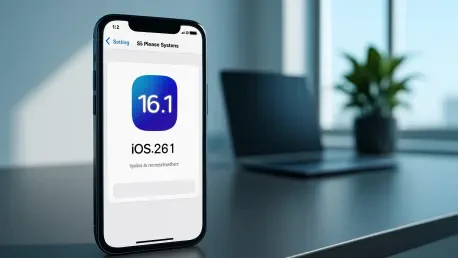

Imagine opening your iPhone’s Settings app and spotting a shiny new update notification for iOS 26.1, prominently displayed as the top choice over older versions. This isn’t just a random change; it’s a deliberate move by Apple to steer users toward the latest major software update, signaling a shift in how updates are rolled out to millions of devices. For many, the decision to update can feel daunting—will it disrupt workflows, or will it unlock essential features? This guide is crafted to help users understand and navigate Apple’s prioritization of iOS 26.1, ensuring a smooth transition while balancing control over major changes. It offers clear steps to assess, prepare for, and install this update with confidence.
The importance of this guide lies in demystifying Apple’s evolving update strategy. In a world where software updates can redefine device functionality, understanding why iOS 26.1 has taken center stage over earlier iOS 18 versions is crucial for users who want to stay current without risking instability. Apple’s cautious yet confident push for this update, especially ahead of the holiday season and the upcoming iOS 26.2, reflects a balance between innovation and user readiness. By following this how-to, readers will gain insight into the reasoning behind the shift, learn how to interact with update notifications, and make informed decisions about upgrading their devices.
Moreover, this guide isn’t just about pressing the install button. It’s about empowering users to take charge of their iPhone experience, recognizing when and why to update based on Apple’s strategic cues. The shift to prioritizing iOS 26.1 in the Settings app marks a departure from earlier patterns where incremental updates like iOS 18.7 held prominence for longer periods. With a focus on user agency and stability, this resource aims to walk readers through each stage of the update process, ensuring they feel prepared for what lies ahead in their device’s software journey.
Step-by-Step Instructions for Navigating iOS 26.1 Update Prioritization
Step 1: Recognize Apple’s Update Hierarchy in the Settings App
Begin by opening the Settings app on your iPhone and navigating to the Software Update section. Here, users will notice iOS 26.1 displayed as the primary update option, a change from the earlier focus on iOS 18.7.2. This repositioning isn’t accidental; it signals Apple’s readiness to encourage wider adoption of the latest major version. Take a moment to observe any badges or notifications highlighting the update’s availability. Understanding this shift is the first step in aligning with Apple’s current strategy, which prioritizes major updates after initial stability checks.
Additionally, consider why this hierarchy matters. Apple’s decision to place iOS 26.1 at the forefront reflects growing confidence in its performance, following a period where smaller updates were favored to minimize risks like bugs or compatibility issues. Users should note that while the update is prominently featured, installation isn’t automatic for major releases. This setup allows time to assess whether the timing is right for an upgrade, based on personal or professional needs.
Step 2: Evaluate the Benefits and Timing of iOS 26.1
Next, dig into what iOS 26.1 offers by reviewing release notes or feature summaries available within the Software Update screen. This version likely includes critical enhancements, security patches, and new functionalities that build on the foundation of iOS 26. Reflect on how these changes might improve daily device use, especially with the holiday season approaching—a time when device performance and new features can shine during travel or family gatherings. Apple’s timing in promoting this update now suggests an intent to stabilize user experiences before rolling out iOS 26.2.
Furthermore, think about the broader context of this rollout. By pushing iOS 26.1 as the default choice ahead of future updates, Apple aims to create a seamless transition window. Users are encouraged to weigh the pros and cons, such as potential improvements in app compatibility versus temporary disruptions during installation. Taking stock of these factors ensures a decision that aligns with individual priorities, whether that’s staying on a familiar version for a bit longer or jumping into the latest software.
Step 3: Prepare Your Device for the Update
Before initiating the update, ensure the device is ready for a smooth process. Start by backing up data to iCloud or a computer to safeguard important files against unforeseen issues. Confirm that the iPhone has at least 50% battery life or is plugged in, as major updates like iOS 26.1 can be power-intensive. Freeing up storage space is also key—delete unused apps or offload large files to make room for the download. These preparatory actions minimize the risk of interruptions or data loss.
Beyond the basics, consider connectivity and timing. A stable Wi-Fi connection is essential to avoid data overages or failed downloads. Choose a moment when the device isn’t needed for critical tasks, as the update may take time and temporarily limit access to certain features. Apple’s design ensures that major updates require manual initiation, so users retain control over when this process begins. This thoughtful preparation paves the way for a hassle-free transition to iOS 26.1.
Step 4: Manually Initiate the iOS 26.1 Installation
Once prepared, return to the Software Update section in Settings and select the option to download and install iOS 26.1. Follow the on-screen prompts, which may include entering a passcode or agreeing to terms. Remember, unlike minor updates, this process won’t start automatically, preserving user authority over significant software changes. Stay patient during the download and installation phases, as the duration can vary based on internet speed and device model.
Additionally, keep an eye on the device during the update to address any prompts or errors promptly. After installation, the iPhone will restart, and users can explore the new features or settings introduced in iOS 26.1. Apple’s focus on manual updates for major versions reflects a balance between encouraging adoption and preventing unexpected changes. This step empowers users to complete the update on their terms, aligning with the company’s broader strategy of user-centric deployment.
Final Reflections on Updating to iOS 26.1
Looking back, the journey through Apple’s prioritization of iOS 26.1 revealed a structured path that guided users from recognizing the update’s prominence to successfully installing it. Each step—from evaluating the benefits to preparing the device and manually initiating the process—ensured that the transition was both informed and intentional. This approach mirrored Apple’s careful balance of pushing innovation while respecting user control, a strategy that unfolded clearly through the repositioning of update options in the Settings app.
As a next step, users might explore community forums or official support channels to dive deeper into specific iOS 26.1 features or troubleshoot any post-update quirks. Keeping an eye on announcements about iOS 26.2 could also prepare them for the next wave of enhancements. Ultimately, this guide served as a roadmap for navigating a pivotal shift in software strategy, equipping users to stay ahead in a landscape of constant technological evolution with confidence and clarity.