
With deep experience spanning mobile gaming, app development, and enterprise mobile solutions, Nia Christair has a unique perspective on the intricate dance between software evolution and user security. We sat down with her to unpack Apple’s recent dual release of iOS 26.2 and iOS 18.7.3. Our conversation explored the complex engineering efforts behind supporting older operating systems, the reasons users and businesses hesitate to adopt the latest software, and the urgent, often unseen, world of critical security patches.
The article notes Apple released iOS 18.7.3 for older devices alongside iOS 26.2. From a development standpoint, how does Apple manage patching vulnerabilities across two separate operating systems simultaneously, and what specific challenges does this parallel support create for their engineering teams?
This is a massive, but necessary, undertaking that speaks to Apple’s commitment to its user base. It’s not as simple as copying and pasting code. The engineering teams are essentially maintaining two distinct development branches. A security fix developed for iOS 26 has to be carefully back-ported to the iOS 18 architecture, which might have different frameworks or dependencies. The biggest challenge is regression testing; you have to ensure that patching a vulnerability on the older OS doesn’t inadvertently break a core function or introduce a new bug on devices that can’t run the latest software. We saw this exact pattern with iOS 18.7.2 last month, which shows this is a well-oiled, albeit complex, machine designed to protect as many users as possible, regardless of their update cycle.
You mentioned that users can choose to remain on iOS 18 even though iOS 26 is the default update. What are the most common reasons, from a user or enterprise perspective, for delaying a major OS upgrade, and what are the primary security risks involved?
From an individual user’s perspective, it’s often a case of “if it ain’t broke, don’t fix it.” People get comfortable with their device’s behavior and worry that a major update will change the interface, slow down their older iPhone, or break a favorite app. For enterprise clients, the reasons are far more pragmatic and critical. They have custom-built apps and workflows that are essential for business operations. They can’t risk a major OS upgrade rendering those tools useless, so they undergo months of rigorous testing before green-lighting a company-wide update. The primary risk in both scenarios is exposure. While Apple does an admirable job patching major holes with updates like iOS 18.7.3, you’re still missing out on the cumulative architectural security improvements of the newer OS, leaving you on a platform that is inherently less secure.
The release notes for iOS 18.7.3 vaguely mention “important security fixes.” Based on previous patterns like the one with iOS 18.7.2, what types of critical vulnerabilities typically prompt these standalone security updates, and can you walk me through the discovery-to-patch lifecycle for such a fix?
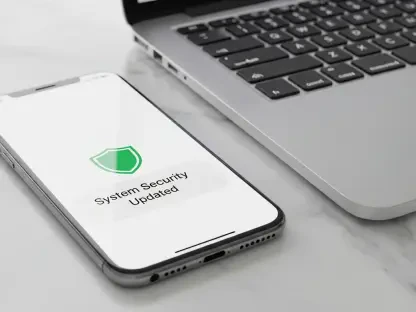
That vague language is classic Apple, but it almost always points to something serious that could be actively exploited. These standalone updates are typically reserved for zero-day vulnerabilities—flaws that attackers have already discovered and are using in the wild. We’re talking about things that could allow an attacker to run malicious code, bypass privacy protections, or gain control of a device remotely. The lifecycle is a frantic race against the clock. Once a vulnerability is discovered, either internally or by an external researcher, Apple’s security teams work in complete lockdown to develop a patch. They have to verify the exploit, write the fix, and then test it across a huge matrix of devices and both operating systems. Finally, they push the updates, like iOS 18.7.3 and iOS 26.2, simultaneously to close that window of vulnerability for everyone at once.
Do you have any advice for our readers?
Absolutely. If you’re still running iOS 18, install the 18.7.3 update immediately. Don’t put it off. While it’s understandable to be cautious about major upgrades, these specific security releases are non-negotiable for keeping your personal data safe. Apple is providing a critical lifeline for older systems, and ignoring it is like leaving your front door unlocked. Use this as an opportunity to assess why you haven’t upgraded to iOS 26 and start planning for it, because these legacy patches, while helpful, won’t continue forever, and the newest software will always offer the most comprehensive protection.