
The long-held ambition of seamlessly blending the mobile and desktop worlds has often felt just out of reach, with users frequently resorting to clunky emulators or limited workarounds to bridge the gap. Running Android applications on a sprawling Windows monitor has historically meant accepting a compromised experience, typically confined to a small, phone-sized window that fails to leverage the available screen real estate. However, a significant update to Microsoft’s Phone Link application for Windows 11 now directly addresses this limitation, introducing a feature designed to break mobile apps out of their traditional vertical confines. The publicly available “Expanded screen” functionality promises a much larger, more immersive view of your favorite Android apps directly on your PC. This development marks a pivotal moment in cross-platform integration, yet its implementation reveals a complex reality that falls short of a true, universally accessible full-screen experience and underscores the persistent technical hurdles that still remain in unifying these two distinct ecosystems.
A Closer Look at the Expanded Screen Experience
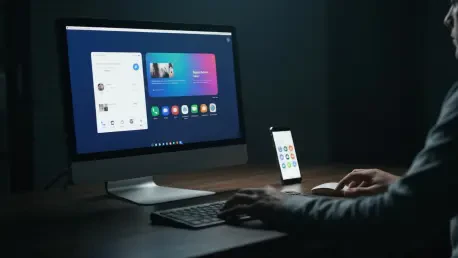
The core of this enhancement, delivered in Phone Link version 1.25112.36.0, lies in its clever technical approach to screen mirroring. Rather than attempting to render an Android app natively on Windows, the “Expanded screen” feature instructs the connected Android device to relaunch the target application in a wider, tablet-style layout. This larger, landscape-oriented interface is then streamed directly to the Windows desktop in near real-time. This method ingeniously leverages Android’s own built-in support for different screen configurations, effectively tricking the app into thinking it is running on a tablet. It’s a major departure from the previous system, which strictly mirrored the phone’s portrait orientation, resulting in a display that felt out of place and inefficient on a standard monitor. The new approach allows an application to occupy up to 90% of a PC’s display, offering a substantially more desktop-friendly format that is better suited for productivity tasks, social media browsing, and media consumption, transforming the utility of the feature.
Despite the innovative approach, the user experience is accompanied by several important caveats that temper the initial excitement. The “almost full-screen” designation is a literal description, as the feature consistently leaves a noticeable margin of unused space around the mirrored application, preventing a true edge-to-edge experience that many users might expect. Furthermore, Microsoft has been transparent about the potential for inconsistent performance across the vast Android app ecosystem. The company warns that some applications may need to perform a full restart to properly adjust to the new, wider layout, an interruption that can disrupt a user’s workflow. More problematically, a subset of applications may not support expanded views at all, either defaulting back to the smaller window or failing to launch correctly in the expanded mode. Even when an app does successfully expand, the visual quality is not guaranteed. The streaming nature of the connection means that some popular apps, such as WhatsApp, have been observed to become visibly blurry when stretched to this larger format, compromising clarity.
The Hardware Barrier and Broader Context
Perhaps the most significant barrier to the widespread adoption of this feature is its strict and exclusive hardware requirement. Access to the entire “Apps” streaming functionality within Phone Link, which includes the new expanded view, is not a universal capability for all Windows 11 and Android users. Instead, it is available only for a curated list of smartphones from specific manufacturing partners, including select devices from Samsung, HONOR, OPPO, and Xiaomi. These phones must either come with the “Link to Windows” companion application pre-installed by the manufacturer or have it installed from the Play Store, creating a fragmented and exclusive ecosystem. Consequently, a vast number of Android users with perfectly capable devices from other popular brands will find the “Apps” section entirely absent from their Phone Link interface on Windows. This strategic decision effectively turns a potentially transformative feature into a niche perk for owners of select hardware, limiting its overall impact on the broader goal of unifying the Windows and Android experiences for the average consumer.
The introduction of the “Expanded screen” feature was a noteworthy enhancement within the larger evolution of Microsoft’s Phone Link platform. It joined a suite of existing capabilities, such as remote PC locking, seamless file sharing, and a synchronized clipboard, which together aimed to create a more cohesive and productive workflow between a user’s phone and computer. This particular update signified a clear ambition to move beyond simple notifications and file transfers toward a deeper, more meaningful level of application interactivity. However, the chosen method—streaming a tablet-optimized view from the phone rather than enabling native execution on the PC—represented a pragmatic but ultimately compromised solution. The resulting experience, hampered by visual artifacts and strict hardware limitations, underscored the immense technical and logistical challenges that continued to define the quest for true cross-platform synergy, showing that the bridge between Android and Windows had become stronger but was far from complete.