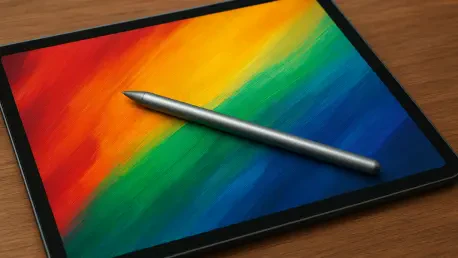

Specialized e-ink ecosystems like those from Amazon and reMarkable remain highly siloed, preventing their precision tools from functioning on standard tablet markets. This separation marks a significant departure from the early era of touchscreens, where a simple capacitive rubber tip sufficed for basic navigation across any glass surface. In the current 2026 landscape, the digital pencil has undergone a radical transformation into a specialized instrument that relies heavily on deep integration with specific hardware architectures and proprietary software layers. This evolution has turned these peripherals into sophisticated extensions of the tablet’s processor, enabling features that were once physically impossible. Consequently, a user can no longer view a stylus as an interchangeable accessory. The modern selection process requires a holistic understanding of how a device’s technical capabilities, such as low-latency communication and pressure sensitivity, synergize with its parent ecosystem to provide a seamless professional experience.
Creative Precision and Professional Design
Professional Artistry: The Apple Pencil Pro Capabilities
The Apple Pencil Pro has established itself as the premier choice for professionals who demand the highest degree of nuance in their digital artwork and design projects. Its introduction of sophisticated haptic feedback and barrel roll capabilities has fundamentally changed the way artists interact with the iPad’s glass surface. By utilizing a gyroscope to detect the rotational orientation of the pencil, the device allows for the dynamic manipulation of digital brushes, mimicking the natural behavior of traditional calligraphy pens or angled brushes with remarkable accuracy. This rotational intuition provides creators with a more responsive and organic experience, effectively bridging the sensory gap between digital tools and physical media. When an artist tilts or spins the pencil, the software responds instantaneously, providing subtle physical vibrations that confirm the tool’s state. This level of granular control is essential for high-stakes creative projects where precision and tactile response are paramount for success.
Hardware Constraints: Compatibility and Workflow Efficiency
Beyond its sensory capabilities, this device prioritizes workflow efficiency through the implementation of intuitive physical gestures that reduce the reliance on digital menus. The inclusion of a haptic squeeze function allows users to summon tool palettes and shortcuts directly at the tip of their fingers, while a familiar double-tap feature enables quick toggling between active drawing tools and erasers. This design philosophy ensures that the creative flow remains uninterrupted, as the artist never needs to lift their hand or search through complex on-screen interfaces. However, these advanced features are accompanied by stringent compatibility requirements that restrict the device to the most recent iPad models, such as the M4 iPad Pro and the latest iPad Air series. This specific hardware lock-in underscores a broader industry trend toward creating premium, closed-loop experiences where the most innovative functions are reserved for users who invest in the most current technological infrastructure available in the market.
Productivity and Engineering in Windows Environments
Tactile Feedback: Surface Slim Pen 2 Inking
For professionals working within the Windows 11 ecosystem, the Microsoft Surface Slim Pen 2 serves as a critical bridge for specialized engineering and architectural tasks. One of its most distinctive features is the use of tactile signals designed to simulate the physical friction and subtle vibration of a graphite pencil moving across traditional paper. This haptic technology addresses a long-standing complaint among digital users regarding the slippery sensation of a plastic nib on smooth glass. By providing this tactile resistance, the device allows for more controlled strokes and greater confidence during precise drafting or handwriting. It is important to note, however, that these tactile signals are highly dependent on software implementation. While applications like Microsoft Whiteboard or Adobe Fresco offer robust support for these sensory effects, other third-party tools may not yet fully utilize the hardware’s capabilities, leading to a varied user experience across different professional software suites.
Technical Precision: Pressure Sensitivity and Logistics
Accuracy and pressure response remain the cornerstones of the Surface Slim Pen 2, which offers over four thousand levels of pressure sensitivity to satisfy the needs of technical designers. This precision allows for a high degree of nuance in line weight and shading, making it an indispensable tool for those involved in complex technical drawing or architectural planning. However, prospective buyers must navigate a somewhat complicated landscape regarding peripheral management and charging logistics. Unlike some competitors that utilize a single universal method, the Slim Pen 2 requires specific hardware for power replenishment, such as a compatible Surface Pro Keyboard or a dedicated standalone charging cradle. This requirement highlights the logistical complexity of maintaining a digital toolkit within the Microsoft hardware family. Users must ensure that their specific device bundle supports the charging needs of the pen to avoid unexpected downtime, emphasizing the importance of planning for a cohesive and functional workspace environment.
Specialized Writing and Mobile Creativity
Ergonomic Design: Samsung S Pen Creator Edition
The Samsung S Pen Creator Edition was developed to address the specific ergonomic needs of mobile professionals who found standard, ultra-thin styluses unsuitable for long-duration creative or writing sessions. By adopting a significantly thicker and more rounded form factor, this version of the S Pen provides a more natural grip that reduces hand fatigue during intensive note-taking or detailed sketching. Interestingly, Samsung chose to prioritize ergonomic reliability over advanced wireless features by eschewing battery-powered functions like Bluetooth Air Actions in this specific model. This design decision results in a tool that operates entirely through electromagnetic induction, meaning it never requires charging and is always ready for immediate use. For many users, this pick-up-and-go simplicity outweighs the benefits of remote-control gestures. It offers a dependable alternative for those who view their tablet as a workhorse for Samsung Notes or various creative suites, provided they are comfortable with the trade-off of losing some proprietary smart features.
Focused Environments: Kindle Scribe and reMarkable Tools
In the specialized realm of e-paper technology, tools like the Kindle Scribe Premium Pen and the reMarkable Marker Plus cater to a unique niche of users who prioritize a distraction-free, analog-like experience. These digital pencils are not intended for complex multi-layered painting or high-end graphic design; instead, they are finely tuned for PDF markup, professional brainstorming, and long-form writing. To enhance this specific utility, these devices often feature dedicated physical erasers on the top end and high-friction tips that provide the distinct scratch of a pencil on a page. Because these tools are integral components of highly siloed ecosystems, they are typically non-transferable to other devices, reinforcing the idea that the best digital writing experience often requires a dedicated, closed-loop environment. This specialization ensures that the hardware and software are perfectly aligned for a specific task, though it necessitates a commitment to a single brand’s vision of what a digital workspace should look and feel like for the user.
Navigating the Selection Process
Decision Framework: Hardware Audits and Workflow Analysis
Selecting the ideal digital pencil begins with a rigorous audit of existing hardware to ensure total technical compatibility between the peripheral and the tablet model. Because modern input tools are often engineered for specific processor architectures and screen digitizers, cross-referencing manufacturer-provided compatibility guides has become a mandatory first step in the purchasing process. This prevents the costly mistake of acquiring a high-end tool that lacks the necessary communication protocols to function with an older or different brand of tablet. Once the technical foundation is established, a user must carefully evaluate their primary daily activities to determine which specialized features will provide the most value. A high-volume note-taker may find the haptic friction of a Surface or reMarkable tool more beneficial for long-term comfort, whereas a professional illustrator will almost certainly require the pressure sensitivity and rotational control offered by the Apple Pencil Pro to achieve their desired results.
Final Considerations: Habits and Ecosystem Synergy
The successful integration of a digital pencil into a professional workflow required a strategic alignment between the physical tool and the digital environment it inhabited. By focusing on ergonomic needs and specific software requirements, users moved beyond the limitations of generic accessories to embrace highly specialized instruments. Decision-makers examined their charging habits and the necessity of haptic feedback, ultimately choosing devices that minimized friction in their creative or administrative processes. This approach ensured that the chosen peripheral acted as a true extension of the user’s intent rather than a standalone gadget. Looking forward, the maturation of these ecosystems suggested that the most effective solutions remained those that paired specific hardware capabilities with personal productivity habits. Ultimately, the transition to precision-based digital input was completed by prioritizing compatibility and workflow synergy over universal benchmarks. This strategic selection process turned the digital pencil into a vital asset for modern professional success.