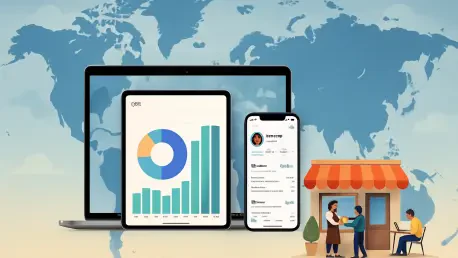

As an expert in enterprise mobile solutions and device hardware design, Nia Christair has spent years navigating the intersection of user experience and corporate infrastructure. With a deep background in mobile gaming, app development, and large-scale deployment, she possesses a unique perspective on how hardware ecosystems can transform business operations. In this discussion, we explore the global expansion of Apple’s business tools, analyzing how the consolidation of management and engagement services creates a more streamlined environment for growing companies.
The conversation covers the strategic shift toward a unified portal, the financial implications of free management tools, and the logistical advantages of zero-touch deployment for a remote-first world.
The new unified business portal combines management, identity, and customer engagement tools into one interface. How does this consolidation change the daily workflow for a small business IT admin, and what are the specific steps they should take to migrate their existing systems into this single platform?
The unification of these services into a single portal represents a massive shift from fragmented management to a “single pane of glass” philosophy. For an IT admin, this means they no longer have to jump between Apple Business Manager for hardware and separate tools for brand management or identity; everything is centralized, which significantly reduces the cognitive load and time spent on routine tasks. To migrate effectively, admins should first integrate their existing identity service provider to establish managed accounts, ensuring that corporate and personal data remain distinct from the start. From there, they should utilize “Blueprints” to automate settings and app deployments across their fleet, effectively mirroring their old workflows in this new, streamlined environment. This consolidation allows even a part-time IT manager to maintain a professional-grade infrastructure without needing a massive enterprise background.
Basic mobile device management features and 5GB of storage per user are now available without a subscription fee. What is the long-term financial impact of these free tools on a growing company’s tech budget, and how should they decide when it is time to upgrade to paid storage tiers?
Lowering the cost of entry is a game-changer for startups because it essentially removes the “management tax” that used to hit companies the moment they hired their fifth or tenth employee. By providing basic MDM and 5GB of storage for free, Apple allows businesses to reinvest those initial overhead savings—roughly 99 cents or more per user—directly into hardware or specialized software. A company should look at upgrading to paid tiers the moment their workflows involve heavy collaboration on media-rich files or when their “Freeform” boards and shared documents begin to hit that 5GB ceiling. It is a very natural scaling point; you start for free to keep your burn rate low, and you only pay more when your team’s productivity and data needs actually justify the expense.
Business-class email, custom domains, and native collaboration tools like Freeform now offer an alternative to established productivity suites. What are the practical trade-offs when moving away from traditional office software, and in which specific industries does an integrated hardware-and-software ecosystem provide the most significant return on investment?
The primary trade-off is moving from a platform-agnostic world into a hardware-specific one, which requires a commitment to a specific ecosystem to reap the full benefits of tools like FaceTime or Pages. While you might lose some of the granular spreadsheet power found in legacy suites, you gain a level of stability and “it just works” fluidity that is hard to replicate across different brands. We see the highest return on investment in creative agencies, retail, and field services where staff are constantly on the move and rely on the seamless handoff between an iPad and a Mac. In these sectors, having custom domains and branded logos in outbound emails integrated directly into the OS creates a premium brand image that usually costs much more to maintain on third-party platforms.
Managed accounts allow companies to separate private employee data from corporate information through identity service providers. How does this technical boundary improve security during employee offboarding, and what advice do you have for maintaining a balance between oversight and personal privacy on work devices?
Managed accounts act as a digital surgical strike during offboarding because they allow an admin to instantly revoke access to corporate email, calendars, and proprietary apps without touching the employee’s personal photos or messages. This technical boundary solves the old “Bring Your Own Device” nightmare where companies feared losing data and employees feared losing their privacy. My advice for maintaining balance is to be radically transparent: show employees that while the company manages the “Blueprints” for security, their personal Apple ID remains their own territory. When people understand that the identity service provider only sees the work-related data, it builds a culture of trust that actually makes the workplace more secure in the long run.
Professional support plans now offer tiered pricing starting at $6.99 per device or $13.99 per user for multiple units. How should a manager evaluate the value of 24/7 support and admin training versus relying on internal troubleshooting, and what metrics best track the success of these premium service plans?
A manager should view these support plans as an insurance policy against downtime, which is often the silent killer of small business productivity. When you consider that $13.99 per month provides 24/7 phone support and up to two device repairs per year, the math usually favors the service plan over the cost of a single hour of an employee’s lost time. The best metrics to track are “Mean Time to Resolution” for hardware issues and the speed of new hire setup; if your admin training is working, you should see a sharp decline in internal help-desk tickets. If a single repair is avoided or a training session prevents an afternoon of troubleshooting, the plan has effectively paid for itself for the entire quarter.
While these business services are expanding to over 200 countries, certain features like location-based advertising or specific support options may vary by region. What should international firms consider when deploying these tools across different borders, and how can they maintain a consistent tech experience for a global workforce?
International firms must act as local experts in every market they enter, especially since tools like location-based advertising in Maps might be available in London but not in a smaller regional hub. It is vital to audit the feature availability in each of the 200 countries where you operate to ensure that your “Blueprints” aren’t relying on a service that doesn’t exist in a specific territory. To maintain consistency, I recommend creating a “Global Core” configuration of essential MDM settings that works everywhere, then layering regional “Add-ons” for specific local features. This ensures that an employee in Tokyo has the same basic security and collaboration experience as one in New York, even if their support hours or advertising tools differ slightly.
Zero-touch deployment allows new hardware to be configured automatically before it even reaches the employee. Could you walk us through the logistical benefits of this process for a remote-first company and describe the impact it has on the overall onboarding experience for a new hire?
Zero-touch deployment is the ultimate “wow” factor for a remote hire because it eliminates the tedious, multi-hour setup process that usually defines a first day. Logistically, a company can ship a shrink-wrapped MacBook directly from the warehouse to the employee’s home; the moment they open the lid and connect to Wi-Fi, the device recognizes the company’s “Blueprint” and automatically installs every necessary app and security setting. This removes the need for hardware to ever pass through an IT office, saving hundreds of dollars in shipping costs and days of transit time. For the new hire, it feels like magic; they go from unboxing to being fully productive and connected to the company directory in minutes, which sets a high standard for the company’s culture and technical maturity.
What is your forecast for Apple’s role in the SMB market?
I believe we are entering an era where Apple becomes the default “Business-in-a-Box” solution for any company that values simplicity and design over complex legacy configurations. By integrating everything from 24/7 support to free basic MDM and custom email domains, they are positioning themselves not just as a hardware vendor, but as a complete operational foundation for the next generation of entrepreneurs. As these tools continue to roll out to over 200 countries, we will see a massive shift where the “Apple-only” office is no longer a niche for creative boutiques, but a standard for high-efficiency startups globally. The sheer convenience of zero-touch deployment and the financial ease of the $0 entry point for management will make it increasingly difficult for more cumbersome, fragmented competitors to stay relevant in the SMB space.