
Modern smartphone users spend an average of six hours a day looking at high-resolution displays, yet the recent shift toward hyper-realistic fluid interfaces has introduced unexpected levels of visual fatigue. Since the arrival of the Liquid Glass design language, many individuals have reported that the constant motion and high-contrast light bursts are physically taxing during prolonged use. While the aesthetic was originally hailed as a revolutionary step toward tactile-digital synthesis, the reality of daily operation revealed that certain high-intensity flashes and fluid animations were overly aggressive. Software update 26.4 addresses these ergonomic concerns by implementing a more nuanced approach to interface dynamics. This refinement prioritizes user comfort without abandoning the modern visual identity that defines the current ecosystem. By focusing on the physiological impact of screen time, the latest update seeks to harmonize cutting-edge graphic performance with the long-term health of the user. This strategic pivot highlights a growing industry recognition that aesthetic beauty must remain subordinate to functional accessibility.
Advanced Adjustments: Softening the Visual Impact
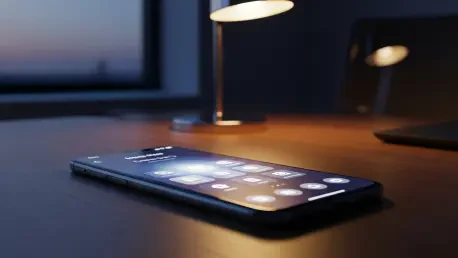
The primary addition introduced in this update is a specialized setting titled Reduce Bright Effects, which can be found tucked within the Display and Text Size section of the Accessibility menu. This feature specifically targets the sharp, high-contrast highlights that trigger whenever a user interacts with standard interface components like buttons or navigation links. In previous iterations, these highlights functioned as intense visual flares to simulate the reflection of real glass, but in low-light environments, they often proved jarring or distracting. By enabling this new toggle, the system mathematically softens these luminance spikes, creating a more diffused and gentle visual response that retains the depth of the Liquid Glass aesthetic. Consequently, the interface feels significantly more stable and less nervous during active navigation. This adjustment is particularly beneficial for professionals who rely on their devices late at night or in dimly lit offices, as it reduces the frequent pupil dilation changes caused by sudden brightness shifts.
Motion Refinement: Balancing Fluidity and Stability
Alongside the luminance adjustments, the update fundamentally re-engineered the Reduce Motion architecture to better accommodate the complex, layered transitions inherent to the current framework. Previously, standard motion reduction failed to address the specific multi-dimensional scrolling and depth-based windowing that defined the modern era. The revamped implementation in 26.4 successfully limited excessive visual noise and secondary animations without compromising the inherent responsiveness of the hardware. Users who opted for this more controlled environment found that the device felt faster and more predictable, as the cognitive load required to track moving elements was substantially lowered. For future hardware cycles through 2028, these findings suggested that granular sensory controls would become as standard as volume sliders. Developers observed that moving toward a personalized sensory profile allowed for a broader range of user comfort. Ultimately, the industry moved toward a philosophy where high-end design was viewed through the lens of human endurance, ensuring that digital tools supported rather than strained the visual system.