
The era of struggling with convoluted text prompts to achieve a simple background blur or a color swap on a mobile device has officially come to an end as tactile interfaces take center stage. Instead of typing long paragraphs describing a scene, users now interact with images through a sophisticated markup layer that bridges the gap between natural language processing and traditional graphic design. This shift signifies a fundamental change in how artificial intelligence serves the average consumer, moving away from a novelty tool into a robust, professional-grade creative assistant. By focusing on the user’s intent through direct on-screen actions, the platform minimizes the guesswork that once defined early generative AI experiences. The result is a more fluid and predictable editing process that empowers creators to make localized adjustments with surgical precision, ensuring that the final output matches their mental image without the fatigue of repetitive trial and error.
Transitioning from Textual Prompts to Tactile Interaction
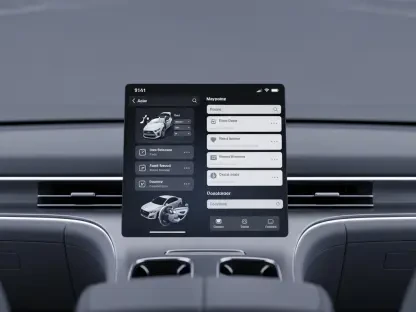
Early iterations of mobile AI editing often felt like a disconnected conversation where the user provided a prompt and hoped for a usable result, but the latest updates to the Gemini interface prioritize a “graphics app” experience. This transformation is most visible in the implementation of a redesigned markup system that allows for direct manipulation of the canvas rather than relying solely on a separate chat window. By circling a specific element or highlighting a region, the user provides the AI with immediate spatial context, which serves as the foundation for more accurate modifications. This tactile approach reduces the cognitive load required to translate a visual idea into a text-based instruction, making the software feel like an extension of the user’s hand. Recent builds show a move toward a high-fidelity selection UI that offers a level of control previously reserved for desktop software, effectively democratizing advanced photo manipulation for the smartphone market.
Building on this foundation of direct interaction, the integration of inline instructions marks a significant departure from the fragmented workflows of the past few years. By placing a dedicated text box at the bottom of the image editor, the system eliminates the friction of context switching, which occurs when a user must bounce between different tools and the main AI chat interface. This streamlined design allows for a focused session where a selection is made and an instruction like “change the color of this shirt” or “blur the background” is applied instantly. The efficiency gained from this single-window approach cannot be overstated, as it maintains the creative momentum that is often lost during complex navigation. Furthermore, the inclusion of resizing presets and visual placeholders for future effects suggests that the platform is evolving into a comprehensive suite capable of handling everything from social media assets to professional documentation with minimal input latency.
Professional Tools in a Mobile Environment
The sophistication of these mobile tools now mirrors the advanced inpainting techniques found in high-end desktop applications like Adobe’s Generative Fill or Midjourney’s Vary Region. By optimizing these complex algorithms for a mobile-first, conversational environment, the platform enables users to perform localized edits that were once deemed too computationally intensive for handheld devices. This capability allows for the seamless removal or addition of objects while maintaining consistent lighting, texture, and perspective within the original frame. Because the AI understands the semantic properties of the image, it can intelligently suggest modifications that feel natural rather than artificially inserted. This level of technical depth ensures that the distinction between professional editing suites and everyday mobile apps continues to blur, providing a versatile toolset that caters to both casual photographers and digital marketing professionals who require high-quality results on the move.
Seamless integration across the broader software ecosystem provides a distinct advantage, as these refined editing capabilities extend far beyond a standalone application. By embedding the Gemini engine within Android, Google Photos, and Workspace tools like Docs and Slides, the technology creates a unified experience where an image edited in one context is immediately available and modifiable in another. This interoperability streamlines the production of visual content for presentations and documents, where professional-looking images are often required at a moment’s notice. The convergence of creative design tools and natural language assistants allows for a workflow that is not only faster but also more collaborative. For instance, a user can generate a base image in a document and use the tactile editing tools to refine it until it meets specific brand guidelines, all without ever leaving the primary workspace. This strategy ensures that the AI remains a constant, helpful presence throughout the entire creative lifecycle.
Ethical Design and Technical Integrity
As generative capabilities become more powerful and accessible, maintaining transparency and ethical standards has become a paramount concern for developers and users alike. The implementation of SynthID technology represents a proactive step in this direction, applying invisible digital watermarks at the pixel level to verify the origin of an image. This system ensures that even after multiple rounds of AI-driven manipulation, the history and authenticity of the content remain traceable, which is essential for combating misinformation and protecting intellectual property. By embedding these safeguards directly into the editing process, the platform fosters a sense of trust and accountability that is often missing from unregulated AI tools. This technical integrity is not just about security; it is also about ensuring that the creative output remains high-quality and reliable for professional use. The ability to verify the provenance of an image provides a layer of certainty that is increasingly necessary.
Beyond technical watermarking, the refined user interface plays a crucial role in mitigating common issues related to AI bias and unintended scene changes. When a user can define a specific, localized region for modification, the AI’s interpretation of intent becomes significantly more accurate, reducing the likelihood of the system making unwanted alterations to the rest of the image. This precision-focused approach helps prevent the AI from defaulting to stereotypical or biased representations that often occur when an entire image is regenerated from a vague text prompt. By confining the generative process to a user-defined area, the software preserves the integrity of the original scene while only changing what is strictly necessary. This targeted editing model not only improves the aesthetic quality of the final product but also aligns with a more responsible development philosophy that prioritizes user control over algorithmic autonomy. This shift demonstrates a maturing industry that values accuracy and sensitivity as much as it values speed.
Strategic Implementation: Future Proofing Visual Communication
The transition from simple image generation to a comprehensive creative assistant necessitated a fundamental rethinking of how users interact with mobile hardware. Organizations that adopted these integrated AI tools early on found that they could significantly reduce the time spent on manual post-production tasks, allowing creative teams to focus on strategy and storytelling. The practical application of localized editing meant that assets could be updated in real-time to reflect changing project requirements without restarting the creative process from scratch. Moving forward, users prioritized the mastery of these hybrid tools, recognizing that the ability to blend manual precision with automated power was the key to staying competitive in a fast-paced digital landscape. By treating the AI as a collaborative partner rather than a replacement for human judgment, professionals secured a workflow that was both efficient and highly personalized. This evolution proved that technology enhances human capability.
As the rollout of these features moved from internal testing to widespread public use, the industry shifted its focus toward establishing long-term standards for AI-assisted content creation. Future considerations now revolve around the continuous refinement of these tactile interfaces to support even more complex multimodal inputs, such as voice-guided spatial adjustments or haptic feedback during the selection process. This progress suggested that the next phase of mobile editing would be characterized by an even deeper level of immersion and accessibility, ensuring that high-quality visual communication was available to everyone regardless of their technical background. By investing in tools that prioritized both ease of use and professional-grade output, developers successfully navigated the challenges of the early generative era and laid the groundwork for a more intuitive digital future. The move toward a more manual, intent-driven interaction model ultimately solidified the role of artificial intelligence.