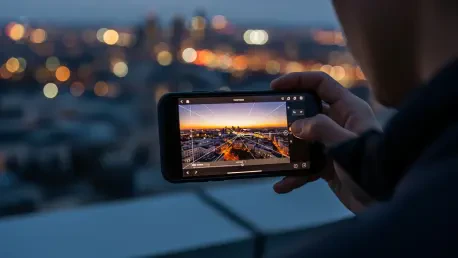

In the crowded marketplace of mobile applications, it is a genuine rarity to find a tool that offers professional-grade power without a corresponding price tag or a steep learning curve. While most Android smartphones are equipped with rudimentary photo editors baked into their gallery apps, a far more capable solution already exists within Google’s own portfolio, yet it remains conspicuously absent as a default installation. Snapseed presents a compelling suite of features that bridges the divide between casual filtering and meticulous, high-level image manipulation, making a strong case that its exclusion from the standard Android experience is a significant and puzzling oversight that holds back the creative potential of millions of users right out of the box.
Unparalleled Control and Professional-Grade Features
Precision Editing and Workflow Efficiency
What truly elevates Snapseed beyond its pre-installed counterparts is its profound commitment to providing users with advanced, granular control over every aspect of an image. The cornerstone of this philosophy is the “Selective” tool, a feature that empowers users to apply adjustments to specific, targeted areas of a photo with remarkable precision. By placing a control point on an area, one can adjust brightness, contrast, saturation, and structure within a localized radius, leaving the rest of the image untouched. This means a user can subtly brighten a subject’s face in a backlit portrait without blowing out the highlights in the sky, or enhance the color of a single flower in a field without oversaturating the entire scene. This capability transforms photo editing from a process of broad, global adjustments into a nuanced art form, offering a level of finesse typically associated with expensive desktop software. This single tool fundamentally changes the editing game for mobile users.
Building upon its foundation of precise control, Snapseed excels in creating an efficient and repeatable editing workflow, a critical aspect for anyone who processes more than a handful of photos. The application intelligently saves the entire sequence of edits applied to an image, which can then be instantly transferred to another photo using the “Last edits” function. This is an immense time-saver for photographers working with a series of shots taken in similar lighting conditions. Furthermore, this stack of edits can be saved as a custom preset, or “Look.” This allows users to develop and maintain a unique, consistent visual style across their entire body of work, whether for a cohesive Instagram feed, a professional portfolio, or a personal album. This ability to create and apply bespoke presets moves beyond simple one-tap filters, giving users the power to define their own aesthetic and apply it consistently with unparalleled ease, streamlining the creative process significantly.
A Pro Toolkit in Your Pocket
Snapseed’s credentials as a serious editing tool are firmly established by its robust support for RAW file editing, a feature indispensable to photography enthusiasts and professionals. Unlike standard JPEGs, which are processed and compressed by the camera, RAW files contain the unprocessed data directly from the camera’s sensor. Editing these files provides vastly superior control over elements like exposure, white balance, highlights, shadows, and color accuracy, allowing for far greater flexibility in post-processing. The ability to work with RAW files on a mobile device positions Snapseed not as a simple filter app, but as a legitimate and powerful tool for photographers who demand the highest quality and control over their final images. This feature alone makes it a formidable competitor to subscription-based mobile editors, offering professional-level capabilities without any associated cost, democratizing high-end photo editing for a wider audience.
The depth of Snapseed’s feature set is further demonstrated by its collection of approximately 28 distinct tools, each designed to address specific editing challenges with professional-grade results. The “Expand” tool, for instance, utilizes an intelligent, content-aware fill algorithm to seamlessly extend the background of an image. This is invaluable for correcting awkward framing, centering an off-kilter subject, or changing an image’s aspect ratio without resorting to a simple crop. Similarly, the “Healing” tool functions as a lifesaver, allowing users to effortlessly remove distracting elements like blemishes, stray objects, or unwanted photobombers with a simple swipe. Other powerful functions, such as the “Perspective” tool for correcting architectural distortions and skewed lines, and the “Double Exposure” tool for creative blending, round out a toolkit that is comprehensive enough to handle nearly any editing task, from basic corrections to complex artistic compositions.
Powerfully Simple and Completely Free
Accessible to Everyone
Despite its extensive array of sophisticated features, Snapseed’s greatest achievement may be its remarkable accessibility and ease of use. The application masterfully sidesteps the steep learning curve often associated with powerful software, presenting its tools within a clean, intuitive, and uncluttered user interface. The main screen is thoughtfully organized into three primary sections: “Looks,” which offers a gallery of pre-made filters and user-created presets for quick adjustments; “Tools,” the heart of the app where all advanced functions reside in a neatly arranged grid; and “Export,” which provides a straightforward menu for saving, sharing, or creating a copy of the edited image. This streamlined structure ensures that even a complete novice can begin exploring its capabilities without feeling overwhelmed, while seasoned editors can navigate directly to the specific tool they need with speed and efficiency. This design philosophy proves that power and complexity need not go hand in hand.
Further enhancing its user-friendly nature, Snapseed integrates a comprehensive set of tutorials directly within the application, a feature that distinguishes it from many of its competitors. Instead of forcing users to seek external guidance on platforms like YouTube, the app provides clear, concise, and often animated explanations for each of its tools. These “Insights” are readily accessible and break down complex functions into simple, easy-to-understand steps. This built-in educational component empowers users to learn and grow their skills at their own pace, fostering a deeper understanding of photo editing principles. By providing the knowledge needed to master its powerful toolkit right where it is needed most, Snapseed not only provides the tools for creativity but also teaches users how to wield them effectively, creating a more confident and capable user base and removing barriers to creative expression.
The Unbeatable Business Model
Perhaps the most astonishing aspect of Snapseed is its business model, which feels like a relic from a different era of the internet. The application is completely free to download and use, a principle that extends through its entire feature set. There are no hidden costs, no premium features locked behind a paywall, and no subscription requirements to access its full potential. Every tool, from basic tuning to advanced RAW development, is available to every user from the moment of installation. This complete removal of financial barriers is a significant advantage, making professional-grade editing tools available to anyone with a smartphone, regardless of their budget. Its availability on both Android and iOS also ensures a consistent experience for users who operate within multiple device ecosystems, adding a layer of practical convenience to its already compelling value proposition.
Crucially, Snapseed’s commitment to a user-first experience is solidified by its complete absence of advertisements. In an ecosystem where free apps are almost universally supported by intrusive ads that disrupt workflow and clutter the interface, Snapseed offers a clean, focused, and uninterrupted creative environment. This deliberate choice allows users to immerse themselves in the editing process without distraction, a small but profound detail that greatly enhances the overall experience. This combination of being fully featured, entirely free, and completely ad-free makes Snapseed a true standout. Its unique blend of power, simplicity, and a non-intrusive, cost-free model represented a missed opportunity for Google, as its default inclusion on Android devices would have instantly elevated the native creative capabilities for hundreds of millions of users worldwide.