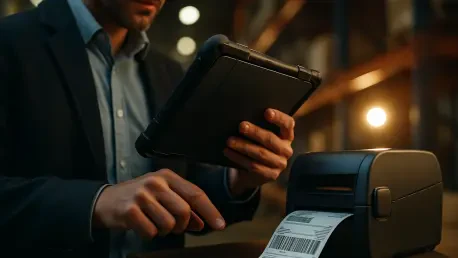

The pervasive presence of digital documents has not entirely eliminated the need for physical paper, but it has fundamentally transformed how we interact with it, making the smartphone the central command for bridging these two worlds. Mobile printing and scanning represent a significant advancement in personal and professional productivity. This review will explore the evolution of this technology, its key features, performance metrics, and the impact it has had on managing physical documents in a digital-first world. The purpose of this review is to provide a thorough understanding of current capabilities, best practices, and potential future developments in mobile document handling.
The Shift to Seamless Mobile Document Management
The journey toward effortless mobile document management has been one of gradual refinement, moving away from fragmented and often frustrating early solutions. Initially, printing from a smartphone required cumbersome third-party plugins or reliance on cloud-based intermediaries like the now-defunct Google Cloud Print service. These methods were often unreliable, involving complex setup procedures and inconsistent performance that hindered widespread adoption and created a significant barrier for non-technical users. The experience was far from the seamless interaction users had come to expect from their mobile devices, representing a clear disconnect between digital convenience and physical output.
This landscape began to change dramatically with the rise of standardization efforts, most notably through the Mopria Alliance. By creating a universal standard for mobile printing, this nonprofit consortium brought together manufacturers and software developers to ensure interoperability. This collaboration led to the integration of native printing functions directly into mobile operating systems, starting with Android 8 in 2017. As a result, the need for external services diminished, replaced by a built-in capability that allows any modern device to automatically discover and connect to a Mopria-certified printer on the same Wi-Fi network. This evolution marked a critical turning point, transforming mobile printing from a niche, technical challenge into an accessible, everyday utility.
Core Features of Modern Mobile Document Platforms
Android Printing From Basic to Advanced
For the vast majority of users, printing from an Android device has become a refreshingly straightforward process integrated directly into the operating system. This native functionality leverages the Mopria standard to communicate with compatible printers, requiring no additional setup or app installation. A user simply needs to find the “Print” command within an application, such as in the menu of an email client or a document editor. The system then automatically scans the local network, presents a list of available printers, and allows for immediate printing with a few taps. This built-in method covers essential tasks, making it incredibly efficient for printing documents, photos, or emails without any friction.
However, for enterprise or power users, basic printing is often insufficient. Advanced workflows may require features like user authentication to track usage, secure print release to protect sensitive information, or specific finishing options like stapling and folding. To meet these demands, dedicated applications like the Mopria Print Service extend the native capabilities significantly. Once installed, this service replaces the default system and unlocks a suite of professional-grade options, provided the printer supports them. This allows for detailed job accounting, PIN-protected printing, and other complex functions crucial in a corporate environment, all while maintaining a consistent user experience across different printer brands.
Android Scanning Physical and Virtual Methods
Mobile scanning technology has bifurcated into two distinct but complementary approaches: interacting with dedicated hardware and leveraging the device’s own camera. For high-fidelity digital archiving or multi-page documents where quality is paramount, connecting to a physical network scanner or a multifunction printer remains the superior option. Applications like Mopria Scan act as a bridge, enabling a smartphone to initiate and control a scan remotely. The app discovers compatible scanners on the local Wi-Fi network, allowing the user to configure settings and receive the scanned file directly on their mobile device, effectively turning the phone into a remote control for a powerful piece of hardware.
In contrast, camera-based scanning offers unparalleled convenience and portability, transforming the smartphone itself into a capable scanning tool. Integrated solutions, such as those found within Google Drive and Google Files, have become remarkably sophisticated. These apps use advanced algorithms for automatic document detection, intelligently finding the edges of a page, correcting for perspective distortion, and cleaning up the image to produce a clean, readable digital copy. This method is ideal for on-the-go tasks like digitizing receipts, capturing whiteboard notes, or quickly converting a single-page document into a PDF. The immediacy of this approach has made it an indispensable feature for users who need to capture information without access to traditional office equipment.
Recent Innovations and Emerging Trends
The integration of artificial intelligence is rapidly enhancing the capabilities of mobile document management, making the process smarter and more automated. Modern scanning applications increasingly use AI not only for basic image cleanup but also for sophisticated document recognition. For instance, the software can automatically identify the type of document being scanned—such as a receipt, a contract, or a business card—and suggest appropriate actions or filing locations. This level of intelligence reduces manual effort and streamlines workflows, moving beyond simple capture to active document organization. Image enhancement has also seen significant AI-driven improvements, with algorithms capable of removing shadows, sharpening text, and adjusting contrast to produce scans that rival those from dedicated hardware.
Alongside AI, advancements in Optical Character Recognition (OCR) technology have become a cornerstone of mobile scanning, converting static images of text into fully searchable and editable data. Modern OCR engines are more accurate than ever, capable of recognizing various fonts and layouts with high precision directly on the device. This transforms a simple scanned document from a digital photograph into a dynamic file that can be indexed, searched, and integrated into digital workflows. Simultaneously, as more sensitive information is handled via mobile devices, security has emerged as a critical focus. Enhanced encryption protocols for data transmission between phones and printers, along with secure user authentication methods, are becoming standard in enterprise environments to prevent unauthorized access and protect confidential data during wireless transfers.
Real World Applications and Use Cases
In professional sectors, the ability to print and scan on the go has become an essential tool for productivity. Real estate agents, for example, can scan signed contracts and identification documents directly from a client’s home and immediately print copies or upload them to a secure server, accelerating transactions. Similarly, logistics professionals rely on mobile document handling to print shipping labels and scan bills of lading from the warehouse floor, integrating physical paperwork seamlessly into their digital inventory systems. In healthcare, practitioners can scan patient records or insurance cards at the point of care and print informational handouts, improving administrative efficiency and patient experience. These applications demonstrate how mobile technology eliminates bottlenecks associated with traditional office equipment.
The utility of mobile printing and scanning extends well beyond the corporate world, proving invaluable in daily life. For students, a smartphone can serve as a portable scanner for digitizing lecture notes, textbook chapters, or research materials, making study resources more accessible and organized. Home users can archive important personal documents like birth certificates, warranties, and tax receipts by creating digital backups that are easily stored and retrieved from cloud services. The convenience of quickly printing a concert ticket, a shipping return label, or a child’s school assignment without needing to power up a computer underscores the technology’s role in simplifying everyday tasks and reducing reliance on traditional computing setups.
Challenges and System Limitations
Despite significant progress driven by standardization, inconsistent printer compatibility remains a persistent challenge in mobile document management. While the Mopria standard covers a vast number of devices, users occasionally encounter older or non-certified printers that fail to connect seamlessly, forcing them to seek out manufacturer-specific apps that may offer a less integrated experience. This fragmentation, though reduced, can still create friction and confusion, undermining the goal of universal, plug-and-play functionality. The technology’s heavy reliance on a stable Wi-Fi network also presents a limitation; in environments with poor connectivity or complex network security configurations, establishing a reliable connection between a mobile device and a printer or scanner can be difficult or impossible.
Furthermore, there are inherent limitations to the quality of camera-based scanning when compared to dedicated hardware. While software has become incredibly effective at correcting for lighting and perspective, it cannot fully compensate for the superior optics and controlled environment of a flatbed scanner. Issues such as uneven lighting, minor motion blur, or the inability to capture fine details can result in lower-quality scans, which may not be suitable for official documentation or high-resolution archiving. Security also remains a key consideration, as transmitting documents over wireless networks introduces potential vulnerabilities. Without proper encryption and network security, sensitive information could be intercepted, posing a risk in both corporate and personal settings and necessitating ongoing vigilance from users and developers alike.
The Future of Mobile Document Handling
Looking ahead, the evolution of mobile document handling is poised to center on deeper integration with cloud ecosystems and the development of fully automated workflows. The future will likely see scanning apps that not only capture a document but also automatically classify it, extract key data, and route it to the correct application or storage location without user intervention. For example, scanning an invoice could trigger a workflow that adds the expense to an accounting app, schedules a payment reminder, and archives the PDF in a designated cloud folder. This level of automation will transform mobile devices into even more powerful tools for managing the administrative tasks of both personal and professional life.
The role of smarter artificial intelligence will continue to expand, moving beyond data extraction to contextual understanding. Future AI may be able to summarize the content of scanned documents, identify action items within meeting notes, or cross-reference information with existing contacts and calendar events. This would position the mobile device as a true digital assistant, actively helping users process and act on physical information. As these technologies mature, the smartphone will further solidify its role as the central hub for all information management, seamlessly bridging the gap between the physical papers on a desk and the vast digital world, making document handling more intuitive, efficient, and intelligent than ever before.
Conclusion A New Standard for Productivity
The review concluded that mobile printing and scanning technologies had successfully transitioned from a complex, often unreliable novelty into a mature and essential tool for modern productivity. The analysis revealed that standardization efforts, particularly through the Mopria Alliance, were instrumental in creating the seamless, integrated experience that users now expect from their devices. This shift eliminated major barriers to adoption and established a new baseline for how individuals and organizations interact with physical documents in an increasingly digital landscape.
Ultimately, the investigation determined that both native operating system functions and advanced third-party applications provided a comprehensive suite of tools catering to a wide spectrum of needs, from simple home use to complex enterprise workflows. The capabilities of camera-based scanning, augmented by AI and OCR, had become remarkably sophisticated, while connectivity with physical hardware offered high-fidelity solutions when needed. This dual approach solidified the smartphone’s position as a versatile and indispensable device for managing the intersection of the physical and digital worlds, fundamentally streamlining workflows and setting the stage for future innovation.