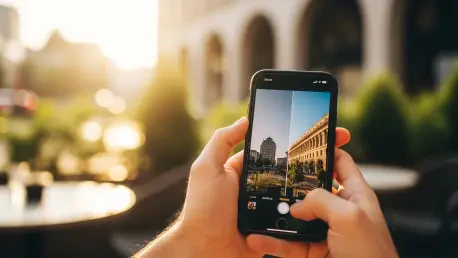

The modern smartphone has effectively democratized high-end photography, allowing anyone with an iPhone to capture high-resolution imagery that once required bulky professional equipment. However, the raw output of a mobile sensor often lacks the stylistic depth and emotional resonance found in curated editorial work, creating a gap between a simple snapshot and a compelling visual narrative. This is where Adobe Lightroom presets become indispensable, serving as sophisticated digital blueprints that apply complex mathematical adjustments to color, lighting, and texture with a single interaction. By utilizing these pre-configured settings, mobile photographers can bypass the steep learning curve of manual post-processing while ensuring their personal brand or social media presence maintains a professional and unified aesthetic. These tools do not merely filter an image; they reinterpret the data captured by the iPhone to highlight specific moods, from the nostalgic warmth of film to the crisp clarity of modern architectural photography.
Beyond the immediate visual upgrade, Lightroom presets function as a sophisticated productivity system for users who frequently capture large volumes of content during travels or professional events. Manually adjusting the exposure, white balance, and tone curves for dozens of individual photos is a labor-intensive process that can lead to creative burnout. Presets solve this by enabling batch editing, where a specific “look” is synchronized across multiple frames to maintain lighting consistency despite changing environmental conditions. Furthermore, for those interested in the technical side of photography, these tools serve as an educational resource; by deconstructing a preset within the Lightroom interface, a user can see exactly how a professional adjusted the HSL (Hue, Saturation, and Luminance) sliders or the split-toning balance. This transparency allows beginners to learn the “why” behind certain visual styles, eventually giving them the confidence to develop their own signature editing techniques in a digital landscape that increasingly rewards original and high-quality visual content.
1. Defining the Core Functions of Lightroom Presets
At their most fundamental level, Lightroom presets are specialized files that contain a roadmap of specific instructions for the Lightroom processing engine to follow. When a user applies a preset, the software instantly modifies a wide array of parameters including basic exposure, contrast, highlights, shadows, and more advanced settings like grain intensity or color grading. This is fundamentally different from a standard social media filter, which often applies a destructive overlay on top of an image. A Lightroom preset works non-destructively, meaning the original data of the photo remains intact while the software reshapes the visual metadata. This allows for an incredible degree of flexibility, as the user can still go back and tweak individual settings after the preset has been applied. In 2026, the complexity of these presets has grown to accommodate the advanced ProRAW capabilities of the latest iPhone models, ensuring that high-dynamic-range data is preserved while achieving a specific artistic vision.
The strategic value of presets extends into the realm of brand identity and visual storytelling, providing a level of consistency that is difficult to achieve through manual editing alone. For influencers, businesses, or hobbyists, maintaining a “grid aesthetic” is a common goal that requires every photo to share a similar color palette and tonal range. Whether the desired look is a moody, desaturated vibe for urban exploration or a bright and airy feel for lifestyle photography, presets act as the anchor that holds a portfolio together. They effectively remove the guesswork from the editing process, allowing the creator to focus more on composition and subject matter during the shoot. Because these files are typically shared in .dng or .xmp formats, they are easily portable, allowing users to move their favorite editing styles between their iPhone, iPad, and desktop computer seamlessly. This cross-device compatibility ensures that the editing workflow remains uninterrupted, regardless of where the creative inspiration strikes.
2. Strategic Benefits of Mobile Preset Integration
Integrating professional presets into a mobile workflow offers a significant quality boost that addresses the inherent limitations of small smartphone sensors. While iPhone hardware is revolutionary, it can occasionally struggle with harsh highlights or muddy shadows in complex lighting situations. A well-designed preset can automatically implement lens corrections and noise reduction while intelligently recovering detail in the brightest and darkest parts of the frame. This corrective power turns a technically flawed shot into a usable piece of content, often making the difference between a photo that is deleted and one that is published. Moreover, the sharpening algorithms included in high-quality presets are calibrated to enhance the fine details of mobile lenses without introducing the artificial “over-sharpened” look that often plagues basic editing apps. This precision ensures that the final image retains a natural, organic quality that mimics professional full-frame camera systems.
The efficiency gained through these tools is perhaps the most tangible benefit for the active iPhone user who needs to produce content on the move. In a fast-paced digital environment, the ability to produce a high-quality edit in seconds rather than minutes is a competitive advantage. The Lightroom Mobile app is specifically optimized for touch interfaces, making the application of presets an intuitive experience that fits into the gaps of a busy schedule. This speed does not come at the cost of professional standards; rather, it empowers the user to experiment with multiple different styles in the time it would previously take to edit one photo manually. Furthermore, the accessibility of these tools has lowered the barrier to entry for professional-grade photography. Beginners no longer need to spend years mastering the intricacies of color theory to produce beautiful results; they can lean on the expertise of professional colorists and photographers who have distilled their knowledge into these downloadable preset packs.
3. Leading Preset Collections for Diverse Photography Styles
When selecting the right presets for an iPhone-based workflow, certain names have consistently stayed at the forefront of the industry due to their reliability and aesthetic appeal. VSCO remains a staple for those who appreciate the subtle nuances of analog film, offering presets that replicate the grain, color shifts, and soft fades of classic stocks like Kodak and Fujifilm. These are particularly effective for portraiture and lifestyle shots where a timeless, authentic feel is preferred over a heavily processed digital look. For creators who lean toward high-energy, vibrant content, A Color Story provides a library of presets that emphasize brightness and saturated tones. These settings are engineered to make colors “pop” without looking neon or unrealistic, making them a favorite for food photographers and travel enthusiasts who want to capture the vivid reality of a sun-drenched destination or a colorful urban landscape.
Alternative styles cater to those seeking a more curated or atmospheric vibe, such as the Tezza collection, which is renowned for its dreamy, warm, and vintage-inspired aesthetics. These presets often incorporate a slight creaminess to the highlights and a desaturation of specific greens and blues, creating a romanticized version of reality that performs exceptionally well on social platforms. For outdoor adventurers and landscape photographers, Nomad Supply offers tools that enhance the rugged textures of nature, emphasizing the clarity of mountains and the deep blues of the ocean while maintaining a natural skin tone for any subjects in the frame. Additionally, for those not yet ready to invest in premium packs, the market in 2026 is filled with high-quality free options from reputable creators and photography communities. These free presets allow users to experiment with different “looks” before committing to a specific style, ensuring that every iPhone user can find a visual language that resonates with their unique perspective.
4. Step-by-Step Installation and Application on iPhone
The process of installing and utilizing these powerful tools on an iPhone is straightforward, beginning with the acquisition and storage of the preset files. Most presets are delivered as .dng files, which are essentially images that have the editing data embedded within them, or as .xmp files for more modern versions of the app. To start, the user must save these files to their device, often utilizing cloud services like iCloud Drive, Dropbox, or Google Drive for easy access. Once the files are on the iPhone, the user launches the Lightroom Mobile app and creates a dedicated album to keep the presets organized. By using the “Add Photos” function, the user imports the .dng files into this album, where they will appear as images. It is important to ensure that the app has the necessary permissions to access the photo library or file system to make this transition seamless.
After the files are imported, the user must convert these images into actual presets that can be applied to other photos. This is done by opening one of the imported .dng images, tapping the three-dot menu icon in the top right corner, and selecting the “Create Preset” option. The user then gives the preset a descriptive name and assigns it to a specific group, such as “Travel” or “Portrait,” to keep the library tidy. Once saved, applying the style is as simple as opening a new photo from the camera roll, navigating to the “Presets” menu at the bottom of the editing interface, and selecting the desired name. Most users find that adjusting the “Amount” slider is a crucial final step, as it allows them to dial back the intensity of the preset if it feels too strong for a particular image. If the lighting is still not perfect, the manual adjustment tools remain available for fine-tuning the exposure or temperature, providing a fully customized final result.
5. Future Considerations for Mobile Editing Workflows
As mobile photography continues to evolve through 2026 and beyond, the role of Lightroom presets will likely expand to incorporate more intelligent, scene-aware adjustments. We are already seeing presets that use masking technology to automatically detect the sky or a human subject, applying specific edits to those areas while leaving the rest of the image untouched. This level of sophistication means that the “one-click” nature of presets is becoming even more accurate, reducing the need for manual touch-ups after the initial application. For the iPhone user, this means that professional-grade results are no longer gated behind hours of tedious masking and local adjustments. The next logical step for those looking to maximize their creative output is to begin building a personal library of “base” presets that reflect their specific shooting style and typical lighting environments.
To maintain a competitive edge in visual storytelling, users should focus on the quality of their source material as much as the presets they apply. While a preset can work wonders, it performs best on a well-composed, properly focused image, especially when shot in the ProRAW format which provides more data for the preset to manipulate. Moving forward, the most successful mobile photographers will be those who view presets as a starting point for their creativity rather than a final destination. By learning to tweak and refine these professional settings, users can develop a look that is truly unique to them, ensuring their work stands out in an increasingly crowded digital landscape. The journey from a basic smartphone user to a skilled mobile editor begins with these tools, but it is the consistent application and thoughtful refinement of these aesthetics that ultimately defines a photographer’s success in the modern era.