
When it comes to decoding Apple’s strategy, few have the depth of experience as Nia Christair. With a background spanning mobile gaming, app development, and hardware design, she possesses a unique ability to see beyond the spec sheets and understand how new technology truly impacts our daily lives. We sat down with Nia to reflect on a surprisingly impactful 2025 for Apple. Our conversation explores the real-world value packed into the iPhone 17 and 17 Pro Max, the strategic brilliance of the revamped Apple Watch SE, the subtle but significant trade-offs in the new AirPods Pro 3, and how the M4 MacBook Air and iOS 26 are quietly setting the stage for Apple’s next big chapter.
The iPhone 17 kept its price but doubled the base storage to 256GB and added two 48MP cameras. Beyond the spec sheet, how do these specific hardware changes create a better real-world experience for someone upgrading from an iPhone 16? Please share some anecdotes or performance details.
It’s a fantastic question because it gets to the heart of what made the iPhone 17 such a sleeper hit. On paper, it looked like a minor refresh, but in practice, it felt like a major leap in quality of life. For an iPhone 16 user, the first thing you feel is a sense of freedom. Doubling the base storage to 256GB at the same price point is huge. Suddenly, you’re not managing your photo library or offloading apps before a trip; you just use your phone. Then you take your first photo. That jump to a 48-megapixel sensor isn’t just about bigger files; it’s about the clarity and light it captures. I remember taking a simple photo of a sunset and being able to crop in on a tiny detail later without it turning into a pixelated mess. It fundamentally changes how you think about your phone’s camera. The upgraded selfie lens and better battery just add to this feeling of confidence—it’s a device that you can finally rely on all day without compromise.
The iPhone 17 Pro Max introduced a vapor chamber to cool the new A19 Pro chip. Could you walk us through how this prevents the screen-dimming issues seen in past models? For a content creator, what specific performance metrics demonstrate this advantage during intensive tasks like video editing?
The vapor chamber is arguably the most important “pro” feature Apple has introduced in years, and it directly addresses a long-standing frustration. Think of it as a sophisticated heat pipe. When the A19 Pro chip works hard, it generates a ton of heat. In older models, that heat would build up, and the phone’s only defense was to slow down the chip and dim the screen to protect itself. For a content creator, this was maddening. Imagine trying to color-grade a video outdoors, and the screen suddenly becomes too dark to see properly. The vapor chamber effectively transfers that heat away from the chip, allowing it to run at peak performance for much longer. The tangible metric here is sustained performance. A creator can now render a 4K video project, and the export time will be consistent from start to finish. The screen will maintain its peak brightness, and the battery life won’t plummet as dramatically because the chip is running efficiently, not just hot. It transforms the phone from a great B-camera into a legitimate mobile editing suite.
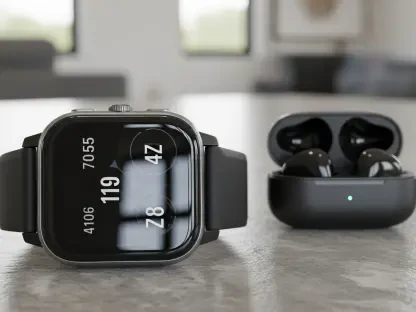
This year’s Apple Watch SE 3 gained features like an always-on display, 5G, and advanced health sensors, all for $249. How do these additions affect the value proposition against the flagship Apple Watch Series 11? Describe a few scenarios where this new SE is the smarter choice.
The Apple Watch SE 3 completely upended Apple’s smartwatch lineup by making flagship features accessible. It’s now the smartest choice for a huge portion of the user base. Consider a parent buying a first watch for their child; the SE 3 offers the safety of 5G connectivity for calls and location tracking without the premium price of the Series 11. Or think about the dedicated but budget-conscious runner. They now get an always-on display to glance at their pace without breaking stride and advanced sensors for things like sleep apnea detection, all in a package that costs less than a pair of high-end running shoes. Another perfect user is someone who just wants to dip their toes into the Apple ecosystem. For $249, they get a device that feels incredibly modern, charges to 80% in just 45 minutes, and is four times more crack-resistant. For these people, the extra bells and whistles of the Series 11 are a luxury, not a necessity, making the SE 3 the overwhelmingly logical and valuable choice.
With AirPods Pro 3, Apple improved single-charge listening time to eight hours but reduced the case’s total battery life. What does this trade-off suggest about Apple’s design priorities? Please describe the tangible audio difference the new foam tips and re-engineered drivers make for active noise cancellation.
This trade-off tells us Apple is focused on the uninterrupted listening experience. They’ve recognized that the most common frustration isn’t how many times you can charge your AirPods, but having them die in the middle of a long flight or a workday. Boosting the single-charge life to eight hours is a massive win for users; it covers a full day of work or a cross-country flight. The reduction in total case life from 30 to 24 hours is a small price to pay for that. The audio experience itself is a night-and-day difference. The new foam tips create a superior physical seal in your ear, which immediately dulls outside noise. When you turn on Active Noise Cancellation, it’s startlingly effective. It’s not just blocking low rumbles anymore; it’s erasing the mid- and high-frequency sounds, like nearby conversations in a cafe. The re-engineered drivers deliver a sound that feels richer and more detailed. It’s a truly immersive experience that makes the previous generation feel almost leaky by comparison.
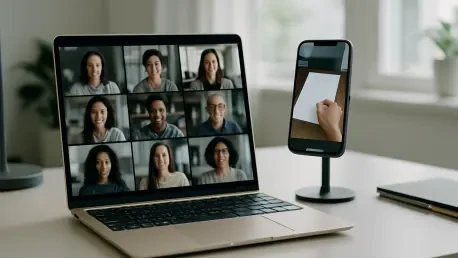
The M4 MacBook Air enhanced AI performance and finally upgraded to a 12MP Center Stage camera. For a student or remote worker, how do these improvements translate into a more efficient workflow? Can you explain step-by-step how Desk View on this new camera changes the video conferencing experience?
For a student or remote worker, these two upgrades directly tackle the biggest parts of their day: processing information and communicating. The enhanced AI performance in the M4 chip means on-device tasks, like transcribing a recorded lecture or summarizing a long document, happen almost instantly. This saves an incredible amount of time. But the camera is the real game-changer for collaboration. Desk View is a bit of magic. Step-by-step, it works like this: First, you simply place your iPhone on a small stand behind the MacBook Air’s screen. The software automatically recognizes it and uses the iPhone’s ultra-wide camera. It then intelligently captures the area of your desk in front of the keyboard and digitally corrects the perspective, so it looks like you have a perfect top-down camera. Suddenly, a remote worker can be on a video call talking to a client while sketching out a design on paper for them to see in real-time. A student can solve a math problem on a worksheet and show their work to a study group. It removes the friction of trying to awkwardly aim your laptop camera down, making remote collaboration feel far more natural and effective.
The article mentions the new “Liquid Glass” UI in iOS 26, which aims to blur the lines between devices. Could you provide a few concrete examples of how this new interface creates a more seamless, connected feeling when moving tasks between an iPhone 17, an iPad, and an M4 Mac?
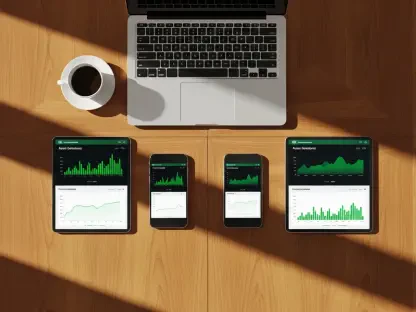
“Liquid Glass” is Apple’s most ambitious attempt yet at making your devices feel like one single computer, and it works by making the context of your task follow you seamlessly. For example, imagine you start writing an email on your iPhone 17 while in line for coffee. When you get to your desk and open your M4 MacBook Air, a translucent, shimmering version of the Mail icon appears in your dock. Clicking it doesn’t just open the Mail app; it opens the exact draft you were working on, with the cursor blinking right where you left off. Another example: you’re planning a trip and have a map open on your iPad. You find a restaurant you like and, using “Liquid Glass,” you can literally “flick” the location from your iPad screen towards your iPhone, and it instantly opens in Maps on your phone, ready for navigation. It blurs the lines by making handoffs and continuity feel physical and intuitive, removing the need to manually share, save, or sync. The devices are finally aware of each other’s immediate context.
What is your forecast for Apple’s 2026 lineup, particularly the rumored iPhone Fold and the touch screen MacBook Pro?
My forecast is that 2026 will be the year Apple completely redefines its highest-end product categories. The iPhone Fold won’t be just about a flexible screen; it will be Apple’s statement on the future of mobile productivity, merging the portability of an iPhone with the immersive canvas of an iPad. The success will hinge on durability and, more importantly, a version of iOS that makes a foldable screen feel essential, not just novel. As for the touch screen MacBook Pro, I see it as the logical conclusion of the journey started with “Liquid Glass.” By adding a touch screen, Face ID, and 5G, Apple isn’t just turning the Mac into a big iPad. They are creating the ultimate mobile workstation for a generation of creators who grew up with touch interfaces. It will be a device that offers the raw power of macOS and pro-grade apps, but with the intuitive, direct interaction that users now expect from their technology. It could be the most significant evolution of the laptop form factor we’ve seen in a very long time.