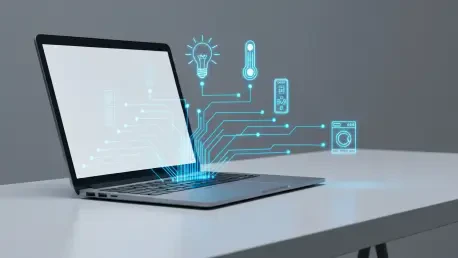

The quest for a more intelligent living space often begins not with a grand vision, but with a simple, persistent annoyance, such as wondering if the washing machine has finished its cycle. This common household scenario can become the catalyst for a transformative do-it-yourself project, one that breathes new life into obsolete technology and challenges the notion that powerful home automation requires expensive, off-the-shelf hardware. By leveraging the versatility of open-source software, an old, dust-collecting Chromebook can be resurrected from a forgotten drawer and repurposed into the highly capable, centralized nervous system of a modern smart home. This endeavor showcases a path of technical curiosity and resourcefulness, proving that with the right approach, dated consumer electronics can be elevated to perform complex tasks that rival, and in some aspects even surpass, their commercial counterparts. It is a journey from a specific problem to a comprehensive, self-built solution that highlights the immense potential unlocked when a tinkerer’s mindset is applied to everyday technology.
The Project’s Foundation
Choosing the Path of a Tinkerer
The decision to embark on such a technical project was a deliberate choice to forgo convenience in favor of a richer, more educational experience. Commercially available Zigbee-capable hubs offer a straightforward, plug-and-play solution to smart home control, yet they often come with limitations and a lack of true customizability. Pursuing a more complex and demanding route was driven by the desire for a challenging and interesting endeavor, where the process itself was as valuable as the final outcome. This mindset frames the project not merely as a means to an end but as an immersive learning journey. The excitement of acquiring new skills in unfamiliar territories, like navigating the Linux command line or crafting intricate Home Assistant automations, provides a deeper sense of ownership and satisfaction than any pre-packaged product ever could. Building, tweaking, and understanding a system from the ground up fosters a unique connection to the technology that powers one’s daily life.
This hands-on approach cultivates a level of expertise and self-reliance that is impossible to achieve with closed-ecosystem commercial products. When you construct the system yourself, you gain an intimate understanding of its architecture, from the firmware level to the application layer. This knowledge is invaluable for future troubleshooting, expansion, and optimization. Rather than being dependent on a manufacturer’s updates or product lifecycle, a self-built hub offers complete control and near-infinite potential for growth. The project is therefore not just about creating a smart home hub; it is an investment in technical literacy and problem-solving skills. The value is measured not only by the utility of the finished product but also by the knowledge and confidence gained along the way, transforming a simple need for appliance notifications into a platform for continuous technological exploration and empowerment.
The Initial Spark and Technical Blueprint
The project’s genesis was the practical goal of integrating a non-smart washer and dryer into the home network using sensors to trigger notifications. This seemingly simple task quickly revealed a more complex underlying requirement: the need for a robust, always-on central control unit to manage the sensors and orchestrate the notifications effectively. This realization led to the innovative concept of repurposing an obsolete Chromebook, a device with perfectly adequate hardware for the task but an operating system too restrictive for this kind of application. The core of the technical project thus became a complete system overhaul of the device, a process designed to unlock its full potential. This transformation was mapped out as a three-stage operation, each step building upon the last to create a powerful and flexible smart home brain from what was essentially electronic waste.
The execution of this vision required a meticulous, multi-step system conversion. The first and most critical phase involved removing the device’s native, locked-down ChromeOS, a proprietary system designed for simplicity but lacking the versatility needed for a server application. The second step was to replace it with a general-purpose Linux distribution; Ubuntu was selected for its strong community support and user-friendly desktop environment, making it an excellent choice for someone new to the Linux world. Finally, the third stage involved deploying the Home Assistant OS platform. This specialized software would serve as the smart home’s central nervous system, providing the interface and automation engine to connect and control a wide array of smart devices. This carefully planned blueprint laid the groundwork for transforming the single-purpose web-browsing appliance into a multi-functional home server.
The Nitty-Gritty of the Transformation
Do Your Homework: The Critical Prep Phase
Embarking on a project that involves modifying a device’s core firmware is not an undertaking to be approached lightly. It is essential to issue a stern and necessary disclaimer to anyone considering a similar path: the process carries inherent risks. These include the very real possibility of voiding the device’s warranty or, more catastrophically, “bricking” the hardware, rendering it permanently inoperable. Success is not guaranteed and is heavily dependent on thorough research, careful preparation, and the allocation of sufficient, uninterrupted time to see the project through. Before a single command is typed, hours must be invested in reading documentation, watching tutorials, and understanding the specific hardware and software requirements for the Chromebook model in question. This preparatory phase is the most critical part of the entire endeavor, as a single misstep during the firmware flashing process can have irreversible consequences, turning a promising project into a frustrating lesson in hardware mortality.
To navigate these technical waters safely, it is crucial to lean on the collective knowledge of the vibrant online DIY community. Several resources proved indispensable for this specific transformation. The website MrChromebox.tech stands out as a vital hub, providing the custom UEFI firmware necessary to flash the Chromebook’s BIOS. This is the foundational step that liberates the hardware from Google’s ecosystem and allows the installation of alternative operating systems. Another key resource was an incredibly detailed forum post on the official Home Assistant website, which offered intricate, step-by-step guidance for the entire Linux and Home Assistant installation process. Finally, a well-produced YouTube video served as an essential visual aid, complementing the written instructions and helping to clarify potentially confusing procedures. These resources, generously shared by experienced enthusiasts, are the safety net that makes such a complex project accessible to others.
The Make-or-Break Moment
The actual execution of the operating system installation was a tense and nerve-wracking experience, representing the project’s primary point of potential failure. There is a palpable sense of risk when you are about to permanently delete a device’s factory-installed software. In a moment of candid oversight, a critical preparatory step was missed: creating a backup of the original ChromeOS installation before proceeding with its deletion. While fortune favored the bold in this instance, with the new installation working flawlessly on the first attempt, this omission could have easily led to a disastrous outcome. It is therefore strongly advised that any reader attempting a similar project perform a full system backup as a non-negotiable safety net. This single action provides a path to recovery if something goes wrong, a fallback that can make the difference between a successful project and a permanently disabled piece of hardware.
The true climax of the entire endeavor arrived when booting the Chromebook from a USB drive, which had been meticulously prepared using a free Windows utility called Rufus. This was the “make-or-break moment,” the point where the success of all the preceding hours of research, reading, and preparation would be validated or nullified. As the device powered on and began to read from the external drive, the project hung in the balance. The successful appearance of the Ubuntu installer on the screen was a moment of profound relief and triumph. It was the confirmation that the correct firmware had been flashed, the right installation media had been created, and the hardware was ready to accept its new role. This successful boot marked the transition from the risky and abstract phase of preparation to the tangible and exciting phase of building the new system.
Life After ChromeOS
A Dual-Purpose Powerhouse
Upon successfully installing the Ubuntu operating system, the initial impression, even for a complete novice in the world of Linux, was overwhelmingly positive. The open-source OS performed beautifully on the modest Chromebook hardware, providing a snappy and fully-featured desktop experience. It immediately transformed the device from a limited, browser-based appliance into a capable and versatile personal computer. This newfound functionality was in itself a significant victory, as the repurposed machine could now be used for a wide range of tasks far beyond its original design, from office productivity to media consumption and software development. The successful installation of Ubuntu was not just a means to an end; it was a powerful demonstration of how open-source software can unlock the hidden potential in aging hardware, extending its useful life and preventing it from ending up in a landfill. This step alone made the entire project worthwhile.
A crucial technical decision that dramatically amplified the device’s utility was the method chosen for installing Home Assistant. Instead of replacing Ubuntu entirely with the Home Assistant OS, the latter was installed as a virtual machine running on top of the existing Ubuntu environment. This architectural choice proved to be incredibly beneficial, yielding the “best of both worlds.” This setup allows the Chromebook to function simultaneously as a dedicated, always-on Home Assistant server, reliably managing all smart home automations in the background, while also providing a complete, sandboxed Ubuntu desktop environment. This dual-purpose configuration means the device is not just a hidden-away server but also a usable desktop computer for learning, experimenting, and managing the server itself. This transforms the repurposed hardware into what could be described as “the gift that keeps on giving,” a versatile tool that serves both a practical and an educational purpose.
A Gateway to Continuous Exploration
The project ultimately demonstrated that with sufficient research, patience, and a willingness to learn, it was entirely feasible to convert outdated consumer electronics into powerful, custom-built tools. The journey, however, did not conclude with the final installation. Mastering a platform as deep and feature-rich as Home Assistant required genuine dedication and involved grappling with complex concepts, such as using “booleans to make automations seamless” and writing YAML configurations by hand. Yet, for every challenge encountered, the reward was a system with immense power and nearly limitless potential for customization. The author’s journey from a specific, narrow problem to a comprehensive, self-built solution showcased a viewpoint widely held among DIY enthusiasts: the true value of a project was measured not only by its final utility but also by the knowledge and skills gained along the way. The palpable enthusiasm to “keep diving deeper” into these systems encapsulated the project’s ultimate success, having transformed a simple need for a smart appliance into a gateway for continuous learning and technological empowerment.