
Modern computer users frequently overlook the subtle physical architecture beneath their fingertips, yet these microscopic ridges serve as the primary navigational beacons for the global digital economy. While voice-to-text and generative AI tools continue to reshape the way people interact with machines, the tactile interface of the physical keyboard remains the most reliable bridge between human thought and digital record. This physical connection relies on two tiny, raised markers found on nearly every keyboard produced in the last several decades. They appear insignificant, yet their absence would cause a measurable collapse in global typing efficiency and data accuracy.
These markers represent a triumph of standardized design that transcends brand and operating system. In an environment where software updates occur daily, the hardware layout of the keyboard has remained remarkably consistent, providing a stable foundation for professional workflows. Understanding the purpose of these bumps reveals a deeper story about how human anatomy and machine engineering have converged to optimize the speed of information transfer.
The Unseen Ridges That Command Your Digital Output
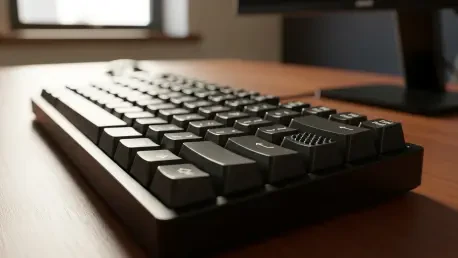
Run the index fingers across the middle row of any standard keyboard, and the sensation of two tiny, raised bars on the “F” and “J” keys becomes immediate. While these microscopic ridges often go unnoticed by the casual user, they represent one of the most successful ergonomic designs in the history of personal computing. These “homing bars” are not decorative flourishes or artifacts of the manufacturing process; they are the physical coordinates that allow the human hand to navigate the digital world without a single downward glance toward the desk.
The utility of these ridges lies in their ability to provide instant feedback to the sensory receptors in the fingertips. By establishing a tactile “ground zero,” the ridges eliminate the need for the brain to process visual information regarding hand placement. This sensory shortcut allows the user to maintain focus on the monitor, ensuring that the flow of ideas is never interrupted by the physical search for a specific character. This simple mechanical solution solves a complex problem of spatial awareness in a three-dimensional workspace.
Bridging the Gap Between Muscle Memory and Efficiency
The evolution of typing has shifted from the laborious “hunt and peck” method toward the fluid art of touch-typing. In a professional landscape where speed and accuracy are paramount, these tactile bumps serve as the essential foundation for the “home row” technique. By providing a physical anchor, they enable a seamless interface between the brain’s intent and the screen’s output, addressing the modern need for high-velocity data entry. This reduces the cognitive load during long work hours, as the subconscious takes over the mechanical task of locating keys.
Moreover, the transition to touch-typing represents a significant milestone in individual productivity. As the user stops relying on sight, the speed of character input begins to match the speed of thought. The ridges on the “F” and “J” keys facilitate this by acting as a constant reference point that reinforces muscle memory. Every time the fingers return to these anchors, the neural pathways associated with the keyboard layout are strengthened, turning a manual task into an automatic reflex.
The Architecture of the Home Row and the Universal 5 Key
The “F” and “J” keys function as the North Star for a typist’s hands, with the left index finger claiming the “F” and the right index finger claiming the “J.” This specific orientation naturally aligns the remaining fingers across the “A-S-D” and “K-L-semicolon” keys, creating a centralized base of operations that minimizes finger travel distance. Such a design logic ensures that every other key on the board is within a predictable reach, creating a standardized map that remains consistent whether one is using a laptop in a cafe or a mechanical keyboard in a corporate office.
This commitment to tactile orientation extends beyond the standard QWERTY layout to the numerical keypad, where a solitary bump on the “5” key allows specialists to orient themselves within the “4-5-6” row. This design choice ensured that accountants, data entry specialists, and mathematicians could input massive strings of figures with precision without breaking focus from their ledgers or monitors. The “5” key serves as the center of a three-by-three grid, allowing the hand to sweep across the numbers with a high degree of mathematical accuracy.
Ergonomic Standards and Accessibility in Hardware Design
Ergonomic experts and hardware engineers have long standardized these tactile markers to mitigate repetitive strain injuries and maximize user comfort. By allowing the hands to remain in a fixed, neutral position, these bumps helped prevent the physical fatigue associated with constant wrist movement. When the hands do not have to wander across the surface to find their place, the tendons in the wrist are subjected to less stress, which is a critical factor in preventing long-term ailments like carpal tunnel syndrome.
Beyond general productivity, these ridges served a vital role in accessibility; they were indispensable navigation tools for the visually impaired, transforming a flat, indistinguishable surface into a readable map. This universal design language ensured that the digital world remained reachable for users of all physical abilities. The bumps functioned as a form of “functional braille,” providing the necessary cues for anyone to master the machine regardless of their visual acuity, thereby fostering a more inclusive technological environment.
Mastering Your Workspace Through Tactile Orientation
To leverage these features for improved typing speed, users were encouraged to practice returning their index fingers to the “F” and “J” anchors after every stroke, effectively “resetting” their hand position. This discipline built the neural pathways necessary for true muscle memory, eventually eliminating the need for visual confirmation entirely. Over time, the hands operated independently of the eyes, allowing for a more immersive and efficient creative process during the composition of complex documents or code.
For those who transitioned to modern touchscreens or glass-surfaced tablets that lacked physical feedback, the application of aftermarket “bump dots” offered a practical solution. These small, transparent adhesive markers replicated the traditional tactile experience, bringing the efficiency of mechanical keyboards to the latest portable technology. By adopting these simple physical cues, users successfully maintained high levels of accuracy across diverse device types, proving that the most effective technological solutions were often the simplest ones. This commitment to tactile feedback ensured that the human element remained central to the digital experience, even as hardware continued to move toward more abstract and minimalist forms.