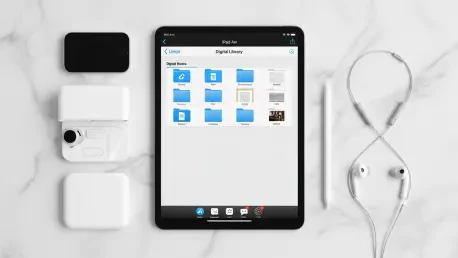

The digital landscape of modern literacy has evolved to a point where the distinction between a dedicated reading device and a high-performance tablet is no longer a matter of simple preference, but a strategic decision based on personal workflow. While dedicated e-ink devices like the Kindle continue to dominate the market through sheer simplicity and an unparalleled battery life, a growing number of bibliophiles are gravitating toward the iPad as a comprehensive solution for their literary needs. This shift is driven by a desire for a device that manages to combine a vibrant, full-color display with a diverse ecosystem of applications, though this versatility often comes at the cost of the focused, distraction-free environment that a traditional e-reader provides. Navigating this functional paradox requires a deep understanding of how hardware ergonomics and software integrations influence the reading experience. For many, the choice is not merely about the screen technology, but rather about which device fits most seamlessly into a digital lifestyle that demands high-resolution media consumption alongside extensive offline accessibility for various content.
Navigating the Major Software Ecosystems
Digital Storefronts: Access and Purchasing Friction
The software experience on the iPad is currently divided among several major players, each presenting a unique set of strengths and limitations for the end user. The Amazon Kindle app remains the most reliable option for readers who want access to the largest possible library of titles, yet it operates under specific constraints due to corporate disagreements over revenue sharing. Because of these restrictions, users cannot purchase books directly within the application, necessitating a workflow where readers must buy content through a web browser before syncing it for offline use. While this adds a layer of friction to the acquisition process, it ensures that a library remains accessible across multiple platforms, providing a safety net for those who might switch hardware in the future. This cross-platform compatibility is a significant advantage for long-term digital collectors who wish to maintain a centralized library without being tied to a specific manufacturer’s hardware limitations, despite the minor inconvenience of utilizing a browser for new purchases.
Visual Aesthetics: The Apple Books Advantage
In contrast to the functional and somewhat utilitarian approach of Amazon, Apple Books offers a visually polished interface that prioritizes the aesthetic experience of digital reading. The application features smooth animations and a layout designed to mimic the tactile feel of a physical book, making it a favorite for those who value high-quality design and seamless integration with the iPadOS environment. However, this beauty comes with the caveat of the “walled garden” effect, as books purchased through this storefront are generally locked into the Apple ecosystem. This lack of portability represents a significant risk for users who might eventually transition to different operating systems. Consequently, many seasoned readers tend to use Apple Books primarily for free titles, public domain works, or personal documents rather than as their primary storefront for expensive purchases. By utilizing the app in this manner, users can enjoy the superior visual interface for their most-read documents while keeping their financial investments in more flexible, cross-platform services.
Beyond Commercial Storefronts
Public Resources: Integrating Libraries and Open Source
Reading on an iPad in the current era is not limited to commercial acquisitions, as many users now rely on public resources and open-source catalogs to supplement their personal collections. Applications such as Libby have become essential tools for modern readers, allowing them to borrow digital books and audiobooks from local libraries for free with just a library card. This shift toward sustainable reading habits is a major draw for the iPad, as the device can centralize various borrowing services into a single, cohesive interface. For enthusiasts of classic literature, platforms like Project Gutenberg provide thousands of public domain works that can be easily downloaded and stored for offline access without recurring costs. This ability to aggregate diverse content sources—ranging from local library loans to historical archives—transforms the tablet into a powerful academic and recreational tool. It allows readers to build a vast, multifaceted library that balances contemporary bestsellers with timeless classics, all accessible without a constant internet connection.
File Management: Syncing Personal Documents
The technical process of moving external files onto an iPad is relatively straightforward but requires a basic familiarity with the device’s file management system to ensure a smooth experience. Most power users prefer downloading unprotected EPUB or PDF files directly to iCloud Drive, subsequently using the native Files app to share those documents into their preferred reading application. For those who want their personal documents to feel like an integrated part of their main library, the “Send to Kindle” service remains a vital tool for maintaining consistency across a diverse collection. This service allows for the uploading of external PDFs or documents to the Amazon cloud, ensuring they are formatted correctly and synced across all devices for a seamless reading experience. By mastering these file-sharing techniques, readers can bypass the limitations of specific storefronts and create a truly personalized library. This level of control over one’s digital assets is a defining feature of the iPad, offering a level of flexibility that many simpler, dedicated e-ink devices cannot easily replicate.
Hardware Choices and Ergonomic Standards
Compact Portability: The iPad Mini Reading Experience
When evaluating hardware for long-term reading comfort, the iPad mini is frequently cited as the ergonomic champion due to its compact size and lightweight construction. The device’s dimensions closely resemble those of a traditional paperback book, making it easy to hold with one hand during extended reading sessions in bed or while commuting. This form factor represents the closest competitor to a dedicated e-reader within the Apple lineup, providing a high-resolution color screen in a package that significantly reduces hand and wrist fatigue. For users who prioritize portability and physical comfort above all else, the mini offers a compelling middle ground between the small screen of a smartphone and the bulk of a full-sized tablet. It excels in environments where space is at a premium, such as on airplanes or in crowded public transit, allowing readers to remain immersed in their books without the physical strain often associated with larger devices. This makes it an ideal choice for the dedicated bibliophile who requires a portable yet powerful digital reading solution.
High-End Hardware: ProMotion and Screen Quality
On the opposite end of the hardware spectrum are the larger iPad models, such as the Air and the various Pro versions, which are designed more as comprehensive media machines than dedicated readers. While these devices are stunning for viewing high-definition content, their increased weight often necessitates a two-handed grip, which can occasionally detract from the immersion of reading a long novel. However, the Pro models offer a significant technical advantage through their 120Hz ProMotion displays, which provide an exceptionally smooth visual experience. This high refresh rate ensures that scrolling through text and turning digital pages feels incredibly responsive, offering a premium feel that standard tablets simply cannot match. For individuals who primarily consume technical manuals, art-heavy magazines, or graphic novels, the larger screen real estate and superior color accuracy of the Pro models are indispensable. These technical specifications justify the additional weight for many users, as the visual fidelity and smooth performance create a reading experience that is both technologically advanced and visually captivating.
The Verdict on Versatility
Proactive Management: Preparing for Offline Reading
The ultimate success of the iPad as an offline reading device depends heavily on the user’s willingness to engage in proactive management of their digital content and device health. Unlike e-ink readers that can function for weeks on a single charge and are often ready for immediate use, the iPad requires intentional attention to battery levels and pre-loaded downloads. Before traveling or entering an environment without reliable Wi-Fi, a savvy user must verify that their desired titles are fully downloaded to the local storage of the device. This logistical requirement is the trade-off for the iPad’s greatest strength: the ability to aggregate disparate services—such as Kindle for fiction, Google Play Books for comics, and Apple Books for PDFs—into a single, high-performance machine. By establishing a routine of checking downloads and ensuring a full charge before departure, users can mitigate the risks of the tablet’s shorter battery life. This level of preparation allows the device to serve as a versatile gateway to an entire world of literature, provided the reader is willing to manage the technical overhead involved.
Strategic Integration: Long-Term Library Planning
The decision to adopt the iPad as a central reading hub ultimately depended on a user’s ability to navigate the tension between hardware power and digital focus. Successful adopters realized that the most effective way to utilize the device was to treat it as a curated repository rather than a general-purpose distraction machine. By establishing a routine of pre-loading content and choosing file formats that remained independent of any single storefront, readers secured their libraries against future ecosystem shifts. This approach proved that while e-ink devices offered simplicity, the iPad provided a robust infrastructure for those who valued visual fidelity and multi-source integration. Readers who prioritized a high-resolution experience found that organizing a centralized digital shelf within a single, powerful device outweighed the occasional logistical hurdle of battery management or manual file syncing, setting a new standard for modern digital consumption. Moving forward, the most effective strategy involved diversifying content sources and maintaining a local backup of all essential documents to ensure permanent offline accessibility.