


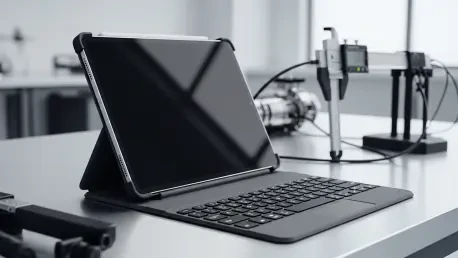

The hardware parity between mobile tablets and traditional workstation laptops has reached a point where the distinction is largely academic for the majority of modern professionals. High-performance silicon and sophisticated thermal management now allow these slim devices to handle intensive tasks like real-time 3D rendering and massive data compilation that were once reserved for high-end desktop towers. This evolution has spurred a significant migration toward tablet-first environments, where users prioritize portability without sacrificing the computational overhead required for creative and administrative roles. However, the transition from a consumption-based device to a production powerhouse is not achieved through internal specifications alone; it is dictated by the quality of the interface. As professionals look to replace their traditional laptops, the emphasis has shifted toward external peripherals that bridge the gap between touch interaction and precision input, making the selection of a high-quality keyboard a critical decision for any serious user.
Premium Keyboards for the Apple Ecosystem
Professional Workflows: Apple Hardware Optimization
The Apple Magic Keyboard for the iPad Pro remains the industry benchmark for tablet integration, largely due to its unique floating cantilever design that allows for precise viewing angle adjustments. This architecture elevates the tablet above the desk surface, providing an ergonomic experience that closely mimics a traditional laptop while maintaining the sleek aesthetic of the iPad line. Beneath the keys, a glass trackpad with haptic feedback provides a level of precision that makes navigating complex spreadsheets or editing timelines feel intuitive and responsive. Furthermore, the inclusion of a secondary USB-C port in the hinge facilitates pass-through charging, ensuring that the primary port on the tablet remains available for high-speed external storage or secondary display connections. This design philosophy emphasizes that professional-grade productivity requires a stable platform that can handle sustained workloads without necessitating a compromise in port availability or device positioning during long work sessions.
Versatile Design: The Magic Keyboard Folio
For users operating within the standard iPad or iPad Air ecosystems, the Magic Keyboard Folio offers a modular alternative that focuses on adaptability rather than just pure stationary performance. This two-piece design includes a protective back panel with an integrated kickstand and a fully detachable keyboard, allowing the user to strip the device down to a lighter form factor for reading or sketching. While it lacks the backlighting and the rigid structure of the Pro model, its flexibility is its greatest strength, catering to a demographic that moves frequently between intense typing sessions and casual media consumption. The keys themselves offer a comfortable travel distance that prevents fatigue, a crucial factor for writers and students who may find themselves typing for several hours at a time. By prioritizing a lightweight footprint and a detachable interface, this accessory ensures that the tablet retains its fundamental mobility while still offering a legitimate professional setup when the situation demands it.
Third-Party Solutions: Logitech Performance
The Logitech Combo Touch has solidified its position as the premier third-party alternative by offering a feature set that often rivals or exceeds first-party designs at a more competitive price point. One of its most significant advantages is the utilization of the Smart Connector technology, which allows the keyboard to draw power and transmit data directly through physical contacts rather than relying on a Bluetooth connection. This eliminates the common frustrations associated with battery management, charging cables, and pairing latencies, providing an “instant-on” experience that is identical to integrated laptop keyboards. Additionally, the Combo Touch provides a ruggedized outer shell that offers superior impact protection compared to standard folio covers, making it a preferred choice for professionals who work in field environments or high-traffic settings. The inclusion of full-row function keys and a generously sized trackpad ensures that users do not feel limited by the software constraints of mobile operating systems.
Industrial Standards: Third-Party Reliability
Modern third-party accessories have seen a dramatic shift toward hardware that mimics the reliability of a wired connection, as professionals become less tolerant of the interference issues found in older wireless standards. High-end alternatives now focus on creating a unified chassis that locks the tablet into a secure frame, essentially converting it into a hybrid ultrabook that can survive the rigors of travel and daily use. This transition is marked by the use of premium materials like machined aluminum and high-grade polymers, which provide the structural rigidity necessary for “lap-ability”—the ability to use the device comfortably on one’s lap rather than a flat table. By focusing on these tactile and structural elements, manufacturers have pushed the entire industry forward, forcing first-party developers to constantly innovate to justify their premium pricing. This competition has resulted in a golden age for tablet productivity, where high-quality typing experiences are no longer a luxury but a standard expectation for any pro-tier accessory.
Android Competition and Market Innovations
Android Ecosystem: Samsung Hardware Integration
Within the Android sector, the Samsung Book Cover Keyboard Slim for the Galaxy Tab S11 highlights a design philosophy that favors extreme portability and seamless software integration. This accessory utilizes physical pogo pins to establish a secure link, ensuring that there is no input lag during fast typing or navigation tasks, which is essential for maintaining a high-speed workflow. A standout feature in this latest iteration is the dedicated artificial intelligence shortcut key, which reflects the current trend of embedding smart tools directly into the hardware layer to streamline tasks like document summarization or real-time translation. This integration allows users to access powerful cloud-based processing with a single tap, effectively bridging the gap between local hardware and sophisticated software assistance. For professionals who are already invested in the Samsung ecosystem, the keyboard serves as a force multiplier, transforming a slim media device into a focused productivity tool that can handle complex multitasking without the bulk of a traditional laptop.
Productive Synergy: DeX and Hardware Interaction
The synergy between the physical keyboard and Samsung’s DeX desktop interface creates a computing environment that is arguably the most laptop-like experience available on a mobile platform. When docked, the tablet automatically adjusts its UI to support windowed applications and precision mouse control, allowing the keyboard’s trackpad to function with the same level of utility as a traditional Windows or macOS machine. This software-hardware cohesion is vital for users who need to manage multiple browser tabs, spreadsheets, and communication apps simultaneously without the limitations of a mobile-only layout. Moreover, the slim profile of the keyboard does not detract from its durability, as modern materials allow for a thin footprint that still provides a satisfying tactile click and stable keypresses. This focus on creating a desktop-class experience within a mobile shell has allowed Android tablets to capture a significant portion of the professional market that was previously dominated by lightweight laptops, proving that a tablet-first approach is a viable long-term strategy.
Connectivity Shifts: The End of Bluetooth Dominance
A defining trend in the current hardware landscape is the definitive move away from traditional Bluetooth connectivity in favor of dedicated physical pins and magnetic connectors. Manufacturers have recognized that the occasional pairing drops and charging requirements of wireless keyboards are incompatible with the “always-on” nature of professional work. By moving to physical links like the Smart Connector and various pogo pin arrays, companies have eliminated the need for internal keyboard batteries, which reduces weight and allows for thinner designs while simultaneously improving security by preventing signal interception. This shift has also allowed for a more responsive trackpad experience, as the higher bandwidth of a physical connection supports advanced gestures and haptic feedback that would be difficult to sustain over a standard wireless link. These advancements have standardized the expectation that a tablet keyboard should behave exactly like an integrated laptop component, providing a level of reliability that was once only possible with fixed keyboards.
Precision Engineering: Haptics and Materials
The evolution of the tablet trackpad has become a central point of competition, with manufacturers moving toward high-precision glass surfaces and haptic actuators to satisfy user demands for accuracy. In a professional environment where precision is required for tasks like video color grading or detailed photo editing, a subpar trackpad can render a high-performance tablet virtually unusable. Consequently, the standard for a “Pro” keyboard now includes a multi-touch surface that can distinguish between intentional gestures and accidental palm rests with near-perfect accuracy. This focus on fine-grained control is complemented by the use of premium materials that resist oils and wear, ensuring the hardware maintains its aesthetic and functional integrity over years of use. While ecosystem locking continues to be a hurdle for users who want to mix and match hardware, the specialized nature of these accessories ensures that the typing experience is optimized for the specific nuances of each operating system, providing a level of polish that universal solutions simply cannot match.
Future Considerations: Strategic Implementation and Selection
The successful integration of high-performance keyboards into the mobile ecosystem effectively proved that tablets could function as legitimate primary workstations for the modern workforce. Professionals who adopted these advanced accessories found that the combination of tactile feedback and physical connectivity mitigated the traditional frustrations of mobile productivity, allowing for a seamless transition from desktop environments to on-the-go setups. Moving forward, buyers should prioritize hardware that utilizes physical connectors rather than wireless standards to ensure long-term reliability and zero-latency performance. It was also observed that investing in accessories with haptic trackpads significantly improved the accuracy of creative tasks, suggesting that future hardware upgrades should focus on haptic fidelity. As software continue to evolve, the decision to maintain a tablet-first workflow will depend on a user’s willingness to invest in high-quality peripherals that bridge the gap between portability and power. Selecting a keyboard with a dedicated AI interface will likely remain a strategic move for those seeking to maximize their operational efficiency in increasingly automated environments.







