
The relentless cycle of software development continues as Apple has officially rolled out its latest incremental update, iOS 26.3, to all compatible devices. While this release may not boast the extensive feature list seen in the landmark iOS 26.1 or 26.2 updates, it delivers several noteworthy additions focused on interoperability, user privacy, and critical system security. This update addresses long-standing user requests for easier platform migration and introduces more granular control over personal data, all while laying the groundwork for future hardware and responding to evolving regulatory landscapes. For users who value a seamless experience, enhanced personalization, and robust security, installing iOS 26.3 is a recommended step. The changes, though subtle in some respects, collectively refine the user experience and reinforce the operating system’s stability against emerging digital threats, making it an important update for every iPhone user.
1. Streamlining Cross Platform Transitions and Customization
A significant development in iOS 26.3 is the introduction of a native tool designed to dramatically simplify the process of migrating from an iPhone to an Android device. This new transfer utility allows a user to initiate a comprehensive data transfer simply by placing their iPhone next to a new Android smartphone. This seamless proximity-based connection facilitates the movement of essential user data, including photos, messages, notes, apps, saved passwords, and even the primary phone number, without requiring the download and installation of a separate third-party application. This integration makes the transition smoother and more accessible for users considering a platform switch. However, it is important to note the limitations of this tool; sensitive information such as Health app data, existing Bluetooth device pairings, and protected content like locked notes will not be transferred. This feature represents a significant step toward platform interoperability, mirroring a similar functionality that Google has implemented for users moving from Android to an iPhone, establishing a more reciprocal and user-friendly ecosystem between the two dominant mobile operating systems.
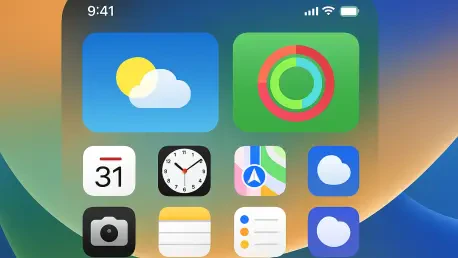
Further enhancing the user experience, iOS 26.3 refines the Lock Screen customization options by giving the Weather wallpaper its own dedicated section. Previously, this dynamic wallpaper was grouped with the Astronomy collection, but Apple has now separated it into a distinct category, making it easier to discover and apply. To better showcase its capabilities, the update includes three new pre-designed Weather wallpaper templates. Each template features a unique combination of fonts for the time display and a curated selection of weather-related widgets. This change serves a dual purpose: it not only simplifies the customization process but also provides users with a clearer and more inspiring vision of how the Weather wallpaper can be configured to deliver glanceable, context-aware information directly on the Lock Screen. This focus on aesthetic and functional personalization aligns with Apple’s ongoing efforts to make the iOS interface more visually engaging and tailored to individual user preferences, turning the Lock Screen into a more powerful and informative hub.
2. Enhancing User Privacy and Hinting at Future Hardware
In a notable move to bolster user privacy, iOS 26.3 introduces a new setting to limit precise location tracking by cellular carriers. This feature, however, is hardware-dependent and is exclusively available for devices equipped with the advanced C1 and C1X modems, specifically the iPhone 16e and iPhone Air models. Mobile networks traditionally determine a device’s location by triangulating its position based on the cellular towers it connects to, which can provide a highly accurate fix. When the “Limit Precise Location” setting is enabled, some of the detailed data typically shared with the mobile network is restricted. Instead of providing location information down to a specific street address, the carrier’s visibility is reduced to the general neighborhood or area where the device is located. As of its release, this feature has limited carrier support but is available with Boost Mobile in the United States, EE and BT in the UK, Telekom in Germany, and both AIS and True in Thailand. Users with a compatible device and carrier can enable this setting by navigating to the Settings app, tapping on their cellular service, selecting Mobile Data Options, and then toggling on the “Limit Precise Location” switch. A device restart is required to apply the change.
Beyond immediate user-facing features, the code within the iOS 26.3 update contains intriguing references to unreleased M5 Max and M5 Ultra chips. This discovery, while not impacting current device functionality, serves as a strong indicator of Apple’s forthcoming hardware plans. It is a common practice for traces of future products to appear within operating system updates as engineers prepare the software to support next-generation hardware. The mention of the M5 Max and M5 Ultra variants specifically points toward their intended use in upcoming high-end Mac models, which are likely to be announced in the coming months. These findings generate considerable anticipation within the tech community, suggesting that the next wave of professional-grade Macs will deliver another substantial leap in performance and efficiency, continuing the impressive trajectory of Apple silicon. For users and industry observers alike, these code-level clues provide a valuable glimpse into the company’s product roadmap and the powerful capabilities that will define the next generation of its computer lineup.
3. Addressing European Union Regulations
In response to evolving antitrust regulations within the European Union, the iOS 26.3 beta included tests for a new “Notification Forwarding” setting aimed at improving interoperability with third-party accessories. Although this feature was not included in the final public release, it is expected to be implemented in a future update specifically for users in the EU. This functionality is designed to allow incoming notifications from an iPhone to be forwarded directly to a non-Apple wearable device, such as an Android-powered smartwatch. The setting, when it becomes available, will be located in the Notification section of the Settings app. It is important to note that notifications can only be forwarded to a single device at a time. Consequently, if a user enables Notification Forwarding to a third-party wearable, the Apple Watch will no longer receive and display those same notifications. This change directly addresses regulatory concerns that third-party wearables should have access to the same core functionalities as Apple’s own ecosystem of products, promoting a more competitive and open market for accessories.
Continuing its efforts to comply with European Commission directives, Apple also tested another EU-exclusive feature in the iOS 26.3 beta known as “Proximity Pairing” for third-party devices. Similar to Notification Forwarding, this feature was not activated in the final release but is anticipated to be rolled out in a subsequent update. Proximity pairing will extend the seamless, one-tap setup experience, famously associated with AirPods and Apple Watch, to a broader range of third-party accessories, including headphones and smartwatches from other manufacturers. By simply bringing a compatible accessory close to an iPhone or iPad, users will be able to initiate a simplified pairing process, removing the friction often associated with navigating Bluetooth settings menus. This development is part of a larger initiative to level the playing field for accessory makers, ensuring that non-Apple products can offer a user experience that is just as integrated and intuitive as that of first-party hardware. The eventual implementation of this feature will mark a significant step toward a more open and user-friendly accessory ecosystem within the EU.
4. Prioritizing System Integrity and Future Updates
The release of iOS 26.3 delivered a comprehensive set of security updates that addressed dozens of vulnerabilities, including a critical bug that was known to be actively exploited in the wild. Apple confirmed that a flaw in the dyld dynamic link editor could have allowed for the execution of arbitrary code, which may have been leveraged in sophisticated, targeted attacks against individuals using versions of iOS prior to iOS 26. The patch for this vulnerability is one of the most crucial elements of the update. In addition to this actively exploited issue, the update fixed several other security flaws across various system apps and services. For instance, a CoreAudio bug could have allowed a maliciously crafted media file to terminate an application, while a vulnerability in Game Center could have exposed sensitive user information. Other fixes addressed an issue in Messages that could permit a shortcut to bypass sandbox restrictions and a flaw in Photos that could allow someone with physical access to a device to view photos from the Lock Screen.
With these security vulnerabilities now publicly disclosed by Apple, it has become imperative for all users to update their devices promptly to stay protected from potential threats. The installation process for iOS 26.3 remains straightforward and accessible. To update, users can open the Settings app, tap on the General section, and then navigate to Software Update to begin the download and installation. This update is available for all iPhone models that support iOS 26, which includes the iPhone 11 and all subsequent models. Looking ahead, the development cycle is expected to continue its steady pace. Based on typical release schedules, Apple will likely release the first beta version of its next minor update, iOS 26.4, to developers within the next couple of weeks. This upcoming release will likely introduce further refinements, bug fixes, and potentially new features as Apple continues to iterate on the iOS 26 platform throughout the year, building on the foundation of stability and security reinforced by the current release.