
In the highly competitive landscape of music streaming, where vast libraries and algorithmic playlists have become standard, the true battle for user loyalty is often won through refinements in the user experience rather than revolutionary new services. The latest mobile operating system update, iOS 26, delivers a masterclass in this philosophy by introducing a trio of enhancements to Apple Music that, while seemingly incremental on their own, collectively transform the daily interaction with the platform into something more visually immersive, functionally powerful, and deeply personal. These updates move beyond simple feature additions, focusing instead on addressing long-standing user requests and elevating the core aesthetic of the application. This has resulted in a more cohesive and enjoyable listening journey, fundamentally altering how users organize, access, and visually engage with their favorite music directly from the devices they use most often. It is a testament to the idea that the most impactful changes are sometimes those that refine and perfect the existing framework, making the familiar feel entirely new.
A Visual and Organizational Revolution
Fullscreen Artwork Redefines the Lock Screen
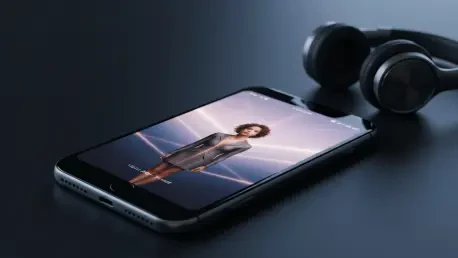
The introduction of fullscreen animated artwork on the Lock Screen represents one of the most significant visual upgrades to the Apple Music experience in years. Previously, the vibrant, moving art accompanying many albums and playlists was a pleasure confined within the app itself, a hidden gem that disappeared the moment the user switched apps or locked their device. With iOS 26, this dynamic content is brought to the forefront, transforming the Lock Screen—the most frequently viewed screen for many users—into a captivating, edge-to-edge canvas. When the screen wakes, the artwork animates beautifully, creating a far more immersive and engaging experience than the static, smaller art of previous versions. This feature is particularly stunning on iPhones equipped with an always-on display, where the subtle motion can persist, turning the device into a dynamic visual centerpiece. Even for albums and playlists that lack animated art, the new fullscreen presentation is a substantial aesthetic improvement, eliminating bezels and allowing the cover art to be displayed as the artist intended, making every listening session a more visually rich event.
The Dawn of Mobile Playlist Management
For years, a curious limitation held back Apple Music’s organizational capabilities on its most popular devices, forcing users to tether themselves to a Mac to perform a seemingly basic task: managing playlist folders. This relic of the iTunes era created a significant workflow disruption for a mobile-first user base, rendering a powerful organizational tool largely impractical. The iOS 26 update decisively rectifies this long-standing issue by integrating full playlist folder management directly into the iPhone and iPad experience. Users are now empowered to create new folders, add playlists to them, and reorganize their entire library structure without ever leaving their mobile device. This is a transformative change that brings desktop-class library management to the forefront of the mobile experience. For meticulous curators of extensive music libraries, this update is nothing short of revolutionary, finally allowing for the kind of detailed organization—sorting by genre, mood, or occasion—that was previously a cumbersome, multi-device process. It marks a pivotal moment where Apple Music on mobile devices has truly come of age as a self-sufficient and powerful library tool.
Personalization and Streamlined Access
Pinning Favorites for Instant Gratification
Enhancing the efficiency of navigating a personal music library, iOS 26 introduces a highly practical pinning feature within the Library tab. This new function allows users to select and pin up to six of their most-accessed items—be it a specific album, a go-to playlist, a favorite artist, or even a single song—to the very top of the Library section for immediate access. For listeners who primarily navigate their collection through the Library tab rather than searching or browsing, this feature fundamentally streamlines the process of finding and playing their favorite content. It eliminates the need for scrolling or searching, placing essential music just a single tap away. While the current limit is set at six pinned items, a figure some have noted could be expanded to nine to match the precedent set by pinned conversations in the Messages app, the feature is nonetheless being widely praised. It adds a crucial layer of personalization that makes the Library feel more tailored to the individual, transforming it from a simple repository into a dynamic and efficient launchpad for one’s most cherished music.
A New Era of Refined Interaction
The updates delivered in iOS 26 collectively represented a significant milestone in the evolution of the Apple Music user experience. These were not disparate features but a cohesive set of enhancements that addressed core aspects of the user journey: visual engagement, library organization, and content accessibility. The integration of fullscreen Lock Screen artwork elevated the aesthetic appeal of the entire listening process, making it more immersive and visually rewarding. The introduction of mobile playlist folder management finally closed a long-standing gap in functionality, empowering users with the tools they needed to curate their libraries effectively on their primary devices. Finally, the pinning feature provided a layer of personalization and efficiency that streamlined daily interactions. Together, these improvements showcased a focused effort to refine the platform, demonstrating that profound progress could be achieved by thoughtfully enhancing the fundamental ways users connect with their music.