
Modern vehicles have transitioned from simple mechanical transportation units into sophisticated digital ecosystems that prioritize seamless connectivity and user-centric interfaces. In the landscape of current automotive technology, Android Auto stands out as a critical bridge between mobile intelligence and the physical driving experience, offering a level of flexibility that was previously unattainable. For most drivers, the default configuration serves its purpose, but the true potential of the system is unlocked only when the interface is tailored to specific personal needs and aesthetic preferences. Customization in 2026 is no longer a luxury for tech enthusiasts but a fundamental strategy to reduce driver distraction and enhance the overall utility of the dashboard display. By fine-tuning the way information is presented, individuals can ensure that their most essential tools are always within reach while minimizing the cognitive load required to navigate through various menus during transit.
1. Personalizing Visual Interfaces and App Layouts
Visual customization serves as the primary method for creating an environment that feels intuitive and less like a generic factory setting. The most immediate change involves selecting a background that complements the interior lighting and upholstery of the vehicle, which is easily achieved through the settings menu on the car display. Beyond mere aesthetics, selecting a high-contrast wallpaper can significantly improve visibility during high-glare situations or bright daylight driving. Modern versions of the software allow for a dynamic range of patterns that do not interfere with icon clarity, ensuring that the primary focus remains on navigation and safety alerts. Furthermore, the integration of automatic dark mode settings ensures that the interface adapts to ambient light levels, preventing the screen from becoming a source of glare during nighttime excursions. This transition between light and dark themes is now more fluid than ever, utilizing the vehicle’s own sensor data to synchronize with the external environment.
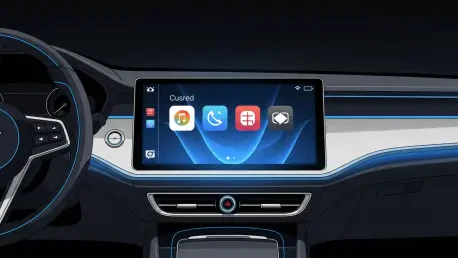
Streamlining the application launcher is another vital step in optimizing the user interface to suit specific commuting patterns and professional requirements. By accessing the customization menu through the connected smartphone, users can rearrange the order of icons to place navigation and communication tools at the very top of the list. This organization minimizes the time spent scrolling through a long list of installed applications, which directly contributes to safer driving habits by keeping eyes on the road for longer intervals. It is also possible to hide applications that are rarely used or those that do not provide a beneficial experience in a vehicular context, such as games or secondary messaging platforms. This decluttering process transforms the dashboard into a curated toolset where every visible icon serves a distinct purpose. The ability to create a minimalist layout is particularly beneficial for those who utilize their vehicles for work and require quick access to specific tools without distractions.
2. Optimizing Functionality and Notification Systems
Functional enhancements often revolve around the integration of voice-activated shortcuts and automated task management to reduce physical interaction with the screen. Setting up Google Assistant routines allows for complex sequences of actions, such as navigating to a destination while playing a specific news briefing, to be triggered by a single vocal command. These shortcuts can be pinned to the home screen as individual icons, providing a tactile backup for moments when voice recognition might be hindered by cabin noise or heavy rain. Additionally, configuring the system to automatically resume media playback ensures that the audio experience is continuous from the moment the engine starts, eliminating the need to manually restart podcasts or playlists. This level of automation is essential for maintaining a flow of information and entertainment without requiring the driver to hunt for specific media controls. Advanced settings also allow for the prioritization of specific navigation providers, ensuring data accuracy.
Refining the notification ecosystem provided a final layer of control that effectively balanced connectivity with the necessity of maintaining focus. Drivers achieved this by toggling specific alert settings that silenced non-essential messages while allowing urgent communications from designated contacts to break through. The implementation of specific distraction-free modes during heavy traffic or within certain geographic boundaries helped in establishing a disciplined driving environment. These adjustments ensured that the digital assistant handled incoming data with precision, providing summaries rather than intrusive full-text readouts. The systematic application of these seven methods allowed for a personalized interface that evolved alongside the driver’s habits and technical requirements. To maintain this efficiency, users audited their application lists and updated their voice routines to reflect new personal priorities. Taking these actionable steps resulted in a more harmonious relationship between mobile software and hardware capabilities.