
Managing the intensity of visual effects like tint and opacity via the appearance menu can improve text legibility but may not fully resolve deep-seated system performance issues. While users often expect seamless transitions and lightning-fast responses from the latest firmware, the reality of deploying a massive operating system update involves significant hidden overhead. Many individuals have encountered frustrating stuttering or an outright lack of touch recognition after installing the latest version of the mobile software. This phenomenon frequently stems from the heavy computational demands placed on the hardware as it attempts to integrate new aesthetic frameworks and background maintenance tasks simultaneously.
The initial excitement surrounding new customization options often fades when the device begins to feel warm or fails to track quick gestures. Understanding the underlying causes of these performance dips is essential for restoring the fluidity that has long been a hallmark of the ecosystem. The transition to the sophisticated architecture of the current software requires a nuanced approach to system settings and internal optimization. By examining the specific features that place the most strain on the processor, it becomes possible to regain control over the device’s speed. These early-stage performance hurdles are often exacerbated by the high expectations of a user base accustomed to near-instantaneous feedback.
1. Minimizing Visual Overhead and Resource Consumption
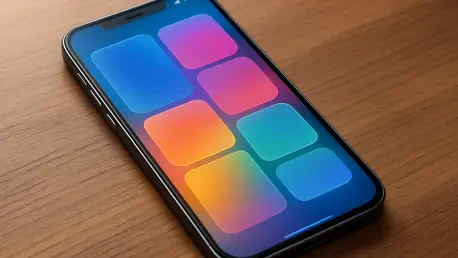
The introduction of the Liquid Glass interface brought a revolutionary aesthetic that relies heavily on real-time rendering of translucent surfaces and ambient light reflection. While these elements create a depth-defying visual experience, they also force the graphics processing unit to work at maximum capacity even during simple navigation tasks. For users dealing with persistent lag, the primary culprit is often this constant recalculation of transparency and light paths. By navigating to the accessibility settings and enabling the option to reduce transparency, the system is relieved of these intensive graphical burdens. This change flattens the interface, allowing the processor to focus its energy on touch input and application speed.
Moreover, the period following an update is characterized by heavy background indexing, where the system reorganizes data for search functions and photo libraries. This process is necessary for long-term efficiency but can cause temporary heating and unresponsiveness. Allowing the device to remain connected to a charger while on a stable network overnight usually permits these tasks to complete without disrupting the active user experience. When these background processes finish, most of the minor jitters and lags typically subside. However, if the device continues to struggle with basic tasks like scrolling or opening the camera app, deeper adjustments to power management and touch sensitivity settings might be required to restore proper functionality.
2. Adjusting Performance Profiles and Recovery Protocols
A common misconception involves the permanent use of Low Power Mode to extend battery life, yet this setting significantly impacts overall responsiveness. By design, this mode intentionally throttles the CPU performance by approximately fifty percent to conserve energy, which directly correlates with delayed app launches and stuttering animations. While useful during a critical battery shortage, keeping this feature toggled on during standard usage scenarios prevents the device from utilizing its full processing potential. Disabling this mode through the battery menu often provides an immediate boost in tactile speed and eliminates the sluggish feeling that many users mistake for software bugs. It is a vital step for those seeking the high-performance experience intended by the developers.
In severe cases where the display becomes entirely unresponsive, specifically when interacting with the Control Center or the notification shade, a software-level freeze may be occurring. This specific glitch often manifests as a locked screen where icons appear frozen at the top, rendering the standard power-off slider useless. To rectify this without losing data, a hard reset is the most effective protocol for clearing the system’s temporary memory state. This is achieved by quickly pressing the volume up button, then the volume down button, and finally holding the side power button until the logo reappears. This sequence forces the hardware to restart, purging the corrupted memory cache that causes the touch interface to fail. It serves as a primary solution for persistent software conflicts.
3. Strategic Refinement for Long-Term Device Health
Addressing the initial challenges of the latest operating system required a proactive approach to setting management and hardware maintenance. Users who successfully mitigated the stuttering and touch issues often found that a combination of reducing graphical transparency and avoiding constant power throttling yielded the best results. These adjustments allowed the device to allocate resources more effectively toward the user’s immediate actions rather than background flair. The process of troubleshooting highlighted the importance of understanding how modern software interacts with older hardware components. By prioritizing functional speed over aesthetic depth, the community established a pathway for maintaining high-performance standards despite the complexity of new features.
Looking ahead, maintaining a clean system involved regular monitoring of storage capacity and the selective use of data-heavy widgets that can drain resources. If performance issues were to persist even after these interventions, a complete factory reset followed by a clean installation of the software was seen as a final, reliable step. This method ensured that any lingering code fragments or corrupted configuration files were completely removed. Moving forward, the emphasis shifted toward optimizing the balance between battery longevity and processing power. Adopting a mindset of preventative maintenance helped ensure that the device remained a reliable tool. These strategies provided a solid foundation for navigating future updates without compromising the smoothness of the daily mobile experience.