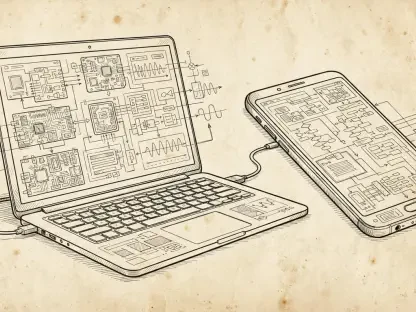

The technological metamorphosis that converted a rudimentary mobile operating system into an advanced artificial intelligence hub represents one of the most significant shifts in modern computing history. When the first commercial version of the software arrived in 2008, it functioned primarily as a vehicle for essential web services, tethered to the limitations of early hardware and physical user interfaces. Over the intervening years, this platform has undergone a radical transformation, shedding its reliance on mechanical buttons and static applications in favor of a fluid, gesture-based environment powered by deep learning. This evolution reflects a broader movement within the industry toward proactive computing, where the device anticipates the needs of the user rather than merely responding to direct commands. As the ecosystem approaches the deployment of version 17, the focus has expanded from simple utility to a comprehensive intelligence system that manages everything from personal privacy to complex cross-device synchronization. This journey highlights the persistent tension between innovation and stability, demonstrating how a once-experimental project matured into a global standard that defines the modern digital experience for billions of individuals worldwide.
The Formative ErEstablishing the Original Framework
Early Foundations: Functional Integration and Service Alignment
The inception of the platform with versions 1.0 and 1.1 was characterized by a strict focus on providing a mobile-friendly gateway to the established suite of search and productivity tools. During this period, the software lacked the sophisticated design language and dessert-themed branding that would later define its public identity, focusing instead on the functional necessity of integrating Gmail, Google Maps, and YouTube into a handheld format. The introduction of the pull-down notification system was perhaps the most enduring contribution of this era, providing a centralized location for managing alerts that was far superior to the fragmented systems found on competing mobile platforms. This architectural choice allowed users to maintain a continuous flow of communication without constantly switching between active applications, establishing a precedent for mobile multitasking that remains a cornerstone of the interface today.
Beyond the immediate integration of services, these initial versions introduced the concept of a centralized digital storefront for third-party software, which challenged the restrictive distribution models common at the time. By creating a standardized environment where developers could reach a global audience, the platform encouraged a rapid expansion of the mobile software ecosystem. The early builds also pioneered the use of home screen icons and a dedicated app drawer, providing a clear organizational hierarchy that felt intuitive to users transitioning from traditional desktop computing environments. Although the hardware of the time was limited by small screens and a lack of virtual input methods, the software provided a robust enough framework to support the growing demand for mobile data and real-time connectivity. This foundation ensured that as hardware capabilities improved, the underlying system was already prepared to scale and adapt to more demanding user requirements.
Technical Flexibility: Scaling Beyond the Physical Keyboard
With the release of version 1.5, commonly referred to as Cupcake, the software underwent a critical transition that allowed for the removal of physical QWERTY keyboards in favor of a virtual, on-screen interface. This shift was monumental because it enabled manufacturers to design devices with larger displays and thinner profiles, catering to a growing consumer preference for media consumption and touch-based interaction. The introduction of the first virtual keyboard also brought with it features like text prediction and custom dictionaries, which improved typing speed and accuracy on touchscreens. Furthermore, this version introduced third-party widgets, allowing users to customize their home screens with live information like weather updates or music controls. This level of customization became a key differentiator, as it provided a more dynamic and personalized experience than the static grids of icons found on other operating systems.
The subsequent release of version 1.6, or Donut, addressed the challenge of hardware fragmentation by introducing support for a wider variety of screen resolutions and aspect ratios. Before this update, software developers often struggled to ensure their applications looked and functioned correctly on different types of hardware, which hindered the platform’s overall growth. By implementing a more flexible framework for UI rendering, the system became significantly more attractive to a diverse range of hardware manufacturers, leading to a surge in available devices across different price points. This era also saw the expansion of the platform’s search capabilities, enabling users to find both local files and web-based information from a single interface. These technical refinements proved that the operating system was not just a niche project for enthusiasts but a versatile and scalable platform capable of supporting a global market with varying consumer needs.
The Mainstream Surge: Navigation and Identity
Utility Optimization: Replacing Dedicated Hardware Solutions
The arrival of versions 2.0 and 2.1, known as Eclair, marked a turning point where the smartphone began to actively replace several other common electronic devices. The most significant feature introduced during this phase was free turn-by-turn navigation within the mapping software, which utilized the device’s internal GPS to provide real-time driving directions. This advancement effectively marginalized the market for dedicated car navigation units, as users now had access to a constantly updated and highly accurate mapping system directly on their phones. Along with these navigation tools, the system introduced support for multiple email accounts and a redesigned browser that handled complex web pages with greater efficiency. The inclusion of live wallpapers also provided a visual flourish that showcased the increasing graphical power of contemporary mobile processors, making the interface feel more alive and responsive to user touch.
Performance became a central focus with the release of version 2.2, Froyo, which introduced a Just-In-Time compiler to significantly increase the execution speed of applications. This technical improvement made the entire user experience feel much smoother and more professional, reducing the lag that had occasionally plagued earlier versions of the software. Froyo also introduced the ability to use the phone as a mobile Wi-Fi hotspot, a feature that was highly valued by business professionals and travelers who needed to connect other devices to the internet while on the move. The refinement of the home screen dock also occurred during this period, placing the most important communication and navigation shortcuts at the bottom of the screen for easy access. By focusing on these core utilities and performance metrics, the platform solidified its position as a powerful tool for both personal and professional use, appealing to a much wider demographic than ever before.
Aesthetic Maturity: Defining a Distinctive Digital Persona
The release of version 2.3, Gingerbread, signaled a shift toward a more intentional and polished visual identity, moving away from the utilitarian looks of the past toward a cohesive design language. The interface adopted a dark color palette with vibrant green highlights, creating a distinctive look that helped the brand stand out in a crowded market. This version was also optimized for mobile gaming, offering improved support for high-resolution graphics and faster input response times, which encouraged developers to bring more complex titles to the platform. Additionally, Gingerbread introduced native support for Near Field Communication, which laid the groundwork for future innovations in mobile payments and contactless data transfer. This forward-thinking approach to hardware integration demonstrated that the system was being designed not just for current needs, but with an eye toward future technological trends.
During this period, the software also began to address the complexities of power management and background processes more aggressively. As mobile hardware became more powerful, battery life emerged as a major concern for users, prompting the development of new tools to monitor and control the energy consumption of individual applications. Gingerbread included a redesigned battery usage screen that provided detailed insights into which apps were draining the most power, empowering users to take control of their device’s longevity. This era also saw improvements in the management of internal storage and memory, ensuring that the system remained stable even when running multiple resource-intensive tasks simultaneously. By combining a unique aesthetic with robust system-level improvements, the platform proved that it had reached a level of maturity that could compete with any other mobile operating system on the market.
The Shift Toward Unified Design
Adaptive Interfaces: Bridging the Gap Between Form Factors
The emergence of version 3.0, Honeycomb, represented a bold and necessary experiment to adapt the existing software for the burgeoning tablet market. Unlike previous iterations, this version was designed specifically for large screens, introducing a blue-themed “holographic” interface that discarded physical navigation buttons in favor of on-screen controls. This transition allowed manufacturers to create tablets with minimal bezels, maximizing the available screen real estate for productivity and media consumption. Honeycomb also introduced a more sophisticated multitasking view, which displayed large thumbnails of recently used applications, making it easier for users to switch between tasks on a larger canvas. While the tablet-only experiment was short-lived, it provided invaluable lessons in how to design for diverse screen sizes, leading to the creation of a more flexible and unified software architecture in subsequent years.
Following the lessons of the tablet-centric era, version 4.0, Ice Cream Sandwich, served as a grand unification that combined the best elements of the phone and tablet interfaces into a single, cohesive system. This update introduced the “Holo” design language, which emphasized clean lines, subtle gradients, and a new custom-designed font that was optimized for high-resolution displays. The introduction of swipe-to-dismiss gestures for notifications and recent apps simplified navigation, creating a more tactile and intuitive way to interact with the device. Furthermore, this version popularized Face Unlock technology and advanced data usage monitoring, giving users more sophisticated ways to secure their devices and manage their cellular plans. By merging the various branches of the software into one unified codebase, the platform simplified the development process for both hardware makers and app creators, ensuring a more consistent experience across the entire ecosystem.
Predictive Logic: The Birth of Proactive User Assistance
The transition into versions 4.1 through 4.3, known collectively as Jelly Bean, focused heavily on improving the responsiveness and predictive capabilities of the operating system. Through a series of technical enhancements known as Project Butter, the developers were able to synchronize the interface with the display’s refresh rate, resulting in a significantly more fluid and lag-free user experience. This era also saw the introduction of a proactive digital assistant that attempted to provide relevant information, such as weather updates, flight status, and traffic conditions, before the user even thought to look for them. This was a fundamental shift in the philosophy of the platform, moving from a passive tool that waits for input to an active assistant that anticipates user needs based on location, time, and personal habits.
In addition to these intelligence-focused features, the software introduced expandable and actionable notifications, which allowed users to interact with alerts directly from the shade without opening the parent application. For instance, a user could respond to a text message or archive an email with a single tap, further reducing the friction of daily digital interactions. The system also added support for multiple user profiles on tablets, making it easier for families to share a single device while keeping their personal data and settings separate. These updates collectively made the device feel more personal and aware of its environment, setting the stage for the highly automated systems that would follow. By prioritizing speed and intelligence, the platform successfully transitioned from a collection of apps into a sophisticated environment that worked on behalf of the user.
Material Design and System Maturity
Visual Hierarchy: Implementing Material Design Principles
The introduction of version 4.4, KitKat, brought a sense of lightness and transparency to the interface, replacing the heavy, dark themes of previous versions with a more modern and airy aesthetic. This version was specifically optimized to run efficiently on devices with limited hardware resources, ensuring that users with budget-friendly phones could still enjoy a high-quality experience. It also introduced the “OK Google” voice trigger, which allowed for hands-free access to search and voice commands, further emphasizing the shift toward voice-driven interaction. By moving several core system services into the digital storefront for independent updates, the platform reduced its reliance on major operating system releases to provide new features and security patches. This modular approach allowed for faster innovation and a more secure environment for users across all types of hardware.
The most dramatic visual overhaul occurred with the release of version 5.0, Lollipop, which introduced the Material Design philosophy to the world. This design language used shadows, lighting, and realistic motion to create a sense of depth and physical hierarchy on the screen, making the interface feel more like a physical object. Notifications were moved to the lock screen for easier access, and the multitasking view was redesigned as a stack of cards to make it more intuitive to navigate through open applications. This era also brought native support for 64-bit processors and the introduction of a more efficient runtime, which improved both the performance and battery life of compatible devices. Material Design was not just a visual update; it was a comprehensive set of guidelines that helped developers create more beautiful and consistent applications, resulting in a much more professional and polished appearance for the entire ecosystem.
Granular Control: Privacy and Multi-Tasking Evolution
As the system matured, the focus shifted toward giving users more control over how their personal data was accessed by third-party applications. Version 6.0, Marshmallow, introduced a granular permission system that required apps to request access to sensitive features, such as the camera or location, only at the moment they were actually needed. This was a significant improvement over the old “all-or-nothing” approach, providing users with a much clearer understanding of how their information was being used. Marshmallow also introduced a deep-sleep mode that significantly improved standby battery life by limiting the background activity of apps when the device was not in use. These changes reflected a growing awareness of the importance of digital privacy and energy efficiency in a world where users were increasingly dependent on their mobile devices for every aspect of their lives.
Building on these foundations, versions 7.0 and 8.0, known as Nougat and Oreo, introduced native split-screen multitasking and picture-in-picture modes, allowing users to be more productive on their mobile devices. These features were particularly useful on larger phones and tablets, enabling users to watch a video while simultaneously taking notes or browsing the web. Oreo also introduced a major architectural change known as Project Treble, which separated the core operating system from the hardware-specific software provided by manufacturers. This change made it much easier and faster for hardware makers to update their devices to the latest version of the software, addressing one of the most persistent criticisms of the platform. By focusing on productivity, privacy, and update speed, the system entered a phase of professional maturity that appealed to enterprise users and security-conscious consumers alike.
The Era of Intelligence and Privacy
Intentional Interaction: Gestures and Personalization
With the arrival of version 9.0 and the transition into version 10, the platform abandoned its traditional three-button navigation bar in favor of a modern, gesture-based system. This change allowed for even larger displays with almost no bottom bezel, as users could now navigate the interface with a series of intuitive swipes. This era also marked the end of the public use of dessert names for marketing, with the software moving to a simpler numerical naming convention to reflect its global and professional standing. Version 10 introduced a system-wide dark mode, which not only reduced eye strain in low-light environments but also helped save battery life on devices with modern screen technologies. These updates were complemented by the introduction of Digital Wellbeing tools, which provided users with detailed insights into their app usage and helped them develop healthier habits with their technology.
The subsequent releases, culminating in version 12, introduced the “Material You” design language, which brought an unprecedented level of personalization to the mobile experience. This system allowed the entire interface, including icons, menus, and widgets, to automatically change its color palette based on the user’s chosen wallpaper. This dynamic approach to design ensured that no two devices looked exactly alike, making the technology feel more like a personal extension of the individual user. At the same time, the system improved its handling of notifications by grouping them more logically and allowing users to prioritize specific conversations. These changes made the device feel more responsive to the user’s personal preferences and social connections, moving away from a static experience toward one that was constantly adapting to its owner’s style and needs.
Transparent Ecosystems: Securing the Digital Life
As the platform moved through versions 13, 14, and 15, the primary focus centered on creating a transparent and highly secure environment for personal and professional data. New features like the privacy dashboard provided a clear timeline of when applications accessed sensitive data, while indicators on the screen alerted users whenever the microphone or camera was in use. The introduction of “Private Spaces” in version 15 allowed users to hide and lock specific applications behind an extra layer of security, ensuring that sensitive information remained protected even if the device was unlocked. These versions also saw the integration of a central health data hub, which allowed different fitness and wellness apps to share information securely while giving the user total control over who could see their medical and activity records.
In addition to security, these updates brought significant improvements to how the system handles modern hardware like foldable phones and large-screen tablets. The software now includes a taskbar for easier app switching and optimized layouts that take advantage of the extra screen real estate provided by flexible displays. Machine learning is also used more extensively to manage background tasks and optimize battery life, ensuring that the device remains efficient even as it becomes more capable. This era of the software is defined by a deep integration of hardware and software, where the system understands the physical capabilities of the device and adjusts its behavior accordingly. By prioritizing transparency and hardware optimization, the platform has created a reliable and sophisticated ecosystem that is well-prepared for the challenges of a modern, data-driven world.
Future Horizons: The Intelligence System
Automated Efficiency: Predictive Agency in Version 16
The current landscape of version 16 represents the culmination of years of development in modularity and real-time security monitoring. The system has moved toward an even more aggressive update cycle, where critical security components can be patched instantly without requiring a full system reboot, ensuring that users are protected against the latest digital threats as soon as they emerge. This version also leverages on-device machine learning to manage complex workflows, such as automatically summarizing long documents or organizing calendar events based on conversational context from various messaging platforms. The goal is to reduce the cognitive load on the user, allowing the operating system to handle the mundane tasks of digital organization so that the individual can focus on more creative or professional pursuits.
Furthermore, the integration of advanced environmental awareness allows the device to adjust its settings based on the user’s physical surroundings and current activity. For instance, the system can automatically silence non-essential notifications when it detects the user is in a professional meeting or prioritize navigation and music controls when it senses a driving environment. This level of automation is supported by a more robust and energy-efficient neural processing architecture that handles complex computations locally on the device, rather than relying on the cloud. This local processing not only improves response times but also enhances privacy by ensuring that sensitive data never leaves the user’s hand. As a result, the platform has transitioned from being a simple launcher for applications into a proactive partner that manages the user’s digital existence with minimal intervention.
Cognitive Integration: The Realization of Version 17
By the time version 17 arrived in 2026, the operating system had fully transformed into a comprehensive intelligence agent that acts as a central coordinator for the user’s entire digital life. The interface has moved beyond simple icons and menus to include a highly interactive and context-aware layer that suggests actions based on the current time, location, and historical patterns of behavior. For example, if a user typically orders a ride to the office at a certain time, the system will have the application ready and the destination pre-loaded before the phone is even picked up. This predictive agency is the final stage of the evolution from the basic framework of 2008, representing a future where technology is truly integrated into the human experience.
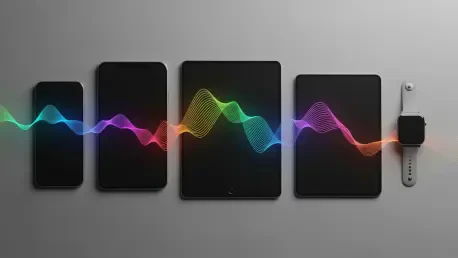
Version 17 also focuses on seamless cross-device connectivity, allowing the phone to serve as the primary brain for an ecosystem of tablets, laptops, and wearable devices. Users can move tasks from one screen to another with a single gesture, and the system maintains a consistent state across all hardware, ensuring that work is never lost. This era of the software also sees the implementation of advanced “Zero Trust” security protocols, where every interaction within the system is verified in real-time to prevent unauthorized access to personal information. This evolution from a basic utility to a proactive intelligence system marks the pinnacle of modern mobile computing, providing a glimpse into a future where the boundary between the user and their technology becomes increasingly fluid and supportive.
Strategic Trajectories: Preparing for a Proactive Future
The historical progression of this operating system illustrated a clear shift from reactive tools toward proactive, intelligence-driven ecosystems. This journey suggested that the value of a mobile platform no longer resided solely in its ability to run applications, but rather in its capacity to interpret user intent and manage complex digital interactions autonomously. As the software moved into its seventeenth major iteration, the focus narrowed on the intersection of deep learning and extreme privacy, ensuring that the convenience of an automated assistant did not come at the cost of personal security. This transition demanded that developers and manufacturers alike rethink their approach to software design, prioritizing semantic understanding and cross-device fluidity over traditional static interfaces.
Organizations and individual users who adopted these advanced systems found that the increased automation allowed for a more efficient management of daily routines and professional responsibilities. The legacy of the early versions provided a necessary foundation of flexibility and service integration, which eventually enabled the sophisticated cognitive features seen in the present era. Moving forward, the emphasis remained on refining the balance between on-device processing and cloud-based intelligence, aiming to provide a seamless experience that felt both natural and secure. This evolution proved that the true potential of mobile technology was found not in the hardware itself, but in the intelligent software that lived within it, constantly adapting to meet the ever-changing demands of a connected world.