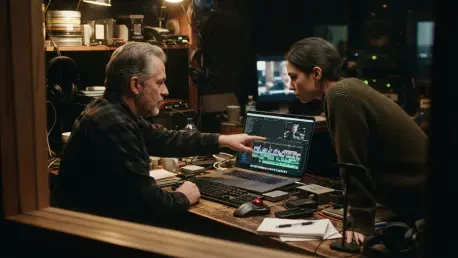

Mobile professionals now have access to high-performance machines capable of exceeding twenty hours of runtime, a feat previously thought impossible for intensive video editing workloads. This seismic shift in the technological landscape has fundamentally redefined what a creative workstation can be, moving away from the loud, heat-generating bricks of the past toward sleek, highly efficient powerhouses. For a professional editor, the criteria for a machine go far beyond simple aesthetic appeal or brand loyalty; it is a question of how the hardware handles the crushing mathematical weight of 8K raw footage or the intricate layers of a multi-cam project. The modern editing environment demands a synthesis of silicon architecture that can sustain peak performance without thermal throttling, paired with displays that offer surgical precision in color reproduction. As we navigate the current landscape, it becomes clear that the best machines are those that remove the friction between a creator’s intent and the final render, allowing for a fluid, uninterrupted creative process that was once the exclusive domain of six-figure desktop configurations.
The Core Foundations: Hardware Standards for Creative Professionals
A dedicated graphics processor remains the most significant variable in determining how a machine will perform under the stress of modern nonlinear editing software. While integrated chips have seen remarkable growth in capability, a discrete GPU like the NVIDIA RTX 5090 or the specialized cores in Apple Silicon provide the hardware acceleration necessary for real-time playback of complex effects. These processors are not merely about speed; they are about stability, ensuring that frames are not dropped during a critical color-grading session or when applying heavy temporal noise reduction. Furthermore, the modern shift toward AI-driven editing tools, such as automated masking and object removal, has placed a new premium on Neural Processing Units (NPUs). These dedicated AI cores handle the background computation that once bogged down the main CPU, allowing the system to remain responsive even while performing heavy analysis on raw footage.
Memory and display fidelity act as the primary interfaces through which an editor interacts with their work, making them non-negotiable aspects of any high-end build. While 16GB of RAM was once the gold standard, the professional requirements of 2026 have shifted the baseline to 32GB or even 64GB for those working in 6K or 8K resolutions. This is particularly true for unified memory architectures, where the system must intelligently partition resources between the processor and the graphics engine. Simultaneously, the industry has fully embraced the DCI-P3 color gamut as the mandatory benchmark for visual accuracy. A laptop that cannot cover at least 85% of this spectrum risks producing content that will look drastically different once it reaches a theater or a high-end streaming service. Modern panels must also offer high peak brightness, often exceeding 1,000 nits, to accurately display High Dynamic Range (HDR) content, which has become the standard for premium media production.
The Dominance of the MacBook Pro 16: An Architectural Masterclass
The Apple MacBook Pro 16-inch, powered by the M4 Pro and M4 Max chipsets, represents a pinnacle of efficiency that remains the primary target for competitors to chase. This machine is not just a collection of fast parts but a cohesive ecosystem where the software and hardware are tuned to a singular purpose. The M4 Pro’s architecture utilizes a unified memory system that eliminates the latency typically found in machines that must move data between separate CPU and GPU pools. In practical application, this means that even the most demanding timelines in Final Cut Pro or DaVinci Resolve respond with a near-instantaneous tactile feel. Benchmarks for these machines show a remarkable lead in multi-core performance, particularly in tasks like ProRes encoding and decoding, which are handled by dedicated hardware media engines that operate independently of the primary processing cores.
Beyond its raw speed, the MacBook Pro 16-inch has set a new standard for operational endurance, allowing professionals to work in environments previously considered impossible. In standardized testing, these machines have pushed the 21-hour mark for general productivity and maintained impressive longevity even during intensive editing sessions. This allows an editor to manage a full day of dailies or rough cuts on a cross-country flight without once reaching for a power adapter. The thermal design is equally impressive, utilizing a high-efficiency cooling system that rarely requires the fans to spin at audible levels. This silence is a critical factor for editors working in sound-sensitive environments or those who prefer to focus without the constant drone of a cooling fan. The Liquid Retina XDR display, with its tandem OLED-like precision, ensures that every pixel is perfectly represented, making it a reliable tool for professional colorists.
High-Value Alternatives: Efficiency and Portability for Mobile Editing
For creators who do not require the extreme power of the Pro line but still demand a professional-grade experience, the 15-inch MacBook Air with the M4 chip has emerged as a surprisingly capable contender. This machine is designed for the modern content creator who prioritizes mobility and rapid turnaround over heavy 3D rendering. Despite its fanless design, the M4 chip manages thermal loads with sophisticated efficiency, allowing for 4K video transcoding that rivals the Pro machines of only a few years ago. Its thin profile and lightweight chassis make it an ideal companion for field journalists and social media managers who need to edit and upload high-quality content while on the move. The 15-inch display offers enough screen real estate for complex timelines without the significant weight penalty of a more traditional workstation, bridging the gap between a tablet’s portability and a laptop’s power.
In the Windows ecosystem, the Lenovo Yoga Slim 7x has become a standout choice, especially for those who value screen quality and modern architectural efficiency. Powered by the Snapdragon X Elite, this machine utilizes ARM-based architecture to deliver a battery-life-to-performance ratio that was previously the exclusive domain of Apple. Its most striking feature is undoubtedly the 155% DCI-P3 color gamut coverage on its OLED panel, which provides a level of color saturation and depth that is virtually unmatched in its price bracket. This makes it an exceptional tool for photographers and editors whose primary focus is color grading and visual aesthetics. However, the move to ARM on Windows requires a strategic check of software compatibility, as users must ensure their specific plugins and creative suites have native support to take full advantage of the processor’s speed and the system’s extended 14-hour battery life.
Specialized Powerhouses: High-End Performance for Gaming and Work
The HP Omen Max 16 represents the heavy artillery of the mobile editing world, designed for users who refuse to compromise on graphical power. By integrating the Nvidia GeForce RTX 5090, this machine is tailored for the most demanding visual effects, 3D animations, and high-resolution VR content creation. The GPU’s massive VRAM and specialized tensor cores allow for lightning-fast rendering and real-time ray tracing, which are essential for editors who also venture into game design or cinematic pre-visualization. The OLED display on the Omen Max 16 is equally spectacular, providing infinite contrast ratios and deep blacks that are essential for mastering HDR content. It is a machine built for the desk of a professional who occasionally needs to take their entire studio on the road, offering a level of performance that can legitimately replace a high-end desktop workstation.
However, the sheer power of the HP Omen Max 16 comes with a significant trade-off in terms of portability and power consumption. With a battery life that struggles to exceed three hours during intensive tasks, it is a laptop that is essentially “portable” rather than truly mobile, requiring constant proximity to a power outlet. The thermal management system is robust, featuring large heat pipes and high-velocity fans to prevent the RTX 5090 from throttling, yet this results in higher noise levels compared to more efficient ARM-based machines. Despite these drawbacks, for professionals who need to crunch through a massive 8K render or work on a complex 3D scene in Blender, the Omen Max 16 provides the raw throughput necessary to meet tight deadlines. It serves as a reminder that in the world of high-end video production, sometimes sheer muscle is more important than battery endurance or a lightweight frame.
The Professional Standard: Reliability and Data Integrity in Workstations
For those operating within corporate or high-stakes production environments, the Lenovo ThinkPad P1 Gen 7 stands as the definitive choice for a professional workstation. Unlike consumer-focused laptops, the ThinkPad P1 is built with an emphasis on ISV (Independent Software Vendor) certifications, ensuring that software such as Avid Media Composer or Adobe Premiere Pro runs with maximum stability and reliability. The use of NVIDIA RTX Ada Generation GPUs is a calculated choice for professionals who prioritize data integrity and long-term hardware support over the raw, gaming-focused benchmarks of the RTX 50-series. This laptop is designed for the editor who cannot afford a system crash in the middle of a multi-hour export, providing a level of peace of mind that consumer hardware often lacks by incorporating ECC (Error Correction Code) memory and enterprise-grade security features.
Remarkably, the ThinkPad P1 Gen 7 has managed to overcome the traditional workstation pitfall of poor battery life, achieving over 17 hours in standardized endurance tests. This makes it a rare breed of machine that offers high-level stability and professional-grade performance without being tethered to a desk. The chassis remains true to the ThinkPad legacy, offering a rugged carbon-fiber construction that is tested against military-grade durability standards, ensuring it can survive the rigors of travel and on-set use. Furthermore, the inclusion of a full-size SD Express 7.0 card reader is a critical ergonomic detail for video editors, allowing for the rapid transfer of footage from high-speed camera cards without the need for external dongles. This focus on the practical, day-to-day needs of the creative professional makes the ThinkPad P1 a reliable partner for those who view their laptop as a critical piece of industrial equipment.
Direct Competitors: The Windows-Based Creative Challenger
The Asus ProArt P16 has been meticulously engineered to challenge the MacBook Pro’s dominance in the creative space, specifically targeting Windows users who require high-end graphics power. By pairing the AMD Ryzen AI 9 HX 370 processor with an RTX 4070 GPU, Asus has created a machine that excels in both general computing tasks and GPU-accelerated rendering. The “ProArt” branding is more than just a label; it signifies a focus on the creative workflow, featuring a 4K OLED touch display that is factory-calibrated for exceptional color accuracy. One of the most innovative features is the integrated Asus DialPad, which allows editors to map specific software functions—such as timeline scrubbing or brush size adjustments—to a physical control, significantly speeding up the editing process and providing a more tactile experience than a standard keyboard and mouse.
Despite its impressive specifications, the ProArt P16 faces the traditional challenge of balancing high-performance x86 hardware with battery efficiency. While it manages a respectable 9.5 hours of runtime, it cannot quite match the long-lasting endurance of its ARM-based competitors, making a power adapter an essential part of the gear for long workdays. However, the machine compensates for this with a superior port selection and a design optimized for thermal efficiency, ensuring the Ryzen processor maintains high clock speeds during sustained renders. The inclusion of top-firing speakers and a high-quality haptic touchpad further enhances the user experience, making it a viable and often more affordable alternative for editors who prefer the flexibility of the Windows operating system. It represents a sophisticated option for those who need a machine that is as aesthetically professional as it is technically capable.
Platform Analysis: Comparing Architectures and Display Technologies
The ongoing competition between Apple Silicon, traditional x86 (Intel/AMD), and ARM-based Windows processors has created a complex landscape for professional buyers to navigate. Apple currently leads in terms of unified memory bandwidth and optimized media engines, which provide a significant advantage for those working primarily within the macOS ecosystem. However, Windows machines equipped with the latest NVIDIA GPUs continue to hold the advantage in specific transcoding tasks and 3D rendering where CUDA cores can be fully utilized. This architectural divide means that the “best” laptop is often dictated by the specific codecs and software tools an editor uses most frequently. For example, an editor working with ProRes RAW will likely find a smoother experience on a MacBook, while someone heavily invested in 3D-heavy workflows might benefit more from the raw graphical throughput of a high-end Windows machine.
Display technology has reached a crossroads, with OLED and Mini-LED competing for the attention of creative professionals. OLED panels, found in many high-end Windows laptops, offer unparalleled contrast and color vibrancy, which are ideal for precise color grading in controlled lighting environments. Conversely, the Mini-LED displays used by Apple provide higher sustained peak brightness, making them more effective for working in bright outdoor settings or for mastering high-intensity HDR highlights. Each technology has its own set of advantages and potential drawbacks, such as the risk of burn-in on older OLED panels versus the slight “blooming” effect sometimes visible on Mini-LED screens. For professional editors, the choice often comes down to the specific environment in which they work, with consistency and calibration being the most important factors regardless of the underlying panel technology.
Strategic Selection: Optimizing Hardware for Workflow Efficiency
Selecting a video editing laptop in the current market requires a strategic understanding of where to allocate the budget to avoid performance bottlenecks. It is a common misconception that the most expensive processor is always the best choice; in many cases, a mid-range CPU paired with more RAM will provide a smoother editing experience than a top-tier CPU with insufficient memory. For 2026, the professional consensus is that 32GB of RAM is the minimum required for a frustration-free experience, particularly when working with high-bitrate 4K or 8K files. On systems with unified memory, this becomes even more critical, as the RAM is shared across all system components. Investing in memory upfront is a more effective long-term strategy than opting for a slightly faster processor that will be hampered by the system’s inability to keep all project assets in active memory.
Storage strategy is another area where professionals can optimize their investment by separating the operating system from project data. While internal SSD speeds have reached incredible heights—often exceeding 7,000 MB/s—the cost of high-capacity internal drives remains prohibitively high. Many professional editors have adopted a workflow using a 1TB or 2TB internal drive for software and active cache files, while storing primary footage on high-speed external Thunderbolt 5 or USB4 SSDs. This not only saves significant money upfront but also provides a more flexible way to move projects between different machines or archive them once completed. This approach ensures that the laptop remains fast and responsive while providing the massive storage capacity required for modern video projects without inflating the hardware’s initial purchase price.
Software Ecosystems: Aligning Tools with Hardware Performance
The choice of an operating system is increasingly tied to the specific optimization of the creative tools being used. Apple’s Final Cut Pro remains a shining example of hardware-software synergy, leveraging M-series chips to provide real-time performance that often defies synthetic benchmark scores. On the other hand, the Windows ecosystem offers a much broader range of hardware configurations and specialized plugins that are sometimes unavailable on macOS. Adobe Premiere Pro and DaVinci Resolve have done an excellent job of providing feature parity across both platforms, but subtle differences in hardware acceleration still exist. For instance, the use of NVIDIA’s Studio Drivers on Windows provides a level of certified stability and performance optimization for creative applications that is a significant draw for professional editors who need to ensure their software remains crash-free during critical deadlines.
Windows on ARM is the latest variable in this equation, offering a compelling blend of battery life and performance that challenges the MacBook’s dominance. However, for a video editor, the success of an ARM-based Windows laptop depends entirely on whether their chosen software suite has been compiled for ARM64 or if it must run through an emulation layer. While emulation has improved significantly, native performance is always preferable for resource-intensive tasks like video rendering. Major players like Blackmagic Design and Adobe have committed to native ARM support, but niche plugins and legacy tools may still lag behind. For a professional editor, the safest path is to verify that their entire workflow—from camera drivers to final export plugins—is fully supported on their chosen architecture before making a long-term investment in a new hardware platform.
Systematic Evaluation: Methodology and Performance Rigor
The process of determining the best laptops for video editing involves a multifaceted testing regimen that moves beyond simple synthetic benchmarks to simulate real-world creative stress. Testing involves transcoding a standard 10-minute 4K project using high-efficiency codecs like HEVC and more demanding ones like AV1, which reveals how the internal hardware handles sustained thermal loads. A machine that performs well in a short 30-second benchmark may begin to throttle after five minutes of intense rendering, making these longer tests essential for identifying true workstation-class hardware. Furthermore, colorimetric analysis using industry-standard tools is performed to verify that the screens provide the color accuracy required for professional grading, ensuring that the out-of-the-box calibration meets DCI-P3 color space standards.
Beyond raw performance, the evaluation process must also account for the physical and ergonomic realities of daily use. This includes measuring the noise levels of the cooling fans under maximum load and monitoring the surface temperatures of the keyboard and palm rest to ensure the machine remains comfortable during long editing sessions. Battery tests are conducted at a consistent brightness level of 150 nits to provide a fair comparison across different display technologies and architectures. By combining these quantitative measurements with qualitative assessments of build quality, port selection, and input devices, a complete picture of each laptop’s suitability for professional work is established. This rigorous approach ensures that recommendations are based on how these machines actually perform in the hands of a working editor, rather than relying on manufacturer claims.
Future-Proofing Creative Workflows: Implementation and Strategic Advice
The evolution toward highly integrated, efficient silicon architectures has fundamentally changed the landscape of professional media production. The transition to these specialized workstations represented a fundamental shift from a previous reliance on desktop-class power toward a more flexible, mobile-first philosophy that prioritized efficiency alongside raw throughput. Professionals who integrated these machines into their workflows found that reduced render times and increased display accuracy led to a measurable improvement in both the speed and quality of their output. This technological progression allowed for the democratization of high-end video production, enabling independent creators to produce cinematic-quality content from virtually any location, effectively removing the geographical barriers that once defined the industry.
Looking toward the immediate requirements of the creative industry, the next logical steps involve a deeper integration of AI-assisted workflows and the adoption of even higher-speed connectivity standards. Editors should prioritize machines that offer robust NPU performance to keep pace with the rapidly advancing AI tools within their creative suites. Additionally, moving toward Thunderbolt 5 and SD Express storage solutions will be necessary to handle the increasing data rates of next-generation camera systems. Successful professionals view their hardware not as a static purchase, but as a dynamic component of an evolving creative process that requires regular assessment and adaptation. By aligning their hardware choices with the specific demands of their projects and the capabilities of their software, editors secure a competitive advantage that allows them to focus on the artistry of storytelling rather than the limitations of their tools.