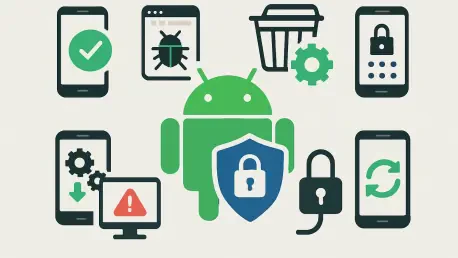

System fluidity depends on the low memory killer daemon, which struggles to maintain performance when resource-heavy games are not manually closed after use. This technical reality underscores a broader truth about the Android ecosystem: even in its most mature state, the operating system requires active user participation to remain efficient and secure. For over fifteen years, Android has transitioned from a niche platform for technology enthusiasts into the primary digital hub for billions of people globally, managing everything from sensitive financial data to professional identities. As the platform has expanded, so too have the complexities of its underlying architecture, creating a landscape where minor maintenance oversights can lead to significant hardware degradation or catastrophic security breaches. The modern smartphone is no longer a simple communication tool but a highly integrated computer that demands a transition from passive operation to proactive stewardship. By understanding the mechanical and cryptographic guardrails of the OS, users can ensure their devices survive both the physical wear of daily use and the evolving threats of the current digital climate. This transformation from a casual operator to an informed administrator is essential for anyone looking to maximize the return on their hardware investment while keeping their personal data shielded from sophisticated adversaries.
The Critical Importance: Software and Security Integrity
Maintaining a rigorous update schedule is perhaps the most fundamental requirement for device health in 2026. Many users tend to view system updates as minor inconveniences that disrupt their workflow or alter familiar user interface elements, but the reality is that these patches are the primary defense against zero-day exploits. When a vulnerability is identified in the Android kernel or a specific hardware driver, Google coordinates with manufacturers and chipmakers like Qualcomm and MediaTek to release a fix. This process usually involves a 90-day window of confidentiality where the flaw remains hidden from the public while the patch is distributed. By the time an update notification appears on a screen, the technical details of the vulnerability are often becoming public knowledge. Choosing to ignore these updates essentially leaves a device in a pre-patch state while providing malicious actors with a detailed roadmap of how to penetrate the system’s defenses. Furthermore, high-stakes applications such as mobile banking and corporate security portals often mandate a minimum security patch level, meaning that falling behind can lead to an abrupt loss of access to critical financial services.
Beyond the core operating system, the integrity of the application layer is maintained through the curated environment of the Google Play Store. Android is frequently praised for its openness, yet the ability to sideload applications via APK files represents a significant entry point for sophisticated malware. Malicious actors often design utility apps that appear harmless but request deep accessibility permissions. While these permissions are intended to assist users with disabilities, they effectively allow an application to read the screen, capture keystrokes, and interact with other software without user intervention. Google Play Protect serves as a real-time sentinel, scanning billions of apps daily to identify these “accessibility traps” before they can do harm. In the current threat landscape, disabling these built-in protections or downloading software from unverified third-party forums is a recipe for data exfiltration. The vetting process within the official store remains the only reliable way to ensure that a newly installed application is not operating as a silent backdoor for identity theft or financial fraud.
Breaking the Chain: Security Risks of System Modification
In the earlier eras of mobile computing, rooting an Android device was a common practice for removing bloatware or gaining administrative control over the file system. However, in 2026, the technical landscape has shifted so significantly that rooting has become a liability rather than an asset. Modern Android versions utilize the Play Integrity API to create a chain of trust that extends from the hardware level to the application layer. When a user roots their device, they permanently break this cryptographic chain, causing the device to lose its “Strong Integrity” status. This loss of trust triggers an immediate shutdown of essential services that require a secure environment. For instance, digital wallets like Google Wallet, high-definition streaming services like Netflix, and nearly all modern banking applications will refuse to run on a compromised system. The trade-off for custom fonts or advanced system tweaks is no longer logical when it results in the total loss of financial and professional functionality, effectively turning a high-end smartphone into a limited media player.
Even for those who avoid deep system modifications, the misuse of Developer Options can introduce significant vulnerabilities. Tools such as USB Debugging are essential for application developers, but they create a wide-open gateway when left active on a daily driver. When USB Debugging is enabled, the device is prepared to accept commands from any computer it connects to, bypassing traditional user interface protections. If a user inadvertently leaves this feature active and then connects their phone to a public charging station or a shared laptop, an attacker could potentially execute a script to pull private data or install persistent malware without the user’s knowledge. Security experts consistently advocate for a “task-specific” approach to advanced settings: enabling a feature only for the duration of a specific project and disabling it the moment the work is finished. This level of discipline prevents the device from becoming an easy target for physical exploitation, ensuring that the advanced flexibility of the Android platform does not become its greatest security weakness.
Resource Optimization: Performance through Memory Management
Although modern Android systems are built with sophisticated automated management, they are still governed by the physical limitations of hardware. A common technical issue that degrades performance is known as “memory thrashing,” which occurs when the system’s ZRAM—a compressed partition of the RAM—becomes overloaded. When a user keeps dozens of applications open for weeks at a time without a reboot, the CPU must work harder to constantly swap data between compressed and uncompressed states. This leads to a noticeable increase in device temperature, sluggish touch responses, and a rapid decline in battery life. While the operating system is designed to kill background processes as needed, it cannot always anticipate the user’s immediate needs, especially when heavy games or professional video editing tools are involved. Manually closing high-resource apps after use provides the system with the breathing room it needs to maintain high-speed operations. Regular reboots are also necessary to clear out “zombie” processes that linger in the background, consuming cycles and memory without providing any benefit to the user experience.
Storage management plays an equally critical role in maintaining the longevity of an Android device. Every modern operating system requires a certain amount of “swing space” on its internal storage to handle temporary system caches, log files, and over-the-air updates. When a device’s storage capacity reaches 95% or higher, the OS struggles to perform basic administrative tasks, which can manifest as system crashes, failed text message downloads, or an inability to launch the camera application. This lack of overhead can also accelerate the wear on the internal flash storage, as the system is forced to repeatedly write and erase data from the same few remaining blocks of memory. Maintaining a buffer of at least 10% to 15% of total storage capacity is essential for ensuring that the device remains fluid and that the physical storage chips do not fail prematurely. Utilizing cloud storage for photos or offloading unused applications are effective ways to preserve this necessary operational space, allowing the hardware to function at its peak efficiency for several years.
Connectivity Guardrails: Protecting Privacy on Public Networks
The ubiquity of public Wi-Fi in modern urban environments has created a dangerous sense of complacency among smartphone users. While the widespread adoption of HTTPS has improved basic web security, public hotspots remain inherently untrustworthy environments. A common threat in 2026 is the “evil twin” attack, where a malicious actor sets up a wireless access point with a name identical to a legitimate service in an airport or cafe. Once a user connects, the attacker can monitor metadata, such as the specific websites being visited, and in some cases, attempt to downgrade the connection to intercept sensitive information. The consensus among security professionals is that public Wi-Fi should never be used for sensitive activities like checking a retirement account or accessing corporate email without the protection of a Virtual Private Network (VPN). A VPN creates an encrypted tunnel that shields data from local prying eyes, ensuring that even if the network itself is compromised, the actual contents of the communication remain unreadable to unauthorized parties.
Physical connectivity introduces another layer of risk known as “juice jacking,” which exploits the dual-purpose nature of the USB port. Because standard USB cables contain pins for both power and data transmission, a modified public charging kiosk can attempt to establish a data handshake the moment a phone is plugged in. Advanced exploitation tools, such as the O.MG cable, look identical to standard charging peripherals but contain hidden hardware capable of injecting malware or exfiltrating photos and messages. To mitigate this risk, users should favor traditional wall outlets using their own AC adapters or rely on portable power banks. When using an unfamiliar USB port is unavoidable, it is crucial to remain hyper-vigilant about the “Trust this device?” prompt. Denying this request prevents the port from accessing anything beyond the power pins, though the safest path is always to carry a dedicated power-only cable or a USB data blocker. These small physical tools act as a hardware firewall, ensuring that a quick charge at an airport does not result in a long-term security breach.
Granular Permission Oversight: Combating Malicious Data Harvesting
In the current digital landscape, permissions are the most vital gatekeepers of personal privacy on a mobile device. Users are often presented with a barrage of requests when installing a new app, leading to “permission fatigue” where individuals click “Allow” without considering the context. However, exercising skepticism is the only way to identify “grayware,” which is software that is not explicitly malicious but designed to harvest and sell user data. For example, there is no technical reason for a simple calculator application to require access to a user’s contacts or location data. If an application requests access to hardware components that do not align with its stated function, it is likely that the developer is seeking to monetize user behavior through intrusive data collection. Regularly auditing the permission manager in the Android settings allows users to revoke access for apps that have not been used recently, ensuring that a forgotten game from months ago is not still tracking location in the background.
A particularly dangerous category of permissions involves “Display over other apps” and accessibility services. Malicious actors have become adept at using these features to create transparent overlays that sit on top of legitimate system screens. A user might believe they are interacting with a harmless dialog box, but they are actually clicking on a hidden layer that grants a much more dangerous permission, such as the ability to record the screen or read notification content. This technique, often used in banking trojans, allows attackers to bypass two-factor authentication by capturing the SMS codes that appear in notifications. To maintain a secure environment, users should strictly limit which apps are allowed to use these “draw over” features and completely avoid granting accessibility permissions to any software that did not come from a highly trusted developer. By treating each permission request as a serious security decision rather than a routine click, individuals can build a robust defense that protects their most sensitive personal information from being harvested.
Hardware Stewardship: Managing Battery Health and Longevity
The physical longevity of an Android phone is largely determined by the health of its lithium-ion battery, which is highly susceptible to chemical degradation from heat and extreme voltage states. Maintaining a battery at 100% for extended periods or allowing it to drop to 0% before charging creates high levels of internal stress that shorten the battery’s lifespan. In response to this, modern devices in 2026 feature “Adaptive Charging,” which uses machine learning to understand a user’s schedule and keep the battery at 80% for most of the night, only reaching 100% just before the user wakes up. Following the “80-20 rule”—keeping the charge between 20% and 80% whenever possible—can significantly extend the number of useful charge cycles the battery can provide. This proactive management prevents the internal chemistry from “swelling” and ensures that the device can survive several years of heavy use without requiring an expensive and difficult hardware repair.
Heat is the primary catalyst for battery degradation, and much of this heat is generated by low-quality, off-brand charging cables and adapters. Certified charging peripherals contain small controller chips that communicate with the phone’s Power Management Integrated Circuit (PMIC) to regulate the flow of electricity. Cheap, uncertified cables often lack these safety features, leading to erratic voltage spikes and excessive heat during fast-charging sessions. This excess thermal energy not only damages the battery but can also cause long-term harm to the delicate internal components of the smartphone, such as the CPU and memory chips. Investing in high-quality, manufacturer-approved charging equipment is a small upfront cost that pays off by preserving the integrity of the entire hardware platform. By combining smart charging habits with certified hardware, users can ensure that their devices remain reliable and efficient, avoiding the common pitfalls of premature hardware failure that plague those who prioritize short-term convenience over long-term maintenance.
Strategic Device Management: Actionable Steps for Reliability
The comprehensive analysis of Android maintenance revealed that successful device management required a move away from passive habits toward a structured administrative approach. Users who prioritized security patches and respected the boundaries of the official app ecosystem protected themselves from the vast majority of digital threats. The investigation into system modifications demonstrated that the benefits of rooting no longer outweighed the risks, especially given the sensitivity of modern banking and identity tools. Furthermore, the role of memory management and storage buffers proved to be a deciding factor in whether a device maintained its high-speed performance or succumbed to the sluggishness often associated with older hardware. By implementing a regular reboot schedule and keeping storage clear, individuals were able to simulate the “out-of-the-box” experience long after the initial purchase date, proving that software management was just as important as physical care.
Looking forward, the preservation of mobile hardware depended on the consistent application of these best practices to counter both digital and physical wear. The conclusion of these findings suggested that users should adopt a “Zero Trust” mindset regarding public connectivity and third-party peripherals, favoring wall outlets and VPNs to ensure data integrity. Additionally, the strategic oversight of app permissions and the adoption of adaptive charging habits emerged as the most effective ways to guard against privacy leaks and battery failure. To maintain a device in optimal condition for years to come, the next logical step involved a monthly audit of installed applications and a commitment to using only certified charging hardware. These actionable strategies provided a clear roadmap for anyone seeking to maximize the utility and security of their Android smartphone, ensuring that their primary digital tool remained a powerful asset rather than a growing liability. In 2026, the longevity of a device was ultimately a reflection of the user’s diligence and technical awareness.