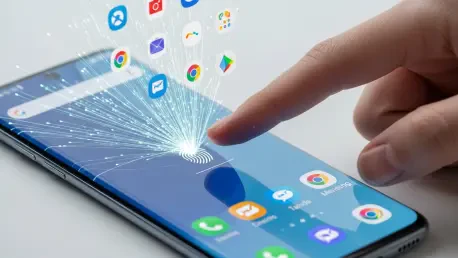

Modern mobile efficiency has evolved far beyond simple biometric unlocking, allowing users to transform a standard security sensor into a highly personalized command center for their most essential applications. While many smartphone owners view the fingerprint scanner primarily as a gateway to gain entry into their devices, the current software ecosystem on high-end handsets allows for a much more nuanced interaction model. Instead of merely bypassing a lock screen, specific fingers can now serve as unique hardware shortcuts, instantly triggering different software environments based on which digit touches the glass. This level of customization reduces the friction of navigating through crowded app drawers or multiple home screens, providing a seamless transition from a locked state to a specific task. By leveraging deep system integration, users can turn their biometric data into a functional productivity tool that anticipates their needs before they even look at the display. This capability represents a significant shift toward intent-based computing, where the physical act of touching a device becomes a sophisticated instruction rather than a simple authentication check.
1. Registering Biometric Data and Enabling Security Protocols
The foundation of a multi-functional biometric system begins with the meticulous registration of various digits within the security architecture of the mobile device. Samsung allows for the enrollment of up to four distinct fingerprints, which provides sufficient variety to assign different triggers to the most naturally accessible fingers on a user’s dominant hand. During the setup process, it is highly recommended to follow a systematic approach to naming each entry to avoid confusion when building complex automation routines later. For instance, registering the primary thumb as Fingerprint 1 and the index finger as Fingerprint 2 creates a logical hierarchy that simplifies the selection process during the software configuration phase. This initial organization ensures that the hardware can accurately distinguish between the different biological inputs, allowing the underlying operating system to execute specific commands with high reliability. Precision during this phase is essential for a smooth experience, as the sensor must recognize the nuances of each unique print to differentiate between a standard unlock and a custom shortcut.
Once the physical prints are successfully stored in the system database, the user must ensure that the primary biometric unlocking feature is fully operational within the security settings. It is not enough to simply have the prints registered; the device must be configured to use this biometric data as the primary method for bypassing the lock screen. Navigating to the security and privacy menu allows for the activation of the fingerprint toggle, which transitions the device away from a traditional reliance on numerical PINs, complex patterns, or alphanumeric passwords. This step is critical because the automation engine requires the biometric authentication layer to be active before it can intercept the unlock event to trigger a specific routine. Without this active link, the system will not recognize the specialized intent associated with each finger, resulting in a standard unlock rather than the intended application launch. Establishing this baseline security protocol is the prerequisite for all subsequent customizations, ensuring that convenience never comes at the cost of device protection.
2. Navigating the Automation Interface to Connect Inputs and Actions
To begin the actual construction of these fingerprint-based shortcuts, the user must delve into the specialized automation suite known as Modes and Routines. This powerful tool is found within the general settings menu and serves as the central hub for all conditional logic operations on the handset. The software allows for the creation of complex “if-this-then-that” scenarios that can significantly enhance daily productivity by automating repetitive tasks. Upon entering the interface, the focus should be directed toward the specific Routines tab, which is typically located at the bottom of the display. This area is dedicated to user-generated shortcuts that operate independently of the pre-set system modes, such as sleep or theater settings. Accessing this menu is the first step toward bridging the gap between the physical biometric sensor and the digital application layer, providing a canvas for high-level device personalization. This environment empowers the user to define how the phone responds to various environmental and biological triggers.
Once inside the Routines section, the core of the fingerprint shortcut is established within the “If” section of the routine builder. By tapping the plus button to add a condition, the user can search for the “Unlock with fingerprint” option within the biometric subcategories. This is where the importance of the initial fingerprint enrollment becomes clear, as the system will present a list of the registered digits, such as Fingerprint 1 or Fingerprint 2. Selecting a specific finger here creates a dedicated trigger that is unique to that digit alone. For example, selecting the index finger ensures that only that particular print will activate the subsequent action, while other fingers will still perform a standard device unlock. This granular level of control is what enables the device to distinguish between different user intents based purely on the physical interaction with the scanner. By defining this specific input, the user sets the stage for a highly responsive interaction that bypasses the traditional steps of mobile navigation.
3. Mapping Designated Fingers to Specific Application Tasks
After the trigger is successfully established, the next logical phase involves defining the specific response within the “Then” section of the automation. This is where the user dictates exactly what should happen once the designated finger is recognized by the system. By navigating to the Apps category and selecting the option to open an app from the extensive list of installed programs, the user can map a specific utility to their chosen fingerprint. For instance, choosing a banking application or a frequently used navigation tool ensures that these programs launch immediately upon unlocking the device. This direct mapping eliminates the need to search through folders or rely on the recent apps menu, streamlining the transition from a dormant device to an active workflow. The ability to link a physical biological signature to a digital application path represents a peak level of integration between hardware security and software convenience, making the device feel more like an intuitive tool than a passive object.
To ensure the new automation is easily manageable among a growing list of shortcuts, providing a clear and descriptive title is a necessary organizational step. Once the action has been selected, the system prompts for a name that accurately reflects the function of the routine, such as “Open Maps with Index Finger” or “Quick Camera Access.” Saving the routine with a recognizable label allows for quick troubleshooting or adjustments in the future if the user’s workflow requirements happen to change. This administrative phase remains vital for maintaining a clean and efficient automation library, especially as more complex triggers are added over time. A well-named routine serves as a clear indicator of the device’s programmed behavior, ensuring that the user remains in full control of their personalized mobile environment. Finalizing these details completes the basic setup and prepares the device for daily use, allowing the user to enjoy a more streamlined and responsive mobile interface that adapts to their touch.
4. Expanding Functional Utility Through Advanced Command Customization
Beyond simply launching applications, the system allows for the implementation of advanced functions that trigger specific actions within those apps. Instead of just opening the camera, a routine can be configured to immediately activate the front-facing sensor for a selfie or start recording a video. Similarly, a finger registered for a navigation app can be set to automatically start the route to a home or work address, further reducing the number of required screen interactions. Users can also utilize these triggers to toggle system-wide settings, such as enabling dark mode, starting a focus timer, or adjusting the brightness level simultaneously with the app launch. This level of depth transforms the fingerprint sensor into a macro-style input device capable of executing multi-step workflows with a single press. These advanced customizations cater to power users who demand high efficiency, proving that the modern smartphone is capable of much more than its default configurations suggest.
The implementation of these personalized biometric shortcuts fundamentally changed the way users interacted with their mobile environments. By moving beyond a simple security barrier, the fingerprint sensor functioned as a multifaceted input device that streamlined digital workflows. Many individuals found that assigning the thumb to a messaging app and the index finger to a navigation tool drastically reduced the time spent fumbling with menus while in transit. This sophisticated use of existing hardware demonstrated the power of flexible software automation in the current technological landscape. Ultimately, the transition to intent-driven biometric triggers provided a more intuitive and responsive user experience. Those who adopted these customized routines successfully moved toward a more efficient mobile lifestyle. The shift toward such granular control over device behavior represented a significant milestone in software personalization. Future considerations pointed toward even deeper integration with third-party application programming interfaces to expand these capabilities.