
Changing mobile phones or replacing a SIM card often results in the loss of locally stored transaction messages that do not automatically transfer to new devices, and for millions of users who rely on these digital receipts to track expenses and verify business payments, the sudden disappearance of a confirmation text can create significant logistical hurdles. While these messages serve as immediate proof of a transaction, their absence does not equate to a permanent loss of financial data. In the current landscape of 2026, mobile money platforms have evolved to provide robust self-service tools that allow for the seamless recovery of historical data. Navigating the complexities of digital record-keeping requires a clear understanding of where this information is stored and how to access it through official channels. Whether the issue stems from an accidental deletion or a technical glitch within a third-party messaging application, users can find peace of mind knowing that Safaricom maintains comprehensive logs of every transaction. This ensures that even when a phone fails or a notification disappears, the underlying financial integrity of the account remains perfectly intact for the user.
1. Common Reasons for Missing Transaction Notifications
One of the most common causes of missing M-PESA alerts involves the aggressive filtering mechanisms found in modern smartphone operating systems. Many Android users prefer third-party messaging applications for their enhanced customization features, yet these programs often utilize AI-driven algorithms that incorrectly flag official Safaricom or M-PESA notifications as unwanted commercial junk. Consequently, these vital transaction receipts are diverted away from the primary inbox and hidden in spam folders, where they remain unnoticed by the account holder. Beyond technical filtering, human error plays a substantial role in message loss. In an effort to manage limited device storage or declutter crowded messaging interfaces, users frequently perform bulk deletions of old conversations. During this process, important confirmation texts can be inadvertently swept away with irrelevant promotional content. This highlights the delicate balance between maintaining a clean digital workspace and preserving critical financial records that might be needed for future audits.
Transitioning between different mobile devices is another significant factor that disrupts the availability of locally stored transaction history. While cloud synchronization has become standard for many applications, standard text messages are often tethered to the physical memory of a specific phone or SIM card. If a user does not implement a dedicated backup strategy before switching to a newer model, the transaction trail effectively ends on the old hardware. Furthermore, persistent device-level issues such as full internal storage or corrupted system caches can prevent the delivery of new incoming messages entirely. When a phone reaches its storage capacity, it may stop receiving any data, leaving the user without immediate confirmation of their latest financial activities. Additionally, the accidental blocking of official sender IDs can silence notifications permanently. If a user mistakenly adds the M-PESA sender ID to their block list, the network still processes the transaction, but the phone will suppress the resulting alert, creating a confusing gap in the local financial logs.
2. Procedures for Restoring Essential Account Information
To address missing messages caused by automated filtering, users must navigate the internal settings of their chosen messaging platform. The first step involves launching the mobile messaging tool and specifically locating the folder labeled “Spam and Blocked,” which serves as the repository for filtered content. Once inside this folder, it is necessary to look for any communications originating from Safaricom or M-PESA and identify the specific transaction receipts that were misrouted. After locating these messages, the user should grant permission to the sender, effectively whitelisting the official ID so that all future alerts reach the primary inbox without interference. If these issues persist despite whitelisting, it is highly recommended to revert to the original system messaging application that came pre-installed on the device. Factory-default applications are typically optimized for local carrier services and are less likely to misinterpret official financial notifications as spam. This simple adjustment often resolves the discrepancy and ensures the reliable delivery of real-time alerts.
When a broader history of financial activity is required, the USSD self-service portal provides a comprehensive solution for obtaining a full M-PESA statement. To initiate this process, the user must input the code *334# on their phone’s dialer and wait for the interactive menu to appear on the screen. From the available options, one must pick the “My Account” selection and then press the button corresponding to “M-PESA Statement” to view the detailed reporting features. The system allows the user to request a full record, which provides a deeper level of detail than a simple summary. After selecting the full record option, the user must identify the specific timeframe they wish to review, ensuring that the period covers all the missing transaction dates. Finally, it is necessary to enter a valid email address and verify the account holder’s identity through a secure PIN prompt. Once these steps are completed, Safaricom dispatches a detailed document directly to the provided email address, offering a permanent and official record of every credit and debit transaction.
3. Utilizing Alternative Digital Support Channels
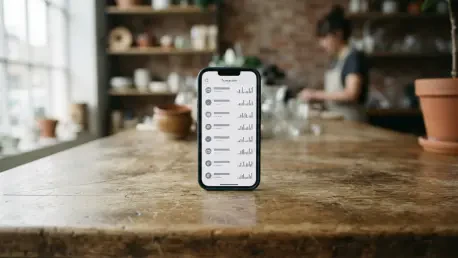
For users who require immediate verification of their most recent financial activities without waiting for an email delivery, the mini-statement feature offers a rapid alternative. By navigating the *334# menu, customers can quickly generate a summary of their five most recent transactions, which appears directly on the phone screen. This is particularly useful for verifying point-of-sale payments or individual transfers in real time when the original text failed to arrive. However, for a more visual and interactive experience, the MySafaricom App serves as a powerful management tool. By navigating to the M-PESA section within the application, users can view their transaction history through a clean, searchable interface. This digital platform allows individuals to export their records directly to their phone’s internal storage as a PDF or spreadsheet, making it easier to share proof of payment with third parties. The app’s integration with the device’s security features, such as biometric authentication, ensures that this sensitive financial data remains accessible only to the account holder.
In scenarios where automated self-service tools do not provide the necessary resolution, direct engagement with Safaricom’s support ecosystem remains a vital fallback. Users can reach out to the dedicated M-PESA support line by calling 234, where specialized agents are available to assist with complex inquiries regarding missing notifications or transaction discrepancies. For those who prefer digital communication, official social media channels and email support provide a structured way to report issues and receive guidance on record retrieval. Moreover, visiting a physical Safaricom retail store offers the advantage of face-to-face interaction and the ability to obtain certified paper statements, which may be required for certain legal or formal business applications. When seeking this level of support, it is important to have identification documents and relevant transaction details like dates and amounts ready for verification. These professional support channels ensure that no customer is left without a clear understanding of their current financial status or history.
4. Strategic Approaches to Ensuring Data Integrity
Maintaining the integrity of financial records requires the adoption of proactive habits that minimize the risk of data loss before it occurs. One of the most effective strategies is to refrain from purging important transaction alerts when cleaning out a messaging inbox. Instead of deleting these texts, users should leverage the archive features available in most messaging apps, which hide messages from the main view without deleting the data. Additionally, performing regular backups of text messages using integrated cloud services like Google Drive or iCloud ensures that a secondary copy of all financial receipts exists independently of the hardware. Sticking to the factory messaging application also mitigates compatibility errors that often plague third-party software, ensuring a smoother flow of information from the network to the phone. By monitoring the junk folder frequently, users can catch misdirected notifications early, allowing them to correct filtering settings before a critical record is lost. These simple behavioral shifts significantly reduce the likelihood of experiencing a stressful gap in one’s financial history.
The evolution of mobile financial services has turned the retrieval of lost information into a highly systematic process. By setting up recurring statements to be sent automatically to an email address, users establish a permanent digital archive that bypasses the limitations of local phone storage. Keeping the smartphone’s operating system and all financial applications updated ensures that security patches and messaging improvements remain fully functional. Most importantly, the protection of personal credentials remains a top priority, as users are encouraged never to share their PIN with anyone offering to recover messages through unofficial means. This disciplined approach to digital hygiene has transformed how individuals manage their M-PESA data, moving from a reactive stance to one of proactive security. Ultimately, the availability of diverse recovery channels ensured that every transaction remained verifiable, providing a foundation of trust. These actions collectively ensure that no financial detail is ever truly out of reach for those who take the necessary steps.