
The evolution of mobile communication has led to an overwhelming influx of notifications that often obscure critical information within a sea of automated alerts and promotional distractions. Modern smartphone users frequently find themselves navigating through a chaotic primary inbox where sensitive bank transactions, urgent family updates, and ephemeral one-time passwords compete for immediate attention. While many software developers have attempted to solve this issue through automated sorting and artificial intelligence, these solutions often lack the precision and personal touch required for truly effective digital organization. The current landscape of mobile messaging in 2026 demands a more robust and user-centric approach to data management that allows for granular control over how information is presented and accessed throughout the day. Samsung has addressed this specific pain point by maintaining a feature set that prioritizes manual organizational tools, ensuring that users can define their own communication hierarchies rather than relying on black-box algorithms that may miscategorize essential messages at the most inconvenient times.
1. The Challenge: Managing Modern Digital Overload
Communication through Short Message Service and Rich Communication Services has transformed from a simple peer-to-peer exchange into a complex delivery system for nearly every aspect of digital life. In 2026, the average mobile device serves as a central hub for financial verification, delivery tracking, marketing outreach, and personal socialization, leading to an inbox that can easily accumulate hundreds of threads in a single week. This saturation makes it increasingly difficult to maintain a clear overview of pending tasks or important conversations, as the traditional chronological list format fails to distinguish between a critical update from a healthcare provider and a generic promotional offer from a retail chain. Without a sophisticated method for segmenting these disparate types of data, the user experience becomes one of constant reactive searching rather than proactive management, resulting in increased cognitive load and the potential for missing time-sensitive information buried in the noise.
The limitations of traditional inbox structures are particularly evident when attempting to retrieve historical data or track ongoing threads that do not follow a strictly linear progression. Most standard messaging applications offer a single, monolithic view that forces the user to scroll through a long history of interactions to find a specific piece of information, such as a confirmation number or a family member’s address. Even with advanced search functionalities, the process remains inherently inefficient because it requires the user to recall specific keywords or dates that may not be immediately obvious. This friction in the user interface highlights a significant gap in the design philosophy of modern communication tools, where the emphasis on speed and automation has often come at the expense of structured, meaningful organization that respects the diverse nature of modern digital interactions.
2. Strategic Benefits: Implementing Custom Categories
The introduction of custom categories within the Samsung messaging ecosystem represents a significant departure from the industry trend of automated, non-transparent message filtering. By allowing for the creation of distinct tabs at the top of the interface, the software provides a persistent visual framework that categorizes conversations based on user-defined parameters rather than generic labels. This structural change transforms the inbox from a cluttered list into a multi-dimensional workspace where work-related texts, financial notifications, and personal chats exist in dedicated environments. The ability to toggle between these categories with a single tap significantly reduces the time spent searching for specific threads and allows for a more focused approach to communication management, as users can choose to engage with specific types of content only when they are prepared to do so.
Beyond the immediate convenience of a cleaner interface, custom categories foster a sense of digital agency by putting the user in control of their information flow. Unlike automated systems that might categorize a specific contact incorrectly based on fluctuating content, a manual categorization system ensures that once a conversation is assigned to a group, it remains there consistently. This reliability is crucial for professionals who manage high volumes of time-critical data, such as real-time logistics updates or secure multi-factor authentication codes. By establishing a predictable layout for various communication streams, the system minimizes the risk of overlooking important messages, as each category serves as a curated subset of the larger inbox, filtered according to the specific priorities and organizational logic of the individual device owner.
3. Configuration Guide: Setting up Custom Message Groups
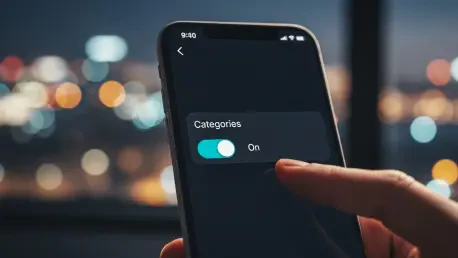
Establishing a more organized messaging environment begins with navigating the internal configuration options of the native Samsung application to unlock the category interface. To begin the process, a user must launch the Samsung Messages tool and locate the secondary menu options by selecting the three-dot menu symbol found in the upper portion of the screen. Within this menu, picking the Settings option will provide access to a wide range of customization features designed to enhance the overall functionality of the platform. Once inside the main settings menu, the user needs to find and activate the Conversation categories switch, which is the foundational step required to enable the tabbed navigation system that sits atop the main conversation list. This simple toggle changes the fundamental architecture of the application, moving it away from a standard list view and toward a more dynamic, multi-category layout.
After the initial feature activation is complete, the user can proceed to define the specific groups that will help streamline their daily interactions. Pressing the + (Plus) icon located next to the “All” tab serves as the primary gateway for generating a new group, allowing the user to assign a specific name to the category that reflects its intended purpose. Once a name is established, the application prompts the selection of specific contacts or conversation threads that should be moved into this newly created space. This granular selection process ensures that only relevant data is included in each tab, creating a highly specialized view that excludes the general noise of the main inbox. This systematic approach to setup allows for a high degree of precision, ensuring that the final organizational structure aligns perfectly with the user’s specific workflow requirements.
4. Refinement Process: Modifying and Deleting Groups
Digital organization is rarely a static endeavor, and the messaging needs of a user in 2026 may evolve significantly over several months or even weeks. To ensure that the categorization system remains relevant and effective, the application provides straightforward methods for modifying or deleting existing groups as communication patterns change. If a particular category is no longer serving its intended purpose, or if a user wishes to rename a group to better reflect its current contents, they can perform a long-press on the category title. This action brings up a contextual menu that allows for immediate adjustments, ensuring that the interface can be reshaped in real-time without requiring a complete reset of the application’s settings. This flexibility is essential for maintaining a clutter-free environment that adapts to the shifting priorities of the user’s personal and professional life.
When a category becomes redundant—perhaps after the completion of a specific project or a change in service providers—the removal process is designed to be equally intuitive. After long-pressing the category title and navigating to More settings, the user can choose to permanently delete the group, which effectively merges those conversations back into the general list or leaves them in other assigned categories. It is important to note that deleting a category does not delete the actual messages or threads contained within it; instead, it simply removes the organizational layer that was separating them from the main view. This safety mechanism ensures that data integrity is maintained while providing the freedom to experiment with different organizational styles. Regular maintenance of these categories prevents the tabbed interface itself from becoming cluttered, preserving the core utility of the feature.
5. Data Recovery: The Functional Utility of the Recycle Bin
One of the most practical safeguards included in the Samsung messaging experience is the integration of a dedicated Recycle Bin, which acts as a buffer against the accidental loss of important information. In an era where digital interactions occur at a rapid pace, it is common for a user to inadvertently swipe and delete a critical thread while attempting to clear out promotional spam or expired service alerts. The Recycle Bin mitigates this risk by retaining deleted texts for a predetermined period, typically thirty days, before purging them from the device’s storage permanently. This feature provides a crucial window of opportunity for users to recover messages removed by mistake, offering a level of data security that is often absent in more streamlined, minimalist messaging applications that prioritize immediate deletion.
The presence of a built-in trash folder also changes the psychological approach to inbox maintenance, as it allows users to be more aggressive in their cleaning habits without the fear of permanent data loss. When a user knows that a recovery option is available, they are more likely to keep their primary interface lean and focused, which indirectly supports the effectiveness of the custom categories feature. Accessing the Recycle Bin is a straightforward process that involves navigating back to the main settings menu, where users can view a list of recently discarded conversations and restore them to their original location with a few taps. This functionality is a testament to a design philosophy that values practical utility and user peace of mind, recognizing that the ability to undo an error is just as important as the tools used to prevent them in the first place.
6. Notification Mastery: Unique Alerts for Critical Contacts
Efficient communication management extends beyond visual organization and into the realm of auditory and haptic feedback, allowing users to prioritize their responses without even looking at their devices. Samsung Messages permits the assignment of specific notification tones to individual contacts, a feature that is remarkably effective for distinguishing between high-priority personal messages and low-priority automated alerts. By selecting a unique sound for a spouse, child, or work supervisor, a user can immediately determine the urgency of an incoming text, which is particularly valuable during meetings, driving, or other activities where visual attention is restricted. This level of customization transforms the smartphone from a source of constant interruption into a sophisticated filtering tool that only demands attention when truly necessary.
Furthermore, the implementation of unique alerts works in tandem with the custom categories to create a comprehensive system of information triage. While the categories organize the visual space of the app, the personalized notification sounds organize the temporal space of the user’s day, providing a sensory cue that informs the decision to engage or ignore. This synergy reduces the phenomenon of notification fatigue, where the sheer volume of identical pings leads to a desensitized state in which important messages are often ignored along with the trivial ones. By providing the tools to differentiate alerts at the contact level, the application empowers users to maintain their focus on their current tasks while staying connected to the people and services that matter most, ultimately leading to a more balanced and less stressful relationship with their mobile technology.
7. Strategic Contrast: Manual Control Versus Automated AI
While the broader technology industry in 2026 has leaned heavily into artificial intelligence to sort and summarize digital communications, there remains a compelling case for the manual control offered by traditional category systems. Automated sorting algorithms, such as those found in competing messaging platforms, often operate on probabilistic models that can misinterpret the context of a conversation or fail to recognize the nuanced importance of a specific sender. For instance, an AI might categorize a message from a local business as “Promotional” even if it contains a vital appointment reminder or a personalized service update. In contrast, the manual categorization system in Samsung Messages relies on the user’s own logic, ensuring that the organizational structure is always accurate and reflective of their real-world priorities and relationships.
Moreover, the reliance on local, manual organization offers a level of predictability that AI-driven systems struggle to match, as the interface does not change unexpectedly based on algorithmic updates or machine learning shifts. Users who invest the time to set up their own categories are rewarded with a stable environment where they know exactly where to find every piece of information. This predictability is a cornerstone of professional productivity, where the speed of information retrieval is often more important than the novelty of automated features. While AI certainly has its place in modern computing for tasks like drafting responses or translating languages, the fundamental architecture of the inbox—the way we view and access our data—is an area where human intuition and manual selection still provide a superior and more reliable experience.
8. Holistic Efficiency: Enhancing Productivity Through Visual Hierarchy
The primary goal of any organizational tool is to reduce the friction between a user and their objectives, and the visual hierarchy provided by tabbed categories is a masterclass in this principle. By breaking down a monolithic list into manageable, themed sections, the software allows the human brain to process information more efficiently through the use of spatial memory and topical focus. When a user opens the “Transactions” tab, their mind is already primed to deal with financial data, making it easier to scan for specific numbers or dates without the distraction of unrelated personal conversations. This thematic alignment minimizes the cognitive switching cost that occurs when a person must jump between different types of tasks, leading to a more streamlined and less exhausting digital experience throughout the day.
Additionally, the streamlined interface encourages better digital hygiene by making it obvious when certain areas of the inbox require attention. A notification dot on the “Family” tab has a very different emotional and practical weight than one on a “Shopping” or “Spam” tab, allowing the user to make informed decisions about how to allocate their time. This visual clarity also simplifies the process of mass-deleting old messages, as users can clear out an entire category of promotional texts without worrying about accidentally catching an important personal thread in the sweep. Ultimately, the combination of visual tabs, custom alerts, and the safety of a recycle bin creates a comprehensive ecosystem that supports both high-level productivity and everyday convenience, proving that thoughtful design and user control remain the most effective tools for managing the complexities of modern communication.
9. Next Steps: Evaluating Future Messaging Architectures
As the mobile industry continues to evolve, the choice between different messaging platforms will increasingly depend on how well they balance advanced features with fundamental usability and control. For users who value order and precision, the practical advantages of the Samsung messaging suite provide a strong argument for remaining within its ecosystem, even as other manufacturers push toward more automated and cloud-dependent solutions. The path forward for digital communication should not just be about adding more features, but about refining the tools that allow individuals to manage their own data in a way that feels natural and intuitive. Those looking to optimize their workflow should consider a deep dive into these manual settings to build a personalized communication hub that stands up to the demands of a high-speed, data-driven world.
The transition toward a more organized digital life was successfully initiated through the deliberate use of custom categories and secondary safety features. Users who adopted these manual controls discovered that the time invested in initial setup was quickly repaid through improved focus and a significant reduction in missed communications. Throughout the recent development cycles, it became clear that the most effective way to handle the growing volume of mobile data was to empower the individual with robust, easy-to-use organizational tools. By moving away from a one-size-fits-all inbox and embracing a segmented, user-defined architecture, the Samsung platform provided a roadmap for how modern messaging applications could prioritize human intent over algorithmic guessing. This approach ensured that the core purpose of a messaging app—to facilitate clear and reliable communication—was maintained despite the increasing complexity of the digital landscape.