


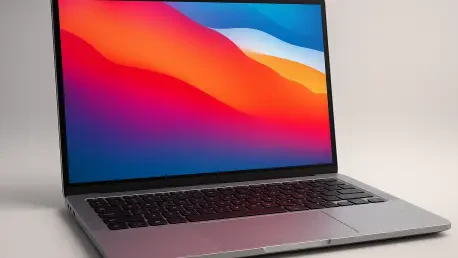

Hardware standards for the Googlebook mandate high-resolution touchscreens and sleek metal chassis to ensure these devices compete directly with flagship laptops like the MacBook Neo and Dell XPS 13. This emergence represents a calculated departure from the budget-centric identity long associated with ChromeOS. By working alongside major manufacturers like Acer, Asus, and HP, Google is attempting to pivot toward a high-performance category that prioritizes both hardware excellence and deep software integration. The core objective is no longer just providing a gateway to the web, but establishing a robust workstation capable of serving demanding users. This shift is characterized by the introduction of Googlebook OS, a specialized Android-based environment that seeks to unify the mobile and desktop experience. As the market for premium laptops becomes increasingly saturated, this new hardware class aims to carve out a space by emphasizing intelligent features and a more cohesive digital life for those already within the ecosystem.
Redefining the Operating System and AI Capabilities
Innovative Software Foundations and Gemini AI Integration
The transition to Googlebook OS signals a fundamental architectural change that moves beyond the cloud-heavy constraints of previous platforms. Instead of relying primarily on web applications, this system is built to support the full breadth of the Android ecosystem natively. This means that users can access the entire library of the Google Play Store with the performance and stability expected from a high-end machine. The integration is not merely a layer of compatibility but a core component of the interface, allowing mobile applications to scale effectively on larger displays and respond to traditional inputs like keyboards and trackpads. This structural evolution addresses one of the primary criticisms of earlier Google-led efforts, providing a platform where the apps used on a smartphone feel right at home on a laptop. By utilizing a more flexible kernel, the operating system ensures that multitasking is fluid and that resource-intensive mobile applications can leverage the full power of modern laptop processors.
Central to this new operating system is the deep integration of Gemini AI, which serves as a constant assistant rather than a peripheral tool. One of the most talked-about features is the Magic Pointer, which allows users to summon AI help instantly by performing a specific gesture with the mouse cursor. This tool is context-aware, meaning it can analyze what is currently visible on the screen to provide relevant information or perform tasks without requiring the user to switch windows. To encourage adoption of these advanced capabilities, each Googlebook comes bundled with a 12-month subscription to Google AI Pro. This package provides access to the company’s most sophisticated AI models and offers five terabytes of cloud storage, ensuring that users have the necessary infrastructure to manage large datasets and complex projects. This move highlights a strategy where software intelligence is the primary differentiator, turning a standard laptop into a proactive partner that anticipates user needs through advanced machine learning.
Enhancing Workflow with Intelligent Communication Tools
Beyond the standard assistant features, the Googlebook introduces specialized tools like Rambler to streamline daily communication tasks. This feature is designed to clean up and refine dictated messages, ensuring that professional correspondence remains polished regardless of the environment in which it was created. As voice-to-text technology becomes more prevalent in mobile workflows, the ability to automatically correct syntax, tone, and grammar in real-time provides a significant efficiency boost for users on the move. Rambler works silently in the background, analyzing the nuances of spoken language to produce text that is indistinguishable from carefully typed content. This focus on refined communication addresses a common pain point for professionals who often need to reply to emails or draft documents while multitasking. By embedding such specific utility into the operating system, Google is positioning its new hardware category as a productivity powerhouse that prioritizes high-quality output with minimal manual effort.
The company is betting heavily on the idea that built-in AI convenience will be the primary motivator for consumers to upgrade their current hardware. While many existing laptops can access AI tools through web browsers or third-party applications, the Googlebook aims to offer a level of system-level integration that competitors are still struggling to match. This approach ensures that AI functions are lightning-fast and can interact with various parts of the hardware, from the camera to the internal storage. For instance, the system can automatically organize files based on their content or suggest optimal settings for video calls by analyzing ambient lighting and noise. This level of automation is intended to remove the friction of modern computing, allowing the user to focus on their creative or professional tasks rather than managing the machine. As AI continues to evolve, the Googlebook is designed to receive frequent updates that expand these capabilities, making the device more useful over time rather than just a static piece of technology.
Premium Hardware and Ecosystem Synergy
High-End Build Quality and Performance Standards
To successfully transition into the premium segment, the Googlebook adheres to rigorous hardware specifications that emphasize durability and high-end design. Moving away from the plastic enclosures found in budget-friendly alternatives, these devices feature precision-machined metal chassis that offer both a professional aesthetic and improved heat dissipation. This commitment to build quality is essential for competing with established luxury brands that have long dominated the high-end market. Inside these sleek frames, users will find the latest silicon from industry leaders such as Intel and Qualcomm. Specifically, the Snapdragon series processors are utilized to provide a balance of high performance and power efficiency, ensuring that the laptops can handle intensive workloads without sacrificing mobility. By setting a minimum standard of 16 gigabytes of RAM and 512 gigabytes of storage, Google ensures that every device in this category offers a snappy and responsive experience right out of the box, meeting the expectations of demanding modern professionals.
The visual experience is another area where the Googlebook seeks to excel, with high-resolution touchscreens becoming a mandatory requirement for all partners. These displays are optimized for the touch-centric nature of the Android ecosystem, making interactions with mobile apps feel natural and intuitive. Additionally, the inclusion of a unique light bar on the outer lid provides a functional design element that allows users to check the charging status at a glance without having to open the device. Beyond immediate aesthetics, there is a strong focus on longevity, with Google promising double-digit battery life that can power a user through a full workday and beyond. This is paired with a commitment to 10 years of security and feature updates, positioning the Googlebook as a sustainable long-term investment. This policy is particularly notable in a market where hardware often becomes obsolete within a few years, offering consumers a level of predictability and value that is rare in the rapidly changing world of consumer electronics.
Seamless Continuity Between Mobile and Desktop
One of the most compelling aspects of the Googlebook is its ability to serve as a seamless extension of an Android smartphone. This synergy is achieved through advanced continuity features like app streaming, which allows a user to start a task on their phone and instantly move it to the laptop screen. Unlike traditional screen mirroring, this technology lets the app run with the laptop’s native resolution and input methods, providing a more cohesive experience. Furthermore, app casting enables users to control their phone’s interface directly from the Googlebook, making it easy to manage notifications or use mobile-only applications without having to pick up their mobile device. This interconnectedness is designed to reduce the mental load of switching between different screens, creating a unified workspace that adapts to the user’s current needs. For individuals who rely heavily on their phones for communication and light productivity, this feature transforms the laptop into a powerful hub for all their digital activities.
The integration goes even deeper with the implementation of a unified file access system that treats a connected phone’s storage as a local drive. When a Googlebook is paired with a smartphone, the laptop’s file browser displays screenshots, downloads, and internal documents from the phone as if they were stored on the laptop’s own solid-state drive. This eliminates the need for manual file transfers via cables or slow wireless protocols, allowing for a frictionless exchange of data. For example, a photo taken on a phone can be immediately edited on the laptop and then shared back through a mobile messaging app without any intermediate steps. This level of integration creates a powerful ecosystem that rewards users for staying within the Android family. By removing the traditional barriers between mobile and desktop storage, Google has created a workflow that feels more modern and intuitive, catering to the needs of a generation that views their phone and computer as two parts of a single, continuous digital environment.
Market Positioning and Professional Considerations
Pricing Strategy and the Competitive Landscape
Entry into the premium market comes with a significant price tag, as the Acer Googlebook 14 starts at $899, while more advanced models from HP and Asus can reach $1,299. This pricing strategy places the Googlebook in direct competition with some of the most respected laptops in the industry, including the MacBook Neo and the Dell XPS 13. While the hardware specifications are undoubtedly impressive, the cost represents a steep increase for consumers who have historically viewed Google-backed laptops as affordable alternatives. To justify this investment, the Googlebook must provide a unique value proposition that goes beyond just raw performance. The focus on deep AI integration and a decade of software support is a central part of this pitch, aiming to convince buyers that they are purchasing a more future-proof and intelligent machine. However, the success of this strategy remains to be seen, as many users in this price bracket have high expectations for both hardware reliability and software versatility that are difficult to satisfy in a new category.
In the current landscape, the Googlebook is being marketed primarily to gadget enthusiasts and dedicated Android fans who want the best possible integration between their devices. These users are often willing to pay a premium for features that streamline their digital lives, such as the unified file system and advanced AI tools. However, for the average buyer who might be considering a well-specced Windows machine or a Mac, the transition to Googlebook OS requires a significant change in habits. The company is relying on the strength of its ecosystem to pull users away from established competitors, betting that the convenience of a “connected” experience will outweigh the familiarity of traditional operating systems. As more manufacturers join the initiative, the variety of available designs and price points is expected to grow, potentially making the platform more accessible to a broader audience. For now, the focus remains on establishing the Googlebook as a credible high-end alternative that offers a distinct vision for the future of personal computing.
Addressing the App Gap for Professional Users
Despite the impressive hardware and AI capabilities, the Googlebook faces a notable challenge in the form of an “app gap” for professional workflows. While the Android ecosystem has grown significantly, many mobile applications still lack the granular controls and complex feature sets required for high-end creative work. Professionals involved in advanced video editing, intricate color grading, or professional-grade music production often find that mobile-first apps do not offer the same level of precision as their desktop counterparts. Even though capable versions of these tools exist, they are often streamlined for a touch interface, which can feel restrictive for those accustomed to the depth of Windows or macOS software. This limitation may make the Googlebook a difficult sell for specialists who require specific, industry-standard applications to perform their daily tasks. Until the software ecosystem catches up with the power of the hardware, these laptops may be seen more as highly efficient productivity machines rather than full-fledged creative workstations.
The initial rollout of the Googlebook demonstrated a bold attempt to rethink the relationship between mobile and desktop computing. By prioritizing high-end materials, AI-driven assistance, and seamless smartphone integration, Google established a foundation that addressed the needs of a highly connected workforce. Early adopters found that while the lack of certain professional-grade software remained a hurdle, the gains in daily efficiency and cross-device continuity provided a compelling alternative to traditional systems. Moving forward, the success of this category will likely depend on whether developers can be incentivized to create more robust, desktop-class applications for the platform. Organizations looking to streamline their mobile-first operations should have considered evaluating these devices for their long-term update support and security features. As the ecosystem matured, the distinction between mobile and desktop became increasingly blurred, suggesting that the most effective strategy for users was to embrace a more unified digital environment.







