
The evolution of the modern smartphone has shifted from a simple communication device into a sophisticated, pocket-sized workstation that demands a high degree of technical transparency and user agency for maximum output. While the mobile industry has seen a massive convergence in terms of raw hardware capabilities and app availability, a distinct divide remains between those who prefer a curated, restricted environment and those who require a platform that adapts to their specific professional needs. Power users, defined as individuals who push their hardware to the absolute limit for multitasking, coding, and complex data management, consistently find that the open architecture of Android provides a superior foundation for productivity. This preference is not merely a matter of aesthetic taste but is rooted in the functional necessity of controlling the operating system rather than being controlled by it. As workflows become increasingly mobile-centric in 2026, the ability to manipulate every facet of a device’s behavior—from background process management to the very layout of the interface—remains the primary reason for choosing a more flexible ecosystem over a walled garden approach.
Deep Personalization and Interface Control
The foundational advantage of the Android ecosystem lies in its modularity, specifically the ability to replace the stock user interface with third-party launchers that offer unparalleled efficiency. Unlike the rigid grid system that defines the iOS experience, Android launchers allow professionals to build bespoke home screens designed for speed and information density. A user can implement complex gesture controls, such as swiping up on a specific icon to launch a related secondary app or using multi-finger taps to trigger system-level macros. These launchers also support hidden folders and custom icon packs that can categorize hundreds of professional tools without cluttering the visual space. By reducing the number of steps required to access critical data, a power user can save significant time over the course of a workday. This level of customization transforms the smartphone from a generic consumer product into a specialized tool that reflects the unique cognitive patterns and professional requirements of its owner.
Beyond the visual layout, the freedom to designate default applications remains a cornerstone of the Android productivity experience. While other platforms have introduced limited options for changing default browsers or mail clients, Android allows users to swap out virtually every system-level service, including digital assistants, phone dialers, and messaging aggregators. This capability is vital for professionals who rely on specialized encryption tools or enterprise-grade communication suites that must operate seamlessly within the system framework. If a user prefers a third-party file manager that offers robust network drive integration over the native solution, they can integrate it so deeply that the transition is invisible during daily operations. This architectural openness ensures that the device serves as a bridge to a wider software ecosystem, rather than a gatekeeper that forces the use of proprietary services that may not be the most efficient for a given task or industry requirement.
System-Level Optimization and Desktop Convergence
For those who view their mobile device as a true computer, the access provided by the Android Developer Options menu is an essential feature for fine-tuning performance and responsiveness. This hidden layer of the operating system allows users to bypass manufacturer-imposed limitations, such as shortening animation scales to make the interface feel instantaneous or forcing apps to resize for better multitasking. More importantly, it provides real-time monitoring of CPU usage, memory pressure, and network throughput, allowing technical professionals to troubleshoot performance bottlenecks without needing to tether the phone to a secondary machine. This transparency is fundamentally different from the “black box” approach of competing platforms, where the user is often left guessing why a device might be slowing down or consuming excessive battery. In 2026, where mobile hardware often rivals low-end laptops, having the keys to the engine room is a non-negotiable requirement for those who demand maximum efficiency.
The integration of true desktop modes has further solidified the lead of Android in the productivity space, effectively bridging the gap between mobile and traditional computing. Platforms like Samsung DeX and the native desktop environment found on Pixel devices allow users to connect their phones to external displays, keyboards, and mice to create a windowed, multi-tasking interface. This is not merely screen mirroring; it is a full-scale transformation of the mobile OS into a desktop-class productivity hub where users can run a code editor in one window, a research browser in another, and a video conference in a third. For the mobile professional, this means the smartphone can serve as the only computing device they need to carry, capable of transitioning from a handheld tool on a train to a full workstation in a satellite office. While the processing power of modern mobile chips is more than sufficient for these tasks, only Android provides the software bridge necessary to utilize that power in a traditional, windowed workflow.
Hardware Diversity and Ecosystem Flexibility
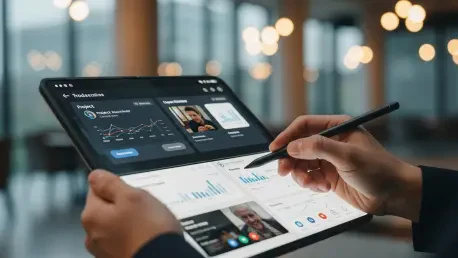
The diversity of hardware within the Android ecosystem provides power users with specialized form factors that are designed specifically for high-intensity productivity. The rise of foldable devices, such as the Galaxy Z Fold series, has introduced a new paradigm where a standard smartphone can expand into a mini-tablet, offering enough screen real estate for true side-by-side multitasking. This allows a user to keep a spreadsheet open while simultaneously responding to emails or taking notes with a stylus during a briefing. This physical flexibility is matched by hardware features often absent in other ecosystems, such as expandable storage or specialized sensors tailored for specific industries. When a user is not limited to a single manufacturer’s design philosophy, they can choose the exact combination of screen technology, battery capacity, and input methods that align with their professional output, ensuring that the hardware is an asset rather than a limitation.
This philosophy of openness extends to the software level, where the ability to modify the operating system itself offers significant advantages in terms of privacy and longevity. Power users often opt to “root” their devices or install custom operating systems like GrapheneOS to strip away unnecessary background processes and enhance security protocols. This level of control allows for the removal of manufacturer-provided software that might otherwise consume system resources or compromise data sovereignty. Furthermore, the compatibility between Android and non-proprietary systems like Windows or Linux is inherently more robust, facilitating easy file transfers and system syncing without the need for specialized bridges or cloud-based workarounds. For a professional operating in a heterogeneous technical environment, the ability to move data freely between a phone and a various range of workstations is a critical component of a streamlined and effective digital workflow.
Granular Information and Notification Management
Managing the constant influx of digital communication is a primary challenge for the modern professional, and Android’s sophisticated notification system provides the surgical precision required to maintain focus. Through the use of notification channels, the operating system allows users to categorize different types of alerts from a single application, silencing promotional noise while ensuring that high-priority work messages always break through. For example, a user can configure a project management app to remain silent for general task updates but trigger a persistent alert for direct mentions or urgent deadlines. This granular control prevents the digital fatigue associated with “all-or-nothing” notification settings, allowing the user to curate a stream of information that is strictly relevant to their current task. In an era where attention is a finite and valuable resource, the ability to filter out distractions at a system level is a vital productivity feature.
The power of Android’s notification management is further enhanced by third-party automation tools that allow for complex, rule-based triggers and responses. Advanced users frequently utilize applications that can automatically snooze notifications based on the time of day, geographic location, or the presence of specific keywords in an alert. This means a device can be programmed to enter a “deep work” mode when it connects to an office Wi-Fi network, suppressing all non-essential alerts while still allowing emergency contacts or specific clients to reach the user. While competing platforms have introduced focus modes, they often lack the deep integration and custom logic required for truly complex professional environments. By providing the tools to manage how and when the world interrupts them, Android empowers users to protect their concentration and ensure that their smartphone serves as a productivity enhancer rather than a source of constant interruption and stress.
Strategic Evolution for Mobile Professionals
The decision to adopt Android as a primary productivity tool was historically driven by a need for technical agency that other platforms simply did not provide. Professionals who transitioned to this ecosystem found that the ability to manipulate system-level settings and hardware configurations led to a more efficient and personalized workflow. By 2026, these users had successfully integrated mobile desktop modes and advanced automation into their daily routines, effectively reducing their reliance on traditional laptops for many intensive tasks. The shift toward foldable hardware and open-source software skins further reinforced the idea that a smartphone should be a flexible workstation rather than a restricted consumer device. Those who prioritized control over a curated experience were able to build digital environments that mirrored their professional complexities, resulting in a measurable increase in both output quality and organizational efficiency.
Moving forward, professionals should prioritize devices that offer the highest degree of software transparency and hardware versatility to ensure long-term utility. It is recommended that power users continue to explore decentralized synchronization methods and privacy-focused operating system modifications to maintain control over their professional data. As mobile hardware continues to advance, the focus must remain on software that enables, rather than hinders, the use of that power for complex, windowed multitasking and cross-platform integration. Investing time in mastering automation tools and notification filtering will remain the most effective way to manage the growing volume of digital information. Ultimately, the most productive path involved selecting a platform that treated the user as a competent administrator of their own technology, providing the freedom to innovate and optimize without artificial barriers.