
For professionals tired of juggling laptops, phones, and constant sign-ins, the question shifted from whether a phone could shoulder real work to how a phone could become the primary machine without breaking enterprise rules, disrupting daily habits, or putting sensitive data at risk. The latest Galaxy devices answered that question by presenting a credible mobile-first path that did not feel like a compromise, blending familiar apps, desktop-caliber experiences, and hardware-rooted security into one platform. Migration tools carried over content with minimal friction, while on-device AI refocused attention on outcomes instead of minutiae like formatting notes or finding files. The result reframed the daily toolkit: a Galaxy S26 or a Z Fold7 in DeX mode paired with a keyboard, mouse, and display became a workstation at a hot desk, a hotel TV, or a client site, with continuity features that kept the PC nearby but no longer essential.
Switching Without the Headache
Switching from iPhone or another ecosystem used to feel like crossing a chasm, but Smart Switch turned it into a well-lit ramp. Photos, videos, messages, contacts, and even app layouts moved across in a single guided flow, so day one on a Galaxy S26 felt like picking up where work left off instead of starting from scratch. For businesses, that mattered because the hidden costs of switching—lost attachments, missing chats, broken two-factor flows—were the costs that stalled pilots and delayed rollouts. With most mainstream business-critical apps available on Android, the risk of gaps after moving proved small, and common exceptions had web or progressive alternatives that ran well in Chrome or within enterprise browsers managed by IT policies.
Continuity after setup smoothed the rest. Link to Windows kept messages, calls, and recent photos live on a PC, so the phone could stay in a pocket during meetings without sacrificing responsiveness. Shared clipboard and Quick Share supported low-latency handoffs of snippets, images, or entire decks between devices without emailing oneself or uploading to a drive to pull back down. For IT, those flows stayed governable: device policies enforced by enterprise mobility management (EMM) tools worked alongside Knox frameworks, so personal-to-work sharing could be contained and logged when required. Smart Switch started the journey; the broader continuity fabric made sure the move did not create new friction in daily work.
AI That Works Where You Work
Galaxy AI placed translation, transcription, and summarization where conversations actually happened—on calls, in meetings, and inside notes—so international teams spoke and documented with fewer handoffs. Live Translate and Interpreter let two parties talk across languages in real time, with on-device processing scenarios available to reduce data exposure and maintain responsiveness where connectivity wavered. Transcript Assist captured spoken discussions, tagged speakers, and produced action items that could be pasted directly into a project board. For executives, this meant fewer follow-up emails asking “Who owns this?” because the answer sat in a clean summary minutes after the meeting ended.
Note Assist then tidied the working memory that piled up across the day. Rough notes turned into structured outlines, bullets, and shareable digests that respected headings and context, making it easier to communicate decisions instead of dumping raw text into inboxes. Now Nudge added a layer of proactive, context-aware help: when a chat mentioned “send that headshot” or “book a slot this afternoon,” the device surfaced recent photos or pulled up calendar availability without a manual search. The point was not novelty but compounding minutes reclaimed from tiny tasks, particularly for roles that lived in back-to-back conversations. Less app hopping meant attention stayed on negotiation, coaching, or review rather than on shuffling windows.
Multitasking and Mobile-as-Desktop
Parallel work on a phone stopped being an awkward shuffle and became intentional design. On Galaxy S26 and Z Fold7, split screen and pop-up views let a chat sit beside a spreadsheet with a dashboard floating on top, while App Pairs launched common combinations—say, Docs and Meet—with a tap. A persistent taskbar on larger screens sped navigation the way a desktop dock did, and per-app resizing respected the need to see columns wide enough to be useful rather than cramped previews. For field teams, this mattered when documenting a site, chatting with HQ, and updating a ticket needed to happen at once without setting the phone down.
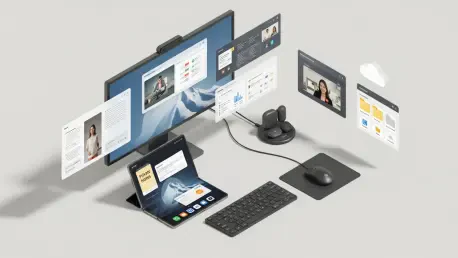
When a larger canvas was available, DeX turned the phone into a desktop-like environment with resizable windows, full keyboard shortcuts, and precise mouse control. It ran on hotel TVs over HDMI, on USB-C monitors at hot desks, or wirelessly on supported displays, leaving the handset as a touchpad or a second screen. DeX treated the external display as independent, so a slide deck could present on the big screen while notes stayed private on the phone. Keyboard, mouse, and storage peripherals connected over Bluetooth or USB hubs, letting a Z Fold7 or an S26 slot into a console-like dock on a desk. The desktop did not disappear; it moved into the phone and came back out when a screen and peripherals were nearby.
Defense-in-Depth Security and Visual Privacy
Security credibility rose or fell on the strength of the foundation, and Knox anchored that foundation with protections built into hardware and software from boot to runtime. Knox Vault separated the most sensitive material—device credentials, cryptographic keys, and biometric templates—inside a secure processor with isolated memory, reducing the blast radius of a compromise. Verified Boot, roll-back protection, and real-time kernel monitoring worked with this hardware root to maintain platform integrity under attack. These were not just consumer features; they mapped to enterprise risk models used in regulated sectors that demanded tamper resistance and demonstrable controls.
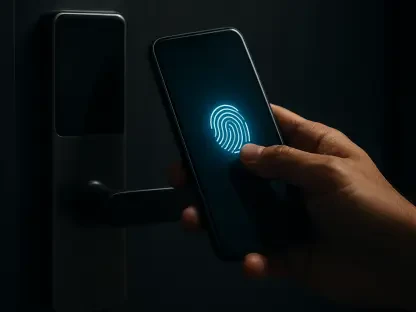
User-facing layers added practical safeguards without training burdens. Ultrasonic fingerprint recognition unlocked quickly even with a damp fingertip, encouraging consistent biometric use. Secure Folder fenced sensitive apps and files behind an extra authentication step and could host dual instances of apps, useful for keeping a personal account near a client-managed workspace without any data mingling. The Privacy Display narrowed viewing angles to limit shoulder-surfing on a plane or in a coworking lounge, with automation to engage at set times or in specific locations. SmartThings Find provided recovery measures—forced ring, last-known location, and remote wipe—that complemented network-based protections, treating device loss as an eventuality, not an edge case.
Power, Performance, and Connectivity That Last
Battery anxiety undercut productivity, so the hardware leaned into all-day endurance backed by fast top-ups. Claims such as extended video playback hours translated in practice to a day filled with meetings, travel, and heavy multitasking without compulsive outlet hunting. When a quick charge was needed, fast charging got a device back on its feet during a transfer at the gate. Adaptive power modes tuned consumption to behavior, trimming background draw when the day involved more calls than camera use. Wireless PowerShare acted as a pragmatic bonus: earbuds, a smartwatch, or even a coworker’s phone could sip enough charge to finish a call or pair for a presentation.
Under the hood, the Snapdragon 8 Elite Gen 5 for Galaxy supplied the headroom for AI-accelerated workloads and fast context switches. Large spreadsheets rendered without stutter, video calls stayed smooth alongside active document edits, and image processing in Photo Assist completed in seconds rather than minutes. Modern Bluetooth standards on the phones and Buds4/Buds4 Pro improved connection stability, audio quality, and multi-point switching between devices—useful when a call moved from PC to phone as someone left a desk. Location and privacy improvements in Bluetooth also meant more precise device discovery with less unsolicited exposure, fitting the broader security ethos.
Cameras Built for Work, Not Just Social
Cameras mattered for more than marketing reels; they supported documentation, audits, and proofs of work that anchored reports and invoices. High-resolution sensors captured fine detail on labels, serial numbers, or site conditions, while Nightography improvements pulled usable shots out of dim warehouses or late site walks. Optical and software stabilization steadied video during walkthroughs, and zoom options helped capture distant signage or structural features without clambering over obstacles. For remote consultations, clearer images and video reduced back-and-forth and cut site revisits caused by unusable evidence.
AI tools collapsed post-capture friction. Photo Assist cleaned up glare on whiteboards and straightened skewed documents so they read like scans, while Creative Studio offered quick reframing and tone adjustments to align with brand style guides before sending an update. Teams that fought with clunky desktop editors for small fixes found those changes simple on-device. The result was time saved and more consistent outputs, with assets ready for a slide, a support portal, or a compliance repository before leaving the site. Combined with direct sharing through enterprise apps, the camera system became a work instrument rather than a social afterthought.
PC Continuity and Unified Files
Partnerships mattered most where workers already lived, and integration with Microsoft 365 and OneDrive aligned Galaxy devices with common corporate stacks. Editing an Excel sheet on the phone and picking it up on the desktop felt native, and authentication flowed through company SSO where configured. Link to Windows projected the phone’s messages, calls, photos, and even select mobile apps into a window on the PC, which reduced the need to juggle devices during focused sessions. Copy text from a mobile app, paste into Word on the desktop, reply to a Teams ping, and drop back into a call—without digging for a phone.
Files stopped playing hide-and-seek. My Files provided a single pane that spanned on-device storage, OneDrive, Google Drive, Samsung Cloud, and even network shares over FTP or SMB, so browsing felt coherent across clouds and local folders. That mattered in mixed environments where archives lived on a NAS and active projects sat in cloud storage tied to a department. Quick Share then made near-instant handoffs possible in a conference room or on a job site, sending large media or decks to a nearby PC or Galaxy device without jumping through email limits or slow web uploads. The net effect was less time hunting for the “right” version and more time acting on it.
Personalization, Automation, and Smart Control
The best productivity tools disappeared into the background, and Modes and Routines aimed for exactly that. Commute Mode could enable driving focus, launch a preferred navigation app, and read out messages only from key contacts. A Work Focus routine might hold back social pings, turn on the Privacy Display, and open a suite of apps at 9 a.m., then relax those rules for a lunch window. Travel Mode could silence non-urgent apps, enable Live Translate shortcuts, and display a boarding pass widget from Samsung Wallet. These automations lowered the cognitive overhead of toggling settings all day and made good digital habits stick without micromanagement.
SmartThings extended that philosophy into the environment. A tap on the phone or a voice command set lights to a preset, nudged the thermostat, and locked the door when a late meeting ran long, while a “studio” scene in a home office powered a monitor, speakers, and smart blinds to cut glare ahead of a video call. Broad device compatibility meant that a mix of brands still felt coherent under one control panel. For hybrid workers, the payoff was fewer context shifts caused by discomfort or distractions, and for facilities teams, a single platform that users already carried became an informal remote control for office zones, meeting rooms, and shared equipment.
Health, Wearables, and Frictionless Access
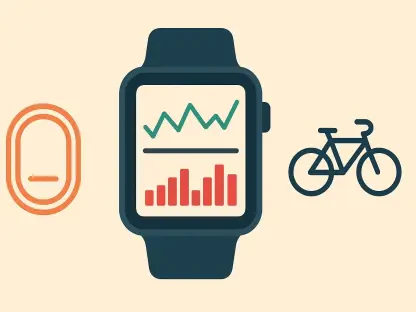
Sustained performance came from more than faster silicon. Samsung Health provided a baseline for activity, sleep, and stress insights, which could tie into corporate well-being programs without giving managers line-of-sight into personal data. Paired with wearables like Watch8, Watch Ultra, or Galaxy Ring, those metrics moved from daily summaries to real-time nudges that suggested a quick walk after a long session or flagged a sleep debt ahead of a heavy travel week. For travelers, auto-detected workouts and sleep coaching helped keep routines intact across time zones, which, in practice, meant sharper attention during crunch times.
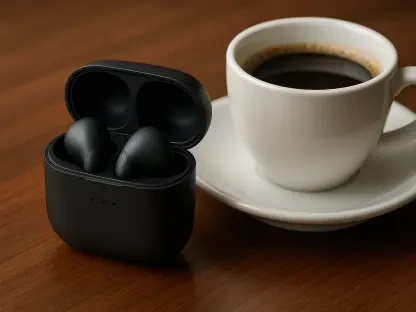
Wearables pulled double duty on communication. Buds4 and Buds4 Pro offered strong active noise cancellation to carve out a bubble in open offices or airports, and seamless device switching kept calls fluid when stepping away from a desk. Gesture controls enabled quick responses without fishing out a phone, useful when hands were full on a shop floor. On the access side, Samsung Wallet consolidated payments, IDs, transit passes, and digital car keys inside a Knox-protected enclave, while Samsung Pass managed passwords and autofill with biometric gates. The daily result was fewer apps to juggle and fewer moments where a task stalled for lack of a card or credential.
Choice of Form Factors, One Secure Standard
One size rarely fit all, and Galaxy leaned into range. The S26 Series delivered premium performance for leaders and creators, while Z Fold7’s expansive screen favored multitaskers who lived in dashboards, documents, and chats. Rugged XCover models addressed frontline roles that worked in rain, dust, or on concrete, and the budget-friendly A Series supported large fleet deployments without giving up the management and security stack. This breadth simplified vendor consolidation: different job profiles received different tools, but IT maintained a consistent approach to enrollment, updates, and compliance across the portfolio.
Durability matched variety. IP68 water and dust resistance reduced panic over spills and storms, Armor Aluminum frames added torsional strength, and Gorilla Glass Victus guarded against drops and scratches. Those claims mattered less as marketing than as day-saving insurance on a film set, a distribution dock, or a field inspection. Underneath, the same Knox frameworks, secure boot chain, and update cadence applied across devices, so frontline workers shared the same core safeguards as a finance team on flagships. Bluetooth improvements, eSIM options, and broad band support rounded out connectivity, making it easier to provision devices for international teams without a drawer full of plastic SIMs.
Why the Switch Makes Business Sense Now
For decision-makers evaluating a pilot, the immediate path forward had been pragmatic: run a proof of concept with a cross-section of roles—finance, sales, field ops—using Galaxy S26 or Z Fold7 as primary devices with DeX at hot desks, then log time saved through Galaxy AI features like Transcript Assist, Note Assist, and Now Nudge. IT should have enforced Knox-based policies, enabled Secure Folder for dual-use scenarios, and turned on the Privacy Display for roles that worked in public spaces. On the PC side, Link to Windows should have been standard, with Quick Share and My Files connected to OneDrive and network shares to measure reduction in email attachments and version sprawl.
Procurement and workplace teams then should have tuned hardware mixes: executives and analysts leaning toward S26 Ultra for camera and screen, power users adopting Z Fold7 for multitasking, and field staff trialing XCover with IP68 resilience. Accessories mattered—USB-C hubs for DeX, compact Bluetooth keyboards, and Buds4 Pro for ANC during travel—so small bundles should have been tested alongside devices. Finally, a governance checklist should have been formalized: Wallet and Pass policies for credentials, Modes and Routines templates for focus, and SmartThings scenes for shared spaces. The switch did not require a leap of faith; it required a structured rollout that matched Galaxy’s strengths to concrete workflows and, once validated, scaled with confidence.