


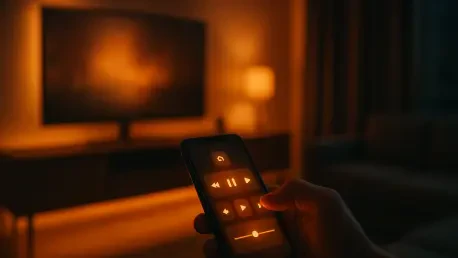

The release of the iOS 27 Release Candidate build 24A435 has provided a deep dive into how modern software architectures are evolving to bridge the gap between handheld devices and living room entertainment systems. While many users expected a standard iteration of the operating system, internal code reveals an ambitious redesign of the virtual Apple TV Remote that aims to transform the iPhone into a secondary display rather than just a simple peripheral. These updates, currently tucked away behind internal feature flags, suggest a shift in philosophy regarding how users discover and consume media in an increasingly connected world. The inclusion of a dedicated app launcher and a content-focused panel indicates that the days of navigating a television interface with a clunky virtual trackpad may be coming to an end. This development is particularly notable because it was not highlighted during the public marketing for the September 14 release cycle, pointing toward a strategic internal evaluation phase that might see these tools deactivated or reserved for a later version. Apple appears to be testing the waters of a more direct interaction model that could redefine the remote control experience.
Technical Evolution of the Virtual Interface
The technical overhaul found within the software aims to modernize the fundamental ways that individuals interact with their television sets by prioritizing a more direct navigation style. Central to this update is a proposed “four-square” button that, when activated, allows users to browse an entire grid of installed applications directly on their iPhone screen, effectively mirroring the layout of the home screen on the Apple TV itself. This transition effectively moves the primary point of content discovery from the distant television wall to the palm of the user’s hand, creating a more intimate and efficient browsing experience. By utilizing the higher pixel density and tactile response of a smartphone display, this interface reduces the cognitive load associated with managing a remote interface at a distance. This shift is not merely a cosmetic change but a functional leap that acknowledges the iPhone as the central command hub for the modern smart home, allowing for a more fluid transition between mobile and home viewing. Moving the UI to the handset also opens up possibilities for more complex search functions.
Complementing the app grid is a new gesture-based discovery layer where a downward swipe on the virtual remote triggers a rich carousel of specific media options. This panel resembles the “Top Shelf” or “Continue Watching” queue found on the television interface, but it is optimized for the vertical orientation and touch capabilities of a mobile device. The integration of such deep-linking features means that a user can select a specific show or movie on their phone and have it immediately begin streaming on the main screen, bypassing several layers of menus and loading screens. This strategy significantly reduces interface friction, which has historically been a major pain point for users who find traditional remote controls to be cumbersome or slow to respond. By streamlining the path to playback, the system aims to minimize the number of steps required to start a session, thereby ensuring that the hardware and software work in a symbiotic fashion to keep the viewer engaged with the platform without unnecessary technical delays. This approach transforms the smartphone into a proactive content discovery engine.
Strategic Impact and Actionable Ecosystem Integration
The discovery of these hidden features in the RC build indicated that the priority for future development was the creation of a seamless, cross-device experience that removed barriers to content consumption. To capitalize on these advancements, developers and content providers should have focused on optimizing their applications for deep-linking and interactive widgets to ensure they remained visible within these new iPhone-based carousels. Users who sought a more efficient smart home setup found that staying updated with the latest software versions provided the best path toward a unified media environment. Although the full activation of these remote tools remained unconfirmed at the initial launch, the strategic direction pointed toward a world where the physical television was merely a display for the intelligence housed within the handheld device. Investors monitored these subtle software pivots as indicators of how the company planned to combat abandoned viewing sessions and maintain its dominance in the increasingly competitive home entertainment landscape. Ultimately, the success of this initiative depended on the willingness of the broader ecosystem to adopt these more granular standards.







