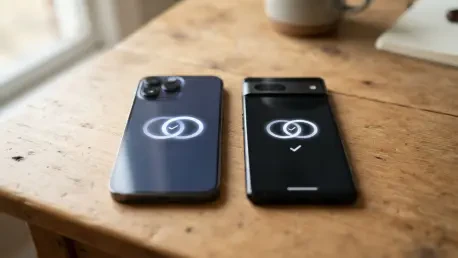

Upon unlocking a linked secondary device with Face ID or a passcode, the cellular connection immediately migrates and displays a confirmation notification on the screen. The era of carrying two separate phone numbers to manage work and personal lives has reached a turning point as technology evolves to meet the demands of modern flexibility. For years, users sought a way to toggle between a rugged model for outdoor activities and a sleek, compact device for social evenings without the hassle of swapping physical SIM cards or managing multiple carrier plans. With the release of iOS 27, this friction has been largely eliminated through the innovative integration of advanced eSIM protocols. This specific advancement represents a departure from traditional mobile networking constraints, allowing a single identity to exist across multiple pieces of hardware while maintaining strict security standards. It addresses a specific market segment that values high-performance hardware but requires the convenience of a unified digital presence.
1. Defining the Mechanics: How iPhone Handoff Operates
The core of this new functionality lies in the distinction between standard data sharing and the comprehensive cellular transfer known as iPhone Handoff. Unlike the previous iterations of handoff features that focused on synchronizing browser tabs or document editing across iPads and Macs, this system takes full control of the telephony stack. It ensures that when a user engages with their secondary device, the primary hardware enters a standby state while the active unit assumes all network responsibilities. This includes not only standard voice calls but also the full suite of messaging capabilities through iMessage, SMS, MMS, and the newly standard RCS protocols. The migration is nearly instantaneous, triggered by the simple act of authentication via biometric sensors or security codes. This design choice prioritizes security, as the network shift only occurs once the device confirms the identity of the user, preventing unauthorized number hijacking or identity theft.
Beyond simple connectivity, the system maintains a robust synchronization layer through the cloud to ensure that no data is lost during the handoff. Voicemail messages, call history, and active message threads are updated in real-time, providing a consistent interface regardless of which iPhone is currently in use. Location services within the Find My network also transition to the active device, ensuring that shared locations with friends and family remain accurate based on the device currently being carried. While core system applications handle this transition seamlessly, users should be aware of how third-party software behaves under these conditions. Most applications will continue to function normally due to consistent Apple Account signatures, but certain high-security platforms, such as retail banking or encrypted corporate tools, may require an additional layer of verification. This safety mechanism protects sensitive financial information while maintaining a fluid user experience.
2. Activation and Requirements: Setting up the Ecosystem
To successfully implement this feature, several specific technical criteria must be met to ensure both reliability and security across the linked ecosystem. Both iPhones must be operating on iOS 27 or a more recent version to support the necessary eSIM protocols and security handshakes. A fundamental requirement is the use of a single, unified Apple Account across both devices, which serves as the trust anchor for the cellular migration. During the initial pairing and activation phase, both handsets must be connected to the same local Wi-Fi network, allowing for a high-speed local data exchange that verifies hardware proximity and ownership. Furthermore, the Messages in iCloud setting must be enabled to synchronize communication history. Finally, users must be signed into FaceTime and iMessage using the exact same credentials on both phones to ensure seamless message routing. These prerequisites guarantee that the automated transfer remains secure and that user data remains consistent.
The activation process is designed to be intuitive. Launch the Settings application on the secondary iPhone you intend to connect. Select the Cellular menu from the list of options. Press Set Up Cellular or choose the option to Add eSIM. Pick Use Number on This iPhone and Another from the available setup choices. Comply with the on-screen instructions to designate which device is your primary phone and which is your secondary one. Once finished, no further manual configuration is needed. As soon as you unlock either phone via Face ID or passcode, your phone number will automatically transfer and become active on that device in the blink of an eye. This seamless transition is the hallmark of the new software, making the physical hardware secondary to the digital identity of the user. This logic also allows the system to manage both lines in a Dual SIM setup simultaneously, ensuring that all communications remain unified as the user switches between their various devices during the busy day.
3. Provider Support and Long-Term Management
Because the iPhone Handoff feature necessitates deep integration with existing cellular network infrastructures, its availability and cost are currently determined by individual mobile service providers. As of early 2026, T-Mobile has emerged as a leader in the United States by offering the service for a modest monthly fee of $5, positioning it as an affordable add-on for power users. In Europe, Deutsche Telekom has established a similar precedent in Germany, charging €6.95 per month for most subscribers, though it is included for free in certain high-tier plans like MagentaMobil L and XL. Major providers like Verizon in the United States and EE in the United Kingdom have officially signaled their intent to launch support for the feature before the end of the year, while AT&T has remained notably silent regarding a specific launch date. These varying price points reflect the operational costs associated with managing multiple active eSIM profiles for a single subscriber number globally.
Implementing this technology required users to look beyond the immediate convenience and consider the broader implications for their hardware ecosystem. One of the primary observations involved the behavior of the Apple Watch, which did not automatically shift its pairing when the phone number moved between handsets. Consequently, users found it necessary to keep their wearable device paired with the iPhone they utilized most frequently to maintain a consistent notification flow. Additionally, the Apple Wallet required careful management, as certain secure digital IDs and transit passes were restricted to a single device for security purposes. Future device management involved manually transferring eSIMs when upgrading to new hardware and contacting carriers directly to cancel the monthly service fee, as simply deleting the profile was insufficient. These practical steps ensured that the technology served the user effectively without creating unexpected financial or technical hurdles in a mobile-first environment.