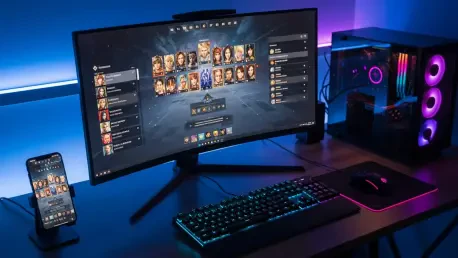

Navigating the high-stakes environments of Mongil Star Dive demands more than just quick reflexes and a roster of elite characters; it requires a deep technical understanding of how software interacts with hardware to deliver a seamless experience. As players dive into this visually stunning gacha-based action RPG, the difference between victory and defeat often hinges on the stability of the frame rate during intense combat sequences or the clarity of an audio cue that signals an incoming boss ability. Default settings rarely account for the specific nuances of individual rigs or mobile devices, leading to potential stuttering or visual noise that can obscure critical gameplay elements. By taking a proactive approach to configuration, enthusiasts can move beyond the generic presets to unlock a level of performance that honors the game’s intricate art style while maintaining the responsiveness required for high-level competitive play. This pursuit of optimization is not merely about aesthetics; it is about creating a functional environment where technical limitations do not interfere with the player’s strategic execution during the most demanding daily gameplay loops and events.
Achieving Visual Excellence on PC
Precision: Performance and Fidelity Adjustments
The architectural foundation of a superior PC experience begins with the transition from standard presets to a meticulously tailored Custom configuration. While the game provides several automated levels of quality, these often fail to strike the necessary balance between visual splendor and the high-speed demands of modern action RPG mechanics. To begin this process, matching the resolution to the monitor’s native specifications is non-negotiable for maintaining image sharpness and reducing scaling artifacts that can lead to eye strain. Furthermore, opting for a Borderless Full Screen window mode serves as the preferred choice for those who frequently switch between game tasks and external resources, as it offers the stability of full-screen rendering with the multitasking flexibility of a windowed environment. This specific setup minimizes the risk of crashes during high-load scenarios while ensuring that the transition between the game and secondary applications remains instantaneous and fluid for the user.
Consistency in frame delivery is arguably more important than the peak frame rate itself, particularly in a title where timing-based counters and dodges are central to the combat loop. Capping the frame rate at 60 FPS or the monitor’s native refresh rate prevents the graphics processing unit from overextending itself on frames that are effectively invisible to the eye, thereby reducing heat and power consumption. When considering Vertical Sync, the recommendation is to disable this feature if the hardware supports external solutions like G-Sync or FreeSync, which handle screen tearing with significantly less input latency. For users without these hardware-level features, keeping V-Sync enabled remains a necessary trade-off to ensure visual stability during the game’s flashy and fast-paced animations. This baseline of stability ensures that the player’s inputs are reflected on the screen with the highest possible degree of accuracy, which is vital for maintaining a competitive edge during the intense endgame challenges that define the current 2026 meta.
Visual Integrity: Resource Management Strategies
Once the display foundations are established, attention must turn to the granular settings that dictate how the world is rendered and how resources are allocated during combat. Tactical awareness in Mongil Star Dive is heavily influenced by Render Distance and Level of Detail (LOD), both of which should be maintained at a high or very high setting whenever possible. These parameters determine how far away enemies and interactable objects appear, providing a critical advantage in large-scale maps where spotting a threat early can mean the difference between a successful ambush and a total party wipe. While textures can usually remain on the highest setting due to the efficiency of modern video memory, the most taxing elements—shadows and post-processing—require a more conservative approach. Lowering these specific features to medium can yield massive performance gains with only a marginal impact on the overall visual atmosphere, effectively smoothing out the experience on mid-range hardware without sacrificing the game’s core identity.
Anti-aliasing serves as the final polish on the visual experience, and the choice between Temporal Anti-Aliasing (TAA) and Fast Approximate Anti-Aliasing (FXAA) depends largely on the available hardware overhead. TAA is widely regarded as the superior option for its ability to produce clean, stable edges and reduce the shimmering effect often seen on moving objects, though it does require a bit more processing power. On the other hand, FXAA provides a lightweight alternative that addresses jagged edges without a significant performance penalty, making it the ideal choice for older machines or systems struggling to maintain a consistent frame rate. By balancing these sophisticated rendering techniques, players ensure that the game remains visually impressive while prioritizing the raw performance needed for the frame-perfect execution of abilities. This strategic allocation of resources transforms the game from a mere visual spectacle into a precise tool for competitive engagement, where every graphical choice supports the broader goal of gameplay efficiency and visual clarity.
Mastering Sound and Input Systems
Acoustic Optimization: Balancing Audio and Language
Audio design in an action RPG is often overlooked, yet it serves as a primary source of information during the sensory overload of a multi-character battle. In Mongil Star Dive, the consensus among veteran players is to prioritize the Voice Volume over the Background Music and Special Effects to ensure that character cues and story-critical dialogue remain audible. Many boss mechanics are preceded by specific vocal lines or localized sound effects that are easily drowned out by a sweeping orchestral score if the levels are not correctly balanced. By adjusting these sliders to favor clarity, players gain a second layer of feedback that complements the visual indicators on the screen. Additionally, the inclusion of a feature that allows audio to continue playing when the game is unfocused is an essential quality-of-life setting for those who multitask, as it provides a constant stream of information regarding the game state even when the window is not currently active.
Localization flexibility further enhances the user experience by offering a robust selection of twelve text languages paired with high-quality voice-over options in English, Japanese, and Korean. This modular approach allows for a highly personalized setup where a player might choose English for menu navigation and item descriptions while preferring the original Japanese or Korean voice performances for cinematic immersion. This level of choice is a testament to the global nature of the gaming community in 2026, where regional boundaries are increasingly blurred in favor of custom-tailored entertainment experiences. The ability to mix and match these assets ensures that the narrative and combat feedback resonate with the player on a personal level, fostering a deeper connection to the game world. Ultimately, these auditory and linguistic refinements contribute to a more cohesive and immersive environment, allowing the player to focus entirely on the strategic nuances of their team compositions and battle tactics.
Interface Stability: Control Schemes and Mobile Portability
The interface between the player and the game is the final frontier of optimization, and on the PC platform, the flexibility of keyboard and mouse bindings is a significant asset. Native support for full remapping allows users to place critical combat functions within easy reach, minimizing the travel time for fingers and maximizing reaction speeds during the game’s most frantic moments. This level of customization is essential for players who want to optimize their rotations or develop specialized layouts for different character classes. However, it is important to note that controller support is currently more rigid at the launch phase, with many buttons locked into default configurations. While this may be a hurdle for those who prefer gamepads, the default mapping is generally intuitive, and future updates are expected to expand the customization options for external peripherals to match the versatility found in the traditional keyboard and mouse setup.
On the mobile front, the experience is intentionally more streamlined to accommodate the diverse range of hardware found in the handheld market. Instead of individual graphics sliders, mobile users often encounter simplified performance toggles that prioritize battery life or visual fidelity, ensuring that the game remains playable across various device tiers. Despite these limitations, the principles of audio balancing and language selection remain identical to the PC version, providing a unified experience that transitions seamlessly between platforms. This consistency is vital for players who utilize cross-progression, as it ensures that the core gameplay feel remains unchanged whether they are sitting at a high-end desktop or commuting with a smartphone. By understanding these platform-specific limitations and strengths, players can navigate the technical landscape of Mongil Star Dive with confidence, ensuring that their chosen device is always performing at its peak potential for the challenges that lie ahead.
The meticulous calibration of technical settings served as a vital first step for anyone who engaged with the complex world of Mongil Star Dive during its initial release period. By moving beyond the restrictions of default configurations and adopting a more surgical approach to graphics, audio, and control inputs, players established a foundation that prioritized both performance and immersion. These adjustments proved that a well-optimized game is more than just a collection of high-resolution textures; it is a responsive and reliable tool that allows for the highest level of skill expression. The transition to tailored settings effectively eliminated the common frustrations of frame rate stuttering and auditory clutter, leaving only the pure, uninterrupted gameplay experience. As the community continues to evolve and new content is introduced through the 2026 to 2028 roadmap, the principles of hardware optimization will remain a cornerstone of the competitive landscape. Maintaining this technical edge will ensure that players are always ready to tackle the next tier of difficulty with the best possible tools at their disposal.