


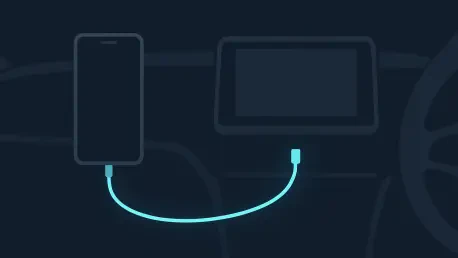

Using an incorrect USB cable can lead to significant bandwidth issues and frequent connection drops that disrupt high-fidelity music streaming services during a commute. As automotive infotainment systems have evolved into sophisticated digital cockpits, the reliance on stable, high-speed data transmission has become paramount for a seamless user experience. Many drivers treat Android Auto as a passive utility, expecting it to function flawlessly without any periodic adjustments or hardware considerations. However, the reality of modern vehicle integration involves a complex interplay between smartphone processing power, operating system stability, and physical connection integrity. In 2026, the software architecture has advanced to include high-definition rendering and multi-display support, which places even greater demand on the underlying hardware. When the connection falters or the interface lags, the root cause is rarely the vehicle itself but rather a series of easily avoidable user oversights that degrade the overall utility of the system. Ensuring that every component, from the charging port to the application version, is optimized remains the only way to truly unlock the potential of this powerful driving companion. By examining the technical foundations of the platform, it becomes clear that many frustrations stem from simple maintenance gaps rather than inherent flaws in the software.
1. Neglecting Software Refreshes
The importance of maintaining current software versions extends far beyond simple bug fixes, as it directly impacts the integration of new technologies such as advanced spatial audio and refined user interface designs. In 2026, Android Auto has fully embraced the Material 3 design system, which offers a more personalized and fluid visual experience that adapts to the vehicle’s interior lighting and screen dimensions. Failing to update the application means missing out on crucial enhancements like Dolby Atmos support, which has become a standard for audiophiles seeking a concert-like experience within their car. Furthermore, modern updates frequently address compatibility issues with the latest smartphone hardware, ensuring that the handshake between the mobile device and the automotive head unit occurs without latency. Security also plays a significant role in these updates, as vulnerabilities in older versions could potentially expose sensitive location data or personal contact information to malicious actors. By treating software refreshes as a mandatory part of vehicle maintenance, users ensure that their digital environment remains as sharp and secure as the mechanical components of their car.
Beyond the smartphone application itself, the vehicle’s own infotainment firmware requires periodic attention to maintain compatibility with evolving Android protocols. While Google pushes updates to the Play Store frequently, automotive manufacturers often release system patches that optimize how the car interprets data from the connected device. Checking the owner’s manual or the manufacturer’s digital portal provides the necessary steps for these firmware installations, which can resolve persistent display glitches or audio synchronization errors. It is also important to remember that the operating system of the phone needs to be kept current; specifically, Android 11.0 or later is necessary for stable wireless performance in modern vehicles. When these two systems—the phone and the car—are out of sync due to outdated software, the result is often a degraded interface that lacks the smooth animations and responsive touch controls intended by designers. A proactive approach to these refreshes prevents the gradual accumulation of software “rot” that can make even a high-end vehicle’s dashboard feel obsolete and unresponsive over time.
2. Sticking Only to Default Apps
A common oversight among users is the failure to explore the vast ecosystem of third-party applications specifically optimized for the automotive environment. While the default suite of Google applications provides a solid foundation for navigation and communication, specialized software can offer features that better suit specific driving needs. For instance, alternative navigation tools like Waze often provide more granular, user-submitted data regarding road hazards, police presence, and real-time traffic shifts that might not appear as quickly on standard maps. Similarly, for drivers frequently navigating urban environments, applications like SpotHero can be integrated into the dashboard to find and reserve parking spaces without ever needing to look at a handheld device. In 2026, the diversity of apps available on the Google Play Store includes everything from electric vehicle charging station locators to advanced weather tracking tools that provide hyper-local alerts. Limiting the experience to the stock configuration ignores the flexibility that makes Android Auto a superior choice for a personalized driving experience.
Customizing the application launcher is the most effective way to manage this expanded library of tools and ensure that the most important programs are always within reach. By navigating to the connected devices section within the smartphone’s settings, users can modify the order of apps and hide those that are rarely used, reducing clutter on the vehicle’s touchscreen. This level of organization is particularly important for minimizing cognitive load while driving, as it allows for the quick selection of preferred media players or messaging tools without scrolling through an endless list. Furthermore, many third-party apps now offer sophisticated widgets that can reside on the multi-pane dashboard view, providing essential information at a glance alongside the primary navigation window. Embracing these alternatives and tailoring the interface to one’s specific habits transforms the infotainment system from a generic screen into a highly specialized tool. The transition from a basic setup to a curated selection of third-party applications represents a significant step toward achieving a truly high-performance digital cockpit.
3. Picking the Incorrect Link Cable
While wireless connectivity has become increasingly prevalent in modern vehicles, many users still rely on physical cables for more reliable data transfer and consistent battery charging. However, the assumption that any USB-C cord is sufficient for this purpose is a frequent mistake that leads to intermittent disconnections and audio stuttering. High-quality cables designed for high-speed data transfer are essential because Android Auto transmits a significant amount of video and audio data simultaneously. Using a low-cost or damaged cable often results in a “bottleneck” where the bandwidth is insufficient to maintain the high-definition rendering required for modern dashboard displays. For the best performance, a cord should ideally be between three and six feet long; shorter cables can sometimes lack the necessary shielding, while excessively long ones may suffer from signal degradation. Selecting a cable certified for high-speed data ensures that the connection remains robust even during long journeys where heat and vibration might compromise lower-quality alternatives.
The choice between a wired and wireless connection also involves a careful consideration of power management and thermal efficiency during the drive. Running high-intensity applications like GPS navigation and high-fidelity music streaming concurrently generates significant heat and drains the smartphone battery rapidly when using wireless protocols like Wi-Fi and Bluetooth. A wired connection mitigates this by providing a steady stream of power, which is particularly vital during extended road trips where losing battery life could mean losing navigation in an unfamiliar area. Furthermore, certain high-bandwidth features, such as lossless audio streaming or complex 3D map rendering, often perform more smoothly when the data is not competing for airwaves. In 2026, as vehicle screens grow larger and more detailed, the physical link remains the most dependable method for ensuring that the visual experience remains crisp and the audio remains uninterrupted. Prioritizing a premium, data-capable cable is a small investment that yields significant dividends in the form of a stable and predictable technological environment.
4. Allowing Alerts to Become a Distraction
The constant influx of digital notifications is one of the most significant challenges to maintaining focus while operating a vehicle in a connected world. Android Auto is designed to bring these communications to the dashboard, but without proper management, the frequent appearance of message previews and group chat pings can become an overwhelming distraction. Many users fail to utilize the built-in notification filters that allow for the silencing of non-essential alerts or the customization of how messages are presented. For example, disabling visual previews for incoming texts can prevent the driver’s eyes from wandering away from the road to read a screen. In 2026, advanced messaging options allow users to silence specific group conversations that tend to be high-volume, ensuring that only direct, important communications break through the silence of the cabin. Managing these settings within the smartphone application is a critical step in creating a driving environment that prioritizes safety over constant connectivity.
To further reduce cognitive demand, the integration of artificial intelligence tools like Gemini has introduced the ability to summarize lengthy communications into concise audio snippets. When a contact sends a series of detailed messages or a long paragraph, the system can provide a brief overview, allowing the driver to understand the context without needing to process every word while navigating traffic. This feature is particularly useful for business professionals or those with active social circles where information density is high. Additionally, the option to play a simple chime instead of a full notification helps maintain a calm atmosphere within the vehicle, signaling that a message has arrived without demanding immediate visual attention. By refining these messaging preferences, a driver can stay informed and connected without sacrificing the situational awareness required for safe vehicle operation. Taking the time to curate which apps are allowed to send alerts and how those alerts are delivered is an essential component of a sophisticated digital driving strategy.
5. Disregarding Speech Recognition Features
The transition toward a hands-free interface is perhaps the most significant safety advancement in modern automotive technology, yet many drivers still instinctually reach for the touchscreen to perform basic tasks. Manually navigating menus to change a song or input a destination is a hazardous habit that significantly increases the risk of an accident due to visual and manual distraction. Utilizing voice commands through Google Assistant or the more advanced Gemini interface allows for complex interactions to occur while the driver’s hands remain on the steering wheel and their eyes remain on the road. In 2026, natural language processing has reached a level of sophistication where prompts can be conversational rather than rigid, making the system much easier to use for the average person. Simply stating a command to find the nearest coffee shop or to send a specific reply to a text message allows the technology to serve the driver, rather than the driver serving the technology.
Accessing these voice-activated features is typically straightforward, often requiring only a short phrase like “Hey Google” or a quick press of a dedicated button on the steering wheel. Once activated, the system can handle a wide variety of requests, from adjusting the cabin temperature in compatible vehicles to providing detailed information about a city or a point of interest. This hands-free approach is not just about safety; it is also about efficiency, as it allows for multi-tasking that would be impossible or dangerous to perform manually. For instance, a driver can ask the system to read their daily schedule or add an item to a grocery list while navigating through heavy traffic. The ability to dictate text messages with high accuracy ensures that communication remains fluid without the need for a physical keyboard. By fully embracing these speech recognition capabilities, users can transform their interaction with Android Auto into a seamless, intuitive dialogue that enhances the overall quality and safety of every trip.
Strategic Evolution Of Digital Driving Habits
The refinement of the Android Auto experience required a comprehensive audit of both physical hardware and digital configuration settings. Drivers who successfully transitioned to high-quality cables and regular software maintenance discovered that the stability of their infotainment systems improved significantly. By moving away from a reliance on default applications, many users expanded the utility of their vehicles, turning their dashboards into personalized hubs for navigation and efficiency. The process of silencing non-essential notifications also played a vital role in reducing the mental fatigue associated with long-distance travel. These adjustments collectively ensured that the technology served as an asset rather than a distraction.
Looking toward the future of automotive connectivity, the continued integration of advanced voice interfaces and predictive artificial intelligence will likely further minimize the need for tactile screen interaction. As the synergy between mobile devices and vehicle telemetry becomes even more profound, the habits developed today—such as prioritizing high-speed data cables and managing notification streams—will remain foundational. The shift toward a more streamlined, hands-free environment was not just a matter of convenience; it was a necessary evolution in the pursuit of road safety and digital efficiency. Moving forward, staying informed about system updates and new app compatibility will ensure that the driving experience remains modern and highly functional in an increasingly connected world.







