


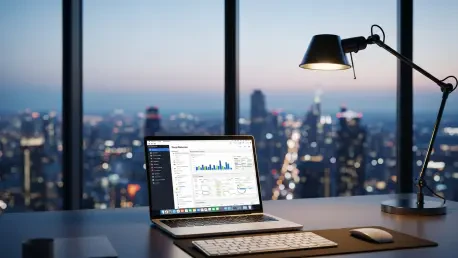

While many consumers initially purchase a MacBook for its striking industrial design and iconic minimalist aesthetic, the true revolutionary shift in computing lies within the intricate layers of its proprietary software ecosystem. Tech analysts and workflow specialists frequently observe that even seasoned professionals often utilize only a fraction of the capabilities baked into macOS, leaving significant productivity gains on the table. The current landscape of personal computing has shifted from a focus on raw hardware specifications to a more holistic appreciation for how devices interact within a broader digital architecture. This roundup explores the insights provided by productivity experts who suggest that mastering the invisible tools within a MacBook can fundamentally alter the efficiency of daily workflows.
Beyond the Aluminum Shell: Why MacBook Software Defines the Modern User Experience
The transition from traditional hardware architecture to the performance-driven era of custom silicon represents a pivotal moment in computing history. Industry leaders note that the integration of M-series chips allowed Apple to design software that speaks directly to the hardware without the bottlenecks common in generic configurations. This shift moved the value proposition away from simple clock speeds and toward specialized processing cores that handle specific tasks like machine learning and video encoding with unprecedented efficiency. Consequently, the MacBook became less of a standalone laptop and more of a specialized engine capable of sustaining high-performance tasks without the thermal constraints of the past.
The synergy between hardware and macOS creates a unique environment where professional and casual users alike find tools that anticipate their needs. Creative directors suggest that the consistency of the user interface across various system updates ensures that the learning curve remains manageable even as the underlying technology grows more complex. Because the software is tuned specifically for the displays, trackpads, and batteries of the Mac lineup, the experience remains fluid regardless of whether one is editing high-resolution video or simply managing a heavy load of browser tabs. This deep integration is what separates the platform from its competitors, offering a level of stability and responsiveness that feels inherent to the physical machine.
Looking closer at the current ecosystem, it becomes clear that the MacBook functions as the central nervous system for a wider array of connected devices. System architects argue that the true power of the workstation is unlocked when it extends its capabilities through the iPhone, iPad, and Apple Watch. This roundup provides a preview of the specific ecosystem-driven features that turn a standard laptop into a versatile workstation, moving beyond basic file management into a realm of high-precision input and seamless secondary displays. By understanding these specific utilities, users can bridge the gap between simple consumption and advanced digital creation.
Unlocking the Hidden Utility: Apple Hardware Integration
Expanding Your Visual Real Estate: Integrated Sidecar Functionality
The implementation of Sidecar successfully repurposes the iPad into a high-precision secondary monitor, effectively doubling the portable visual real estate available to a MacBook user. Digital illustrators and graphic designers often highlight this feature as a game-changer for mobile setups, as it allows for a dual-monitor experience without the bulk of a traditional desktop display. Beyond simple screen mirroring, Sidecar permits the iPad to act as a dedicated graphics tablet, where the responsiveness of the touch interface complements the processing power of the Mac. This creates a hybrid environment that leverages the strengths of both platforms simultaneously.
The impact of Apple Pencil support within this macOS environment is particularly profound for those working in professional creative suites. Rather than investing in expensive, standalone drawing tablets, creators can use the precision of the stylus directly within applications like Adobe Photoshop or Final Cut Pro on their Mac desktop. Technical reviewers note that the pressure sensitivity and tilt recognition of the Pencil translate accurately through the Sidecar connection, enabling advanced retouching and illustration workflows that were previously difficult to achieve on a laptop trackpad. This functionality effectively merges the tactile benefits of a tablet with the heavy-lifting capabilities of a desktop operating system.
However, users must be mindful of the technical requirements and potential limitations inherent in such a sophisticated wireless connection. Maintaining a stable link requires both devices to be on the same network with Bluetooth and Handoff enabled, which can be challenging in high-density environments like crowded coffee shops or large office buildings. Industry consultants suggest that while the wireless performance is generally excellent, using a physical USB-C cable can further reduce latency and prevent interference in areas where the 5GHz spectrum is heavily congested. Understanding these connectivity nuances ensures that the secondary display remains a reliable asset rather than a source of technical friction.
Converting the iPhone: A Seamless Peripheral and Mirroring Tool
The evolution of the iPhone from a standalone mobile device to a powerful Mac accessory is most evident through the Continuity Camera and iPhone Mirroring features. Workflow consultants point out that this integration solves one of the most common hardware limitations of modern laptops: the fixed position and often average quality of built-in webcams. By utilizing the iPhone’s advanced camera sensors and image signal processors, the MacBook gains access to a professional-grade video input capable of features like Portrait mode and Studio Lighting. This transition allows for high-quality video conferencing without the need for external peripherals that clutter the workspace.
Beyond video quality, the ability to mirror and interact with the iPhone directly from the Mac desktop introduces a new level of convenience for multitasking. Software developers find this particularly useful for testing mobile applications without constantly switching between devices. Users can respond to mobile-only notifications, drag and drop files from the phone’s storage directly into Mac applications, and even use iOS apps that do not have a desktop equivalent. This level of cross-platform fluidity reduces the cognitive load required to manage two different operating systems, keeping the focus entirely on the primary screen.
Security considerations remain a top priority in this integrated environment, as the Mac must maintain a secure connection to the sensitive data on the iPhone. Cybersecurity experts appreciate the privacy-first approach, where the iPhone remains locked and inaccessible to others while it is being mirrored on the computer. This ensures that even if someone is in physical proximity to the phone, they cannot see the activities being performed on the Mac. The convenience of this tool is thus balanced with robust authentication protocols, making it a safe choice for corporate environments where data protection is paramount.
Maximizing Efficiency: On-Device Live Text and Data Parsing
The innovation of the Neural Engine has fundamentally changed how users interact with visual information through the implementation of Live Text. Data scientists observe that the ability to extract text in real-time from static images and even paused video content eliminates hours of manual data entry. Whether it is a snippet of code from a tutorial or a list of specifications from a scanned document, the Mac treats text within an image as interactive and searchable. This feature essentially turns every pixel on the screen into a potential data source, making any visual medium a collaborative part of the research process.
This tool disrupts traditional research methods by making the “unsearchable” parts of the internet accessible. Historians and researchers note that archived photographs of documents or handwritten notes can now be parsed and copied into databases with a single click. Furthermore, the integration of translation services within Live Text allows for immediate comprehension of foreign language documents without needing a third-party app. This seamless transition from an image to a functional text string streamlines the gathering of information, allowing for a more fluid movement between different types of media and professional documentation.
Privacy remains a central pillar of this technology, as all text extraction and processing occur locally on the device rather than through cloud-based OCR alternatives. Privacy advocates point out that this on-device approach ensures that sensitive information, such as financial statements or private correspondence in photos, never leaves the user’s machine. By avoiding the cloud, the MacBook also provides a faster response time, as there is no latency involved in uploading or downloading data for analysis. This commitment to local processing demonstrates how sophisticated machine learning can be used to enhance productivity without compromising the user’s personal security.
Improving Focus: The Implementation of Stage Manager Layouts
The introduction of Stage Manager marked a significant shift toward a cleaner, more organized interface designed to minimize digital clutter during intense multitasking sessions. Productivity coaches often advocate for this layout because it hides the chaos of dozens of open windows while keeping essential applications within reach on the left-hand sidebar. By centering the primary work window and grouping related apps together, Stage Manager helps users maintain a “zen-like” focus on the task at hand. This interface change reflects a broader industry trend toward reducing cognitive load and helping individuals manage the overwhelming volume of information in the modern digital age.
Comparing the effectiveness of Stage Manager on the Mac versus its implementation on the iPad reveals platform-specific strengths that cater to different user needs. On the Mac, where window management has traditionally been more flexible but also more cluttered, Stage Manager provides a structured alternative to the “app soup” that often develops during a workday. Designers note that while the iPad version focuses on bringing multitasking to a mobile OS, the Mac version excels at bringing order to a powerful desktop environment. This distinction allows users to choose the organizational style that best fits their specific workflow requirements and screen size.
Speculating on the future of this interface, some interface experts suggest that Stage Manager is just the beginning of a move toward more context-aware operating systems. As the Mac learns which apps are used together most frequently, the potential for automated “stages” could further enhance efficiency. This movement toward streamlined environments suggests that the future of computing will be less about managing windows and more about navigating through specific mental states or project phases. By mastering these layouts now, users prepare themselves for a world where software actively assists in maintaining the focus required for deep, creative work.
Actionable Best Practices: Integrating Tools Into Daily Routines
To activate these features and integrate them into a daily routine, users should first navigate to the System Settings and Control Center, which serve as the primary hubs for customization. Technical support specialists recommend starting with Sidecar by ensuring that both the Mac and iPad are logged into the same account and then selecting the iPad from the Screen Mirroring menu in the Control Center. For iPhone Mirroring, simply opening the dedicated application on the Mac Dock initiates the setup process. Live Text is active by default in most system apps, but ensuring that the latest version of macOS is installed is crucial for accessing the most refined version of these neural engine tools.
Different user profiles require tailored approaches to these tools to maximize their impact. Students might find that Live Text and Stage Manager are the most beneficial for organizing lecture notes and extracting citations from digital textbooks. Remote workers, conversely, might prioritize Continuity Camera and iPhone Mirroring to maintain professional-grade video presence and stay connected to mobile communications without distraction. Creative professionals will likely gain the most from the Sidecar and Apple Pencil integration, which allows them to leverage their existing hardware for high-precision design tasks that would otherwise require expensive specialized equipment.
Maintaining a stable connection across the Apple ecosystem often requires a few basic troubleshooting steps to ensure a seamless experience. If a feature like Sidecar or iPhone Mirroring fails to connect, experts suggest toggling Bluetooth and Wi-Fi off and back on for both devices, or ensuring that they are within the required physical proximity. It is also important to verify that there are no conflicting VPN or firewall settings that might block local network communication between devices. By following these best practices, individuals can transform their standard computing experience into a high-performance workflow that feels intuitive and robust.
Final Perspectives: Navigating the Future of Personalized Computing
The integration of these sophisticated tools successfully reshaped the way many individuals approached their digital tasks. Mastery of these hidden features allowed users to reclaim hours of productivity while reducing the mental friction associated with complex multitasking. Analysts observed that the true power of a MacBook resided not just in its physical components, but in the invisible layers of its software ecosystem that connected various pieces of hardware into a unified whole. These features demonstrated that the future of computing favored those who understood how to leverage the deep synergy between their devices.
The long-term relevance of these capabilities became increasingly clear as the boundaries between mobile and desktop platforms continued to blur. By mastering the art of on-device processing and seamless peripheral integration, users positioned themselves at the forefront of a more efficient digital era. The transition toward these interconnected workflows proved that the most valuable upgrades often came in the form of software refinements rather than just hardware iterations. Ultimately, the adoption of these hidden tools transformed the MacBook from a simple piece of equipment into a comprehensive digital command center capable of handling the most demanding modern projects.







