



The modern professional often carries a thousand-dollar liability in their pocket without ever realizing that their entire business identity is tethered to a fragile piece of plastic and glass. When a smartphone falls onto a concrete sidewalk or succumbs to a spilled cup of coffee, the damage usually extends far beyond the cracked screen or short-circuited motherboard. For most workers, that physical device represents the only gateway to their professional phone number, creating a precarious bottleneck where a single hardware failure can effectively sever all ties with clients and colleagues. This dependency on a physical SIM card is a relic of an older era of telecommunications, one that fails to account for the mobility and flexibility required in the current fiscal year. Moving toward a more resilient model requires a fundamental shift in how digital identities are managed and maintained across various environments.
The challenge facing today’s workforce is not a lack of tools, but rather the fragmentation of the tools already at their disposal. Communication often happens in silos, with personal numbers bleeding into professional spheres and desktop computers sitting silent while mobile devices buzz incessantly. This friction creates a cognitive load that saps productivity, as individuals must constantly decide which device to use for which task. Google Voice emerges as the primary solution to this persistent headache, offering a way to decouple the professional identity from the physical handset. By transitioning a business number to the cloud, a professional ensures that their reachability is no longer a matter of proximity to a specific piece of silicon, but rather a function of their digital presence across any available platform.
Why Do Most Professionals Struggle to Define This Decades-Old Power Tool?
While almost every modern worker recognizes the Google brand, the specific utility of Google Voice remains a mystery to those outside the most tech-obsessed circles. This confusion stems largely from its longevity and the quiet way it has evolved from a simple call-forwarding service into a comprehensive communication hub. Many perceive it as a redundant add-on for Gmail or a legacy messaging app, failing to see it as a robust Voice over Internet Protocol (VoIP) service that can replace a traditional carrier line. This lack of clarity often prevents business owners from adopting what is arguably Google’s most underappreciated productivity asset. Far from being a simple secondary number, this service fundamentally alters the relationship between professional identity and the hardware people carry, turning any screen into a fully functional business terminal that operates independently of cellular constraints.
The ambiguity surrounding the platform is further complicated by the sheer variety of ways it can be integrated into a workflow. Some utilize it solely for its free domestic calling, while others leverage it for its sophisticated routing capabilities that mimic a high-end corporate PBX system. Because it does not fit neatly into a single category like “messaging app” or “dialer,” it often sits unused in the app drawer of potential power users. However, for those who take the time to investigate, the service reveals itself as a bridge between the analog world of traditional telephony and the digital world of instant data. It acts as a universal translator for communication, allowing a voice call to become a searchable text file or a mobile notification to become a desktop interaction, thereby dissolving the barriers that typically define “the phone.”
Ultimately, the struggle to define this tool is a testament to its versatility rather than a lack of purpose. In a professional landscape where workers are increasingly wary of over-complicating their digital lives, a tool that promises to simplify everything by centralizing it often sounds too good to be true. Yet, the reality of the service is that it provides a layer of abstraction that protects the user from the whims of hardware manufacturers and mobile carriers. When the concept of a “phone number” is no longer tied to a physical location or a specific circuit, the professional is free to design a communication strategy that fits their lifestyle rather than vice versa. This transition from a hardware-centric view to a software-centric view is the first step in reclaiming control over one’s professional availability and digital boundaries.
Breaking Free From the SIM Card: The Shift to Cloud-Based Identity
The traditional telecommunications model binds a professional number to a physical SIM card and a specific handset, creating a rigid bottleneck for business owners who move between offices, home setups, and mobile environments. This physical tethering means that if a phone is left at home or runs out of battery, the business effectively goes dark. In an era where hybrid work is the standard, being tethered to a single device is a significant liability that introduces unnecessary risk into daily operations. Google Voice addresses this vulnerability by migrating the number to a cloud-based server, effectively “unshackling” the digits from the physical constraints of a carrier. This transition allows for a unified communication strategy where the number remains constant and accessible even as the devices used to reach it change or evolve over time.
By shifting the identity to the cloud, a professional gains a level of redundancy that was previously reserved for large-scale enterprise call centers. If a primary smartphone is lost or stolen, the user does not lose access to their clients; they simply log into a browser or a secondary tablet and continue their conversations without a second of downtime. Moreover, this shift toward a cloud-based identity allows for a cleaner separation between personal and professional lives. A single physical device can host both a personal carrier number and a professional cloud number, each with its own distinct ringtones, notification schedules, and voicemail greetings. This prevents the common “always-on” burnout by allowing the professional to “turn off” their business line after hours without affecting their personal connectivity.
Furthermore, the migration to a cloud-based system simplifies the process of scaling a business or entering new markets. Obtaining a local presence in a different city or even a different country no longer requires the physical installation of phone lines or the purchase of regional SIM cards. Instead, a new local number can be provisioned in minutes, giving a small business the appearance and accessibility of a local entity regardless of where the actual team is situated. This flexibility is a powerful competitive advantage in 2026, where the speed of response and the perception of local reliability can make or break a deal. The cloud-based nature of the service ensures that as the business grows, its communication infrastructure can expand or contract with total fluidity, never hindered by the limitations of physical hardware.
Unifying Your Hardware Ecosystem Under a Single Business Number
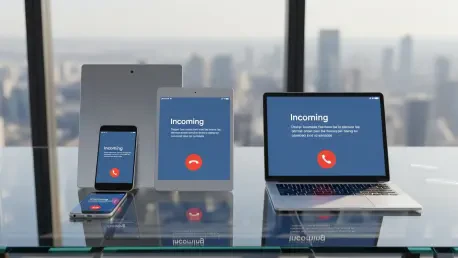
The primary strength of this platform lies in its ability to synchronize communication across a diverse array of hardware, creating a cohesive ecosystem out of disparate devices. By installing the service, an old smartphone, a high-end tablet, and a desktop computer all become “the phone” simultaneously. This ensures that text messages and calls are accessible from the web interface or mobile apps regardless of whether the primary device is powered on or nearby. This flexibility extends to specific business needs, such as answering client calls from a laptop during a deep-work session or using a Wi-Fi-only tablet to manage customer inquiries. This setup eliminates the frantic scramble to find a ringing phone buried in a bag, as the call is just as easily answered via a headset connected to a computer.
This synchronization does not merely mirror notifications; it provides a deep level of integration that respects the context of each device. For instance, when a professional is working on a desktop, they can use a full physical keyboard to respond to business texts, which is significantly faster and more professional than thumbing out a reply on a small screen. Conversely, if they are on the move, the mobile app provides a streamlined experience optimized for quick interactions. The system also ensures that call logs and message histories are perfectly synced across every touchpoint. A conversation started on a laptop can be continued on a phone during a commute without any loss of context or history, providing a seamless experience for both the professional and the person on the other end of the line.
Beyond the convenience of multiple screens, this hardware unification offers a sustainable way to extend the life of older technology. Instead of relegating an old tablet or a previous-generation smartphone to a drawer, these devices can be repurposed as dedicated “office phones” or “customer support terminals” within a workspace. As long as the device has a stable internet connection, it remains a fully functional part of the communication network. This approach reduces the need for expensive new hardware deployments every time a new team member is added or a new workspace is established. By leveraging existing screens, a business creates a robust, multi-device environment that is far more resilient and adaptable than any single-phone setup could ever hope to be.
Leveraging Built-in Intelligence to Filter Noise and Boost Productivity
Beyond simple connectivity, the service acts as an intelligent gatekeeper for professional interactions, utilizing advanced data processing to handle mundane tasks that would otherwise consume valuable time. Features like automated voicemail transcription allow users to skim messages during meetings or quiet work periods rather than listening to lengthy, often rambling audio files. This capability transforms voicemail from a chore into a searchable, readable format that can be quickly archived or forwarded to relevant team members. Furthermore, the integration of high-caliber spam filtering ensures that the constant barrage of robocalls and telemarketing attempts is silenced before it can disrupt the flow of the workday. This level of protection is essential in a modern environment where every interruption carries a significant cost to focus and momentum.
The “Screen Calls” feature represents a particularly powerful application of this built-in intelligence, providing a layer of defense against unknown interruptions. When an unrecognized number calls, the system can be configured to require the caller to state their name and the purpose of their call. The professional then hears this recording before deciding whether to take the call, send it to voicemail, or ignore it entirely. This effectively eliminates the “mystery call” anxiety that plagues many business owners, ensuring that only legitimate, high-value conversations make it through to the live line. By filtering out low-value noise at the source, the service functions like an automated administrative assistant, protecting the user’s schedule and allowing them to prioritize the interactions that actually drive their business forward.
Moreover, the recent integration of Gemini AI within the Workspace environment has elevated the service from a simple utility to a sophisticated productivity engine. For those on professional plans, the AI can generate concise call summaries, capturing key action items and sentiments from long discussions. This means that instead of taking frantic notes during a negotiation or a project update, the professional can remain fully present in the conversation, knowing that a digital transcript and summary will be available immediately afterward. These intelligent features do more than just save time; they enhance the quality of professional relationships by ensuring that details are never missed and that follow-up actions are always clear. The result is a communication system that works for the professional, rather than one that the professional has to work to maintain.
From Installation to Automation: A Step-by-Step Implementation Guide
To transition a workflow to this system, a professional should begin by claiming a number through the primary dashboard on a computer, choosing between a new free number or porting an existing business line for a one-time fee. Once the account is active, the next step involves installing the mobile applications on all relevant Android and iOS devices and linking them to a primary cellular number to ensure seamless call handling during the transition phase. This linking process allows the cloud number to “ring through” to the standard dialer if desired, though many prefer to keep the interactions entirely within the dedicated app to maintain the separation between lines. Setting up the initial voicemail greeting and ensuring that the “Web” and “Mobile” devices are all toggled to “On” in the settings will ensure that no incoming communication is overlooked during the first few days of use.
The real strategic advantage comes from configuring the “Custom Call Forwarding” rules, which function much like Gmail filters for phone calls. A user can set specific rules to route anonymous callers directly to voicemail during deep-work hours while ensuring that VIP contacts always ring every device they own, regardless of the time. These rules can be scheduled to change automatically based on the time of day, allowing for a “Do Not Disturb” period that still permits emergency access for certain individuals. Additionally, it is beneficial to explore the notification settings to ensure that voicemail transcripts are being sent to the primary email inbox. This creates a secondary archive of all voice communications that is fully searchable alongside emails and documents, making it incredibly easy to find a specific detail from a call that took place weeks or months prior.
For growing teams, scaling into Workspace-integrated plans allows for advanced features that transform the service into a full-scale corporate communications suite. This includes the implementation of professional auto-attendants—the “press one for sales, press two for support” menus that lend an air of established credibility to even a solo operation. Ring groups can also be established to distribute incoming calls across an entire department, ensuring that a customer is always greeted by a live human rather than a recording. By taking these incremental steps toward automation, a business owner can build a communication infrastructure that is both highly sophisticated and surprisingly simple to manage. The final result is a system that not only handles the volume of modern business but also anticipates the needs of the user, providing a level of agility that was impossible under the old carrier-bound model.
Implementing these systems proved to be a turning point for many organizations that recognized the fragility of traditional phone lines in 2026. The shift away from physical SIM cards and toward a decentralized, cloud-based identity provided the resilience needed to survive an increasingly mobile and unpredictable global market. Those who adopted these tools found that they could maintain a professional presence from anywhere, leveraging AI-driven intelligence to filter out the noise of an over-connected world. By the time the transition was complete, the “phone” had ceased to be a device and had become a versatile service that followed the worker rather than leading them. This transformation not only saved countless hours of administrative labor but also fostered a more intentional and productive relationship with digital communication as a whole. Moving forward, the lessons learned from this integration continued to serve as a blueprint for how professional identities could be successfully managed in an era defined by software rather than hardware.







