


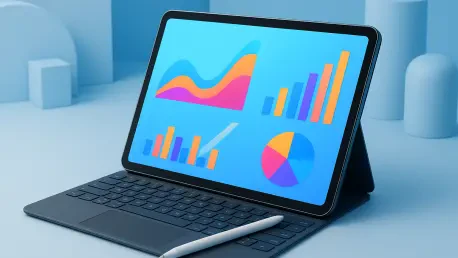

Budget-conscious students are increasingly turning to the ASUS Chromebook CM30 for its military-grade durable chassis and its inclusive bundle of essential productivity peripherals. This shift reflects a broader trend where academic hardware is no longer viewed as a secondary accessory but as the central pillar of a student’s educational infrastructure. As we navigate the current academic landscape, the digital divide is narrowing not just through price, but through the extreme specialization of hardware designed for the rigors of modern pedagogy. High-refresh-rate displays and pressure-sensitive styluses have transitioned from being expensive luxuries to baseline requirements for effective digital note-taking and document annotation. Today, the choice of a device is dictated by how well the hardware integrates into a specific workflow, whether that involves complex coding, creative design, or administrative management. The classroom of 2026 demands versatility, and the industry has responded with a level of power and efficiency that previously belonged only to high-end desktops.
Primary Standards for Reliability and Professional Performance
Establishing the Benchmarks: The iPad and Samsung Ecosystems
The Apple iPad (11th Gen) has solidified its position as the foundational choice for students who require a friction-free entry into the digital classroom. Its dominance is rooted in the maturity of the iPadOS ecosystem, where educational software is optimized specifically for this silicon to ensure peak efficiency. For the average learner, the stability of this platform ensures that during high-stakes examinations or collaborative projects, the technology remains an invisible facilitator rather than a point of failure. The current iteration maintains a familiar design language while providing the necessary processing headroom to handle advanced multitasking and augmented reality applications that have become common in STEM curricula. This consistency allows educators to build their lesson plans around a predictable hardware standard, knowing that every student with this device can access the same interactive tools without encountering significant compatibility barriers or performance lag during a busy semester.
Conversely, the Samsung Galaxy Tab S9 FE addresses the physical realities of a nomadic student lifestyle by prioritizing environmental resilience and immediate utility. By including the high-precision S Pen as a standard component, the manufacturer acknowledges that digital handwriting is an essential part of the learning process rather than an optional creative hobby. Furthermore, the IP68 rating for dust and water resistance provides a level of psychological security that is often overlooked in academic settings. Students frequently find themselves studying in bustling coffee shops or science labs where liquid spills or exposure to the elements are constant risks. This ruggedized approach does not come at the expense of display quality, as the screen remains vibrant enough for detailed media work while being tough enough to survive the accidental knocks and drops that characterize a busy semester. It is a tool built for the unpredictable and demanding nature of daily campus life.
Workstation Integration: The Surface and OnePlus Solutions
The Microsoft Surface Pro (11th Edition) represents the pinnacle of hybrid computing, successfully merging the tactile benefits of a tablet with the robust capabilities of a desktop operating system. For educators, this device is often the only viable solution because it provides native support for legacy grading software and complex administrative tools that mobile-only platforms simply cannot execute. The integrated kickstand remains a masterpiece of industrial design, allowing for seamless transitions between a traditional laptop posture for heavy typing and a flat-canvas mode for grading digital papers or drawing complex diagrams. As schools integrate more sophisticated data analytics into their daily operations, the ability to run a full version of Windows 11 ensures that a teacher’s primary device can handle every task from early morning planning to late-night reporting. It is a workhorse that eliminates the need for maintaining separate desktop and mobile systems while maintaining a lightweight profile.
Moving toward high-speed efficiency, the OnePlus Pad 2 introduces a design philosophy centered on ergonomics and rapid turnaround times. Its 7:5 aspect ratio is a deliberate departure from the cinematic widescreen formats of the past, offering a vertical field of view that closely mirrors the dimensions of a standard A4 sheet of paper or a physical textbook. This architectural choice makes reading academic journals and research papers far more natural, as it reduces the need for constant scrolling and allows for more text to be displayed at a comfortable font size. Complementing this focus on productivity is a charging architecture that virtually eliminates the anxiety of a low battery during a long day of lectures. The ability to gain hours of usage from just a few minutes at a power outlet is a transformative feature for students who may have limited access to charging ports in older lecture halls, ensuring that their primary note-taking tool is always ready for the next session.
Diversified Value and Strategic Academic Integration
Visual Productivity: Lenovo and Budget-Friendly Alternatives
The Lenovo Tab P12 has carved out a unique space for researchers and heavy multitaskers who find the standard ten-inch display size too restrictive for complex academic work. Boasting an expansive 12.7-inch 3K display, this tablet provides the necessary real estate to utilize split-screen layouts effectively, such as having a lecture video running on one side while taking structured notes on the other. This level of visual density is particularly beneficial for students engaged in research, where cross-referencing multiple digital sources simultaneously is a frequent requirement. Lenovo’s software refinements further enhance this experience by allowing for floating windows and a desktop-like taskbar, which bridges the gap between simple tablet usage and high-level productivity. By focusing on a large-format experience, this device makes high-level multitasking accessible to a much broader range of the student population who need more space to work without a professional-tier price tag.
While high-end features often dominate headlines, the Amazon Fire Max 11 provides a crucial service for those who require a reliable entry-point into digital education without a significant financial commitment. It focuses on an essentialist philosophy, providing a crisp display and long-lasting battery life that are perfectly suited for reading textbooks and participating in online forums. This device serves as a reminder that the value of an educational tool is found in its ability to facilitate learning. Similarly, the ASUS Chromebook CM30 continues to gain traction by offering a comprehensive ecosystem that includes a keyboard and stylus as part of the initial package. This all-in-one approach simplifies the procurement process for both individual students and school districts, ensuring that users have every peripheral necessary to begin their academic journey immediately, all protected within a chassis that is built to withstand the rigors of heavy daily usage.
Strategic Decisions: Future-Proofing the Educational Experience
The transition toward integrated tablet technology in the academic landscape was defined by a shift from auxiliary media consumption to high-stakes academic production. Students and educators prioritized hardware that offered a balance between immediate performance and long-term durability, recognizing that a digital workstation was only as effective as its environmental resilience. The selection process was largely dictated by specific pedagogical needs, where the choice between an expansive screen for research or a ruggedized frame for lab work became the primary differentiator. Those who invested in platforms with robust stylus support and optimized software ecosystems found that their ability to engage with complex curricula improved significantly. It was observed that the most successful implementations were those where the technology remained an unobtrusive partner, allowing the focus to remain on the mastery of the subject matter rather than on the limitations of the tool itself.
Ultimately, the academic community realized that sustainable technological growth required a focus on modularity and cross-platform compatibility rather than just raw processing power. Future considerations began to emphasize the importance of multi-year software guarantees and repairable hardware cycles to ensure that digital tools remained accessible for the duration of a degree program. The move toward standardized charging protocols and cloud-based collaboration further reduced the friction of peer-to-peer learning, creating a more inclusive environment for students regardless of their physical location. By embracing these diverse technological solutions, the educational sector successfully prepared its members for a professional world where digital proficiency and flexible workstations were no longer optional skills but fundamental requirements for participation in the global economy and continued innovation within their respective academic and professional fields.







