


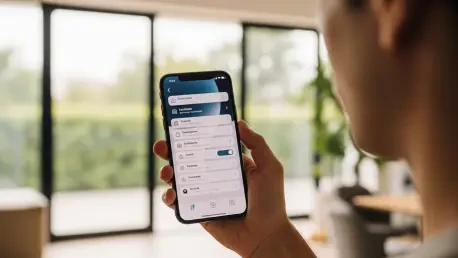

The digital landscape of mobile technology requires consistent maintenance through iterative software updates to ensure that hardware continues to function efficiently against evolving digital threats. While major annual releases capture the majority of public attention with flashy visual changes and groundbreaking new applications, the interim releases like iOS 26.6 provide the necessary structural support for these advancements. This specific update focuses on refining the current operating system’s stability, closing security gaps that have emerged over recent months, and establishing a robust technical foundation for the eventual arrival of iOS 27. Users who prioritize a seamless experience often find that these mid-cycle patches are the most critical for day-to-day reliability, as they address the subtle friction points that can accumulate during extended use of a device. By prioritizing system integrity over aesthetic novelty, this rollout ensures that the vast infrastructure of the iPhone ecosystem remains both resilient and responsive. It serves as a reminder that the health of a smartphone depends not just on the hardware specifications but on the underlying software that manages memory, processes data, and protects the privacy of millions of global users who rely on their devices for everything from financial transactions to personal communication. This update is designed to bridge the gap between present needs and future technological expectations, providing a more refined experience for all compatible devices.
1. Installation Protocol: Configuring the iPhone for Software Updates
To initiate the installation of the software, specific procedures must be followed within the device interface to ensure the update package is applied correctly. First, users should launch the Settings app from the home screen, which acts as the gateway to all system modifications. From there, it is necessary to select the General menu, which houses the essential configuration options for the operating system. Within this submenu, users must go to Software Update, where the iPhone will automatically communicate with Apple’s servers to check for the latest available versions. Once the system finds the iOS 26.6 update, the user can press Download and Install to begin the file transfer. If the device is protected by a passcode, the system will prompt the user to type in your security code if asked and finish the setup steps by following the on-screen prompts. To ensure a smooth transition, it is vital to maintain a stable Wi-Fi connection and ensure the device has sufficient battery life or is connected to a charger, as power interruptions during the installation can cause significant software errors.
Once the download phase concludes, the device will prompt for the input of the system security code to authorize the final installation and restart sequence. This secondary verification step ensures that the update is being performed by the legitimate owner of the device, maintaining a high standard of security throughout the administrative process. After entering the passcode, the iPhone will proceed to decrypt the downloaded files and begin the installation, a process during which the screen will go black and display a progress indicator. It is vital to avoid manually restarting or force-quitting the device while this indicator is active, as the system is busy reconfiguring core directories and updating firmware components that are essential for hardware communication. Following the completion of the installation, the device will reboot automatically and may present a series of brief setup screens to finalize any changes to privacy settings or service agreements. Completing these steps ensures that the handset is fully optimized with the latest performance enhancements and security protocols, providing a clean slate for future interactions and reducing the likelihood of encountering software-related bugs during heavy multi-tasking or media consumption.
2. Core Enhancements: Optimizing Spotlight Search and System Notifications
One of the most significant under-the-hood improvements in this release involves the optimization of Spotlight Search, which plays an increasingly vital role in how users interact with their vast libraries of files and applications. The update introduces a more efficient indexing mechanism that reorganizes how the system categorizes contacts, documents, and third-party app data, resulting in faster search queries and more accurate results. This technical refinement is not merely for immediate speed gains but is strategically designed to prepare the file structure for the advanced artificial intelligence capabilities expected in the upcoming iOS 27 cycle. By streamlining the way metadata is stored and retrieved, the operating system reduces the computational load on the processor during high-frequency tasks, which in turn contributes to better thermal management and prolonged battery health over the lifespan of the device. Users will notice that searching for specific details within messages or finding deeply buried files becomes a smoother experience, as the background indexing services now operate with higher priority and improved logic algorithms that minimize system lag during the retrieval process.
Beyond searching capabilities, the update introduces a practical refinement to the privacy and contact management system by implementing a new Blocked Contacts Limit Reached notification. This feature addresses a specific edge case where users who maintain extensive block lists would previously encounter silent failures when trying to add new entries to their restricted directory. By providing a clear alert when the maximum capacity of the blocked list is reached, the system allows for better administrative control over communication preferences and prevents confusion regarding the status of ignored callers or messages. Furthermore, the release includes a comprehensive suite of security patches and reliability fixes that target vulnerabilities found in common messaging and banking applications. These patches are essential for protecting sensitive financial data and ensuring that encrypted communication remains private despite the emergence of new cyber threats. General bug fixes also address minor UI glitches and connectivity issues that were reported in previous versions, creating a more consistent and professional user interface that reflects the high standards of the modern mobile operating environment.
3. Hardware Compatibility: Extending Device Lifespan and System Parity
Maintaining software compatibility across a wide range of hardware generations is a hallmark of this update cycle, ensuring that users with older devices are not left behind as security standards evolve. The iOS 26.6 update is compatible with a broad spectrum of handsets, ranging from the newest iPhone 17 series down to the iPhone 11 series, showcasing a commitment to long-term device support. This inclusivity means that even those using hardware released several years ago can benefit from the same level of encryption and system stability as those with the latest flagship models. The support extends to the iPhone 16, 15, 14, 13, and 12 series, covering the vast majority of active devices currently in use across the globe. By providing these updates to older silicon, the operating system ensures that the entire ecosystem remains synchronized, reducing fragmentation and making it easier for developers to create applications that function reliably across different performance tiers. This strategy also enhances the resale value of older models and promotes environmental sustainability by extending the functional lifespan of mobile electronics through continuous software refinement.
In addition to the primary flagship lines, the update fully supports the second and third generations of the iPhone SE, which continue to be popular choices for users who prefer a more compact form factor or a more budget-conscious entry point into the ecosystem. These devices, despite their smaller footprint and different hardware configurations, receive the same core security benefits and indexing optimizations as their larger counterparts, ensuring a uniform user experience. This level of support is particularly important for the SE models, which often serve as reliable secondary devices or entry-level phones for younger users who may be more susceptible to digital security risks. Ensuring that these models remain compatible with the latest patches allows for a safer browsing and communication environment regardless of the specific hardware price point. The consistency in software distribution reinforces the idea that security should not be a premium feature but a fundamental right for all users within the network. This comprehensive approach to hardware support demonstrates how iterative updates can bridge the gap between different technological eras, providing a stable platform for every user to operate with confidence.
4. Strategic Assessment: Security Logic and Future Operational Readiness
While many users were anticipating the inclusion of the “anti-snatching” security feature that was extensively tested during the beta phases of this release, its absence in the final public rollout suggests a more cautious approach to theft prevention. This particular feature was designed to utilize motion sensors and proximity data to detect when a phone was forcibly taken from a user’s hand, instantly locking the device to prevent unauthorized access. The decision to hold back this feature indicates that the engineering teams may still be refining the sensitivity of the triggers to avoid accidental lockouts during normal daily movements or athletic activities. Despite the omission of this specific tool, the current update remains a critical installation because it addresses underlying vulnerabilities that could be exploited through more traditional digital means. The focus on stability and indexing over experimental security measures ensures that the public release is as reliable as possible, prioritizing the core functionality of the device over features that may require more extensive real-world validation before they are ready for global deployment.
The decision to implement the iOS 26.6 update was ultimately a proactive step toward maintaining a secure digital environment and preparing for the more transformative changes scheduled for later in the year. Users who updated their devices gained immediate benefits from the enhanced search performance and the resolution of persistent bugs that previously hindered the smooth operation of essential applications. By ensuring that the system remained current, individuals protected themselves against emerging threats while simultaneously streamlining their file management through the new indexing protocols. The process of keeping software up to date functioned as a vital maintenance task that preserved the integrity of the user’s data and the efficiency of the hardware’s processing power. As the technological landscape continued to move toward greater integration of artificial intelligence and more complex security frameworks, these incremental updates provided the necessary stability for a seamless transition. Looking forward, the focus remained on identifying potential bottlenecks in system performance and addressing them before they impacted the user experience, ensuring that the iPhone continued to serve as a reliable tool for both professional and personal endeavors.







