



The technical gap between high-end mobile sensors and the restrictive default camera apps provided by manufacturers frequently prevents creators from achieving a truly cinematic aesthetic. While smartphones today boast impressive multi-lens systems and high-resolution capabilities, the software layer often acts as a gatekeeper rather than an enabler. Standard applications are designed for the masses, prioritizing automation and predictive algorithms that frequently wash out texture or over-sharpen details in an attempt to make every shot look perfect to a casual observer. This artificial intelligence-driven post-processing can be detrimental to serious filmmakers who require absolute control over their medium. By introducing professional-grade software into this ecosystem, the underlying hardware is finally permitted to perform at its peak capability, offering a level of precision that was previously reserved for dedicated cinema cameras. The result is a more authentic image that respects the laws of optics rather than following the aggressive computational trends that dominate current social media aesthetics.
Bridging the Gap: Mastering Mobile Hardware
Granular Control: The Importance of Manual Exposure
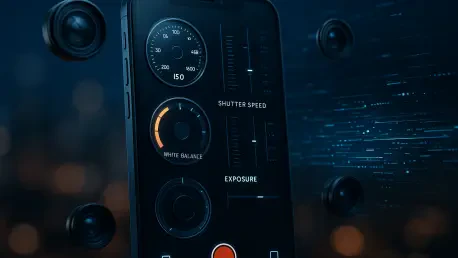
The cornerstone of professional videography is consistency, which is nearly impossible to achieve with software that hides technical data or makes automated decisions mid-shot. The Blackmagic Camera app introduces a comprehensive Heads-Up Display (HUD) that puts critical values like ISO, shutter speed, and white balance directly in the creator’s line of sight, allowing for immediate adjustments without obscuring the frame. By locking these parameters, filmmakers can ensure that lighting and color remain uniform throughout a scene, avoiding the flickering and shifting common in standard mobile footage. This transparency is vital when working in complex environments where light sources may vary, such as transitioning from indoor natural light to harsh artificial bulbs. Instead of the camera constantly searching for an average exposure, the operator dictates the exact aesthetic, maintaining the mood and atmosphere of the production regardless of the sensor’s own internal logic or the software’s initial tendencies.
Efficiency in the field is further enhanced by the app’s professional-grade customization options, such as the ability to map specific functions to tactile or on-screen shortcuts often referred to as F-keys. This allows users to quickly toggle essential tools like focus peaking or zebra stripes without digging through complex menus, effectively turning a consumer gadget into a dedicated piece of production gear. Whether shooting in landscape for traditional cinema or vertical for modern social media, the interface is designed to maximize screen real estate while keeping vital controls within reach of the operator’s thumbs. Such ergonomic considerations are often overlooked by general-purpose app designers, yet they are the very features that enable a videographer to respond to dynamic environments without losing focus on the subject. The transition from a simplified interface to a data-rich environment represents a significant step toward legitimate cinematography, as it encourages the user to engage with the physics of light and the technical requirements of the digital sensor.
Technical Foundations: Codecs and Professional Workflows
One of the most transformative features of this software is its support for high-end codecs and Look-Up Tables (LUTs). On compatible devices, the app unlocks professional workflows like ProRes and Log, which preserve a vast amount of visual data for post-production that would otherwise be discarded by standard compression algorithms. By applying a LUT in real-time, creators can preview a stylized color grade while filming without baking the look into the final file, ensuring the output retains a natural, filmic texture rather than an over-processed smartphone aesthetic. This non-destructive workflow is a hallmark of high-end cinema, allowing the filmmaker to capture the maximum dynamic range possible from the mobile sensor while visualizing the final artistic intent during the capture process. This level of flexibility ensures that highlights are preserved and shadows retain detail, providing a much wider latitude for color correction and grading once the footage is brought into a dedicated editing suite, which is a major leap for mobile content.
Audio management is another area where native apps typically fail, often lacking the ability to route sound through external peripherals or provide visual feedback on signal strength. The Blackmagic Camera app excels here by providing dedicated audio monitor widgets and gain sliders, allowing for precise control over external microphones and headphones to ensure broadcast-quality sound. This integration extends to physical hardware as well, supporting external monitors and stabilizers to transform the smartphone into the central brain of a professional-grade camera rig. By treating the phone as part of a larger ecosystem, the software bridges the gap between a portable communication device and a functional cinema tool. This approach allows for a modular setup where the user can add professional XLR microphones, high-speed external storage via USB-C, and even lens adapters, all while the software manages the complex data streams required for high-bitrate recording. This comprehensive control over the entire production pipeline is what ultimately separates a casual mobile video from a high-quality professional asset.
Navigating Production Realities: Hardware and Ecosystems
Physical Limits: Managing Hardware and Learning Curves
While the software is a powerful utility, it is not a magical solution that can transcend the physical limitations of a device’s hardware. If a sensor is physically capped at a certain resolution or dynamic range, the app can only optimize how that data is captured; it cannot synthesize quality that simply does not exist within the silicon. Furthermore, a learning curve exists for those unfamiliar with cinematography, as the app requires a foundational understanding of manual settings like shutter angle and gain to be used to its full potential. A beginner might find the abundance of data overwhelming at first, but this complexity is precisely what allows for the precision required in professional environments. Mastering these tools requires an investment in time and education, moving away from the set it and forget it mentality of typical smartphone usage toward a more disciplined and technical approach to image capture. Understanding the relationship between frame rate and shutter speed, for instance, is essential for achieving a natural motion blur that matches the look of traditional film.
There is also a notable disparity in performance between iOS and Android versions due to the fragmented nature of Android hardware and API implementations. Apple’s closed ecosystem allows for a more feature-rich experience, including better support for advanced workflows like Apple Log and more stable external integrations. However, even on the Android platform, the app generally outperforms standard manufacturer software by providing a more sophisticated abstraction layer for sensor data, resulting in a measurable improvement in the final visual output. Developers must navigate a vast sea of varying chipsets and camera modules, which can lead to specific features being unavailable on certain Android models. Despite these challenges, the effort to bring a unified professional interface to diverse hardware represents a significant achievement in software engineering. It allows a wider range of creators to access professional-grade tools, provided they choose hardware that supports the necessary camera APIs to let the software communicate directly with the imaging sensors without interference.
Future Perspectives: Democratization and Strategic Integration
The true impact of this software lies in the democratization of high-end filmmaking tools, offering professional capabilities for free to anyone with a compatible device. By bypassing the software speed limiters imposed by phone manufacturers, the app encourages a more intentional approach to content creation that values technical proficiency over algorithmic shortcuts. This shift in behavior—moving from passive recording to active manual adjustment—is often what makes the difference between a casual video and a cinematic masterpiece. As creators become more comfortable with these tools, the industry has seen an influx of high-quality independent projects that would have previously required tens of thousands of dollars in equipment. This accessibility has lowered the barrier to entry for aspiring cinematographers, allowing them to hone their skills using the devices they already carry in their pockets. The democratization of these tools means that the quality of a production is increasingly defined by the skill of the operator rather than the depth of their budget or the brand of their equipment.
In the end, the emergence of advanced mobile software proved that the modern smartphone was an incredibly powerful tool that had been frequently underutilized by its internal operating systems. By providing the necessary manual controls, audio routing, and professional codecs, the software empowered creators to take full control of their craft through a more disciplined production workflow. For those seeking to elevate their work, the next logical step involved integrating the smartphone into a broader ecosystem of professional accessories and post-production software. This transition necessitated a commitment to learning color grading and sound design to match the high-quality files the app was capable of generating. Moving forward, the focus shifted toward optimizing the interplay between mobile capture and cloud-based collaboration, ensuring that footage shot in the field could be instantly accessed by editors globally. This holistic approach transformed the smartphone into a legitimate entry point for the professional cinema industry, forever changing how high-quality video was conceived and executed in a mobile-first environment.







