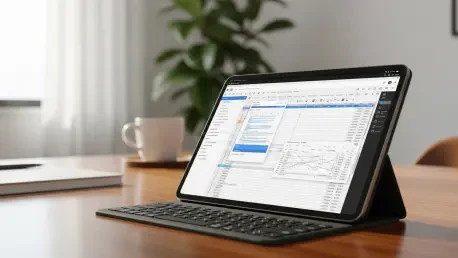

The rapid proliferation of high-performance tablets has transformed these mobile devices from mere media consumption tools into essential professional workstations for millions of users across the globe. As the digital landscape in 2026 continues to lean heavily into subscription-based ecosystems and closed proprietary frameworks, a significant segment of the population has begun to reconsider the implications of their software choices. The reliance on centralized platforms often comes with hidden costs, ranging from recurring monthly fees to the aggressive harvesting of personal data for advertising purposes. In this environment, Free and Open-Source Software (FOSS) has emerged not just as a secondary alternative, but as a critical requirement for anyone seeking to maintain autonomy over their digital life. By choosing applications that allow for public inspection of their underlying code, tablet users can ensure a level of transparency and security that is fundamentally impossible with “black box” proprietary software. This shift toward open-source solutions is driven by a collective desire for privacy, long-term sustainability, and the removal of artificial barriers that often hinder cross-platform productivity.
Fundamental Advantages: The Case for Open-Source Systems
Privacy serves as the primary catalyst for the widespread adoption of open-source applications on modern Android tablets. In an age where digital footprints are meticulously tracked and monetized, FOSS applications stand out by offering a design philosophy that respects user boundaries by default. Because the source code for these programs is accessible to the global developer community, any attempts to embed malicious trackers or unauthorized data-mining scripts are quickly identified and removed. This democratic oversight creates a self-correcting ecosystem where security is not a marketing claim, but a verifiable reality. For tablet users who handle sensitive personal information or proprietary business data, the peace of mind provided by an audited code base is invaluable. Furthermore, these applications typically operate without the intrusive telemetry that characterizes many mainstream apps, ensuring that the device’s hardware resources are focused entirely on the task at hand rather than background data transmission.
Beyond the immediate benefits of privacy, open-source software is renowned for its functional minimalism and superior performance on mobile hardware. Proprietary applications often suffer from “feature bloat,” where companies add unnecessary functions to justify subscription renewals, ultimately slowing down the user interface and draining battery life. Open-source developers, conversely, tend to focus on perfecting core utilities and ensuring that the software remains lean and responsive. This approach is particularly beneficial for tablets, where maintaining a fluid touch-screen experience is essential for productivity. Additionally, the commitment to interoperability within the FOSS community ensures that these apps can easily handle various file formats and communicate with other software environments without technical friction. This flexibility allows users to build a customized digital toolkit that is tailored to their specific needs rather than being forced into a one-size-fits-all corporate ecosystem.
Professional Efficiency: Moving beyond the Subscription Model
OnlyOffice has established itself as a cornerstone of the open-source movement by providing a comprehensive productivity suite that rivals the most expensive proprietary offerings available. As professional tablet use grows, the need for a reliable environment to manage documents, spreadsheets, and presentations has become paramount. OnlyOffice addresses this need by offering a feature-rich experience that does not require a constant internet connection or a mandatory account registration. This independence from cloud-based silos is a game-changer for professionals who travel frequently or work in high-security environments where data residency is a concern. By keeping the processing power and the data storage local to the device, users can maintain complete control over their intellectual property without being tethered to a specific provider’s uptime or policy changes.
The challenge of maintaining professional standards while using alternative software is often centered on file compatibility, a hurdle that OnlyOffice clears with remarkable efficiency. By adhering strictly to the OpenXML standards used by Microsoft 365, the suite ensures that complex formatting, embedded charts, and collaborative comments remain perfectly intact when documents are shared across different platforms. This level of precision prevents the “formatting drift” that often plagues other office alternatives, making it a viable choice for high-stakes corporate communication. Furthermore, the software’s ability to integrate with various independent cloud storage solutions allows for collaborative workflows that are not restricted by the limitations of a single ecosystem. This versatility empowers teams to collaborate effectively while retaining the freedom to choose the storage and security protocols that best suit their organizational requirements.
Versatile MediBreaking Format Barriers on Mobile Devices
VLC for Android remains a quintessential example of how open-source software can solve the most persistent frustrations of digital media consumption. In a marketplace where streaming platforms and hardware manufacturers often utilize proprietary codecs to lock users into specific ecosystems, VLC offers a universal solution that plays virtually any file format. Whether a user is dealing with high-fidelity audio, 4K video files, or niche formats like MKV and FLAC, the application handles the decoding process locally without the need for additional plugins or paid upgrades. This capability is particularly vital for tablet users who utilize their devices as portable cinemas or presentation tools, ensuring that media playback is consistent regardless of the source. The elimination of “unsupported file” errors streamlines the user experience, allowing individuals to focus on their content rather than technical troubleshooting.
The utility of VLC is further enhanced by a user interface that is specifically optimized for the large, high-resolution screens found on modern tablets. Advanced gesture controls allow users to adjust brightness, volume, and playback speed with simple swipes, creating an intuitive interaction model that feels more natural than traditional menu-driven systems. This focus on the user-first design philosophy extends to the app’s comprehensive feature set, which includes subtitle synchronization, audio equalization, and a robust media library management system. Unlike proprietary players that often prioritize advertisements or “recommended content,” VLC remains a clean, focused tool that serves the user’s direct needs. By leveraging the power of an open-source community that spans decades, the application continues to evolve with the latest hardware advancements, ensuring that it remains the gold standard for media playback on the Android platform.
Navigation and Search: Prioritizing Anonymity in Daily Use
Web browsing is frequently the most significant point of vulnerability for digital privacy, making tools like the DuckDuckGo browser essential for a secure tablet experience. As advertisers become increasingly sophisticated in their methods of cross-site tracking and fingerprinting, DuckDuckGo provides a proactive defense by automatically blocking hidden trackers and enforcing encrypted connections. The inclusion of the “Fire” button allows users to purge their entire browsing history and cache with a single tap, a feature that is especially useful on shared devices or for professionals who must maintain strict confidentiality. This commitment to privacy does not come at the cost of modern features; the integration of private AI chatbots and streamlined search results proves that security and cutting-edge technology can coexist. By providing a gateway to the internet that does not log search queries or build personal profiles, it restores the sense of freedom that was once a hallmark of the digital frontier.
Offline navigation represents another critical area where open-source software provides a superior experience compared to mainstream, data-hungry alternatives. Organic Maps exemplifies this by offering highly detailed, turn-by-turn navigation that functions entirely without an active internet connection. While many proprietary mapping services require constant data access and track every movement to serve location-based ads, Organic Maps prioritizes the user’s anonymity and device battery life. It utilizes OpenStreetMap data, which is maintained by a global community of contributors, ensuring that even remote areas are mapped with impressive accuracy. This tool is indispensable for travelers who may find themselves in areas with poor cellular coverage or for those who simply wish to navigate their city without providing a minute-by-minute account of their whereabouts to a central server. The absence of intrusive advertising and the focus on fast, reliable routing make it a premier choice for those who value efficiency.
System Integrity: Verifying Connections through Audited Code
Establishing a secure connection in an era of ubiquitous public Wi-Fi and sophisticated network attacks requires a robust Virtual Private Network solution like Proton VPN. Based in Switzerland, a jurisdiction famous for its uncompromising privacy laws and independence from international surveillance alliances, Proton VPN provides an open-source gateway for all tablet traffic. The decision to make their client code public is a bold move that allows security experts to verify that the encryption protocols and no-logs policies are implemented as promised. For the end-user, this transparency translates into a level of trust that proprietary VPN providers simply cannot match. By masking the tablet’s IP address and encrypting every packet of data, the software ensures that sensitive communications, financial transactions, and private browsing sessions remain hidden from local network eavesdroppers and internet service providers alike.
The transition toward a fully open-source digital ecosystem on Android tablets reached a point of critical mass as users recognized the long-term benefits of software sovereignty. Individuals who prioritized transparency, security, and interoperability successfully built resilient workflows that remained immune to the fluctuating costs and restrictive policies of proprietary giants. This strategic shift facilitated a more sustainable relationship with technology, where the user, rather than the developer, maintained ultimate control over the device’s functions. To continue this momentum, it remained essential to support the developer communities that maintained these vital tools and to advocate for the adoption of open standards in every aspect of computing. The lessons learned from the integration of FOSS into daily life provided a clear blueprint for a future where technology served as a tool for empowerment rather than a mechanism for surveillance, ensuring that the tablet remained a truly personal and secure professional asset.