


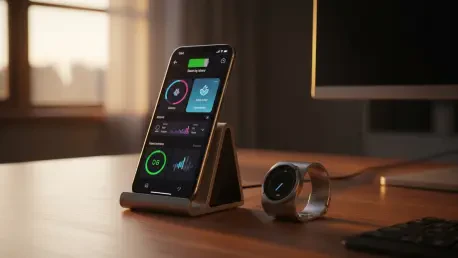

Modern health tracking has evolved from simple step counting into a complex ecosystem of physiological data that provides a window into the body’s internal resilience. As smart rings have become the gold standard for discreet wearable technology, the Oura Ring 5 and its predecessor, the Oura Ring 4, stand at the forefront of this biometric revolution. These devices do not merely collect data; they translate subtle shifts in heart rate variability, skin temperature, and sleep cycles into actionable insights that can fundamentally alter daily habits. However, owning such a sophisticated piece of hardware is only the first step toward optimal health optimization. Many users barely scratch the surface of what these rings can achieve, often missing out on the granular control and predictive capabilities baked into the accompanying software. By mastering the nuances of the application and the hardware’s specific sensors, individuals can transform a simple piece of jewelry into a powerful personal health concierge.
1. Displaying Oura Stats on a Smartphone Main Screen
Integrating health data into the natural flow of daily smartphone use reduces the friction of staying informed about recovery and energy levels throughout the afternoon. Users often find that opening an app becomes a hurdle when they are preoccupied with work or transit, which makes the implementation of home screen widgets a critical efficiency upgrade. For Android users, the process involves a long-press on an unoccupied spot on the home screen to access the menu options. Once there, choosing the widget selector allows the individual to find and pick the Oura App from the list of available modules. This selection presents various options for specific stats, such as the Readiness score or the current battery life of the ring itself. Placing these metrics where they are visible at a glance ensures that decisions regarding physical activity or rest are based on real-time biometric data rather than guesswork, reinforcing the habit of checking internal metrics.
The experience on iOS follows a similar philosophy of accessibility but utilizes the specific design language of the Apple ecosystem to present sleep and readiness data. To initiate this, iPhone users must long-press a blank area on their home screen until the icons begin to jiggle, signaling that the interface is in an editable state. Tapping the edit button in the top corner and selecting the add widget option opens a search bar where the user can find the Oura entry easily. From this menu, several favorite sleep or bedtime widgets can be selected and placed for maximum visibility. This visual integration allows for a seamless transition between productivity and health management, as the ring’s data occupies the same space as calendars and weather updates. By customizing these widgets, users can prioritize the specific information that correlates most strongly with their personal health goals, whether that is achieving a higher sleep score or monitoring activity.
2. Placing Oura Stats on the iPhone Lock Screen
Moving vital health metrics even closer to the user’s immediate attention involves utilizing the specialized lock screen features available on modern iPhone models. This allows for a quick glance at body temperature trends or battery status without even needing to unlock the device, which is particularly useful during early morning hours or late at night. The setup begins by waking the iPhone and performing a long-press directly on the lock screen to enter the customization mode. After hitting the customize button, the user is presented with the option to pick the specific widget area located either above or below the digital clock. This dedicated space is designed for high-priority information that needs to be accessible in a split second. By pulling the desired Oura widgets into this designated box, users create a streamlined data display that provides constant feedback on their physical state without the distractions often found within the main operating system environment.
This level of integration is essential for individuals who use their ring to monitor specific physiological anomalies, such as temperature fluctuations that might indicate the onset of a fever. Having this information pinned to the lock screen ensures that the user is alerted to significant changes the moment they check the time, acting as a persistent health monitor. Furthermore, this placement serves as a subtle reminder to maintain charging habits, as the battery widget is prominently displayed next to other system vitals. The ability to see these metrics in a low-power, high-visibility format exemplifies the shift toward ambient health tracking where data is integrated into the periphery of life. It reduces the cognitive load of proactive health management by making the information unavoidable yet non-intrusive. Once configured, this setup provides a consistent touchpoint for biometric awareness that requires zero manual interaction from the wearer throughout the busy workday.
3. Checking Current Heart Rate Instantly
While the Oura Ring is celebrated for its ability to monitor physiological trends continuously and autonomously, there are moments when a real-time measurement is necessary. Whether a user is experiencing a moment of acute stress or is simply curious about their resting state during a quiet afternoon, triggering a manual heart rate reading provides immediate clarity. To begin this process, the user must open the Oura application and navigate to the primary Today tab. Scrolling down through the various data cards will eventually reveal the heart rate section, which serves as the hub for both historical and current cardiac data. Within this section, a dedicated measure button is available to initiate a live scan of the pulse using the ring’s optical sensors. This feature bypasses the standard periodic sampling intervals, forcing the hardware to engage its LEDs for a focused assessment that reflects the wearer’s current state with high precision.
Once the measurement has been initiated, it is vital to keep the ring positioned correctly and the hand relatively still to ensure the highest possible accuracy of the reading. The application typically requires approximately twenty seconds to gather enough data points to display a stable and reliable result on the screen. During this window, the ring’s internal sensors work intensely to filter out noise and capture the subtle expansion and contraction of blood vessels in the finger. When the result finally appears, it offers a snapshot of the autonomic nervous system’s current balance, allowing the user to correlate their feelings with hard data. This manual intervention is a powerful tool for biofeedback, as it teaches the wearer how specific breathing patterns or mental states affect their heart rate in real time. It transforms the ring from a passive observer into an active diagnostic instrument that can be called upon whenever the user feels the need for immediate physiological verification.
4. Monitoring Health With the Symptom Radar
Predictive health monitoring has advanced significantly with the introduction of the Symptom Radar, a sophisticated feature designed to identify early markers of physiological strain. This system works by analyzing deviations from an individual’s established baseline, specifically focusing on shifts in body temperature and resting heart rate that often precede the feeling of illness. To access this powerful diagnostic tool, users must open the app and tap the menu icon, represented by three horizontal lines, to bring up the primary navigation list. Scrolling to the bottom of this menu reveals the Symptom Radar option, which opens a dedicated interface for analyzing potential health risks. This feature does not diagnose medical conditions but rather acts as an early warning system, alerting the wearer that their body is working harder than usual to maintain homeostasis. By checking this regularly, users can make proactive decisions about their schedule before symptoms become debilitating.
The data presented within the Symptom Radar categorizes physical strain into minor or major signs, providing a nuanced view of how the body is responding to external and internal stressors. A minor sign might indicate that the user is slightly overworked or perhaps recovering from a particularly intense training session, whereas a major sign could suggest the onset of an infection. Reviewing this data allows for a more compassionate approach to one’s own productivity, as it provides a legitimate reason to prioritize rest over rigorous activity. Moreover, the radar helps in identifying patterns related to lifestyle choices, such as the impact of travel or dietary changes on the body’s overall resilience. By understanding these early indicators, the wearer can adjust their behavior—perhaps by increasing hydration or heading to bed earlier—to mitigate the severity of an impending health setback. It represents a shift from reactive medicine to proactive wellness, driven by the ring’s ability to sense what the mind might initially ignore.
5. Boosting the Oura Ring Battery Life
Maximizing the longevity of a single charge is a priority for many users who prefer to wear their ring for several days without the interruption of a charging cycle. While the Oura Ring 5 and 4 are optimized for efficiency, certain high-intensity sensors can be adjusted to extend the time between trips to the charging dock. One of the primary consumers of power is the blood oxygen sensing feature, which uses specific LED wavelengths to monitor peripheral oxygen saturation during sleep. To disable this and save power, the user should navigate to the main menu and locate the section dedicated to Blood Oxygen Sensing. Once inside, switching the toggle to the off position will prevent the ring from performing these checks. While this means the user will no longer receive nocturnal SpO2 data, the trade-off is a noticeable increase in total battery life, which can be beneficial during long trips where the charger might not be readily available for several consecutive nights.
Another effective strategy for preserving energy involves managing how the ring handles heart rate tracking during periods of intense physical movement. The automatic workout heart rate feature is designed to detect and record cardiovascular data when it senses elevated activity levels, but this constant vigilance requires significant power. Users can regain control over this energy expenditure by going to the main menu, entering the settings tab, and selecting the activity sub-menu. From there, switching off the activity heart rate toggle will stop the ring from automatically engaging high-frequency heart rate tracking during exercise. This adjustment does not prevent the ring from tracking steps or general movement, but it does shift the focus toward a more conservative power profile. By fine-tuning these settings, the wearer can tailor the device’s performance to match their specific needs, ensuring that the ring remains operational for as long as possible while still capturing the core metrics essential for daily readiness.
6. Changing How the AI Advisor Talks to You
The evolution of digital health coaching has reached a point where the delivery of information is just as important as the data itself, leading to the creation of the AI Advisor. This feature acts as a bridge between complex biometric sets and practical daily advice, but different users respond better to different communication styles. Some prefer a supportive, conversational tone that offers encouragement, while others want a direct, no-nonsense approach to their health metrics. To customize this experience, the user should start by hitting the plus button on the app’s main screen, which opens the utility menu. From there, tapping the settings gear icon at the top of the interface provides access to the AI’s internal configuration. Within this menu, the user can choose the specific persona they want the AI to adopt, ensuring that the guidance they receive resonates with their personality and current motivational state, making the advice more likely to be followed.
This level of personalization reflects a broader trend in technology where the user interface is no longer static but adapts to the psychological needs of the individual. By choosing a conversational tone, the user might receive insights that feel like a friendly suggestion, emphasizing the “why” behind certain recovery recommendations. Conversely, selecting a direct tone might provide more succinct, data-driven instructions that focus on immediate actions without extra fluff. This flexibility is particularly useful for individuals who find traditional health notifications to be either too clinical or too chatty. Being able to toggle these settings allows the AI Advisor to grow with the user; for instance, a person might prefer direct feedback during a high-stakes training block but switch to a more supportive tone during a period of recovery or high stress. Ultimately, this customization ensures that the interaction between the human and the machine remains productive and harmonious, fostering a long-term relationship with the wearable.
7. Hiding Calorie Tracking From the App
In the pursuit of holistic well-being, many individuals have found that a narrow focus on caloric expenditure can sometimes lead to an unhealthy relationship with exercise and food. Recognizing this shift in health philosophy, the Oura ecosystem allows users to remove calorie data from their primary view, shifting the emphasis toward movement and consistency instead. To implement this change, one must navigate through the main menu into the settings area, where the primary configuration options are located. Within the activity section, there is a specific toggle labeled as the calorie opt-out feature. Enabling this setting hides active and total burn metrics across the various tabs of the application, replacing them with step counts or other movement-based goals. This choice empowers users to define their success based on the quality and regularity of their physical activity rather than a numerical value that may not fully capture the complexity of metabolic health or muscle development.
Removing these metrics can significantly decrease the anxiety associated with “hitting the numbers” on days when rest is physically required. It allows the wearer to focus on the qualitative aspects of their day, such as how they felt during a walk or their level of mental clarity after a light yoga session. This approach is particularly beneficial for those following intuitive movement practices or individuals who are in a phase of life where weight management is not the primary objective. Furthermore, focusing on step counts provides a more tangible and easily understandable metric for daily activity that is less prone to the estimation errors often associated with calorie tracking algorithms. By opting out, the user is taking a deliberate step toward a more balanced perspective on health, where the ring serves as a guide for vitality rather than a judge of energy consumption. This flexibility ensures that the device remains a positive influence on the user’s mental health as well as their physical state.
8. Syncing With Strava for Better Workout Tracking
To gain a truly comprehensive view of one’s physical performance, it is often necessary to combine the specialized sleep and recovery data of the Oura Ring with the robust activity tracking of external platforms. Strava has long been a favorite for athletes who want to log detailed GPS data and performance metrics during cycling, running, or swimming. By linking these two ecosystems, users ensure that every workout is accounted for in their daily readiness and activity scores without having to manually enter data. The integration process begins by opening the main menu and navigating to the settings tab, where the app integrations section is found. Tapping on explore integrations will present a list of compatible third-party services, including Strava. Selecting this option will prompt the user to authorize the connection between the two accounts, allowing for a seamless two-way flow of information that enriches the data sets of both applications simultaneously.
Once the sync is established, activities recorded in Strava are automatically imported into the Oura app, where they are analyzed for their impact on recovery and future exertion limits. This prevents the “missing data” problem that occurs when a user leaves their ring in a locker during a heavy lifting session or a swim but tracks the effort through another device. Moreover, this integration allows Oura to provide more accurate feedback on how specific types of intense training affect sleep quality and heart rate variability over time. For the dedicated athlete, this synergy is invaluable, as it provides a holistic picture of how high-intensity efforts correlate with physiological stress markers. It also simplifies the daily routine by centralizing data management, ensuring that the user doesn’t have to jump between multiple apps to understand their total physical load. This interconnectedness is a hallmark of the modern wearable landscape, where the best results come from a unified data strategy.
9. Starting a Quick Relaxation Session
Mental health is an inseparable component of physical readiness, and the Oura app provides tools to manage stress through guided and unguided breathing exercises. These sessions are designed to help lower the heart rate and improve heart rate variability, which is especially useful before bedtime or after a particularly demanding meeting. To find these tools, the user should scroll down to the timeline on the main Today screen, which serves as a chronological record of the day’s events. Swiping across the icons at the top of this timeline will reveal various activity options, including the unguided session feature. This specific mode is ideal for those who prefer to practice their own meditation techniques or simply want a quiet moment to breathe without verbal instructions. By selecting this, the user can customize the experience to fit the time they have available, whether it is a two-minute reset or a longer period of introspection.
After choosing the session length, users have the additional option to select a background soundscape, such as white noise or natural environments, to help drown out distractions. During the session, the ring continues to monitor biometric data, providing a report afterward that shows how the relaxation period affected the heart rate. This immediate feedback loop is essential for confirming the efficacy of the practice and encourages the user to make mindfulness a permanent part of their daily schedule. Unlike generic meditation apps, this integration allows the relaxation data to be viewed in the context of the entire day’s physiological trends. For example, a user might notice that a five-minute breathing session in the afternoon significantly improves their readiness score the following morning. This realization transforms relaxation from a luxury into a strategic tool for performance optimization. Over time, these small interventions accumulate, leading to a more resilient nervous system and a better overall sense of well-being.
Strategic Implementation of Advanced Biometric Insights
The transition toward a more data-informed lifestyle was greatly accelerated by the sophisticated capabilities of the Oura Ring 5 and 4. Users who actively engaged with the customization of widgets and the strategic management of sensor power found that their devices became more than just trackers; they evolved into essential tools for long-term health management. By integrating these expert strategies, individuals successfully streamlined their interaction with biometric data, making it a natural part of their daily environment. The focus shifted from merely collecting numbers to interpreting the body’s subtle signals with greater precision. As digital wellness continued to mature, those who mastered these specific software features gained a significant advantage in maintaining their physical and mental resilience. The practical steps taken to refine the AI Advisor and link third-party integrations like Strava created a robust health ecosystem that supported both high-performance goals and foundational recovery needs.







