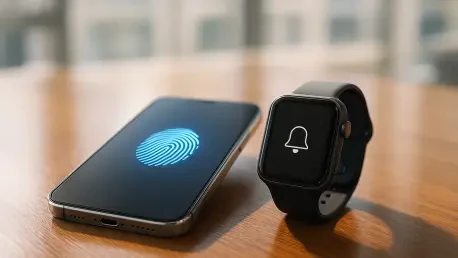

The latest update to Android 17 implements advanced theft protection measures that automatically lock a missing phone and require biometric authentication to restore access. This security evolution fundamentally changes the stakes for potential thieves, as the software now utilizes sensory data to identify the specific physical movements associated with a phone being snatched from a user’s hand. When such a motion is detected, the device immediately engages a lockdown mode, preventing any interaction until the legitimate owner provides a biometric signature. Furthermore, the updated Find Hub has been bolstered with remote locking capabilities that bypass traditional PIN or passcode requirements. Even if a perpetrator manages to observe a user entering their code, the biometric requirement acts as a secondary, unbreakable barrier. This shift toward biometric-first security reflects the ongoing necessity to protect sensitive financial and personal data in an increasingly mobile world. By combining hardware sensors with intelligent software triggers, the system provides a comprehensive safety net that remains active even when the user is caught off guard.
1. Security and Safety Enhancements in Android 17
Refined privacy management within the new operating system offers users unprecedented control over how applications interact with their personal data. Instead of granting blanket permissions, individuals can now provide one-time access to high-accuracy location data for specific sessions, ensuring that background tracking is significantly curtailed. This granular approach extends to the contact list, where users can choose to share only specific names and phone numbers rather than the entire directory. Such modifications are essential for maintaining digital hygiene and preventing third-party applications from building exhaustive profiles based on a user’s social circle. Moreover, the interface provides clearer visual indicators when sensors like the microphone or camera are in use, offering a real-time audit of app behavior. By localizing these permissions, Android 17 mitigates the risks associated with data oversharing. These enhancements empower users to navigate the digital landscape with the confidence that their sensitive information remains under their direct supervision.
Active threat monitoring has been significantly upgraded to identify and restrict high-risk applications before they can cause damage to the user’s data. This system utilizes dynamic signals to monitor for irregular permission changes that might suggest an application is being repurposed for malicious intent. Furthermore, the updated security suite includes a verification tool that cross-references incoming calls from financial institutions with the official banking apps installed on the phone. This provides a clear visual signal to the user that the caller is legitimate, effectively neutralizing common methods used in social engineering scams. By integrating these defensive layers into the core of the operating system, Android 17 offers a more resilient shield against both automated digital threats and manual fraud attempts. The focus on proactive verification ensures that users are protected from sophisticated phishing attempts that bypass traditional filters. This approach to mobile safety acknowledges that the modern threat landscape requires constant vigilance to safeguard personal finances and digital identities.
2. User Experience and Pixel-Exclusive Tools
The expansion of app bubbles represents a fundamental shift in how multitasking is handled on mobile platforms. Previously limited to messaging services, this functionality now extends to any application within the ecosystem. By long-pressing an app icon, users can transform the program into a floating window that overlays other active content. This allows for seamless interaction with secondary tools, such as calculators or notes, while maintaining focus on a primary task like video conferencing. The interface manages these windows through a streamlined anchoring system that prevents screen clutter while keeping essential tools within reach. For users who frequently bounce between various utility apps, this update reduces the friction associated with traditional app switching. The implementation of a persistent bubble bar on larger screens further enhances this experience, providing a dedicated space for managing multiple floating windows. This evolution in the user interface reflects a deeper commitment to providing flexible workflows for a wide range of mobile productivity needs.
The evolution of the user interface on larger displays and foldable devices has introduced a new level of ergonomic efficiency. Foldable screens now support a specialized 50/50 split-screen mode specifically designed for gaming, where the bottom half of the screen transforms into a virtual controller while the top half displays the game. This configuration mimics the feel of a dedicated handheld console, making long sessions more comfortable for mobile enthusiasts. Additionally, a dedicated Bubble Bar has been implemented for tablets, providing a persistent space to manage floating windows. Content creators also benefit from a new screen recording toolbar that allows them to insert a picture-in-picture video of themselves using the front-facing camera. This built-in functionality eliminates the need for third-party apps, streamlining the production of tutorials. Furthermore, centralized family management tools now allow parents to set downtime schedules and content filters directly from the primary menu, ensuring a safer digital environment for younger users.
The latest Pixel-exclusive feature drop emphasizes creative potential and cross-platform interoperability, particularly for the newer hardware models. Support for transferring files between Android and Apple devices has been expanded to include the Pixel 8a and 9a, facilitating smoother communication for users in diverse technical ecosystems. A standout addition is the Gemini Omni tool, which leverages advanced AI to generate custom videos and high-fidelity avatars from personal photos and voice commands. This enables a degree of personalization previously reserved for professional editors. Complementing this is the AI-driven music production suite, which creates high-quality audio tracks based on a user’s description or an uploaded image. Users can fine-tune these tracks by adjusting parameters such as tempo and genre. For international communication, the Pixel 10a now offers live call translation that mimics the original speaker’s voice, ensuring that conversations remain nuanced across languages. These tools represent a significant leap in how AI is utilized to enhance daily communication.
3. Wear OS 7 Integration and Installation Guide
Wear OS 7 brings a refined focus to live information and system-wide efficiency, making the smartwatch a more capable companion for everyday tasks. Users can now monitor dynamic events, such as live sports scores or the real-time progress of a food delivery, directly from the watch face without needing to open a smartphone. This is complemented by enhanced peripheral device integration, allowing users to control smart earbuds and even view photo previews for upcoming smart eyewear directly from their wrist. A new media switcher has been introduced to facilitate seamless audio transitions, enabling users to move playback between headphones and home speakers with a single tap. Beyond these functional updates, the operating system has been optimized for power consumption, resulting in a 10% boost in battery life compared to the previous version. These improvements ensure that the device remains functional throughout the day, even with persistent tracking enabled. By balancing power management with expanded connectivity, Wear OS 7 provides a more reliable and integrated experience.
Upgrading to the new software involved a straightforward process that ensured users could quickly benefit from these advancements. To begin, one navigated to the main menu on the Pixel phone to open the device settings. From there, scrolling down allowed for the location of system options, where the system category was selected. Accessing software updates required a simple tap on the system updates menu, followed by selecting the option to check for updates to initiate the installation of the latest version. Once the download was completed, the device transitioned into the updated environment, providing immediate access to the new suite of tools. This transition proved that staying current with software releases was the most effective way to maintain both device performance and security. Looking ahead, users found it beneficial to audit their AI-generated content and privacy settings regularly. This proactive maintenance solidified the relationship between the user and their technology, fostering a secure and highly efficient mobile experience.