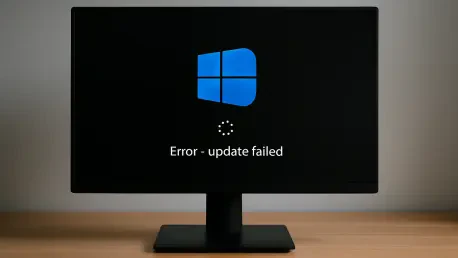

The familiar ritual of a monthly Windows update turned into a digital nightmare for thousands as the May security patch encountered a systemic barrier that halted progress midway through the restart phase. What should have been a standard background process for Windows 11 users instead transformed into a loop of frustration, characterized by frozen progress bars and automated rollbacks. This widespread disruption serves as a stark reminder that even the most advanced operating systems remain vulnerable to legacy architectural constraints. The failure has not only left individual PCs exposed to unpatched vulnerabilities but has also strained the operational capacity of IT departments worldwide, forcing a reevaluation of how system health is monitored and maintained.
This sudden instability centers on a specific error that occurs during the post-download configuration stage. While the initial preparation phase often appears successful, the installation routinely collapses once the system attempts to finalize changes during a reboot. The Nut Graph of this situation reveals a deeper conflict between the increasing size of modern security definitions and the rigid, often undersized partitions created during initial disk formatting. As cyber threats evolve, the patches designed to thwart them require more physical room to maneuver, creating a scenario where a machine can be technically capable of running the software but physically unable to update it.
A Silent Stall in the Patching Process
The typical Windows update cycle usually involves a quick download, a prompt to restart, and a brief wait while the system configuration completes. However, the Windows 11 May security update has deviated from this routine for a significant number of users, leading to a frustrating loop of failed installations. Instead of a seamless transition to a more secure system, many users are watching their progress bars freeze at exactly 35% or 36% before the operating system abruptly gives up. The “Something didn’t go as planned” message has become a hallmark of this specific update cycle, leaving IT departments and home users alike stuck with a machine that rolls back changes and remains vulnerable to modern threats.
This specific failure point is particularly deceptive because it suggests a successful preparation phase. When the system reaches the critical threshold during the reboot, the failure triggers an automatic restoration of the previous environment, which can take several additional minutes of downtime. For the average user, this results in a repetitive cycle where the update attempts to install every time the computer is shut down, only to fail and revert every time it is powered on. This loop consumes CPU cycles, slows down productivity, and creates a sense of uncertainty regarding the actual security status of the workstation.
The Critical Role of the EFI System Partition
To understand why this update is stumbling at the finish line, one must look at the hidden architecture of the hard drive, specifically the EFI System Partition (ESP). This small, often overlooked segment of storage serves as the essential handshake between the computer’s hardware and the Windows operating system, containing the boot loaders and kernel images required to start the PC. The May update requires a specific amount of “breathing room” within this partition to execute its changes. When a system has 10MB or less of free space in the ESP, the update engine lacks the overhead necessary to swap files, causing the entire installation to collapse during the reboot phase.
This architectural bottleneck is often a relic of older disk imaging practices or manufacturer defaults that did not anticipate the ballooning size of modern firmware updates. As security protocols become more complex, the files stored within the ESP have grown, leaving little to no margin for error. The issue highlights a growing tension between fixed hardware configurations and the expanding footprint of modern security patches. Without sufficient space to stage new boot files, the operating system is effectively trapped, unable to move forward with the installation or communicate the specific nature of the storage conflict to the end user.
Identifying the Breakdown in Update Orchestration
The primary technical hurdle is not the lack of space itself, but rather a lack of “dependency awareness” within the Windows update mechanism. Ideally, an operating system should perform a pre-flight check to verify that all necessary resources—including auxiliary partition space—are available before attempting a high-stakes installation. In the case of the May update, the installer proceeds through the initial download and preparation phases without detecting the storage constraint. This logic failure transforms a minor partition issue into a major operational disruption, as the system only realizes it cannot complete the task mid-reboot.
For enterprise environments, this results in failed maintenance windows and the exhaustion of administrative resources as IT teams are forced to manually intervene in what should be an automated process. Ishraq Khan, CEO of Kodezi, noted that this design flaw creates an unnecessary burden on help desks. When the orchestration logic fails to identify a hard block at the beginning of the update chain, it forces systems into a state of flux that requires manual remediation. The fallout from this lack of foresight extends beyond a single patch, as it undermines the reliability of the entire Windows servicing model.
Industry Perspectives on System Hygiene and Trust
Cybersecurity experts and IT consultants view this failure as an erosion of the traditional “set and forget” trust model for Windows updates. Brian Levine, executive director of FormerGov, characterized the situation as a fundamental hygiene failure. Industry leaders suggest that the burden of system hygiene is shifting; boot and recovery partitions can no longer be ignored during routine maintenance. Analysts note that when an operating system fails to accurately judge the state of its own boot partition, it forces IT professionals to move away from simple patch management toward “lifecycle engineering.”
The consensus among experts is that this incident served as a wake-up call for organizations to include auxiliary partition health in their standard telemetry and reporting. It is no longer enough to monitor main drive capacity; the health of the ESP and the Windows Recovery Environment must be tracked with equal diligence. David Neuman of Acceligence emphasized that in a large-scale fleet, a patch that fails during a reboot window is more than a glitch; it is a security gap that persists until an administrator can physically or remotely resize a hidden partition. This realization prompted a shift in how “gold images” for new deployments were provisioned, moving toward a much more generous allocation of space.
Strategies for Remediation and Future-Proofing
Resolving the May update failure required a choice between temporary workarounds and long-term structural changes. While some official channels suggested registry modifications to bypass certain checks, many senior analysts warned that editing the registry in a production environment carried substantial risks, including the potential for unbootable systems. A more robust approach involved a permanent resizing of the EFI System Partition, with a recommended target of 1.5GB to accommodate both current updates and the ongoing health of the Windows Recovery Environment. This larger footprint provided the necessary overhead to ensure that future security cycles would not encounter similar physical limitations.
Administrators eventually moved toward automating the expansion of these partitions using specialized deployment tools, ensuring that entire fleets were brought up to a modern standard. The lessons learned from the May update failure encouraged a more proactive stance on partition management, where health checks were integrated into the pre-patching phase. By the time subsequent updates arrived, the industry had transitioned toward a model of “lifecycle engineering” that prioritized the long-term viability of the system’s foundational storage. This shift ensured that the critical handshake between hardware and software remained secure, allowing for the seamless delivery of protection in an increasingly complex threat landscape.