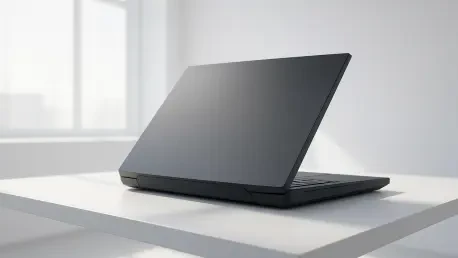

The traditional boundary between high-performance desktop towers and portable gaming machines has become increasingly blurred as manufacturers push the limits of thermal engineering. This evolution is perfectly embodied by the current flagship of the Republic of Gamers lineup, which challenges the very definition of what a laptop is supposed to be in the modern era. Instead of chasing the ultra-thin aesthetic that has dominated the market for much of the past decade, this machine embraces a massive footprint to accommodate hardware that would otherwise require a full mid-tower case to operate effectively. It serves as a definitive answer for enthusiasts who demand the raw power of a high-end workstation but require the ability to occasionally relocate their setup without the hassle of disconnecting dozens of cables. While portability is technically possible, the device is clearly designed to remain anchored to a desk, acting as the primary centerpiece for a professional gaming or content creation environment. The sheer scale of the engineering involved suggests a shift in philosophy, where the goal is no longer to make the PC smaller, but to make the desktop experience foldable. This approach ensures that every component operates at its maximum potential, providing a level of performance consistency that smaller, thinner devices simply cannot sustain under heavy sustained workloads.
1. Product Design: Desktop Power in a Portable Form
The physical presence of this machine is the first indication that it is not intended for the average commuter or casual user. Weighing in at 8.22 pounds for the chassis alone, the device demands a sturdy surface and a dedicated carrying solution if it ever needs to leave the office. This weight is further compounded by a massive 450W power adapter, which is roughly the size of a standard masonry brick and adds significant bulk to any travel kit. Lifting the unit by a single corner reveals the structural density required to house its internal components, and the 18-inch frame ensures it will not fit into standard laptop sleeves. This design choice is intentional, as the larger surface area allows for better heat dissipation and the inclusion of full-sized hardware that smaller competitors must throttle to avoid melting. The “Off Black” finish provides a professional look, but the overall dimensions and weight serve as a constant reminder that this is a stationary powerhouse first and a portable computer second.
Beyond its physical dimensions, the aesthetic choices lean heavily into a futuristic, automotive-inspired design language. The chassis features chamfered corners and a full-surround Aura Sync light bar that illuminates the desk surface with a customizable glow. One of the most distinctive features is the AniMe Vision matrix located on the lid, which consists of 8,522 precision-milled holes that light up to display custom animations, system status icons, or personalized text. While these visual flourishes can be disabled for a more subdued look in a professional setting, they underscore the enthusiast nature of the product. The build quality feels exceptionally robust, utilizing high-grade materials that resist flexing even under the pressure of its own significant weight. This level of durability is essential for a machine that houses such expensive internals, providing peace of mind for users who plan to keep the system as their primary workstation for years to come. The design successfully communicates a sense of raw power and premium craftsmanship that justifies its place at the top of the performance hierarchy.
2. Visual Excellence: The Nebula Mini LED Display
The 18-inch display represents a significant leap forward in mobile panel technology, offering a 4K Mini LED experience that rivals high-end dedicated monitors. With a focus on achieving deep contrast and vibrant color reproduction, the screen utilizes thousands of local dimming zones to ensure that blacks remain deep while highlights pop with intense brightness. In side-by-side comparisons with modern gaming consoles, the display consistently produces superior shadow detail and color saturation, particularly in demanding titles like Cyberpunk 2077. The motion clarity is equally impressive, benefiting from a high refresh rate and rapid response times that eliminate the ghosting often seen on lower-quality panels. This visual fidelity is not just for gaming; professionals working in video editing or graphic design will appreciate the color accuracy and the sheer amount of screen real estate available for complex timelines and toolsets. It is a panel that justifies the “Nebula” branding by providing a viewing experience that is both immersive and technically precise, making external monitors feel like an optional luxury rather than a necessity.
To achieve the absolute peak visual performance and unlock the full potential of the Mini LED technology, users must navigate through specific software settings that are not always enabled by default. While the out-of-the-box experience is excellent, reaching the maximum 240Hz refresh rate with G-Sync and ELMB active requires a manual touch to bypass standard power-saving limitations. Users looking to optimize their visual output should follow these specific steps:
- Launch the Armoury Crate application from the system tray or dedicated hotkey.
- Toggle the Graphics Processor setting to “Ultimate” mode, which directs the signal straight from the GPU to the display, and reboot the system to apply the changes.
- Turn off High Dynamic Range (HDR) within the Windows settings menu if working in standard lighting to prevent overblown highlights.
- Change the Backlight settings to “Single Zone” mode within the display configuration to ensure uniform brightness across the entire panel when performing color-sensitive work.Following this process ensures that the hardware is not being held back by software-level efficiency protocols, allowing the Mini LED panel to operate at its theoretical maximum.
3. Performance Architecture: Core Ultra and RTX 5090
At the heart of this machine lies a combination of the most powerful silicon available in the current mobile market, starting with the Intel Core Ultra 9 290HX Plus. This processor is designed to handle extreme multitasking and heavy computational loads, making it ideal for everything from 3D rendering to high-frame-rate gaming. Complementing the CPU is the NVIDIA RTX 5090 Laptop GPU, which provides enough graphical horsepower to run modern titles at native 4K resolutions with ray tracing enabled. In the Canadian market, the configuration is particularly noteworthy as it ships with 64GB of dual-channel memory as a standard feature. This is a critical advantage over configurations in other regions that might utilize single-channel RAM, which can create significant bottlenecks in memory-intensive applications. The inclusion of high-capacity, high-speed memory ensures that the system can handle massive datasets and complex creative projects without stuttering or slowing down, providing a smooth experience that mirrors a top-tier desktop environment.
The real-world application of this hardware is demonstrated through its remarkable consistency during extended stress tests and long gaming sessions. Unlike many thinner laptops that experience thermal throttling after thirty minutes of heavy use, the SCAR 18 maintains its clock speeds with surprising stability. Benchmarking results show that the frame rates remains steady even as internal temperatures rise, a testament to the synergy between the high-wattage components and the massive power delivery system. This level of reliability is what separates a true desktop replacement from a high-end laptop; it provides the confidence that the system will perform just as well in the fifth hour of a project as it did in the first five minutes. The sheer overhead provided by the RTX 5090 ensures that users are effectively future-proofed for upcoming software releases, allowing them to maintain high settings as titles become increasingly demanding over the next several years. This is a machine built for the long haul, designed for users who refuse to compromise on speed or reliability.
4. Advanced Cooling: Managing Extreme Thermal Loads
Cooling such high-performance components within a chassis—even one as large as this—requires an innovative approach to thermal management. The system utilizes a thick, full-coverage vapor chamber that sits atop the CPU and GPU, which is far more efficient at transferring heat than traditional copper heat pipes. This is paired with a sophisticated three-fan cooling array that increases overall airflow by a significant margin compared to previous generations. The middle fan is specifically positioned to move air across the GPU and VRAM, ensuring that the most heat-intensive parts of the system remain within safe operating temperatures. Even when the system is drawing over 300W of total power, the internal temperatures stay remarkably composed, preventing the hardware from reaching the critical limits that trigger performance drops. This cooling solution is the unsung hero of the device, enabling the hardware to reach its full potential without turning the chassis into an untouchable heat source for the user’s hands.
However, the laws of physics dictate that moving such a massive amount of heat requires significant airflow, which leads to a noticeable acoustic presence. While the software might report decibel levels that seem reasonable on paper, the reality of the fan noise during peak performance is impossible to ignore. When the fans are spinning at maximum velocity to keep the Core Ultra 9 and RTX 5090 cool, the resulting sound can be louder than a standard conversation occurring in the same room. For users who prefer a quiet environment, the “Silent” and “Performance” modes offer a more subdued experience at the cost of some raw speed, but to get the most out of the machine, “Turbo” or “Manual” modes are necessary. Most gamers will likely want to use a high-quality noise-canceling headset to mask the fan whine during intensive sessions. This trade-off between thermal headroom and noise is a standard characteristic of the desktop replacement category, and while the cooling system is highly effective, it is certainly not discreet when under full load.
5. Port Selection and Maintenance: Connectivity and Accessibility
Connectivity is another area where this machine mirrors the capabilities of a full-sized desktop, offering a suite of ports that eliminates the need for external dongles or hubs. It features dual Thunderbolt 5 ports, which provide massive bandwidth for external storage arrays, high-resolution displays, or even external GPU enclosures if needed in the distant future. For networking, a 2.5G Ethernet port ensures the fastest possible wired connection for competitive gaming or uploading large files to a local server. The inclusion of HDMI 2.1 allows for easy connection to the latest 4K televisions or high-refresh monitors with a single cable. With multiple USB-A ports available for peripherals and a high-quality audio jack, the device can easily support a full array of accessories ranging from mechanical keyboards to professional audio interfaces. This comprehensive selection of ports reinforces the idea that the machine is intended to be the heart of a complex workstation, capable of handling any peripheral a professional or enthusiast might throw at it.
Maintenance and future upgrades have also been simplified through the implementation of the Q-Latch system, which allows for tool-less entry into the most critical internal areas. This design choice is a breath of fresh air in an industry that often tries to discourage users from opening their own hardware. To access the internal components such as the RAM slots, SSD bays, and the cooling fans for cleaning, users should follow these steps:
- Locate and trigger the individual locking latch found on the underside of the chassis.
- Firmly pull the rear cover toward the bottom of the device to remove it, revealing the internal layout.This ease of access means that users can easily upgrade their storage or memory as their needs evolve over the next few years, extending the functional life of the machine. It also makes it much simpler to perform routine maintenance, such as clearing dust from the fans, which is essential for maintaining the cooling efficiency required by the high-powered components inside.
6. Notable Drawbacks: Keyboard Layout and Peripheral Quality
Despite the expansive size of the 18-inch chassis, the keyboard layout feels surprisingly cramped in certain areas, which may frustrate users who rely on specific keys for productivity. The inclusion of a two-thirds-size number pad on the right side has forced the rest of the keys to shift, resulting in a layout that feels slightly off-center during long typing sessions. Furthermore, several dedicated keys that are standard on most full-sized keyboards, such as Home, End, and Page Up/Down, have been omitted or relegated to function layers. This is a strange design choice for a machine that otherwise positions itself as a complete desktop replacement, as it forces users to change their muscle memory for common navigational tasks. While the keys themselves offer a satisfying tactile response and per-key RGB lighting, the ergonomic compromises made to fit the number pad feel like a missed opportunity given the massive amount of physical space available on the top deck.
The quality of the integrated peripherals also leaves something to be desired when compared to the premium nature of the core internal hardware. The built-in 1080p webcam produces images that are often soft and struggle with dynamic range, resulting in a grainy appearance even in well-lit rooms. This makes it less than ideal for professional video calls or high-quality streaming without an external camera. Similarly, while the quad-speaker system can reach high volume levels, it lacks the deep bass and rich mid-tones found in some competing flagship laptops. The sound signature is somewhat thin, which can make cinematic games or high-fidelity music feel less impactful. Additionally, the high power draw of the components means that battery life is extremely limited; during intensive gaming sessions, the system often struggles to stay powered for even a single hour without being plugged in. These limitations emphasize that the device is truly meant to be used with external peripherals and a permanent power source to achieve the best possible user experience.
7. Final Verdict: Selecting the Ideal Enthusiast Machine
The evaluation of the ROG Strix SCAR 18 provided a clear picture of its intended market position as a specialized tool for a specific type of user. It was evident throughout the testing process that this machine was not designed for the traveler who needs a lightweight device for use on airplanes or in cafes. Instead, the focus remained entirely on providing the highest possible performance ceiling in a form factor that can be moved between desks when necessary. The combination of the Core Ultra 9 processor and the RTX 5090 GPU allowed the system to tackle the most demanding software of 2026 without showing signs of struggle. While the price point and physical bulk were significant factors to consider, they were balanced by a display and a cooling system that outperformed almost everything else in the mobile category. The machine successfully bridge the gap between a traditional PC tower and a portable computer, offering a level of power that was previously reserved for stationary workstations.
For those considering a purchase, the decision should be based on whether raw power outweighs the need for mobility and battery life. Professionals and gamers who want a top-tier desktop experience without the complexity of building a custom tower will find this to be an exceptional solution. However, individuals who prioritize a lightweight design or the ability to work for several hours away from an outlet should look toward more balanced alternatives like the Zephyrus or Razer Blade series. Moving forward, potential owners should plan for a stationary setup that includes high-quality external peripherals to compensate for the built-in webcam and keyboard quirks. Investing in a dedicated carrying case designed for 18-inch machines is also a recommended step for those who must transport the unit. Ultimately, the SCAR 18 proved to be a masterclass in extreme engineering, delivering on its promise to handle every task with the authority of a full-scale desktop.