
Advanced AI body editors currently support various file formats, including JPG, PNG, and HEIC, making them versatile assets for different mobile photography workflows. In an era where digital communication often relies on visual storytelling, the quality of a photo can significantly influence how a message is received. Mobile photography has advanced to the point where high-end editing tools, once reserved for professional studios, are now accessible to anyone with a smartphone. Many users find themselves in situations where a great photo is marred by slight distortion from a wide-angle lens or an awkward posture that does not reflect reality. The rise of sophisticated neural networks has changed the landscape of photo retouching, moving away from heavy-handed filters toward subtle, realistic enhancements. These modern applications prioritize anatomical accuracy and background integrity, ensuring that the final image remains grounded in reality while looking its absolute best. Choosing the right application involves understanding the specific capabilities of different AI models and how they handle various photographic challenges, from lighting to complex textures.
1. Selecting the Right Tools for Your Unique Photographic Goals and Creative Vision to Ensure Professional Results
Identifying the most effective application for mobile retouching depends heavily on the specific visual problems a user needs to solve in the current year. While some individuals may want to correct the height compression often caused by shooting from high angles, others might focus on refining their overall silhouette to match how they appear in person. Apps such as Perfect Me and Peachy have specialized in these areas by offering intelligent proportion tools that redistribute pixels based on human anatomy rather than just stretching the frame. This technological precision prevents the resulting image from appearing artificial, which is a common issue with older-generation editing software. By focusing on the relationship between the waist, shoulders, and limbs, these tools allow for a balanced and professional look that preserves the original character of the photograph. The goal of using these editors in 2026 is generally to fix technical errors or enhance aesthetic flow rather than creating an entirely different persona.
The environment surrounding the subject in a photo is just as important as the subject itself when it comes to high-quality retouching. One of the most obvious signs of a poorly edited photo is the distortion of background elements, such as curved door frames or wavy architectural lines, which often occurs during manual reshaping. Advanced options like the YouCam Online Editor have solved this problem by utilizing AI-driven masking that separates the person from their surroundings with high accuracy. This allows for significant changes to body contours while keeping the background perfectly straight and natural. For users who need comprehensive edits that include lighting adjustments and color correction, platforms like Fix The Photo provide a deeper level of service. These tools bridge the gap between quick mobile fixes and professional-grade post-production, offering a range of possibilities for both casual social media users and professional content creators who require perfection in every frame.
2. Mastering the Nuances of AI-Driven Precision Through the Implementation of Sophisticated Web-Based User Interfaces
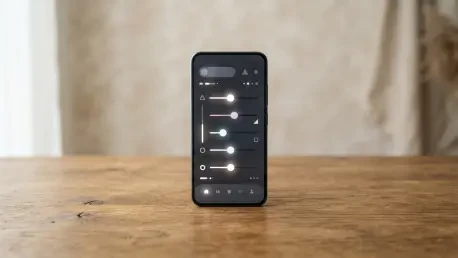
Web-based editing platforms have seen a surge in popularity due to their convenience and the powerful cloud-based processing they offer without requiring a download. The YouCam Online Editor stands out in this category by providing a suite of AI body-reshaping tools accessible directly through a browser. This application allows users to refine specific areas such as the waist, arms, and shoulders with simple, intuitive sliders that offer real-time previews. One of its most impressive features is the leg-lengthening tool, which can correct the perspective of photos taken from suboptimal heights. By subtly extending the lower body while maintaining the correct proportions of the feet and torso, the AI creates a taller appearance that looks entirely natural. This browser-based approach is particularly useful for those who work across different devices and need a consistent, high-quality result without the bloat of multiple installed applications.
In addition to structural changes, the ability to tone specific muscle groups and lift the hips has become a staple of advanced web editors. The AI technology within these platforms can detect multiple people in a single shot, allowing users to select which individual to edit without affecting others in the group. This selective editing is a massive leap forward for group photography, where different people may have unique preferences for how they wish to be presented. The interface also supports face-slimming features that can chisel the jawline or refine the cheeks, ensuring that facial proportions remain in harmony with any body adjustments. This holistic approach to editing ensures that no single part of the image looks out of place. By providing a comprehensive toolkit that handles everything from muscle definition to skin smoothing, web editors have become an essential part of the modern digital creator’s workflow in 2026.
3. Expanding into Video and Specialized Social Media Retouching
As short-form video continues to dominate the digital landscape, the demand for retouching tools that can handle motion has increased significantly. Pretty Up is a leading application in this niche, enabling users to adjust body proportions and facial features within video clips. Editing moving images is far more complex than editing static photos because the software must track the subject through every frame to ensure a consistent look. Pretty Up manages this by applying its reshaping algorithms across the entire duration of the clip, allowing for waist-slimming or height adjustments that remain stable even as the person moves. This capability has become highly sought after by influencers and creators who want their video content to match the high standards of their edited still photography. While video editing requires more processing power, the results provide a level of visual polish that was once impossible on mobile devices.
Beauty Plus serves as a versatile alternative for those who primarily focus on selfie-related content but still require effective body-tuning options. This application features a unique manual tool that allows users to draw lines on their photos to guide the slimming and reshaping process. This provides a high degree of creative control, as users can precisely define where the adjustments should occur. Although it is widely known for its facial filters and skin-smoothing capabilities, its body-tuning tools are designed to deliver quick and natural results for casual sharing. The app’s popularity stems from its ability to provide a “glow-up” in seconds, making it a favorite for those who post frequently on social media. By combining fun aesthetic filters with practical reshaping tools, Beauty Plus offers a balanced experience that caters to a wide range of personal styles and editing needs.
4. Evaluating Human-Led Services and Comprehensive Retouching Suites
For users who demand the highest possible quality and want to avoid the “AI look” entirely, Fix The Photo offers a unique service-based model. Unlike automated applications, this platform connects users with professional editors who perform manual retouching based on specific requests. This human touch is particularly valuable for complex tasks such as removing cellulite, adding realistic muscle definition, or performing intricate background object removal. Because real professionals handle each file, the edits are virtually indistinguishable from an unedited photo, as they can interpret nuances of light and shadow that AI might miss. This service operates around the clock, providing a reliable option for those who need professional-grade results for portfolios, advertisements, or high-stakes social media posts. The availability of human expertise ensures that every edit is tailored to the individual’s unique physique and the specific context of the shot.
Peachy provides a unique and comprehensive experience by offering a vast array of manual reshaping tools within an extremely user-friendly mobile interface. This app is highly rated for its versatility, allowing users to adjust everything from head size to hip width with a high degree of precision. One of its standout features is a virtual tattoo tool, which allows users to experiment with different body art designs without any permanent commitment. The application also includes a quick reset function that is essential for maintaining a natural look; users can easily roll back any changes that feel excessive. This encourages experimentation and helps users find the perfect balance between enhancement and reality. While some of its more advanced features require a subscription, the free version remains a powerful tool for anyone looking to refine their digital presence with a stylish and modern aesthetic.
5. Tailoring: Professional Edits Addressing Specific Masculine and Feminine Aesthetic Preferences to Improve Overall Visual Cohesion
The concept of body editing has evolved to include gender-specific tools that cater to different aesthetic goals and anatomical structures. BodyApp is an iOS-exclusive application that has gained traction by offering distinct toolsets for men and women. For male users, the app focuses heavily on muscle definition, providing options to enhance the appearance of the chest, biceps, and abdominal muscles. These tools are designed to follow the natural lines of the body, adding depth and shadow to create a more athletic look. Conversely, the tools for female users emphasize slimming the waist, lengthening the legs, and adding virtual makeup or skin-smoothing effects. By acknowledging the different ways people choose to present themselves, BodyApp provides a more personalized editing experience. This targeted approach ensures that the tools provided are relevant to the user’s specific desires, making the editing process more efficient and satisfying.
Retouch Me has been a prominent player in the industry since 2018 and has continually updated its library of features to remain relevant today. It offers a wide selection of accessories and physical adjustments that go beyond simple reshaping, such as adding jewelry and glasses or even changing the appearance of clothing. For those looking to emphasize physical fitness, the app provides detailed muscle overlays that can be adjusted for intensity. This allows users to subtly enhance their existing physique or try out a completely different look for creative purposes. The application also handles facial retouching with equal care, allowing for red-eye correction, teeth whitening, and skin tone evening. By offering such a broad spectrum of features, Retouch Me functions as a one-stop shop for total image transformation. This level of variety is ideal for users who enjoy experimenting with their look and want an app that can handle everything from basic touch-ups to elaborate stylistic changes.
6. Implementing Professional One-Tap Solutions and Standardized Workflow Steps for Streamlined Efficiency
AirBrush has earned its reputation as one of the most efficient editors on the market by focusing on speed and ease of use. It features a variety of one-tap presets that automatically adjust body and face proportions based on common aesthetic preferences. These presets come with an intensity slider, allowing users to dial back the effect to ensure the result remains subtle and believable. This is particularly useful for individuals who want to polish a photo quickly before sharing it and do not have the time for manual pixel manipulation. The app’s “Reshape” tool also allows for more targeted adjustments, giving users the flexibility to fix specific areas that the presets might miss. By combining automated AI with manual controls, AirBrush provides a balanced workflow that caters to both novices and more experienced photo editors who value their time.
Achieving a professional result involves a logical sequence of steps to ensure the final image looks cohesive and untouched. Using a platform like YouCam Online Editor serves as a perfect example of an efficient workflow for modern retouching. First, the user must access the online editing interface through a standard web browser on a desktop or mobile device. Next, they should import their desired image, which can be in JPG, PNG, or HEIC format, and select the “Body Reshape” tool from the main menu. Once the image is loaded, the user can adjust various sliders to achieve their desired look, such as narrowing the waist or extending the legs. It is important to move these sliders in small increments to maintain realism. After the adjustments are complete, the user can preview the changes against the original and then download the high-resolution file. This structured approach prevents over-editing and ensures that the final result is exactly what the user intended.
7. Addressing Technical Hurdles and Providing Comprehensive Solutions to Common User Questions Regarding System Functionality
One of the most frequent questions regarding body editing is how to achieve a look that does not appear fake or manipulated, and the consensus among digital experts in 2026 is that natural results are best achieved by choosing apps that use advanced AI to protect the background from distortion. YouCam Online Editor is often cited as a top choice for this reason, as its neural network can distinguish between the subject and the environment. Another common concern is the ability to edit moving subjects in video clips. While this was once a task reserved for professional movie studios, apps like Pretty Up have made it accessible to the general public. These apps use motion-tracking technology to apply edits consistently, though users are advised to use them on videos with stable lighting and simple movements for the best results. Understanding the limitations of current technology helps users set realistic expectations for their digital creations.
Accessibility and cost are major considerations for many users when selecting an editing platform, especially since most top-rated apps offer free versions with basic features while sophisticated AI tools often require premium subscriptions or one-time credits. This is particularly true for human-led services like FixThePhoto, which involve professional labor. However, for those specifically looking for muscle enhancement, apps like RetouchMe and BodyApp provide dedicated tools that are often included in their standard offerings. These tools can add realistic abs, biceps, or broader shoulders by overlaying anatomically correct textures onto the photo. Users should evaluate how often they plan to use these features before committing to a paid plan. By understanding the different pricing models and feature sets, individuals can find a tool that fits both their creative needs and their budget while maintaining high standards for their visual content.
8. Developing: A Sustainable Approach to Digital Editing
In previous years, the digital landscape was characterized by a push toward extreme and often unattainable visual standards through aggressive photo manipulation. However, as the industry progressed toward the current year, a significant shift occurred in how people utilized these powerful tools. Users moved away from using editors to hide their true selves and instead began using them as a means of creative expression and technical correction. This evolution led to the development of the sophisticated AI we see today, which prioritizes the preservation of the original image’s integrity. The journey through various applications and technologies has shown that the most successful edits are those that go unnoticed. This historical context provides a clear roadmap for the future of digital photography, where the focus remains on authenticity enhanced by technology rather than replaced by it.
Looking ahead, the most effective way to use body editor apps involves integrating them into a broader philosophy of mindful digital creation. Users are encouraged to view these tools as a way to compensate for the limitations of camera lenses and lighting rather than as a necessity for every post. Actionable steps for the future include staying updated on the latest AI advancements that offer better background protection and more nuanced skin texture preservation. As mobile processing power continues to grow, we can expect even more realistic real-time editing features to become standard in basic camera apps. For now, the best strategy is to experiment with different platforms like YouCam, Peachy, and AirBrush to find which interface matches your personal editing style. By mastering these tools, creators can ensure that their digital memories are presented with the clarity and professional polish they deserve, fostering a healthier and more artistic relationship with mobile photography.