
Tucking away a high-performance computer into a dark corner of a desk drawer seems like a waste when one considers the raw processing power and sophisticated sensors packed into every retired Android phone. While the consumer market often dictates that a device is obsolete once its successor arrives, the reality of hardware longevity tells a much different story. These gadgets remain equipped with high-resolution displays, capable cameras, and stable wireless connectivity long after their cellular contracts have expired. By reimagining these devices as specialized instruments rather than general-purpose communicators, users can solve common household challenges and enhance their technological ecosystems without spending an additional dime.
The transition toward a more sustainable approach to personal technology begins with recognizing that an old smartphone is essentially a pocket-sized server. In an era where electronic waste continues to mount, finding secondary lives for these machines is both an environmental necessity and a triumph of practical engineering. This article synthesizes various expert strategies and creative applications to help anyone convert their “junk” into a valuable asset. Whether the goal is to bolster home security, streamline a professional workflow, or provide educational tools for the next generation, the versatility of the Android operating system offers a wealth of opportunities for those willing to experiment with legacy hardware.
The Hidden Potential of Your Forgotten Gadgets
As the cycle of mobile technology continues to accelerate, the accumulation of retired smartphones and tablets has become a common household phenomenon. These abandoned Android devices are far from being useless artifacts; they are compact, powerful computers that feature built-in batteries, vibrant screens, and a suite of sensitive environmental sensors. By shifting the perspective from viewing these items as “outdated phones” to seeing them as “functional tools,” a significant amount of value can be unlocked while simultaneously reducing the burden of electronic waste. The inherent flexibility of the Android ecosystem allows for deep customization, enabling these devices to serve specific, dedicated roles that would otherwise require the purchase of expensive, single-use hardware.
The process of repurposing involves looking past the scratches or the slightly diminished battery life to see the underlying utility of the processor and the operating system. Many specialized tasks, such as acting as a smart home controller or a dedicated media player, do not require the cutting-edge speed of a modern flagship. Instead, they benefit from having a stationary, always-on interface that can be tucked into a specific room or mounted on a wall. This shift toward “micro-computing” allows a user to maintain a clutter-free primary phone while delegating background tasks or utility functions to a secondary screen. It is a strategy that maximizes efficiency and ensures that every piece of technology in one’s possession is utilized to its fullest extent.
Furthermore, the secondary market for these devices remains robust, yet the personal utility gained from keeping a device as a specialized tool often outweighs the meager cash value of a trade-in. By retaining a legacy device, a user effectively gains a backup system that can step in should a primary device fail or be lost. This safety net provides peace of mind and continuity in a world where digital access is non-negotiable. Exploring the creative transformations available for this tech not only saves money but also fosters a deeper understanding of how hardware and software can be manipulated to serve human needs beyond the narrow scope of traditional mobile use.
Breathing New Life Into Legacy Hardware
Transforming Mobile Tech Into Specialized Home Utilities
Beyond their original purpose as communication hubs, old Android devices can be reconfigured to solve persistent household and office inconveniences at zero additional cost. A particularly effective application is turning a retired phone into a dedicated Wi-Fi extender. By utilizing the built-in hotspot feature, a device can receive a signal from a primary router and rebroadcast it into “dead zones” where the connection might otherwise be weak. This transformation essentially turns a piece of drawer-clutter into a free networking appliance, rivaling the performance of basic mesh points. It requires careful placement to ensure the phone receives enough signal to repeat it effectively, but once established, it provides a stable bridge for guests or smart home devices located in far corners of the property.
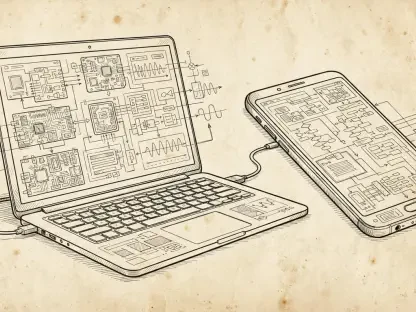
In the realm of desktop productivity, an old Android device can act as a versatile wireless trackpad or PC controller. By installing specialized software such as Unified Remote, the phone becomes a remote interface for a Windows, Mac, or Linux computer, allowing the user to control media playback, advance presentation slides, or navigate a mouse from across the room. This is particularly useful for media center PCs or office environments where a physical mouse and keyboard might be inconvenient. Moreover, using a tablet as a secondary terminal via Chrome Remote Desktop allows for the management of complex tasks on a more powerful machine from the comfort of a couch or a different office room, effectively extending the reach of one’s main workstation.
The shift toward single-purpose utilities highlights a growing preference for “micro-computing,” where a dedicated device offers more stability than a primary phone trying to multitask. For instance, a phone can be permanently mounted near a front door to act as a digital doorbell interface or a hub for a smart lighting system. By removing the distractions of social media and communication apps, these devices become incredibly efficient at their one assigned task. This specialization reduces the wear and tear on a primary phone’s battery and screen, as it no longer needs to be pulled out and unlocked for every minor environmental adjustment. It is a streamlined approach to living that leverages existing hardware to create a more responsive and intelligent home environment.
Enhancing Security and Surveillance Without the Premium Price Tag
One of the most practical and cost-effective applications for a retired Android device is high-tech monitoring and surveillance. With the installation of software like IP Webcam, any smartphone can be transformed into a sophisticated security camera that supports motion detection, two-way audio, and remote cloud viewing. This setup allows users to keep a watchful eye on their property, a home office, or even a nursery without investing in expensive, proprietary security systems. The high-quality lenses found on even mid-range phones from a few years ago often outperform the optics found in budget-friendly dedicated security cameras, providing clearer images and better low-light performance for a fraction of the cost.
This approach to surveillance challenges the necessity of monthly subscription fees often associated with modern smart-home security brands. By utilizing local storage or personal cloud accounts, users can maintain complete control over their footage, ensuring privacy while avoiding recurring expenses. To ensure the longevity of such a setup, it is vital to manage the hardware properly. Risks like battery swelling from being constantly connected to a power source can be mitigated by using smart plugs that cycle power or by setting timers that prevent the battery from remaining at a full charge for extended periods. When managed correctly, an old phone provides a robust secondary layer of safety that is both sustainable and highly customizable.
Beyond traditional security, these devices serve as excellent specialized monitors for various niche needs. A parent might find that a tablet makes an ideal baby monitor when paired with a simple video-calling app, providing a large, clear view of the crib that can be accessed from any other device. Similarly, hobbyists might use an old phone to monitor the progress of a long 3D print or to keep an eye on a backyard bird feeder. The ability to place a small, connected camera in nearly any location—provided there is Wi-Fi and power—opens up a world of observation that would be difficult or expensive to achieve with traditional equipment. It is a testament to the versatility of the hardware that it can pivot from a personal assistant to a dedicated sentinel with just a few software adjustments.
Creating Immersive Knowledge and Media Hubs
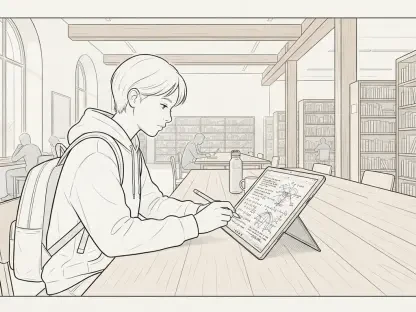
Old tablets are uniquely suited for environments where a “low-distraction” experience is desired. By stripping away social media, email, and instant messaging apps, a device can be reframed as a dedicated e-reader using platforms like Libby or Kindle. This creates a digital sanctuary for reading that mimics the focused experience of a specialized e-ink device, but with the added benefits of a backlit screen for nighttime use and the ability to view color illustrations or diagrams. Such a setup is perfect for professional development or recreational reading, allowing the user to engage deeply with the material without the constant interruptions of pings and notifications that plague their primary communication devices.
In the kitchen, an old tablet can undergo a remarkable transformation into a command center for recipes and culinary tutorials. When mounted at eye level, it becomes a hands-on guide that can stream video demonstrations, display complex ingredient lists, or even function as a voice-controlled timer. This prevents the primary phone from being exposed to the hazards of flour, water, or heat, while providing a much larger screen for easy viewing from across the counter. Emerging trends also show users converting these screens into live “windows to the world” by running apps like EarthCam or setting up digital photo frames via Google Photos. These dedicated displays add a touch of personality and global connectivity to a room without requiring active interaction.
Furthermore, these media hubs can serve as excellent entry points for children or guests. A tablet pre-loaded with educational games or a curated selection of streaming content provides a safe and controlled environment for younger users without the risk of them accessing a parent’s private data or making unauthorized purchases. For guests, a “house tablet” can provide easy access to local weather, smart home controls, and streaming music, making them feel more at home without needing to share Wi-Fi passwords or personal devices. By specializing the hardware for these specific contexts, the user creates a more intuitive and purposeful digital environment that enhances daily life through thoughtful placement and software curation.
Professional and Philanthropic Transitions for Used Gear
When a device no longer serves a personal or recreational function, it can still provide significant professional or social value. Separating work and personal life becomes significantly easier by designating an old phone as a dedicated work-only terminal. This device can be configured to host only corporate email, Slack, and professional calendars, allowing the user to physically set aside their work at the end of the day. This hard boundary is a powerful tool for maintaining mental health and productivity, as it eliminates the temptation to check professional messages during personal time. It also ensures that sensitive work data remains isolated on a specific piece of hardware that can be secured according to corporate policy.
For those who are ready to part ways with their hardware entirely, the resale market through platforms like Swappa or Gazelle remains a lucrative option. Even older models often retain some trade-in or resale value, providing a modest financial return that can be put toward a new purchase. However, if the financial incentive is low, the philanthropic potential of the device is immense. Donating used tech to organizations like Medic Mobile or Cell Phones For Soldiers ensures that the hardware facilitates critical communication for health workers in remote areas or provides a lifeline for military personnel stationed overseas. This transition turns potential “e-waste” into a life-saving resource, proving that the value of a device is not solely measured by its processing speed or screen resolution.
Beyond these specific paths, old Android devices can also serve as invaluable tools for the local community. Schools, community centers, and non-profit organizations often have a need for functional tablets for digital literacy programs or as check-in kiosks for events. Even a device with a cracked screen or a degraded battery can be useful in a stationary environment where it is permanently plugged in and used for simple tasks. By exploring these professional and philanthropic avenues, users contribute to a circular economy that prioritizes the extended utility of technology. This mindful approach to hardware disposal ensures that the benefits of digital connectivity are shared with those who might not otherwise have access to modern tools.
Strategies for Optimal Device Reconfiguration
To successfully transition an old device into a new role, the focus must remain on performance optimization and hardware longevity. The first and most critical step is performing a factory reset to clear out years of digital clutter and ensure that sensitive personal data is completely removed. This reset often provides a noticeable boost in speed, as it eliminates background processes and system logs that have accumulated over time. If the device still feels sluggish after a reset, one should consider installing a lightweight launcher, such as Niagara or Smart Launcher. These interfaces are designed to be minimal and efficient, reducing the graphical overhead on the processor and making the device feel much more responsive for its new, specialized tasks.
Another vital aspect of reconfiguration is managing the power supply and physical health of the hardware. For devices that will be permanently plugged in—such as a desk calendar, a kitchen hub, or a security camera—the quality of the charging cable and power brick is paramount. Using high-quality, certified accessories prevents overheating and reduces the risk of electrical issues. Additionally, to preserve the battery, it is wise to use a smart plug that can be programmed to turn off once the device reaches a certain charge level, preventing the battery from “cooking” at one hundred percent capacity indefinitely. Keeping the device in a well-ventilated area and away from direct sunlight also helps in maintaining the screen and internal components for years to come.
Finally, maintaining connectivity is essential for any device intended for remote access or real-time updates. If a device is being used outside of a home Wi-Fi network—such as a backup phone in a glovebox—leveraging a data-only SIM from a provider like Google Fi can be an incredibly cost-effective solution. These SIM cards often share the data bucket of a primary plan with no additional monthly line fee, providing the device with a constant connection for navigation or emergency calls. For indoor devices, ensuring a stable Wi-Fi connection through static IP assignments can prevent connectivity drops that might interrupt a security feed or a smart home hub. By applying these technical optimizations, a user ensures that the repurposed hardware operates with the reliability of a brand-new appliance.
Sustaining Value in the Evolution of Personal Technology
The lifecycle of an Android device reached a natural conclusion for many users when the cellular contract expired or a newer model was purchased. However, the versatility of the Android ecosystem proved to be its greatest strength, allowing these gadgets to be resurrected as specialized tools that simplified daily routines. Whether acting as an emergency backup in a glovebox, a high-tech alarm clock on a nightstand, or a specialized testing ground for rooting and custom ROMs, the hardware continued to provide utility long after its peak. By repurposing these devices, a transition toward a more sustainable and efficient relationship with technology was successfully achieved.
This movement toward thoughtful hardware reuse reduced the environmental impact of frequent upgrades and demonstrated that specialized computing did not always require the latest specifications. Owners who chose to convert their old phones into security cameras or kitchen hubs found that the devices performed these roles with surprising reliability. The focus shifted from what the device could not do—such as run the most demanding modern games—to what it could do exceptionally well as a dedicated utility. This mindset encouraged a more intentional use of digital resources, where every screen in the household served a specific, useful purpose.
In the end, the most clever way to use an old device was the one that addressed a specific friction point in a user’s life. By applying a bit of creativity and technical optimization, these forgotten gadgets were kept out of landfills and brought back into the daily workflow. The projects undertaken to revitalize this tech fostered a deeper appreciation for the engineering behind mobile hardware and the flexibility of open software. Moving forward, the practice of repurposing ensured that the evolution of personal technology remained a journey of utility and innovation rather than a cycle of waste. Actionable steps were taken to turn yesterday’s “junk” into today’s most reliable tools, setting a standard for responsible consumption in the digital age.