
Maximizing the efficiency of the power button sensor involves more than just a single scan of an index finger or a primary thumbprint. The shift toward a side-mounted biometric sensor on the iPhone Duo represents a significant departure from the facial recognition technology that dominated the smartphone landscape for nearly a decade. While many users initially felt that the absence of Face ID was a technical regression, the integration of Touch ID into the power button offers a compact and tactile alternative that fits the unique chassis of the Duo. Adapting to this hardware change requires a shift in how one interacts with the device, especially for those accustomed to the hands-free nature of previous flagship models. Efficiency in 2026 is often measured by the speed at which a user can transition from a locked screen to an active workflow, and the slim profile of the Duo necessitates a more strategic approach to fingerprint registration. By understanding the mechanical nuances of the scanner, owners can minimize the friction associated with physical biometric entry.
1. Implementing Fingerprint Redundancy for High Accuracy
Redundancy is the most effective strategy for ensuring that the biometric sensor works on the first attempt without requiring a second or third press. Since the power button sensor is narrower than the old home button found on legacy devices, the contact area for the finger is significantly reduced. This physical limitation means that the scanner has less data to work with during any single touch, leading to potential authentication failures if the finger is placed at an odd angle. To counteract this, a user should scan the same primary finger multiple times, treating each new fingerprint slot in the software as a separate instance.
This method provides the operating system with a much wider database of biometric angles and partial prints, which dramatically improves the recognition rate. Instead of just one perfect scan, the system can draw from three or four different sets of data for a single finger, ensuring that even a partial touch from the side or the tip will be sufficient to grant immediate access. Capturing the finger in various states, such as when it is slightly damp or cold, further ensures that the sensor remains responsive regardless of the environmental conditions or the user’s specific grip on the phone.
2. Leveraging Apple Watch for Proximity Authentication
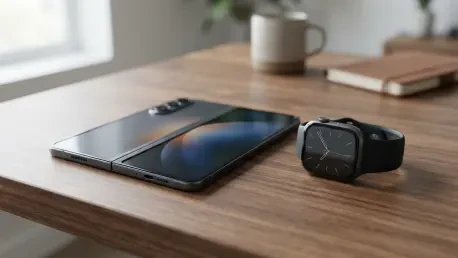
Building on the concept of internal sensor optimization, the Apple Watch provides an excellent secondary authentication layer. This functionality, which has evolved from 2026 to 2028, allows the wearable device to act as a trusted proximity key. When the watch is unlocked and on the user’s wrist, it can communicate with the iPhone Duo to bypass the strict biometric requirement under certain conditions. This is particularly useful in scenarios where the user’s hands might be occupied or when the sensor is difficult to reach due to the way the device is being held or folded at that moment.
Implementing this solution involves a straightforward configuration within the security settings of the mobile operating system. Once the proximity unlock toggle is activated, the phone will prioritize a quick handshake with the nearby wearable whenever a swipe-up gesture is detected on the screen. While the watch handles the authentication, it provides haptic feedback to the user’s wrist, confirming a secure unlock. This creates a psychological experience similar to Face ID, where the device seems to open almost magically. For the highest level of efficiency, maintaining a charged watch effectively removes the friction of manual entry.
3. Utilizing Tactical Hand Placement for Faster Access
This approach to hardware synergy naturally leads to tactical scanning, where advanced users can take biometric efficiency a step further by recognizing that the sensor is capable of reading skin patterns beyond the fingertips. Because of the way the iPhone Duo is gripped—often supported by the palm or the base of the thumb—there are several unconventional contact points that can be registered as prints. By observing the natural resting position of the hand, a user can identify exactly which part of the palm naturally aligns with the power button. Registering these specific areas allows for an almost instantaneous unlock.
Looking ahead, the refinement of these biometric strategies suggested that the physical limitations of hardware can always be overcome through clever software utilization and user behavior modification. By diversifying the registered prints and leveraging wearable peripherals, users successfully bridged the gap between different biometric eras. The most effective solutions emerged from a combination of maximizing the internal database and utilizing external hardware to create a multi-layered security environment. These techniques demonstrated that user experience is often a result of how well one understands the tools at hand.