


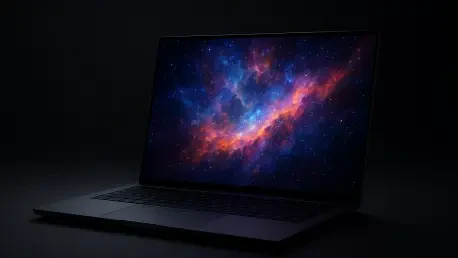

The 16:10 aspect ratio of the OLED display provides additional vertical screen real estate, making it as effective for complex data tasks as it is for immersive gaming. This design choice signals a shift in the gaming laptop market of 2026, where the lines between professional creative workstations and high-end gaming rigs continue to blur. Enthusiasts seeking the pinnacle of mobile performance have looked toward the Blackwell architecture from NVIDIA as the definitive standard for this generation. The Lenovo Legion Pro 7i arrives as a primary vessel for this technology, specifically housing the RTX 5080 to deliver frames at a rate that previously required a full desktop tower. Beyond the internal components, the refinement of the chassis and the integration of a high-refresh-rate OLED panel suggest that Lenovo is no longer just competing on a specifications sheet but is instead aiming to provide a comprehensive, premium experience. This machine represents a significant leap forward from the hardware available in 2024 and 2025, offering a glimpse into how thermal management and power delivery have evolved to support such aggressive components in a relatively slim profile.
1. Pricing and Market Positioning: A Flagship Investment
The specific configuration being scrutinized features the Intel Core Ultra 9 290HX Plus processor paired with the NVIDIA GeForce RTX 5080, a combination that positions this device at the upper echelon of the current market. Listed on the official Lenovo website as model 83F500M0US, the unit carries a premium list price of approximately $5,578.99, though frequent market adjustments and discounts often bring the retail cost down to a more competitive $3,467.49. This price point reflects the inclusion of cutting-edge features like PCIe 5.0 storage and GDDR7 video memory, which are still relatively new to the consumer space in 2026. Buyers should be aware that market availability can fluctuate significantly between different retailers. For instance, major outlets such as Amazon, B&H, and various deal-tracking sites often stock a more standard configuration utilizing the Core Ultra 9 275HX rather than the higher-clocked 290HX Plus version. This distinction is critical for users who prioritize the absolute maximum clock speeds for simulation work or competitive gaming.
While the initial cost may seem daunting, the value proposition rests on the longevity and the sheer performance ceiling of the hardware. The inclusion of 32GB of DDR5-6400 RAM and a 2TB PCIe 5.0 NVMe SSD setup ensures that the system will not face bottlenecks for several years. In the landscape of 2026, where modern titles increasingly demand higher VRAM and faster storage throughput for asset streaming, the 16GB of GDDR7 on the RTX 5080 serves as a necessary foundation rather than an excessive luxury. Prospective owners must carefully evaluate their specific needs, as the price gap between the high-end Legion Pro 7i and mid-tier alternatives is substantial. However, for those who require a machine capable of handling both 4K video rendering and ultra-settings gaming without compromise, the investment aligns with the costs of competing flagship models from other major manufacturers. The presence of a 99.9Wh battery and a comprehensive warranty further cements its status as a professional-grade tool for the most demanding users in the current technology cycle.
2. Design and Build Quality: The Industrial Aesthetic
The construction of the Legion Pro 7i reflects an industrial design philosophy that emphasizes durability and a professional appearance. Utilizing a CNC all-aluminum chassis finished in an understated Eclipse Black, the laptop feels remarkably rigid and lacks the flex often found in high-performance machines with larger footprints. The aesthetic is further defined by a signature “U” light strip along the front lip, which provides customizable RGB lighting for those who enjoy a gaming-centric look while remaining easy to disable for a more boardroom-appropriate appearance. Hexagonal vents and precisely cut bottom-panel intakes are not merely decorative; they are integral to a cooling system designed to dissipate the massive heat generated by the 175W TGP of the graphics card. Weighing in at 5.67 lbs, the device is heavy enough to feel substantial but remains within the realm of portable workstations, provided the user has a sturdy backpack and is prepared for the additional weight of the large power brick required for full-speed operation.
Connectivity remains a significant strength for this chassis, offering a diverse array of ports that eliminate the need for external dongles in most scenarios. The layout includes two USB-C ports, one of which supports Thunderbolt 4 while the other provides 100W Power Delivery for charging on the go. Additionally, the inclusion of three USB-A ports, an HDMI 2.1 output for 4K/120Hz external displays, and a 2.5GbE Ethernet port caters to both legacy devices and high-speed networking requirements. The keyboard is Lenovo’s TrueStrike model, featuring 1.6mm of key travel and a slight 0.3mm dish on the keycaps for improved tactile feedback during long typing sessions or intense gaming matches. A physical E-shutter switch on the side allows for a hardware-level disconnect of the 5MP webcam, addressing privacy concerns that have become a standard consideration for users in 2026. The overall build quality conveys a sense of longevity, suggesting that the hinges and surfaces are built to withstand the rigors of daily travel and high-intensity use over many years.
3. Visual and Audio Excellence: The OLED Advantage
The centerpiece of the user experience is undoubtedly the 16-inch WQXGA OLED display, which operates at a native resolution of 2560×1600. With a 240Hz refresh rate, the panel is capable of rendering motion with exceptional clarity, making it ideal for fast-paced shooters and action titles. The display is factory-calibrated by X-Rite Pantone, ensuring that color accuracy is maintained for professional creative work right out of the box. Furthermore, the VESA DisplayHDR True Black 1000 certification guarantees that contrast levels are nearly infinite, with deep, ink-like blacks that traditional IPS or Mini-LED panels struggle to replicate. While the glossy finish of the screen can lead to reflections in bright environments, the high peak brightness helps mitigate this issue in most indoor lighting conditions. The inclusion of NVIDIA G-Sync and Advanced Optimus allows the system to seamlessly switch between the integrated graphics and the powerful RTX 5080, preventing screen tearing and optimizing battery usage without requiring a manual restart.
Complementing the high-end visuals is a four-speaker audio system tuned with Nahimic 3D Audio software. This setup provides a surprisingly wide soundstage for a laptop, with clear separation between high-frequency details and mid-range vocals. The Nahimic utility allows for granular control over the audio profile, including a ten-band equalizer and specialized toggles for virtual surround sound, which can enhance the immersion in atmospheric games. However, as is common with even the best gaming laptops in 2026, the low-end response remains somewhat limited due to the physical constraints of the chassis. While the speakers are more than adequate for casual media consumption and voice calls, users seeking a truly cinematic experience or deep bass during explosions will likely prefer using the audio combo jack or Bluetooth 5.4 for high-quality headphones. Despite this, the overall audiovisual package is among the most impressive in its class, offering a level of fidelity that matches the high performance of the internal hardware.
4. Raw Performance and Benchmarks: Breaking Records
In practical gaming scenarios, the combination of the Intel Core Ultra 9 290HX Plus and the NVIDIA RTX 5080 produces results that redefine expectations for mobile gaming. During testing with demanding titles like Baldur’s Gate 3 at a native 2560×1600 resolution and Ultra settings, the system maintained an average of 101 frames per second. Even in the most complex urban environments within the game, frame rates rarely dipped below 88, providing a fluid experience that takes full advantage of the 240Hz display. More impressively, the thermal management system kept the GPU temperature at a stable 58°C under full load, while the CPU hovered around 76°C. These temperatures are remarkably low for such high-end components, indicating that the vapor chamber and fan design are operating at peak efficiency. This headroom suggests that the laptop can maintain its performance over long sessions without the thermal throttling that often plagued flagship machines in previous years like 2024 or 2025.
Beyond gaming, the synthetic benchmarks highlight the incredible speed of the underlying architecture. The PCIe Gen5 SSD storage is a standout feature, recording sequential read speeds of 12,430 MB/s and write speeds of 13,206 MB/s in CrystalDiskMark 9. These figures are nearly double the performance of the fastest PCIe Gen4 drives, drastically reducing load times and improving the responsiveness of the entire operating system. In Geekbench 7, the CPU multi-core score reached an impressive 23,920, while the OpenCL GPU test produced a score of 173,036. Such numbers place the Legion Pro 7i near the top of global performance charts, rivaling professional desktop workstations in tasks like 3D rendering and video encoding. Whether the workload is a heavy creative project or a high-fidelity game with Ray Tracing Overdrive enabled, the system handles the task with a level of ease that justifies its flagship status and showcases the significant progress made in mobile silicon by 2026.
5. System Optimization: Unlocking the Full Potential
To ensure that the hardware operates exactly as required for different tasks, the Legion Pro 7i provides several quick-access optimization tools. One of the most useful features is the ability to adjust the screen’s refresh rate on the fly. By pressing the Fn + R hotkey, users can instantly switch between 60Hz and 240Hz. This is particularly effective when transitioning from a gaming session to a task that requires less power, such as watching a movie or writing a report, as the lower refresh rate helps extend the limited battery life. Additionally, the system includes a color-coded power management system accessible via the Fn + Q hotkey. Tapping this combination rotates the machine through three distinct profiles: Quiet mode, represented by a blue light on the power button; Balanced mode, indicated by a white light; and Performance mode, which turns the light red. This hardware-level control allows for immediate adjustments to fan speeds and power limits based on the current environment.
For those looking to maximize every possible frame in competitive scenarios, engaging the dedicated graphics card is a necessary step. Users should open the Legion Space app, navigate to the Performance tab, and select dGPU under the “GPU Working Mode” section. This setting bypasses the integrated Intel graphics, sending the signal directly from the RTX 5080 to the display, which can result in a significant performance boost of up to 24% in certain titles. Within the same Performance menu of the app, one can also select a cooling preset by toggling the Thermal Mode to the “Performance” setting. This forces the fans to their maximum curve and increases the total power allowance for the CPU and GPU. While this mode does increase acoustic noise significantly, it is the intended way to achieve the record-breaking benchmark scores and maintain the highest possible frame rates during intensive 4K gaming or complex data processing tasks.
6. Battery Life and Mobility: The Power Trade-Off
Despite the massive 99.9Wh battery, which is the maximum size allowed for air travel, the sheer power draw of the Core Ultra 9 and RTX 5080 components means that mobility is somewhat limited. In real-world testing involving light web browsing and document editing at moderate brightness, the battery can be depleted from a full charge to approximately 12% in about three hours. This runtime is relatively short compared to modern ultrabooks or ARM-based laptops, but it is expected for a machine of this caliber. Users who plan to work away from a power outlet for extended periods must make aggressive use of the Battery Saver settings and the 60Hz refresh rate toggle. The Legion Pro 7i is clearly designed as a “desktop replacement” that can be moved between locations, rather than a device intended for long sessions of untethered use in a cafe or on a cross-country flight.
The saving grace for the laptop’s portability is the Super Rapid Charge technology, which significantly mitigates the downtime caused by the high power consumption. When using the included high-wattage adapter, the system can recharge from 12% to 65% in only 30 minutes, and reach a full 100% charge in roughly 85 minutes. This fast charging capability is essential for gamers or professionals who may only have short windows of time between meetings or matches to top off their battery. However, the physical weight of 5.67 lbs remains a constant factor. When combined with the necessary power brick, the total carry weight exceeds 7 lbs, making it a heavy machine that is better suited for a dedicated desk setup. While it is possible to carry it between the home and the office, it is not a machine intended for constant travel or use on a lap, as the heat output and weight are optimized for a stable, flat surface with plenty of airflow.
7. Final Considerations: Navigating the High-End Market
The comprehensive evaluation of the Lenovo Legion Pro 7i showcased a machine that successfully balanced extreme performance with a refined industrial design. The transition to the RTX 5080 and the Core Ultra 9 290HX Plus provided a measurable leap in capability, allowing users to experience native 1600p gaming at high refresh rates without the compromises seen in previous hardware generations. The inclusion of a PCIe 5.0 SSD proved to be a transformative addition for system responsiveness, setting a high bar for storage speeds that other manufacturers will likely struggle to match in the near term. While the thermal management system performed admirably by keeping internal temperatures low, the trade-off in acoustic noise during maximum performance modes remained a significant factor for those who prefer a silent working environment. Overall, the device established itself as a top-tier contender for the title of the premier gaming laptop in 2026, provided the buyer understood the associated costs and physical constraints.
Prospective users looked at the device as a long-term investment, with the high-quality OLED panel and robust aluminum chassis ensuring that the physical hardware would age as gracefully as the internal components. The specific actionable steps for optimization, such as using the Legion Space app to toggle the dGPU and managing thermal profiles, offered enthusiasts the control they required to fine-tune their experience. Although the battery life remained a weakness typical of the flagship category, the rapid charging capabilities offered a practical workaround for most scenarios. For the future, those entering the high-end market should consider whether the raw power of the RTX 5080 is necessary for their specific workloads or if the added weight and cost outweigh the performance benefits. As software continues to evolve to take advantage of Blackwell’s architecture and high-speed storage, the Legion Pro 7i likely stayed at the forefront of the industry well into the later years of the decade.







